

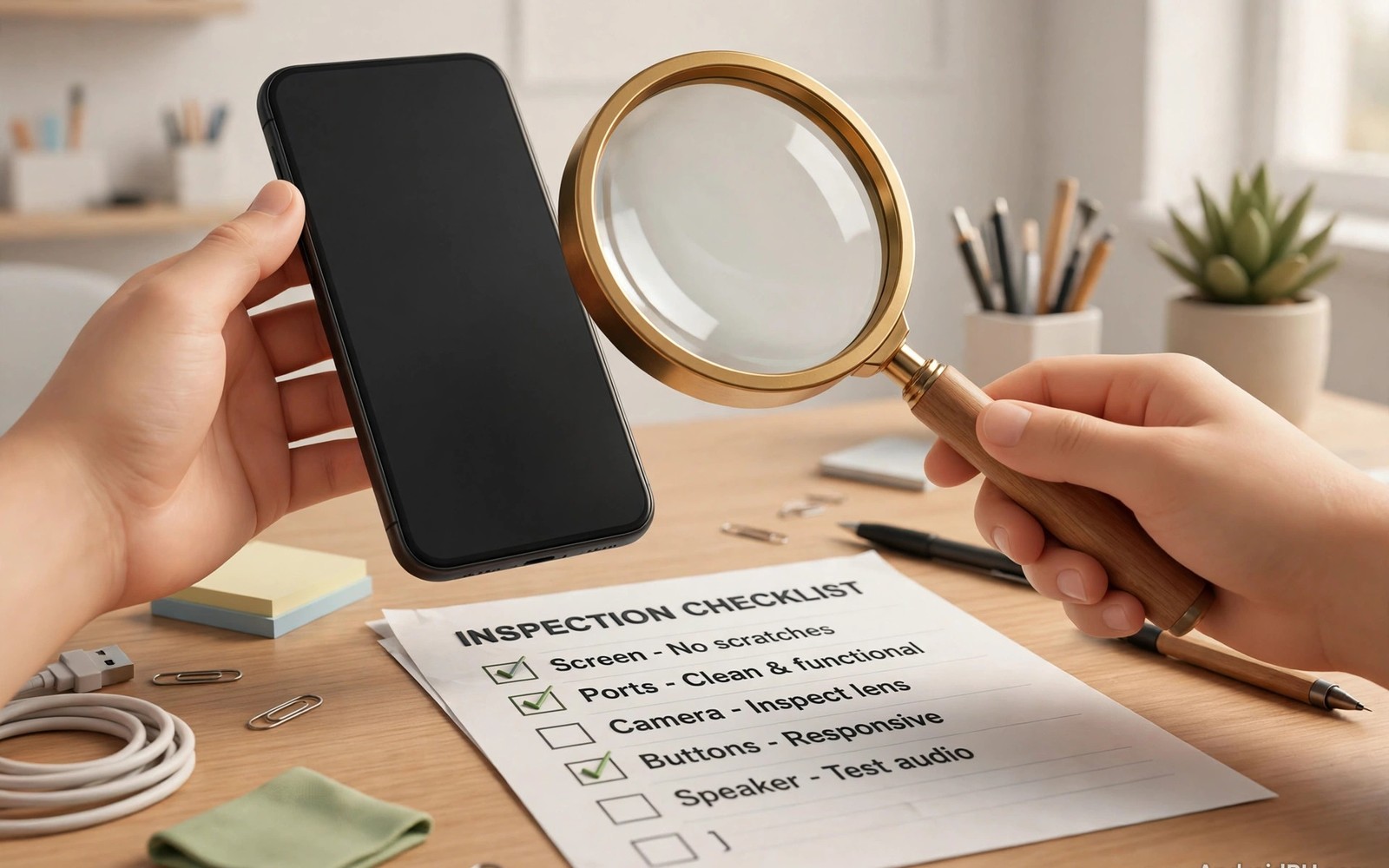
Buying a used Android phone can save you a large amount of money. It can also give you flagship hardware for the price of a new budget phone. The risk is real though. A careless purchase can leave you with a weak battery or a locked device. This guide walks you through every step in plain language. You will learn what to check and what to ask before you pay.
Start with a clear budget and a short list of models. A clear budget stops impulse buys. A short list makes price comparison much easier. Check recent selling prices for the same model and storage size. Prices vary by condition and by seller. A deal far below the normal range deserves extra caution.
Know What You Actually Need
Think about how you use your phone every day. Heavy gamers need strong cooling and a fast chip. Casual users need a good screen and reliable battery life. Photographers need strong cameras and enough storage. Write down your top three priorities before you browse listings. This list keeps you focused when sellers push extras you do not need.
Storage size matters more on a used phone than on a new one. Many older phones lack a memory card slot. You cannot easily add space later. Choose at least 128 gigabytes if you keep many photos and videos. Check the storage health in the settings menu during inspection. A phone that is nearly full will feel slow even with a fast chip.
Software support is another key factor. A phone with two years of updates left is a safer buy. A phone with no updates left can still work well. It may miss security fixes though. Check the maker update policy for that exact model. Do not rely on the seller claim alone.
Understand Seller Types And Grades
Private sellers often offer the lowest prices. They rarely offer a warranty. Shops and refurbishers charge more. They usually test devices and offer a return window. Certified programs add checks and a warranty. Each option suits a different buyer. Choose based on your risk tolerance and your budget.
Condition grades sound simple but they vary by seller. One seller grade A may match another seller grade B. Always read the grade definition before you buy. Ask for real photos of the exact phone. Stock photos hide scratches and dents. A careful look at phone condition labels helps you judge the full process.
Ask whether the phone was repaired before. A screen replacement is common and often fine. A board repair is a bigger concern. Ask for repair receipts when they exist. Honest sellers share this detail without pressure. Evasive answers are a warning sign.
Run A Full Inspection Before Paying
Meet in a safe public place when buying from a private seller. Bring a charger and a SIM card for testing. Test calls and mobile data on the spot. Open the camera and take photos in bright and dim light. Play audio through the speaker and through a headset. Small faults are easy to miss in a rush.
Check every button and every port. Press the power button and both volume buttons. Plug in a cable and confirm charging starts at once. Test wireless charging if the model supports it. Wiggle the cable gently and watch for disconnects. A loose port can mean costly repair later.
Look closely at the screen under bright light. Search for scratches and dead pixels. Open a plain white image and a plain black image. These solid colors reveal stains and bright spots. Compare your findings with notes from essential hardware checks before you decide.
Battery And Performance Checks
Battery wear is the most common hidden problem in used phones. Ask the seller for a battery health reading. Many Android phones show this in settings. Third party apps can estimate wear as well. A battery below 80 percent capacity will drain fast. Factor a replacement cost into your offer.
Run a demanding app for ten minutes during inspection. Watch for sudden heat or shutdowns. A phone that restarts under load may have a failing battery. It may also have a deeper board fault. Walk away if the phone behaves strangely. Another listing will appear soon.
Check storage speed with a simple file copy test. Copy a large video file and time the transfer. Very slow transfers can signal worn storage. Test the fingerprint reader and face unlock several times. Biometric failures are annoying and costly to fix.
Verify Identity Locks And Accounts
A phone linked to a previous owner account can become useless. Ask the seller to factory reset the device in front of you. Complete the setup yourself after the reset. Confirm no account lock appears during setup. If a lock appears then stop the deal at once. No discount is worth a locked phone.
Check the IMEI number against public blocklists where available. This step protects you from stolen devices. It also reveals carrier lock status in many cases. Learn more from battery health testing and keep a screenshot of the result. A clean result plus a written receipt gives you real protection.
- Ask for the original purchase receipt when it is available.
- Confirm the exact model number and storage size in settings.
- Test the SIM slot with your own SIM card before paying.
- Photograph the phone from all sides during inspection.
- Get the seller name and contact details on the receipt.
- Keep all messages and photos until the return window ends.
Negotiate Price And Close Safely
Use faults you found as fair grounds for a lower price. A worn battery justifies a discount equal to replacement cost. A scratched frame justifies a smaller discount. Be polite and firm during negotiation. Sellers respect buyers who show real evidence. Lowball offers without reasons rarely succeed.
Pay with a method that offers buyer protection when possible. Cash deals leave no trail if problems appear later. Card payments and protected platforms give you recourse. Avoid advance payments to strangers. Meet in person or use a trusted escrow option.
Inspection checklist
- Screen: solid white and black images
- Battery: health reading above 80 percent
- Ports: charging and data transfer test
- Locks: factory reset and clean setup
- IMEI: blocklist check completed
The checklist above comes from long practical experience with second hand devices. It reflects checks that repair technicians use every day. Use it as a starting point and adapt it to the model you inspect.
Final Decision Framework
Buy when the phone passes every major check. Pass when the battery is weak and the price is high. Pass when the seller refuses a reset or an IMEI check. A good deal never requires you to skip safety steps. Patience saves more money than rushing.
A used Android phone can serve you well for years. Choose carefully and test thoroughly. Keep your receipt and your test notes. Enjoy flagship features without flagship prices. Smart buying turns the used market into a real advantage.
Common Mistakes First Time Used Buyers Make
Many first time buyers focus only on the headline price. They forget to budget for a case and a screen protector and possibly a new battery. These extras add up quickly after purchase. A phone that looked cheap can cost as much as a better listing. Smart buyers calculate total cost before they commit. They add likely extras to the asking price and compare totals across listings. This habit prevents regret after the excitement fades.
Another common mistake is trusting a single photo. A single front photo hides back damage and edge dents. It hides screen scratches that appear only under angled light. Always request photos of the back and all four edges. Request a short video of the phone powering on. Request a photo of the settings screen showing model and storage. Sellers who provide these details willingly are usually honest. Sellers who refuse them are telling you something important.
Buyers also rush inspections when they meet in person. They feel awkward testing a phone while the seller waits. That awkwardness costs money when faults appear later. Take your time and follow a written checklist. A serious seller respects a careful buyer. A seller who hurries you may know about a hidden fault. Walk away from any deal that forbids proper testing. Another phone will always appear soon.
Finally many buyers skip the receipt. A receipt proves the purchase date and the seller identity. It supports warranty claims and platform disputes. It also helps if the phone status changes later. Ask for a simple written receipt even for cash deals. Include the model and IMEI and price on the receipt. Keep it with your test photos for at least one year.
A Realistic First Week With Your Used Phone
Your first week should confirm every inspection result. Test battery drain across normal days rather than one test hour. Note how much charge remains each evening. Compare those numbers with your inspection notes. A battery that passed a short test can still disappoint across full days. Report problems to the seller within the return window. Early reports carry far more weight than late reports.
Install your essential apps during the first week. Test banking apps and messaging apps and maps. Test Bluetooth in your car if you drive daily. Test Wi-Fi calling at home if your signal is weak. Real daily use reveals faults that quick tests miss. Keep a short note of any glitch with date and time. These notes help support teams diagnose faults fast.
Update the software promptly when updates are available. Updates fix security issues and improve stability. Back up your data before any major update. Check that biometrics still work after the update. Check that battery behavior stays normal after the update. Most updates improve used phones noticeably. A phone that breaks after an update may need seller support quickly.
Building A Personal Inspection Kit
Assemble a small kit before your first used phone purchase. Include a charger and cable that you know work well. Include a SIM card from your carrier. Include a pair of wired earphones for audio tests. Include a microfiber cloth for screen inspection. Include a flashlight for port inspection. This kit fits in a jacket pocket. It turns every meeting into a professional inspection.
A known good charger matters more than buyers expect. Seller chargers may be faulty or slow. Testing with a faulty charger creates false results. Your own charger gives consistent results across listings. Test charging speed with your charger on every phone. Compare results fairly across sellers. Consistency reveals weak ports and weak batteries.
A flashlight reveals damage that room light hides. Shine it into the charging port at an angle. Shine it along screen edges for gaps. Shine it across the back panel for hairline cracks. Small cracks catch light at certain angles. Rotate the phone slowly under the beam. Patience with a flashlight prevents expensive surprises.
Earphones test the headphone jack on older models. They also test Bluetooth audio on newer models. Play a familiar song at several volumes. Listen for channel imbalance and distortion. Test microphone input with a voice memo. Audio faults are easy to miss without earphones. Pack them every time without exception.
Keep your kit ready between purchases. Replace worn cables promptly. Charge a small power bank for long inspection days. A prepared buyer inspects faster and more thoroughly. Sellers notice preparation and behave more honestly. Preparation signals that you cannot be rushed or fooled.
Long Term Ownership After A Used Purchase
Plan your first month as a trial period. Use the phone heavily across varied conditions. Test battery life on travel days and work days. Test cameras at events and in dim restaurants. Test call quality in weak signal areas. Heavy first month use reveals faults early. Early discovery protects return and warranty rights.
Budget for eventual battery replacement from day one. Set aside a small sum each month for maintenance. A used phone may need a battery after one year. It may need a screen protector replacement sooner. Planned maintenance feels painless. Surprise repairs feel expensive and frustrating.
Keep software updated throughout ownership. Updates patch security flaws and fix bugs. They also improve battery management over time. Delaying updates leaves known flaws open. Schedule updates for quiet evenings. Back up before major updates as a habit.
Track resale value as you use the phone. Note condition changes with dated photos. Keep accessories and boxes when possible. A well documented used phone resells better later. Your careful ownership becomes the next buyer confidence. Good stewardship pays twice in the used market.
Quick Reference Checklist
- Set a clear budget before browsing any listings.
- Shortlist models by daily use priorities first.
- Compare recent sold prices for identical storage sizes.
- Read seller grade definitions before trusting grade letters.
- Ask about prior repairs and request receipts.
- Meet sellers in safe public places only.
- Bring a charger and SIM card for testing.
- Test calls and mobile data on the spot.
- Test cameras in bright and dim light.
- Test speakers through speaker and headset output.
- Check every button and port for firm function.
- Test wireless charging when the model supports it.
- Inspect screens with solid white and black images.
- Ask for battery health readings before negotiating.
- Run demanding apps for ten minutes watching heat.
- Test fingerprint and face unlock repeatedly.
- Factory reset with the seller present before paying.
- Check IMEI against blocklists and save screenshots.
- Pay through protected methods whenever possible.
- Keep receipts and test notes for one year.

