

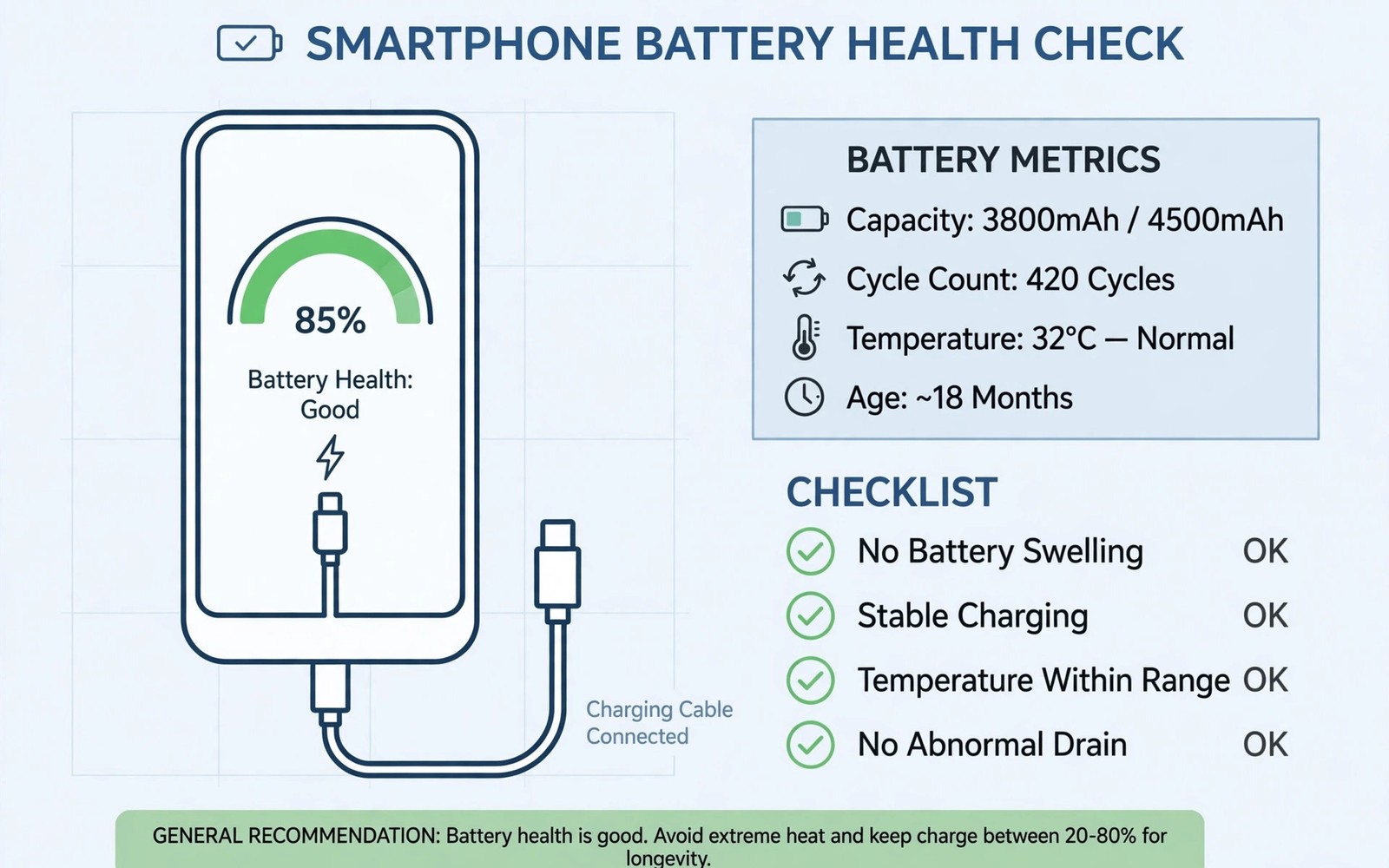
Battery health decides how a used phone feels every day. A worn battery drains fast and shuts down early. It can also throttle performance under load. Sellers rarely mention battery wear unless asked. You must test it yourself before paying. This guide shows simple and reliable methods.
Start with the phone settings menu. Some Android phones show battery health directly. Look under battery settings for a health or capacity entry. If the entry is absent then use other methods below. Never accept a seller screenshot alone. Run the check yourself on the device.
Read Battery Health In Settings
Open settings and tap the battery section. Look for health status or maximum capacity. A reading above 90 percent is excellent for a used phone. A reading between 80 and 90 percent is acceptable. A reading below 80 percent means a replacement is near. Factor that cost into your offer.
Check the battery usage screen as well. It shows which apps drain power most. A healthy battery shows smooth drain across normal use. Sudden drops suggest a failing cell. Ask the seller about recent shutdowns. Honest answers help you judge risk.
Note the charge cycle count if the phone shows it. High cycle counts mean heavy past use. A phone with 800 cycles will age faster than one with 300 cycles. Cycle count alone does not condemn a phone. Combine it with capacity and real drain tests.
Use Apps And Codes Carefully
Battery apps estimate capacity from charge patterns. Install a trusted battery app from the official store. Charge the phone fully and then use it normally. The app needs time to build an estimate. A single reading after five minutes is unreliable. Give the app at least one full cycle.
Some phones support hidden diagnostic menus. Dialer codes vary by maker and model. A code that works on one brand may fail on another. Use codes only from trusted maker documentation. Never enter random codes from forum posts. Wrong codes can change settings you do not understand.
Compare app readings with settings readings when both exist. Large gaps suggest an app error. Repeat the test after a full charge. Consistent results build confidence. The broader checks in blacklist and carrier lock checks place battery results in full context. A battery test never replaces a full inspection.
Run A Real Drain Test
A drain test reveals problems that numbers hide. Charge the phone to 100 percent. Set brightness to a fixed medium level. Play a downloaded video for 30 minutes. Note the battery percentage after the test. A healthy phone loses a modest amount in this test.
Repeat the test with mobile data and Wi-Fi active. Heavy drain during idle time suggests background faults. Check for apps that wake the phone often. A fresh reset removes seller apps from the test. Test after reset when the seller allows it.
Watch the final 20 percent closely. Worn batteries often drop fast below 20 percent. A phone that dies at 15 percent has a serious cell fault. Do not buy such a phone without a battery discount. Replacement cost varies by model and by shop.
Heat Swelling And Shutdowns
Feel the phone during charging and heavy use. Mild warmth is normal. Sharp heat in one spot is not normal. Heat near the battery area deserves caution. Stop the test if the phone becomes too hot to hold. Heat plus swelling is a safety issue.
Look for screen lift along the edges. A swollen battery pushes the screen outward. Gaps and creaks can signal swelling. Do not press a swollen phone hard. Do not charge a swollen phone further. Walk away from swollen devices entirely.
Ask about random shutdowns directly. Shutdowns under load point to battery failure. Shutdowns at moderate charge point to cell damage. The scam and safety advice in marketplace refurbished phone safety helps you handle pressure sales. Never let urgency override a failed battery test.
- Settings: capacity above 80 percent is the pass mark.
- Apps: estimate after a full charge cycle.
- Drain: fixed video test for 30 minutes.
- Low end: watch for fast drops below 20 percent.
- Heat: sharp hot spots mean stop and reconsider.
- Swelling: screen lift means walk away at once.
Battery test log
- Start percent: 100
- Video minutes: 30
- End percent: record here
- Idle drain per hour: record here
- Shutdowns observed: yes or no
This simple log turns vague impressions into comparable numbers. Record results for every phone you test. Comparison across listings makes the best battery easy to spot.
Price The Battery Into Your Offer
A fresh battery can transform a used phone. Get a replacement quote before you negotiate. Add the quote to the asking price mentally. Compare that total with other listings. A cheaper phone with a dead battery may cost more overall.
A strong battery plus a clean body is worth a premium. A weak battery plus a high price is a poor deal. Use your test log as negotiation evidence. Sellers accept numbers better than opinions. The warranty notes in two-year-old flagship bargains may cover battery defects after purchase. Buy the phone whose battery earns your trust.
Why Battery Readings Can Mislead
Battery percentage is an estimate rather than a precise measurement. The phone system learns capacity from charge patterns. A recent reset erases that learning history. A freshly reset phone may show optimistic readings. Those readings settle after several full cycles. Do not trust a reading taken minutes after a reset.
Seller charging habits also distort readings. A seller who kept the phone plugged in constantly may show unusual patterns. A seller who fast charged daily may show faster wear. Ask about charging habits directly. Answers help you interpret the numbers. Combine habit answers with drain tests for accuracy.
Temperature affects battery readings strongly. Cold batteries show lower capacity temporarily. Hot batteries show unstable readings. Test batteries at normal room temperature. Avoid testing a phone that just came from a hot car. Let it cool to room temperature first. Stable temperature gives stable readings.
Third party apps estimate capacity differently. One app may report 88 percent while another reports 82 percent. The gap comes from different estimation methods. Use the same app across listings for fair comparison. Consistency matters more than absolute accuracy. A phone that scores best on one app usually scores best on all apps.
Extending Battery Life After Purchase
Charge your used phone between 20 and 80 percent when possible. This range reduces stress on aging cells. Avoid leaving the phone at 100 percent overnight daily. Avoid draining to zero regularly. Small charging habits extend battery life noticeably. A used battery benefits even more from gentle habits.
Reduce background drain from unused apps. Disable background activity for apps you rarely open. Lower screen brightness slightly. Shorten screen timeout to thirty seconds. These tweaks save power without hurting usability. They also reduce heat which protects the battery further.
Replace the battery when capacity falls below 80 percent and daily use suffers. Choose a reputable repair shop for replacement. Ask whether the replacement battery is new or refurbished. Ask about warranty on the replacement part. A quality replacement can give a used phone a second life. A poor replacement can cause swelling or fast drain.
Battery Chemistry Basics For Buyers
Phone batteries use lithium ion chemistry. Lithium cells degrade with each charge cycle. They also degrade with calendar age even unused. Heat accelerates degradation sharply. Cold slows degradation but reduces temporary capacity. Understanding chemistry helps you judge used batteries fairly. A battery is a consumable part with a finite life.
Charge cycles count full equivalent charges rather than plug ins. Partial charges add up fractionally. A phone charged from 50 to 100 percent uses half a cycle. Frequent top ups therefore age batteries slower than full cycles. Sellers who topped up often preserved batteries better. Ask about charging patterns for useful clues.
Fast charging adds heat and stress to cells. Daily fast charging ages batteries faster than slow charging. Occasional fast charging causes little harm. Heavy fast charging over years shows in capacity loss. Ask whether the seller fast charged daily. Daily fast charging plus high cycles predicts weaker batteries.
Battery swelling comes from gas buildup inside cells. Swelling signals serious degradation. Swollen batteries risk fire in extreme cases. Never use or charge a swollen phone. Never puncture a swollen battery. Dispose of swollen batteries through proper recycling channels. Safety outweighs any bargain on swollen devices.
Replacement batteries vary in quality. Genuine batteries match original specifications. High quality third party batteries come close. Cheap batteries may swell or drain fast. Ask repair shops about battery sources. A quality replacement restores a used phone fully. A cheap replacement creates new problems quickly.
Battery Myths That Waste Money
Fully draining batteries monthly does not help modern phones. That advice comes from old nickel battery eras. Lithium batteries prefer partial charges. Full drains stress lithium cells unnecessarily. Ignore sellers who recommend monthly full drains. Modern battery systems manage calibration automatically.
Overnight charging does not ruin modern batteries by itself. Modern phones stop charging at full capacity. Trickle charging maintains full charge with minimal stress. Heat from cases during overnight charging causes more harm. Remove thick cases for overnight charging. Good ventilation matters more than unplugging at midnight.
Closing background apps does not always save battery. Reopening apps costs more energy than resuming them. Systems manage background apps efficiently now. Aggressive app killing can increase drain. Focus on screen brightness and poor signal areas instead. Those factors drain batteries far more than background apps.
Battery saver apps rarely help and sometimes harm. They duplicate system power management poorly. Some run constantly and drain power themselves. Others show ads that consume data and battery. Rely on built in battery settings instead. Built in tools understand the system deeply and safely.
Quick Reference Checklist
- Check battery health in settings before any other test.
- Treat readings below 80 percent as near replacement time.
- Ask the seller about charging habits and fast charging use.
- Note the charge cycle count when the phone displays it.
- Install a trusted battery app from the official store only.
- Give battery apps a full charge cycle before trusting estimates.
- Compare settings readings with app readings for consistency.
- Charge to 100 percent before starting a drain test.
- Play downloaded video for 30 minutes at fixed brightness.
- Record the battery percentage after the video test.
- Test idle drain overnight with radios in normal state.
- Watch the final 20 percent for sudden drops to zero.
- Feel for sharp heat spots during charging and heavy use.
- Look for screen lift that may signal a swollen battery.
- Ask directly about random shutdowns under load.
- Get a battery replacement quote before negotiating price.
- Add replacement cost to the asking price for fair comparison.
- Test the battery again after a factory reset when allowed.
- Repeat the drain test when first results look inconsistent.
- Keep a written battery log for every phone you inspect.

