

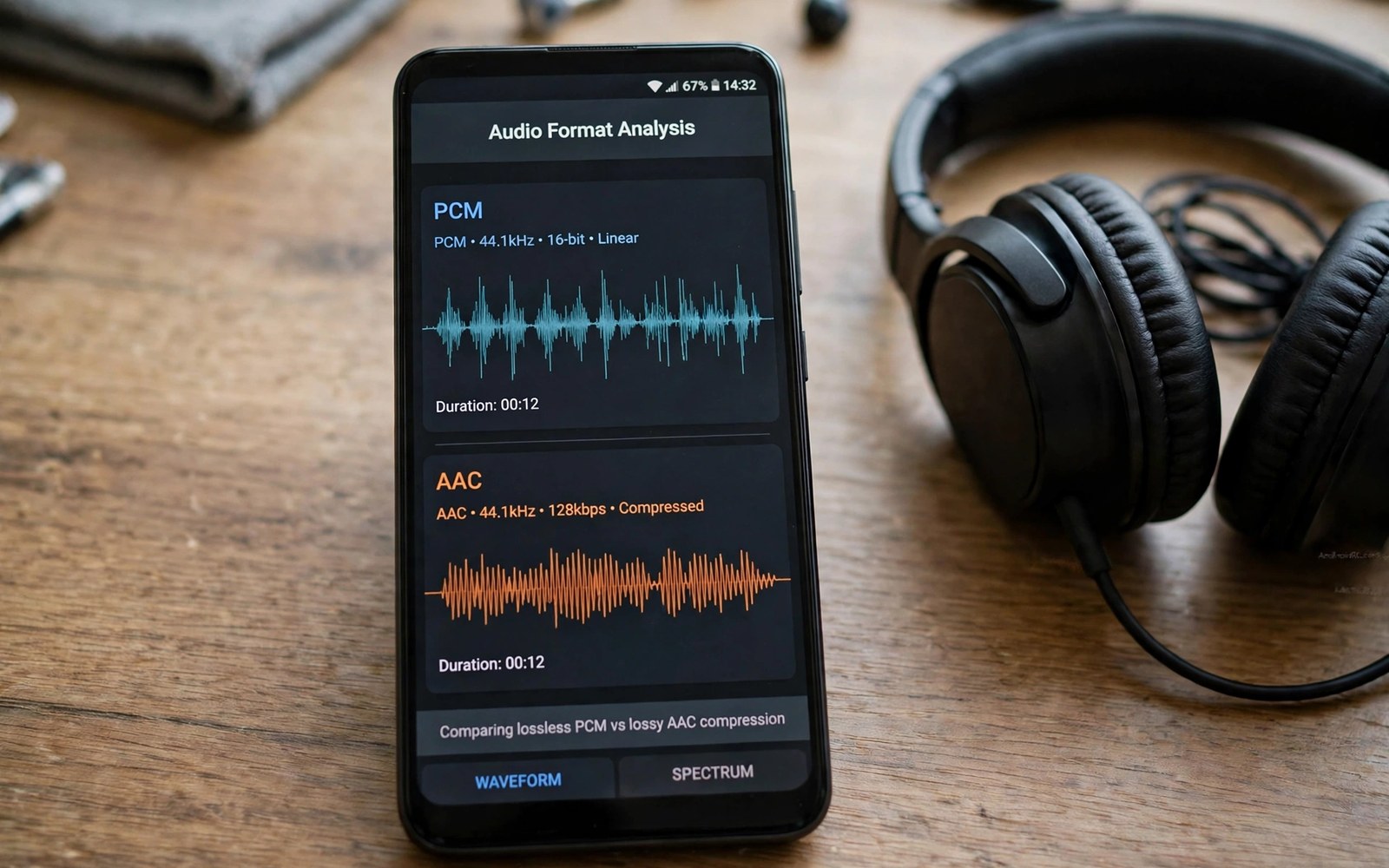
Manipulating Audio Input Formats (PCM, AAC) via Framework Hooks
PCM carries raw samples that are easy to edit, while AAC carries compressed frames that must be decoded before editing and encoded again after. That single difference decides almost everything about how you hook audio input on Android. Treat an AAC stream like PCM and you corrupt it. Treat PCM like AAC and you waste battery on pointless decode cycles. Developers who work with this topic need a clear mental model before they write code, and this guide builds that model step by step while staying practical throughout.
You will learn how PCM and AAC differ inside a hook, which six components make up a reliable audio input pipeline, the implementation steps in order, and the pitfalls that corrupt streams in production. The examples stay close to real Android audio work, and the testing advice comes from the kind of device differences that only show up on hardware.
PCM vs AAC: Why the Format Decides Your Hook
A PCM hook can replace samples directly because the data is already in sample form. Each sample is a number, and editing means changing numbers. An AAC hook must handle frames that group many samples into one encoded unit, so editing means decoding the frame, changing the samples, and encoding the result back with the same profile. The pattern repeats across devices even when vendor details differ, and a developer who recognises the pattern can adapt faster to a new phone or a new release.
Sample rate and channel count must stay consistent across any conversion step. A 48 kHz stereo stream that quietly becomes 44.1 kHz mono will sound wrong in ways that are hard to trace later. Test at this stage on real hardware rather than only on an emulator, because real hardware reveals timing and format differences that an emulator hides.
What PCM gives you inside a hook
PCM is the honest format. What you read is what the microphone captured, sample by sample, with no compression hiding the details. That honesty makes PCM the right place to apply gain changes, noise gates, and sample level effects. The cost is size: raw PCM moves a lot of bytes, so buffers and queues must stay bounded or a stall can grow without limit.
What AAC frames force you to do
AAC packs many samples into one frame with a header that describes the stream to the decoder. You cannot edit a single sample inside a frame without decoding the whole frame first. After editing, you must encode the samples back and keep the headers consistent with the new frame data. Dropping a header makes decoders reject frames, and changing the profile mid stream confuses decoders that cached the old format.
Sample rate and channel count must never drift
Changing sample rate without resampling shifts pitch, and mixing channels without a plan loses spatial detail. Decide the rate and the channel layout at session start, write them into the format descriptor, and check them again after every conversion step. A format descriptor that lies about the stream is worse than no descriptor at all.
Bit depth matters more than most developers expect
Converting between bit depths can add noise if done carelessly. A 16 bit stream widened to 24 bit gains nothing but headroom, while a 24 bit stream narrowed to 16 bit without dithering can add audible artefacts. Keep the depth stable through the pipeline, and convert only at the edges where the format truly changes.
The Six Components of an Audio Input Pipeline
The system breaks into a small set of components that each own one job. Clear ownership makes faults easier to locate when a session fails, and narrow interfaces keep a change in one place from rippling everywhere. Each component can be tested alone before the full pipeline is assembled, and isolated tests catch format and timing faults early when they are cheap to fix.
- PCM sample buffer — holds raw samples in order, with a fixed capacity so a slow consumer cannot grow memory without limit.
- AAC encoder and decoder — converts between compressed frames and raw samples, always with the same profile on both sides of an edit.
- Format descriptor — carries sample rate, channel count, bit depth, and profile, so every component agrees about what the bytes mean.
- Sample rate converter — resamples only when the rate truly changes, and never silently.
- Channel mixer — maps channels with an explicit plan, so stereo never collapses to mono by accident.
- Stream header parser — reads and writes AAC headers, keeping them consistent with the frame data after every edit.
Readers who want a related view can explore Reading Raw System Framebuffers on Rooted Devices Efficiently for more context on a neighbouring topic, because frame data and audio data share the same discipline of explicit formats and bounded buffers.
Implementation Steps in Order
Work through the steps in order and verify each step before moving on. Early verification saves time, because a fault found late is harder to trace than the same fault found at the step where it was introduced.
Step 1: Detect the format at session start from the configuration
Read the format from the session configuration, not from a guess about the device. Write the detected format into the descriptor and log it. If detection fails, stop the session with a clear error instead of guessing PCM and corrupting an AAC stream.
Step 2: For PCM, replace samples in place with matching rate and channels
With PCM, edit the samples where they sit. Keep the rate and the channel count identical before and after the edit. Check the buffer bounds on every write, because an overrun in a hook corrupts the next frame as well as the current one.
Step 3: For AAC, decode frames before editing samples
With AAC, decode each frame to PCM, edit the samples, and encode the result back with the same profile. Never edit AAC bytes as if they were PCM. That single mistake corrupts the stream in a way that sounds like random noise and is hard to diagnose from the output alone.
Step 4: Keep headers consistent and test playback end to end
After any conversion, confirm the headers still describe the frames they accompany, then test playback end to end. A header mismatch may play fine on one decoder and fail on another, so test on two different playback paths when you can. See also Using Android SurfaceTexture to Pass Video Streams directly into Apps for a related perspective on passing media streams between components without losing format information.
byte[] convertPcmToAac(byte[] pcm, int rate, int channels) { // Feed raw samples to the encoder in fixed frame sizes. // Collect encoded frames in order for the output stream. return encoder.encode(pcm, rate, channels); }
Read the snippet as a sketch rather than as production code. Adapt names and error handling to the codebase where it will live, and add logging around the critical call so a failure leaves a clear trace.
Performance and Reliability on Real Hardware
Performance work starts with measurement rather than with guessing. Measure latency and throughput on a target device under realistic load. A change that helps on one device can hurt on another device with a different chip, so keep the profile data with the change record and re measure after every optimisation.
Reliability also means clean shutdown and recovery after an error. A pipeline that recovers gracefully earns user trust over time, while a pipeline that needs a restart after every glitch loses it. Watch memory and battery during long sessions, because both reveal hidden costs that short tests miss. Converting formats on every frame wastes battery, so convert only when the format truly changes and cache the converter between frames.
Profile before optimising, and keep the profile data
Profile the pipeline on the slowest device you support, not the fastest. Budget devices expose format limits and timing faults that flagship devices hide, and a fix that only helps flagships is not a fix. For a neighbouring topic, see Intercepting Audio HAL (Hardware Abstraction Layer) Code Controls and compare its approach with this one, because the HAL layer is where many format surprises first appear.
Common Pitfalls That Corrupt Audio Streams
Most failures in this area come from a small set of repeated mistakes. Learning those mistakes in advance prevents long debugging sessions, and each one below has a simple check that catches it early.
Editing AAC bytes as if they were PCM
This is the most common corruption. AAC bytes are not samples, and writing sample values into an encoded frame destroys the frame structure. Always decode first, edit second, encode third, in that order, every time.
Changing sample rate without resampling
A rate change without a resampler shifts pitch and breaks timing. If the rate must change, run the samples through the converter and update the descriptor in the same step, so no component ever sees a stale rate.
Dropping headers and mixing channels without a plan
Dropping AAC headers makes decoders reject frames outright. Mixing channels without a plan loses spatial detail and can cancel centred audio entirely. Both faults are easy to prevent with a checklist at the encode step, and both are painful to debug from a user report alone.
Compatibility Across Devices and Android Releases
Android devices differ in chip, camera, and audio hardware. A design that works on a flagship phone may fail on a budget phone with less memory, so test on low end hardware early. Vendor customisation adds another layer of difference: two phones on the same Android release can behave differently in edge cases, so read vendor notes where they exist and keep a device specific note file. That file saves hours when a fault appears only on one model.
Android releases also change behaviour over time. A path that worked on one release may need a new permission or a new service type later. Track release notes for the areas this project touches, and update the test matrix when a new major release reaches users.
Build a device note file and keep it current
Record device model, system version, chip, and observed format behaviour for every device you test. A test matrix that covers old and new devices catches vendor differences early, and a note file turns a one model fault into a five minute lookup instead of a day of guessing.
Security and Privacy Considerations
Camera and audio features touch sensitive data, so privacy must be part of the design. Request only the permissions that the feature truly needs, and explain to users why each permission is needed in plain language. A clear explanation builds trust and reduces permission refusals.
Store captured data only for as long as the feature requires it. Delete temporary frames and samples promptly when a session ends, and encrypt stored media when the app keeps it beyond a single session. Review third party code that touches the pipeline with the same care as first party code, because a library can introduce a broad permission or a network call that the app did not intend. A related discussion appears in Building Custom Licensing and Authentication Systems for Root Modules, which covers a close subject in more depth.
Frequently Asked Questions About Audio Input Hooks
Can I edit AAC audio without decoding it first?
No. AAC frames must be decoded to PCM before you change samples, then encoded back with the same profile. Editing encoded bytes directly corrupts the frame structure and produces noise or silence.
Why does my hook work on one phone but fail on another?
Vendor audio paths differ in format defaults, buffer sizes, and HAL behaviour. Test on the failing model, read its format descriptor at session start, and compare it with the working model. The difference is usually in the descriptor, not in your hook logic.
How do I keep latency low when converting formats?
Convert only when the format truly changes, keep buffers small and queues bounded, and measure latency on the target device. A converter created once and reused across frames is far cheaper than one created per frame.
What should I log when a session fails?
Log the format descriptor, the frame count, the error code, and the session state, without logging private audio content. Good logs shorten support time and improve the next release, so review a sample log before release and remove anything sensitive.
Testing and Next Steps for Your Audio Pipeline
Test on several devices and on several Android releases before release, and record device model and system version with every test result. Automate the repeatable checks and keep manual testing for user visible behaviour, including setup and failure paths as well as the happy path. Ask before release whether the feature degrades gracefully when hardware is missing, whether a user can stop the feature at any moment, and whether support staff can diagnose a failure from logs alone.
A solid implementation of audio input formats starts with a clear model and ends with honest testing. Shortcuts at the start usually return as faults later in the project, so take the time to verify formats and timing before promising a feature to users. Keep the design narrow and the logs clear, and build the next feature on a pipeline that already proves itself in daily use.

