

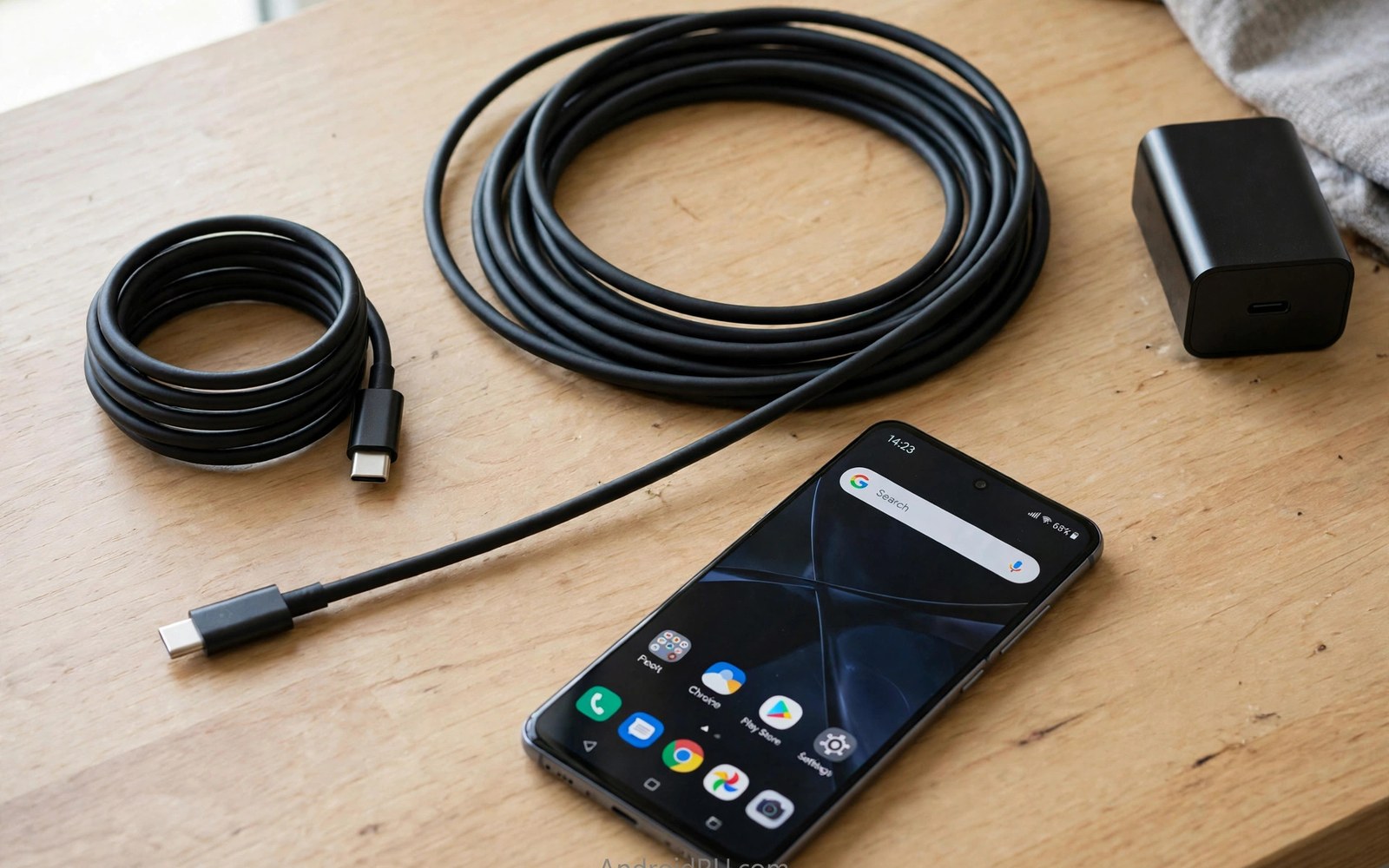
Cable length seems like a minor detail. It affects charging more than many users expect. A longer cable loses more energy along its wires. Lost energy becomes heat. Less energy reaches the phone. Charging slows as a result. A shorter cable loses less energy. More energy reaches the phone. Charging stays fast. That relationship is simple physics. It applies to every cable type. It applies to every charger. This guide explains the effect in plain terms. It shows when length matters. It helps you choose a length that balances reach and speed.
Reach matters in daily life. A bedside charger may sit far from the bed. A desk charger may sit under the desk. A car charger may sit far from a phone holder. Length solves reach problems. A short cable cannot reach those places. A long cable reaches easily. That convenience tempts buyers to choose the longest cable. Longest is not always best for charging. A very long cable may charge noticeably slower. It may also run warmer. The trade between reach and speed deserves thought. A cable that reaches but charges slowly frustrates. A cable that charges fast but cannot reach frustrates differently. Balance solves both frustrations.
Why Longer Cables Lose More Power
Wires resist electric flow. Resistance converts some energy to heat. Longer wires have more resistance. More resistance means more heat loss. That loss reduces voltage at the phone end. The phone receives a lower voltage than the charger sends. Lower voltage means lower power at the same current. Charging slows. Thicker wires reduce resistance per metre. A thick long cable loses less than a thin long cable. That is why quality long cables use thicker wires. Thin long cables lose the most. They also heat the most. Heat loss grows with current. Fast charging uses high current. High current magnifies length losses. Slow charging uses low current. Low current suffers less length loss.
Voltage drop is the technical name for this loss. A charger may send 20 volts. A long thin cable may deliver only 19 volts to the phone. The phone then draws less power. The charger and phone may negotiate a lower level. Negotiation protects the phone from unstable voltage. It also slows charging. A short thick cable may deliver nearly the full 20 volts. The phone then charges at full speed. The difference of one volt sounds small. It represents a meaningful power loss at high current. At 5 amps one volt equals 5 watts lost. That loss is heat in the cable. It also means 5 watts less for the phone. Over a full charge that loss adds time.
Data signals also suffer over long cables. Data pulses weaken along wires. Weak pulses may corrupt. Corrupted data must be resent. Resending slows transfers. Long data cables need better shielding and thicker wires. Those features cost money. A cheap long cable may transfer data slowly. It may fail at high data speeds. A short cable holds data speed better. That is why fast data cables are usually short. A one metre data cable is a safe default. A two metre data cable needs a trusted maker. A three metre data cable needs careful spec checking. Length affects data as surely as power.
Short Cables and Their Advantages
Short cables charge fastest for a given wire thickness. A half metre cable loses very little energy. It delivers nearly full charger power. It also runs cooler. Cooler operation protects the cable and the port. Short cables tangle less. They store neatly. They weigh less for travel. A short cable suits a desk where the charger sits nearby. It suits a power bank carried with the phone. It suits a car where the charger sits close to the holder. Short cables are the best choice when reach allows. They give speed and cool operation together. They also cost less than long cables of equal quality.
Short cables have one clear drawback. They limit movement while charging. A phone on a short cable cannot reach a sofa far from a socket. A user must stay near the charger. That limitation annoys some users. It matters less for desk and bedside use. A desk user sits near the charger anyway. A bedside user sleeps near the charger. A power bank user carries the charger with the phone. Short cable limits rarely matter in those cases. They matter for living room use. A living room socket may sit far from seating. A short cable cannot bridge that gap. A longer cable is needed there despite slower charging.
Short cables also reduce trip hazards. Less cable on the floor means fewer snags. A foot catching a long cable can drag a phone off a table. A short cable stays close to the charger. It presents less slack to catch. That safety benefit matters in busy rooms. It matters in homes with children and pets. A short cable is a tidy cable. Tidiness prevents accidents. It also keeps desks looking clean. A desk with a short cable looks organised. A desk with a long coiled cable looks messy. Appearance may seem trivial. It affects daily satisfaction with a workspace.
Long Cables and When They Make Sense
Long cables make sense when reach is essential. A bedroom socket behind furniture needs length. A hotel room socket across the room needs length. A conference table far from a wall needs length. In those cases a long cable is the only option. Accept slower charging as the price of reach. Choose a thick quality long cable to minimise the loss. A thick cable loses less than a thin cable at the same length. Check the maker rating at the sold length. A rating that holds at that length is a good sign. A rating that omits length deserves doubt. A quality long cable costs more. It is worth the price when reach is essential.
Long cables also suit shared charging spots. A family charging station may serve several seats. A long cable reaches each seat in turn. A short cable would need moving the charger. Moving a charger daily wears sockets. A long cable avoids that wear. It also lets several users share one charger over time. Each user plugs in turn. The cable stays in place. That convenience outweighs slower charging for casual use. Casual overnight charging needs no speed. A long cable charging overnight finishes by morning regardless. Speed matters less when time is plentiful. Length matters more when reach is shared.
Long cables need careful handling to last. Coil them loosely for storage. Avoid tight knots. Tight knots stress wires at one point. That stress breaks wires over time. A broken wire inside a long cable causes slow charging or heat. Inspect long cables for kinks regularly. A kinked section may hide internal damage. Replace a cable with a sharp kink. A sharp kink rarely heals. It worsens with use. Route long cables away from foot traffic. Feet stepping on cables crush wires. Crushed wires increase resistance. Increased resistance slows charging further. Good routing protects both cable and charging speed.
Choosing Length for Your Charger Power
High power chargers suffer most from length. A 100 watt charger needs a short thick cable for full speed. A long thin cable caps it well below 100 watts. A long thick cable may still reach near full speed. Check the cable rating at length carefully. Low power chargers suffer less. A 15 watt charger loses little over a long cable. The current is low. Low current means low heat loss. A long cable on a low power charger feels almost as fast as a short cable. That is why bedside slow chargers work fine with long cables. They charge overnight at low power. Length barely matters there. Fast chargers are where length bites.
Match length to charger power with a simple rule. For fast charging keep cables at one metre or less when possible. For standard charging two metres is usually fine. For slow overnight charging three metres is acceptable. Those rules are guides rather than strict limits. A thick quality cable extends each guide. A thin bargain cable shortens each guide. Use the guides as a starting point. Test your actual cable to confirm. Time a charge from a fixed percentage. Compare a short cable and a long cable. The gap tells you the real length cost. A small gap means the long cable is good. A large gap means it is thin or faulty.
Phone battery size also affects length sensitivity. A large battery takes longer to charge. Length losses add more absolute time to a large battery. A small battery charges quickly even with some loss. The loss adds only minutes. A large battery may add tens of minutes. Users with large batteries should prioritise short cables for fast charging. Users with small batteries can tolerate longer cables. That difference is easy to overlook. It matters for tablets and large phones. Those devices have the largest batteries. They also often use the fastest chargers. Both factors magnify length effects. Short cables serve them best.
Testing Length Effects Yourself
Test charging speed with two cables of different lengths. Use the same charger and the same phone. Start both tests at the same battery percentage. Charge for thirty minutes with each cable. Note the percentage gained. The short cable should gain more. The gap measures the length cost. Repeat the test to confirm. Battery temperature affects results. A hot battery charges slower. Let the phone cool between tests. A cool phone gives a fair comparison. Note plug temperature too. A warm long cable confirms heat loss. A cool short cable confirms efficient delivery. Simple tests beat spec sheet guesses.
Test data speed similarly when data matters. Copy a large file with each cable. Time each copy. The short cable should copy faster or equally. A long cable that copies much slower has a data length limit. Use the short cable for large transfers. Use the long cable for charging only. That split gives the best of both. Label cables by purpose if they look alike. A label prevents mix ups. A charging only long cable labelled as such avoids file transfer frustration. A short data cable labelled as such speeds file work. Small labels save time daily.
- Keep fast charging cables at one metre when possible.
- Choose thick quality cables for any length over two metres.
- Test charging gain over thirty minutes to compare lengths.
- Route long cables away from foot traffic and crushing.
- Use long cables for overnight slow charging without worry.
Cable length guide:
1. Fast charging: 1 metre or less preferred
2. Standard charging: 2 metres usually fine
3. Slow overnight: 3 metres acceptable
4. Data transfer: 1 metre preferred
5. Test: same charger same start percentage
6. Compare: percentage gained in 30 minutes
7. Heat: warm long cable signals loss
Extending Reach Without Losing Speed
Move the charger closer rather than lengthening the cable. A power strip near the seating area shortens the cable need. A wall socket extender brings power closer. A power bank carried with the phone removes the wall distance entirely. Those solutions preserve charging speed. They cost a little more than a long cable. They pay off in faster charging daily. A power strip on a desk is a simple fix. It brings several sockets to the desk. Short cables then reach every device. A tidy desk results. A fast charge results too. Both benefits justify the strip.
Use a hub or dock near the seating area as another solution. A dock with a short cable to the phone sits nearby. A long cable feeds the dock from the wall. The dock cable length matters less because the dock buffers power. That statement needs care. A dock does not magically remove cable loss. It simply moves the long run to the wall side. The wall side runs at a different voltage in some designs. A dock with its own power supply handles that run better. A passive extension does not. Choose a powered dock for this purpose. A passive long cable remains the simpler option for most users. For dock options see docking stations for turning Android phones into full desktop workstations for powered desk designs.
Wireless charging removes cable length entirely for some users. A wireless pad near the seat charges without a cable to the phone. The pad cable still has length effects. The pad sits near the seat so its cable can be short. Wireless charging is slower than wired fast charging. It suits overnight and desk use. It does not suit fast top ups. A user who needs fast charging should stay wired and short. A user who values convenience over speed may prefer wireless. The trade is personal. It depends on charging urgency. For rating background see USB-C cable ratings for 60W and 100W and 240W power to match charger and cable.
Final Thoughts on Cable Length
Length trades reach against speed. Short cables deliver power efficiently. Long cables deliver reach conveniently. Thick quality cables narrow the gap. Thin bargain cables widen it. Fast chargers suffer most from length. Slow overnight chargers suffer least. A simple thirty minute test reveals the real cost for your cables. That test guides future purchases better than any spec sheet. It also reveals a faulty long cable quickly. A faulty cable deserves replacement rather than tolerance.
Readers may also find USB-C splitter adapters for charging and listening at the same time useful for a related setup.
Choose the shortest cable that reaches comfortably for fast charging. Choose a thick quality cable when length is essential. Test new cables on arrival. Route long cables away from feet and crushing. The steps above follow the approach described in the official developer documentation for power delivery and cable resistance. That approach stresses matching cable capability to charger power and checking heat during use. Follow it and your charging will stay fast wherever you sit.

