

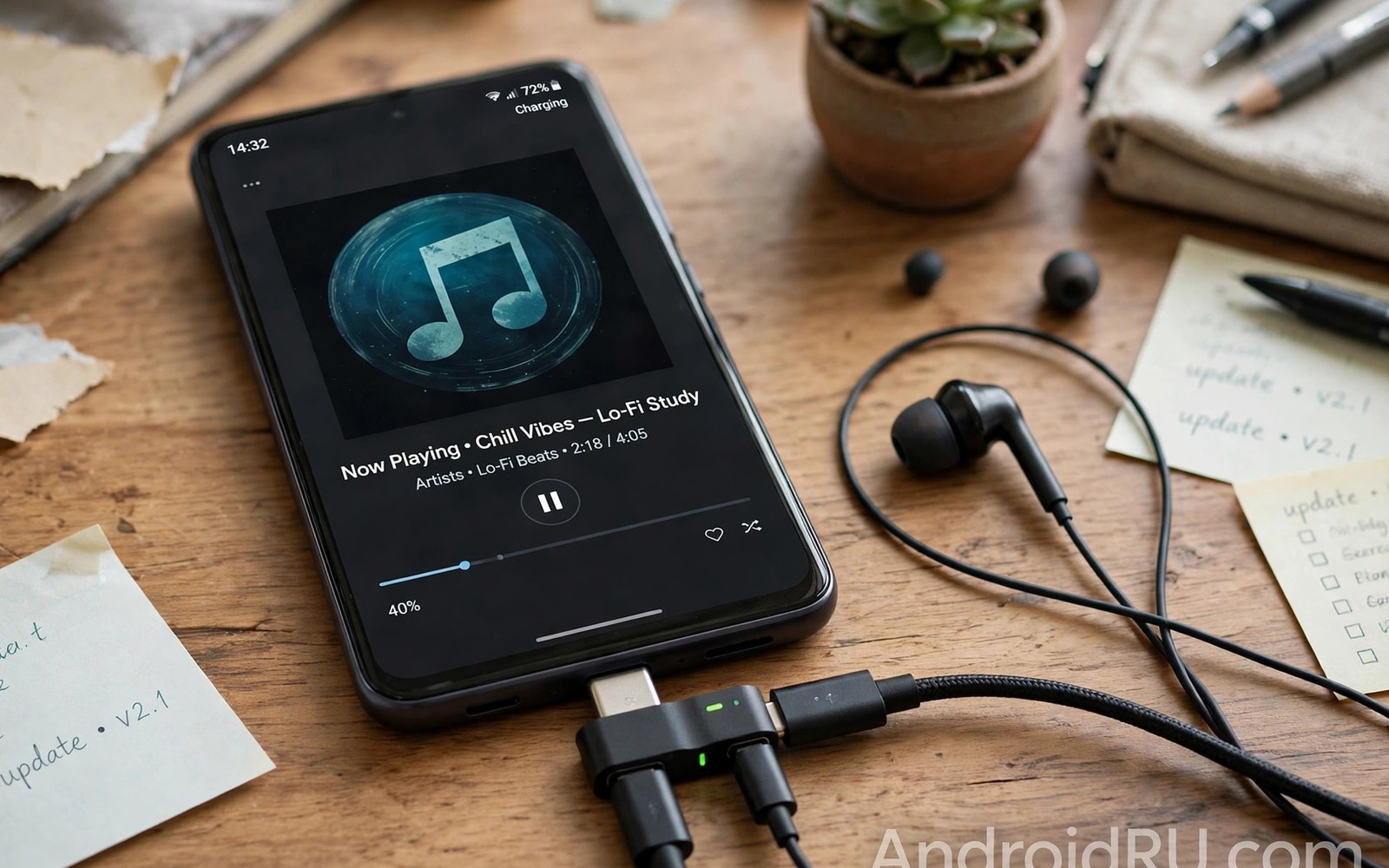
A splitter adapter solves a simple conflict. A phone has one USB-C port. Charging needs that port. Wired listening needs that port too. A splitter gives both jobs a port. One branch charges the phone. The other branch carries audio. That combination suits long listening sessions. It suits travellers on long flights. It suits workers who listen while they charge. This guide explains splitter types. It covers audio quality and charging speed. It helps you pick a splitter that actually works.
Splitters look similar but work differently inside. Some splitters carry a DAC chip for audio. Others pass analog audio through. Some splitters support fast charging. Others support slow charging only. The internal design decides compatibility. A splitter that works on one phone may fail on another. The difference comes from phone audio support. A phone with analog support accepts a passive splitter. A phone without it needs a DAC splitter. Check phone support before buying. A DAC splitter is the safe default. It works on almost every phone. It costs more than a passive splitter. The extra cost buys compatibility.
How Splitter Branches Share One Port
A USB-C port carries power and data on separate pins. A splitter routes power pins to the charging branch. It routes audio signals to the audio branch. A controller chip manages that routing. The chip must handle both jobs at once. A good chip keeps audio clean while charging flows. A poor chip lets charging noise leak into audio. Noise shows as hiss or buzz during music. The hiss grows when the charger works hard. A good chip isolates audio from power noise. Isolation needs careful circuit design. Cheap splitters often skip that isolation. They sound fine without charging. They hiss when charging starts. Test with charging connected to reveal this flaw.
Power routing also affects charging speed. The splitter consumes a small amount of power. The audio chip consumes power too. The remaining power charges the phone. A splitter with a DAC chip consumes more power. A passive splitter consumes almost none. Charging speed drops slightly with a DAC splitter. The drop is usually modest. A strong charger offsets it. Use a charger rated above the phone need. A weak charger may barely hold battery level during listening. A strong charger gains charge during listening. The charger choice matters as much as the splitter choice. Pair a DAC splitter with a strong charger.
Data routing on splitters is often limited. Most splitters focus on charging and audio only. They do not carry USB data for files. A flash drive on a splitter audio branch will fail. A splitter with a data branch costs more. It also needs a hub chip inside. Most users need no data on a splitter. They need charging and music only. Do not expect file transfer from a basic splitter. A basic splitter is a two job tool. A hub is a multi job tool. Choose the tool for the jobs you need. A hub with audio may suit desk use better.
DAC Splitters Versus Passive Splitters
A DAC splitter converts digital audio inside the adapter. The phone sends digital audio over USB. The DAC chip converts it to analog sound. Headphones receive that analog sound. This design works on phones with and without analog support. It is the versatile choice. It draws power from the phone or the charger. It adds a small amount of heat. It also adds cost. Sound quality depends on the DAC chip. A good chip sounds clean. A poor chip sounds flat. Reviews help identify good chips. Look for reviews that test while charging. A chip that sounds clean while charging is well isolated.
A passive splitter passes analog audio from the phone. The phone DAC creates the sound. The splitter carries it to the headphones. This design needs phone analog support. It works only on phones with that support. It draws almost no power. It adds almost no heat. It costs very little. Sound quality depends on the phone DAC. A good phone DAC gives clean sound. A poor phone DAC limits the result. A passive splitter cannot improve a poor phone DAC. It can only carry the sound. Users with analog capable phones may prefer passive splitters. They cost less and run cooler. Users unsure about support should choose DAC splitters.
Telling the types apart is not always easy. Listings may omit the DAC detail. A listing that mentions a DAC chip is a DAC splitter. A listing that omits it may be passive. Price gives a hint. DAC splitters cost more. Passive splitters cost very little. A very cheap splitter is likely passive. A mid priced splitter is likely DAC based. Ask the seller when the listing is vague. A seller who cannot answer may sell a passive splitter as a universal one. That mislabelling causes silence on phones without analog support. A DAC splitter avoids that trap. When in doubt pay for DAC.
Charging Speed While Listening
Charging while listening should still gain battery with a good setup. Test it over thirty minutes of music. Note the battery percentage at start and end. A rising percentage passes. A stable percentage is acceptable for heavy use. A falling percentage fails for long sessions. A falling trend means the charger cannot keep up. The splitter and audio draw plus phone use exceed charger output. Upgrade the charger to fix it. A stronger charger restores a rising trend. Do not blame the splitter alone. The charger and the splitter share responsibility. A strong charger plus a decent splitter works well.
Fast charging protocols add complexity to splitters. Some splitters pass fast charging signals fully. Others pass only basic charging. A splitter that blocks fast charging slows the phone greatly. Check the splitter spec for fast charging support. The spec should state the maximum watts. Match that number to the charger. A splitter rated below the charger caps charging. A splitter rated at or above the charger preserves speed. Test charging speed with and without the splitter. A small drop is normal. A large drop points to a blocking splitter. Replace a splitter that blocks fast charging when fast charging matters.
Heat during charging plus listening deserves attention. The splitter chip warms during use. The charger warms too. The phone warms from playback and charging. Combined warmth is normal. Excess heat is not normal. A splitter too hot to touch needs replacement. A phone too hot to hold needs a break. Let devices cool before continuing. Heat shortens battery life over time. It also shortens splitter life. Place the phone on a hard surface with airflow. Avoid charging under a pillow or blanket. Good airflow keeps the setup safe. It also keeps audio clean by reducing thermal noise.
Audio Quality While Charging
Audio quality while charging is the key test for a splitter. Play a quiet track. Listen for hiss or buzz. Hiss that appears only while charging points to poor isolation. A well isolated splitter sounds the same with and without charging. That consistency is the quality mark. Test at low volume where hiss is clearest. Test at normal volume where music masks hiss. A splitter that passes the low volume test is excellent. A splitter that fails it may still suit loud environments. A noisy street masks hiss easily. A quiet room reveals it. Choose based on your listening environment. Quiet room listeners need better isolation.
Volume output while charging should stay steady. Some splitters drop volume when charging starts. A volume drop points to power sharing issues. The audio chip may lose power to charging. A good splitter maintains volume. Test volume before and after plugging the charger. A steady volume passes. A noticeable drop fails. A drop that forces maximum phone volume adds distortion. Maximum volume also risks hearing damage over time. A splitter that holds volume at a mid setting is ideal. It keeps sound clean and hearing safe. Note the volume setting during testing. A consistent setting makes comparison fair.
Call quality through a splitter also matters for many users. A headset microphone must work while charging. Test a short call with charging connected. Speak clearly and ask about clarity. A clear call confirms the microphone path. A muted or noisy call points to a splitter flaw. Some splitters handle music well but fail on calls. The microphone pin layout differs from music layout. A splitter with a proper headset chip handles both. A splitter without it may mute the microphone. Return a splitter that fails calls when calls matter. A different model may fix the microphone path. For headphone adapter basics see headphone adapters with built-in DAC versus passive analog adapters for converter details.
Choosing the Right Splitter
Start with phone audio support. A phone with analog support accepts either splitter type. A phone without it needs a DAC splitter. An unknown phone should get a DAC splitter. Next check charging speed needs. A fast charging phone needs a splitter rated for fast charging. A slow charging phone needs only basic support. Next check audio needs. A music only user needs a good DAC chip. A call user needs a good microphone path. Next check shape and length. A short splitter keeps the phone pocket friendly. A long splitter adds strain. A right angle splitter reduces pocket strain. Choose the shape that fits your carry style.
Build quality shows in the branch joints. Each branch joins the main body at a stress point. A good joint uses a long strain relief. A poor joint uses a short stiff relief. A short relief breaks sooner. Check relief length in product photos. A long tapered relief signals care. A short relief signals cost cutting. Cable thickness also matters. A very thin branch cable breaks easily. A moderately thick branch lasts longer. It still needs gentle handling. Avoid yanking branches to disconnect. Pull the plug body rather than the cable. That habit extends splitter life greatly. It costs nothing beyond attention.
- Choose a DAC splitter when phone analog support is unknown.
- Test audio quality with the charger connected.
- Use a charger stronger than the phone need alone.
- Test calls as well as music before keeping a splitter.
- Pull plugs by the body rather than yanking cables.
Splitter test checklist:
1. Phone analog support: yes unknown or no
2. Splitter type: DAC or passive
3. Charging watts: matches charger
4. Music test: no hiss while charging
5. Volume test: steady with charger on
6. Call test: microphone clear
7. Heat test: warm is fine and hot is a fail
Troubleshooting Splitter Problems
Silence on the audio branch often means a type mismatch. A passive splitter on a phone without analog support gives silence. Swap to a DAC splitter to fix it. Silence on one channel points to a loose headphone plug. Push the plug fully into the jack. Clean the jack if dust blocks seating. Try another headphone to rule out headphone failure. Try the splitter on another phone to rule out phone failure. Each swap isolates one part. A splitter that works elsewhere points to the phone. A headphone that works elsewhere points to the splitter.
Slow charging through a splitter points to a rating cap or a weak charger. Test charging without the splitter first. That test shows direct charging speed. Test with the splitter next. A small drop is normal. A large drop points to a cap. Check the splitter watt rating. A rating below the charger explains the cap. Upgrade the splitter or accept slower charging. Try a stronger charger as well. A stronger charger may overcome a modest splitter loss. It cannot overcome a hard rating cap. A hard cap needs a better splitter. Replace the splitter when fast charging matters.
Hiss while charging points to poor isolation. Try another charger first. A noisy charger can inject noise. A quality charger reduces noise. Try another splitter next. A well isolated splitter stays clean with the same charger. If hiss follows the splitter then replace it. If hiss follows the charger then replace the charger. A ferrite bead on the cable sometimes reduces noise. It is a workaround rather than a fix. A good splitter needs no bead. Accept a bead only as a temporary measure. A clean splitter is the proper solution. For power rating background see USB-C cable ratings for 60W and 100W and 240W power to match charger and cable.
Final Thoughts on Splitter Adapters
A splitter adapter restores a simple pleasure. It lets a phone charge while music plays through wired headphones. It needs the right audio type for the phone. It needs a charging rating that matches the charger. It needs good isolation for clean audio while charging. A careful purchase and a charging connected test reveal quality quickly. A poor splitter fails that test at once. A good splitter passes it quietly. The difference is worth the test time.
Readers may also find how cable length affects power delivery and charging speeds useful for a related setup.
Choose a DAC splitter when in doubt about phone support. Pair it with a strong charger. Test music and calls with charging connected. Note volume and heat during the test. Keep the splitter only when every test passes. The steps above follow the approach described in the official developer documentation for USB audio and power delivery. That approach stresses testing accessories under real load rather than idle conditions. Follow it and your splitter will serve long listening sessions without compromise.

