

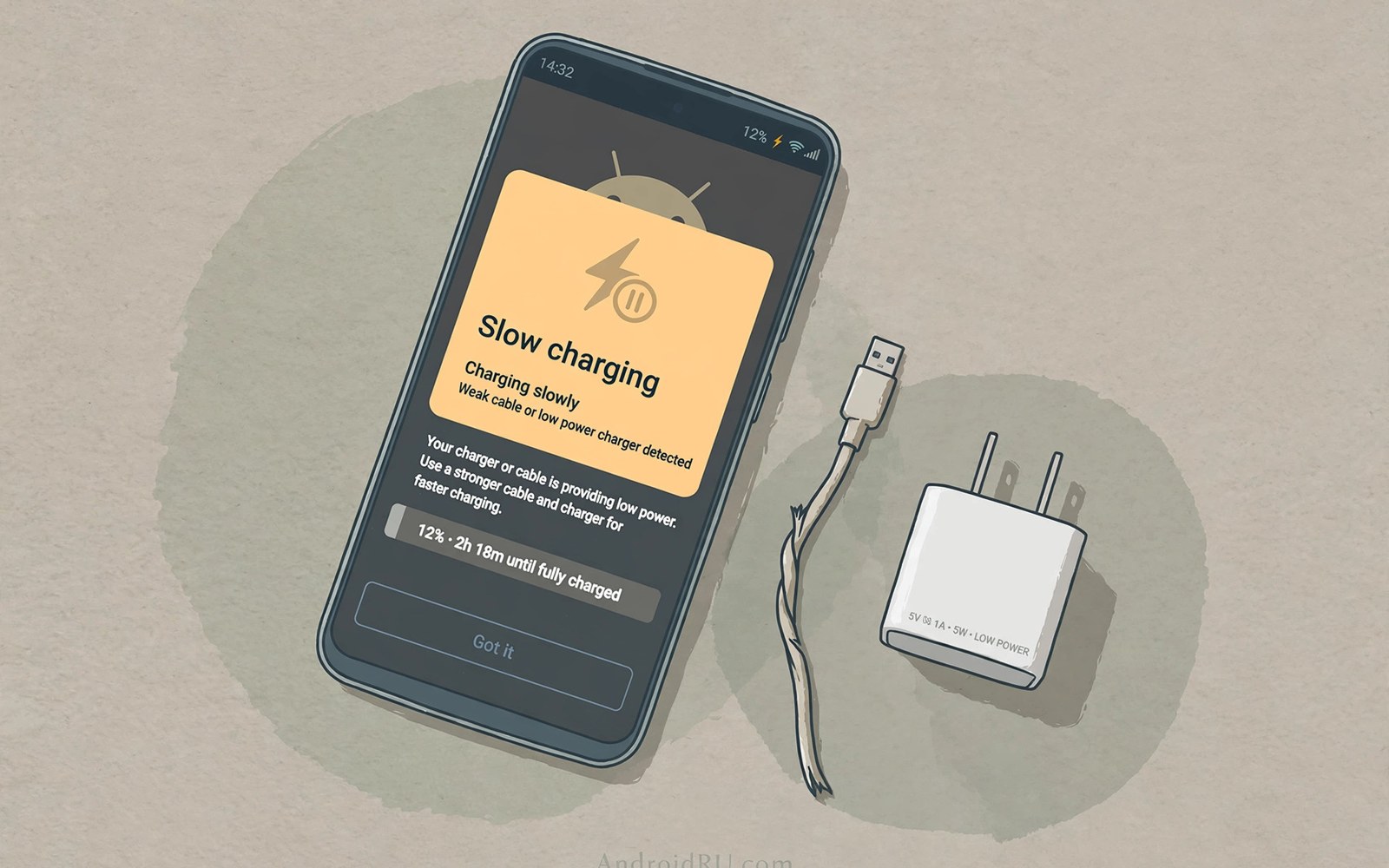
A slow charging message is frustrating when time is short. The phone is telling you that power input fell below its fast threshold. That message can come from many small faults. A weak charger or a bad cable is the most common cause. A dirty port or a hot phone can cause it too. Systematic checks find the fault without replacing good gear.
Start troubleshooting with the simplest parts first. Swap the cable before buying a new charger. Try a different outlet and a different charger next. Clean the port only with safe methods. Note whether the message changes with each swap. A message that disappears after one swap points to the faulty part. That methodical order saves money and time.
Software can also slow charging in some cases. Battery care modes may cap speed to protect long term health. Background apps can draw power while charging. A phone busy with updates charges net slower than an idle phone. Check those factors before assuming hardware failure. This guide covers hardware and software causes in order.
What Charging Slowly Actually Means
Phones show a slow message when input power falls below a set level. That level varies by phone model and by battery state. A phone near full may show slower input by design. That taper near full is normal battery protection. A slow message at low battery deserves investigation. Low battery should accept high power when gear works well.
The message does not name the faulty part. It only reports that negotiated power is low. The charger may be weak or the cable may limit power. The port may be dirty or the phone may be hot. Each cause produces the same message on screen. Troubleshooting must isolate parts one by one to find the truth.
Note when the message appears for clues. A message only with one charger points to that charger. A message with every charger points to the cable or the port. A message only when hot points to thermal limits. A message only at high battery points to normal tapering. Pattern notes guide the next test step.
- Note when the slow message appears
- Test at low battery for a fair result
- Change only one part per test
Charger Checks First
Check the charger output rating against phone needs. A low power charger cannot trigger fast charging at all. A charger from an old phone may supply only basic power. That basic power still charges but it shows as slow. A modern fast charger with a clear rating solves that case. Match the charger standard to the phone standard as well.
Test the phone with a known good fast charger. Borrow a charger from a trusted device if possible. Note whether the slow message disappears with the good charger. A disappearance confirms the old charger as the fault. Keep the good charger setup as a reference for later tests. A reference setup speeds every future troubleshooting session.
Check the wall outlet and any power strip in use. A faulty strip outlet can limit power unexpectedly. Plug the charger directly into a wall outlet for a test. Note whether direct wall power improves speed. A strip with many devices may share power poorly. Direct wall testing removes that variable from the diagnosis.
Cable And Port Checks
Swap the cable next with a known good rated cable. A damaged cable often causes slow messages despite a strong charger. Note whether the message clears with the good cable. A clear result confirms the cable as the fault. Retire the bad cable at once to avoid repeat confusion. Keep a spare good cable for future tests.
Inspect the phone port with a torch in good light. Lint and dust pack into ports from pockets over time. Packed lint prevents the cable from seating fully. A shallow connection limits power and causes flicker. Remove lint gently with a wooden or plastic tool. Never use metal tools inside a port because they can short contacts.
Check the cable connector fit after cleaning. A cable should seat firmly with a clear click or resistance. A loose fit after cleaning points to port wear. Port wear needs repair rather than repeated cable swaps. Avoid forcing cables into a worn port. Forcing can damage contacts further and raise repair costs.
Heat Battery And Software Causes
Heat is a common hidden cause of slow charging. A phone hot from gaming or sun throttles charging hard. Let the phone cool before retesting speed. Remove a thick case during the test to improve cooling. Note whether speed recovers as temperature falls. A recovery confirms heat as the cause rather than hardware.
Battery care modes can also cap charging speed. Some phones limit speed overnight to protect battery life. Check battery settings for care or optimised charging modes. A mode that caps speed is working as designed. Disable it temporarily for a test when urgent speed matters. Restore it afterwards for long term battery health.
Background activity draws power during charging. Updates and backups and video streaming all consume power. That consumption reduces net battery gain during a charge. Close heavy apps and pause updates for a fair test. An idle phone charges fastest under any charger. Software calm reveals true hardware speed.
Step By Step Fix Order
Follow a fixed order to avoid wasted purchases. First swap the cable with a known good cable. Then test a known good fast charger. Then try a direct wall outlet without a strip. Then clean the port gently and retest. Then cool the phone and test idle. That order isolates faults from cheapest to most costly.
Record the result of each step briefly. A note like cable swap cleared the message is enough. Notes prevent repeating steps in frustration. They also help a repair shop if the fault persists. A shop can start from your notes rather than from zero. Good notes shorten repair visits and they lower costs.
Stop and seek repair if all swaps fail. A persistent slow message across good gear points to internal faults. Battery ageing or port damage or board faults need professional tools. Continued forcing of a faulty phone risks further damage. Professional diagnosis protects the phone and the battery.
Preventing Slow Charging Returns
Keep a good cable and charger as a home reference set. Replace cables at the first sign of fraying. Clean ports gently every few months if pockets fill them with lint. Avoid charging in hot cars or direct sun routinely. Use battery care modes for overnight charging. Those habits keep fast charging reliable across years.
Store spare cables without tight bends near connectors. Tight bends break internal wires over time. Coil cables loosely for storage and travel. A cable cared for lasts far longer than a cable crammed into a pocket. Small storage habits protect charging speed daily. Prevention beats troubleshooting every time.
Slow Charging And Phone Ageing
Phone ageing can cause slow charging even with good gear. Old batteries accept less current safely than new ones. Management chips lower current limits as batteries age. That lowering protects old cells from heat damage. Users may notice charging slowing gradually over years. Gradual slowing often signals battery ageing rather than a fault.
Port ageing also slows charging over time. Repeated plugging wears port contacts and springs. A worn port may not seat cables firmly. Loose seating causes flicker and handshake resets. Those resets drop sessions to slow rates. Port replacement through repair restores firm seating and speed.
Software ageing can contribute to slow charging too. An old operating system may lack optimised charging profiles. Background app accumulation can drain power during charging. A factory reset or app cleanup can restore idle charging speed. Try software cleanup before assuming hardware failure on old phones. Software hygiene helps ageing phones charge better.
Battery replacement can restore fast charging on old phones. A new battery accepts higher current safely again. Replacement also resets management chip ageing limits. Choose authorised repair for battery replacement safety. A new battery plus a clean port can revive an old phone. Replacement costs far less than a new phone purchase.
Slow Charging In Cars And Public Places
Car charging often shows slow messages for specific reasons. Built-in car ports frequently supply only basic power. A plug-in fast charger solves most car slow messages. Heat on sunny dashboards also throttles car charging. Move the phone to a shaded vent mount and retest. Car slow messages usually trace to port power or heat.
Public charging stations vary widely in power quality. Airport and cafe USB ports often supply low power. Those ports suit trickle charging rather than fast charging. A personal power bank beats a public port for speed. Public ports also raise data security concerns for phones. Use a charge-only cable or a personal bank in public places.
Hotel room outlets and power strips can limit charging too. Old hotel wiring may sag under load. A power strip shared with kettles and lamps may limit phone power. Plug chargers directly into wall outlets for tests. Direct wall power removes strip variables from diagnosis. Hotel slow messages often disappear with direct wall testing.
Airplane seat power also supplies modest charging rates. Seat USB ports prioritise safety over speed. A personal bank provides faster top-ups during flights. Seat power suits trickle charging during cruise. Bank power suits urgent top-ups before landing. Knowing each location limit sets realistic expectations.
Swap the cable with a known good cable
Test a known good fast charger
Try a direct wall outlet
Clean the port gently without metal
Cool the phone and test while idle
Readers who want more context on portable power can read The Future of Qi2 Wireless Charging Standard Across All Smartphones for a related view on the same topic.
Readers who want more context on portable power can read USB Power Delivery (USB-PD) vs Proprietary Fast Charging Standards for a related view on the same topic.
Readers who want more context on portable power can read How GaN (Gallium Nitride) Chargers Offer High Power in Compact Sizes for a related view on the same topic.
The steps above follow the approach described in the official developer documentation and standard industry guidance for safe charging practice.
Charging slowly usually traces to a charger or cable or port or heat issue. A fixed test order finds the fault without guesswork. Cable swaps and charger swaps cost nothing when spares exist. Port cleaning and cooling fix many remaining cases. Persistent faults across good gear need professional repair.
Start your next slow charge with a cable swap. Note patterns in when the message appears. Keep a reference charger and cable at home. Those simple steps restore fast charging in most cases. A phone that charges fast again feels like a new device. Systematic checks beat random purchases every time.
Ageing and location explain many persistent slow charging cases. Old batteries and worn ports lower safe charging rates. Car and public and hotel power sources often supply only basic power. Personal fast gear beats shared low power sources. Diagnosis should consider age and location alongside cables and chargers.
Check battery health and port fit on older phones first. Carry a personal fast charger and bank for cars and public places. Test with direct wall power in hotels. Those habits restore speed in most locations. Slow charging is usually a solvable puzzle rather than a mystery. Systematic checks find the missing piece.

