

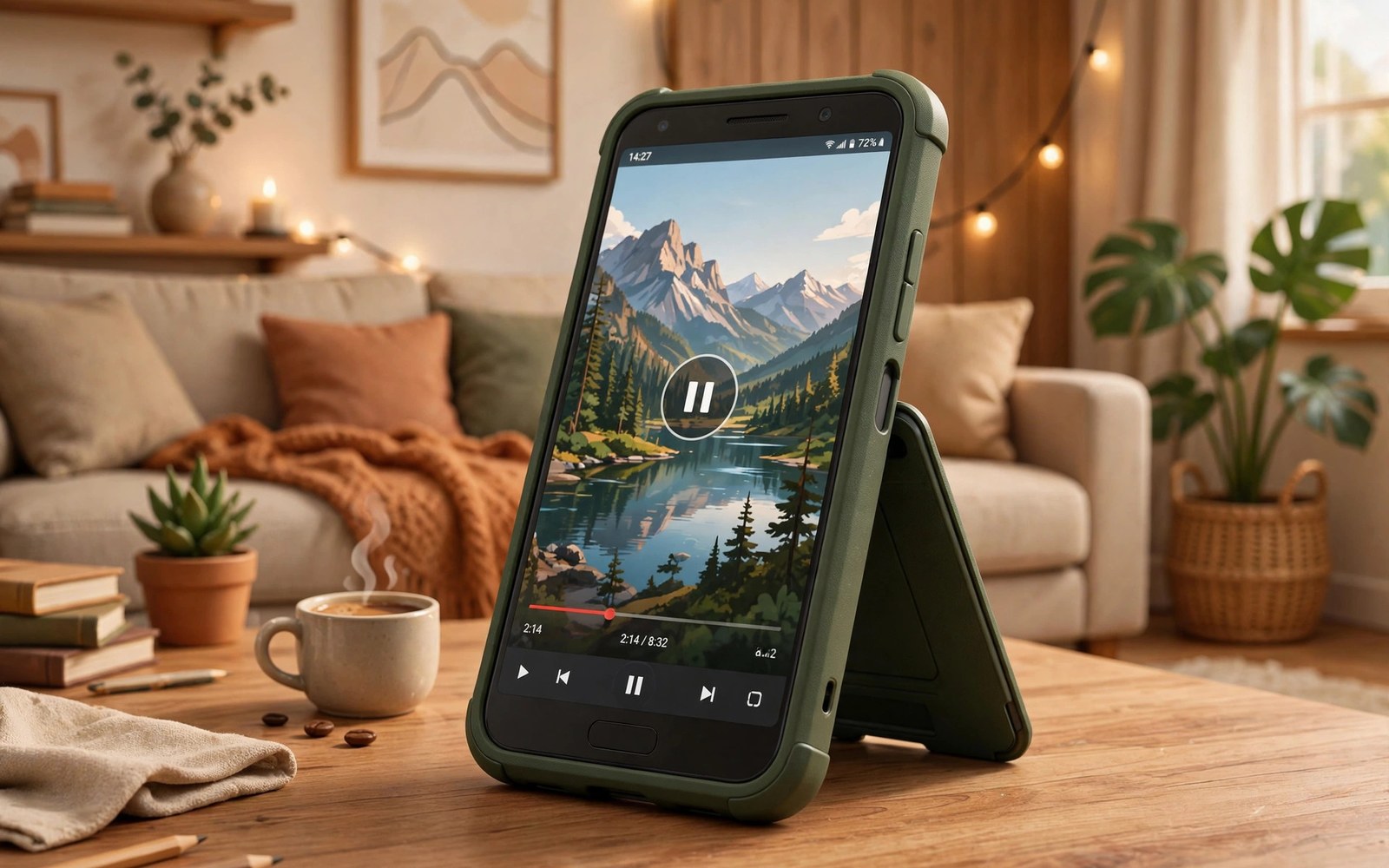
Holding a phone through a whole film tires the hands. Arms ache and fingers cramp. A kickstand case solves this with a small folding leg. The leg props the phone upright on any flat surface. Your hands stay free for snacks and notes. Media viewing becomes a relaxed hands-free habit.
Kickstands vary more than buyers expect. Some fold flat into the case back. Others slide out from a ring holder. Some hold landscape only. Others hold portrait too. Stability and angle range decide daily usefulness. This guide compares designs and daily benefits.
A kickstand suits desks and tables best. It also suits kitchen counters and aeroplane trays. It suits any flat surface where a phone can stand. For magnetic mounting on stands, see magnetic ring compatibility on Android cases as an alternative setup.
Hands-Free Viewing Benefits
The main benefit is comfort during long viewing. Films and shows run for an hour or more. A stand removes the need to hold the phone. Neck strain drops when the phone sits at eye level on a stack of books. Hands stay free for eating or typing. Viewing becomes a background pleasure rather than a chore.
Video calls improve with a stand as well. A propped phone frames your face steadily. Handheld calls shake and drift. A stand keeps the camera still and level. Friends see a calm image instead of a moving ceiling. Calls feel more natural when both hands are free.
Cooking and workouts benefit too. A recipe video stands on a kitchen counter. A workout video stands on a gym bench. Hands stay free for ingredients or weights. A stand turns a phone into a small countertop screen. That versatility justifies the small extra bulk.
Landscape Versus Portrait Stands
Landscape stands suit films and wide videos. Most kickstands hold landscape firmly. The wide base resists tipping. A landscape phone also charges easily from a side cable. Films look best in this orientation. Most buyers use landscape most of the time.
Portrait stands suit calls and social feeds. Fewer kickstands hold portrait well. A tall phone tips easily on a narrow base. Portrait stands need a wide foot or a low angle. Check portrait stability before buying if you call often. A stand that fails portrait mode limits daily use.
Dual orientation stands offer both modes. They use a rotating ring or a two way hinge. They cost a little more. They suit users who switch modes often. A rotating design adds a moving part that can wear. Check hinge quality in owner reviews. A loose hinge ruins both modes over time.
Stability Angle And Surface Grip
Stability depends on foot width and phone weight. A wide foot resists side taps. A narrow foot tips when a table shakes. Heavy phones need wider feet. Test stability by tapping the table lightly. A good stand stays put. A poor stand topples at the first vibration.
Angle range matters for eye comfort. A fixed angle suits one desk height only. An adjustable angle suits desks and laps and beds. Look for several angle stops rather than one fixed pose. A stand that adjusts from low to steep covers most settings. Steep angles suit low tables. Shallow angles suit high shelves.
Surface grip under the foot prevents sliding. Rubber feet grip smooth desks well. Hard plastic feet slide on glass tables. Check foot material in photos. Rubber strips signal good grip. A stand that slides during a film annoys quickly. Grip is a small detail with a large daily effect.
Typing Calls And Charging With A Stand
Typing on a propped phone works for short messages. The screen may wobble with each tap. A firm stand with a wide foot wobbles least. Long typing suits a flat phone better. Use the stand for viewing and calls. Lay the phone flat for long typing sessions.
Charging while standing works well with most designs. A bottom cable may clash with a landscape foot. Side charging ports avoid this clash. Wireless charging stands combine both features. A magnetic stand charges while holding the phone upright. Check cable clearance before buying a wired setup.
Speaker sound changes with stand angle. A phone lying flat muffles its speaker. A propped phone projects sound forward. Films sound clearer on a stand for this reason. A stand improves audio as well as video. That bonus surprises many first time buyers.
Bulk Durability And Pocket Fit
Kickstands add bulk to a case back. A folding leg adds a few millimetres. A ring holder adds a bump that catches pockets. Flat folding legs pocket best. Ring stands catch fabric more often. Choose a flat leg if pocket comfort matters most.
Hinges wear with daily folding. Cheap hinges loosen within months. A loose leg flops open in a pocket. It also fails to hold an angle. Metal hinges last longer than plastic hinges. Check hinge material before buying. Owner reviews after months of use reveal hinge life.
A kickstand case still guards drops moderately. The leg adds a weak point on the back. A fall onto the leg can snap it. Remove risk by folding the leg flat before pocketing the phone. A folded leg guards almost like a normal case. An open leg in a pocket invites damage.
- Choose landscape plus portrait if you video call often.
- Prefer adjustable angles over a single fixed angle.
- Check rubber feet for grip on smooth desks.
- Test stability with a light table tap.
- Fold the leg flat before pocketing the phone.
- Check hinge material and long term owner reviews.
Choosing The Right Kickstand Case
Start with your main viewing setting. Desk viewers suit a simple landscape leg. Callers need portrait stability too. Travellers need a flat folding leg for pockets. Cooks need a wide foot for counter bumps. Match the design to the setting where you watch most.
Test the case in a shop when possible. Open the leg and set several angles. Tap the table and watch for wobble. Fold the leg and feel the pocket profile. A hands-on test beats any product photo. Online buyers should favour cases with clear angle photos.
Pair a kickstand with a wallet or grip feature only if needed. Extra features add bulk fast. A simple leg plus good drop protection suits most users. A stand plus a card holder suits commuters. Keep the feature list short for pocket comfort. Wallet combinations are covered in wallet cases with card slots and RFID blocking for buyers who want both features.
Recipes Workouts And Countertop Use
Kitchen counters suit kickstand cases perfectly. A recipe video stands beside the ingredients. Hands stay free for chopping and stirring. Splash risk exists near sinks. Keep the phone away from direct splash zones. A stand near the back of a counter stays dry. Wipe the case after cooking sessions. Food grease dulls grip over time. A quick wipe restores the case surface. Kitchen use rewards a stand more than any other room.
Workout benches suit stands for guided sessions. A training video stands at eye level on a bench. Hands stay free for weights and mats. Sweat can make a phone slippery during workouts. A stand removes the need to hold a sweaty phone. Wipe the phone after each session. Sweat salts corrode case edges slowly. A post workout wipe prevents that slow damage. Gym use also benefits from a wide stable foot. Benches vibrate when weights drop nearby.
Desk workers use stands for reference videos during tasks. A tutorial stands beside a keyboard. Hands stay free for typing and notes. A stand at eye level reduces neck strain during long tutorials. Pair a stand with a raised monitor for best posture. A phone too low forces a downward gaze. A stack of books lifts a stand to eye level cheaply. Posture gains make stands a health tool as well as a convenience.
Travel Trays And Small Spaces
Aeroplane trays are small and shaky. A kickstand case fits them well. The phone stands beside a drink without sliding. Turbulence tests stand stability harshly. A wide foot and rubber grip matter most in the air. Test the stand on a shaky table at home first. A stand that survives table taps will survive mild turbulence. A stand that topples easily will fail at altitude. Choose stability over angle range for flights.
Train tables suit stands for long journeys. A film plays hands-free for hours. Fellow passengers appreciate a quiet phone with headphones. A stand keeps the screen angled away from neighbours slightly. That angle also improves privacy a little. It does not replace a privacy protector. It simply reduces direct screen exposure. Long journeys reward any comfort gain. A stand turns a cramped seat into a small cinema.
Hotel desks often lack good phone stands. A kickstand case travels as its own stand. It needs no extra gear in luggage. That self sufficiency suits light packers. A case plus a cable covers viewing and charging. No separate stand means one less item to forget. Pair travel stand use with lanyards and grip accessories that prevent drops for airport walking safety. A lanyard guards transit. A stand guards viewing. Together they cover a full travel day.
Bedside use suits kickstand cases surprisingly well. A phone stands as a clock and alarm display. It charges overnight on a nearby cable. A stand angle facing the bed works best. A low angle avoids bright light in the eyes. Night mode dims the display further. A stand plus night mode makes a gentle bedside clock. It beats a flat phone that lights the ceiling. Bedside stands also keep the phone off pillows. Pillows trap heat during overnight charging.
Presentations benefit from a propped phone too. A presenter can glance at notes hands-free. A stand holds the phone near a laptop. Notes stay visible without holding the device. A stable stand prevents mid talk topples. Test the stand on the presentation table beforehand. A wobbly stand distracts an audience quickly. A firm stand fades into the background. Presenters should favour stability over fancy angles. Reliability matters most under audience pressure.
Kickstand checklist:
- Modes: landscape required, portrait if you call often
- Angles: adjustable stops preferred
- Stability: wide foot, rubber grip, tap test pass
- Hinge: metal preferred, check long term reviews
- Pocket: flat folding leg, fold before pocketing
- Charging: cable clearance or wireless stand
The steps above follow the approach described in the official developer documentation for device care and accessory testing. The guidance draws on standard stand design practice and everyday media habits. A good kickstand turns a phone into a relaxed hands-free screen. Judge it by stability and angle range first.

