

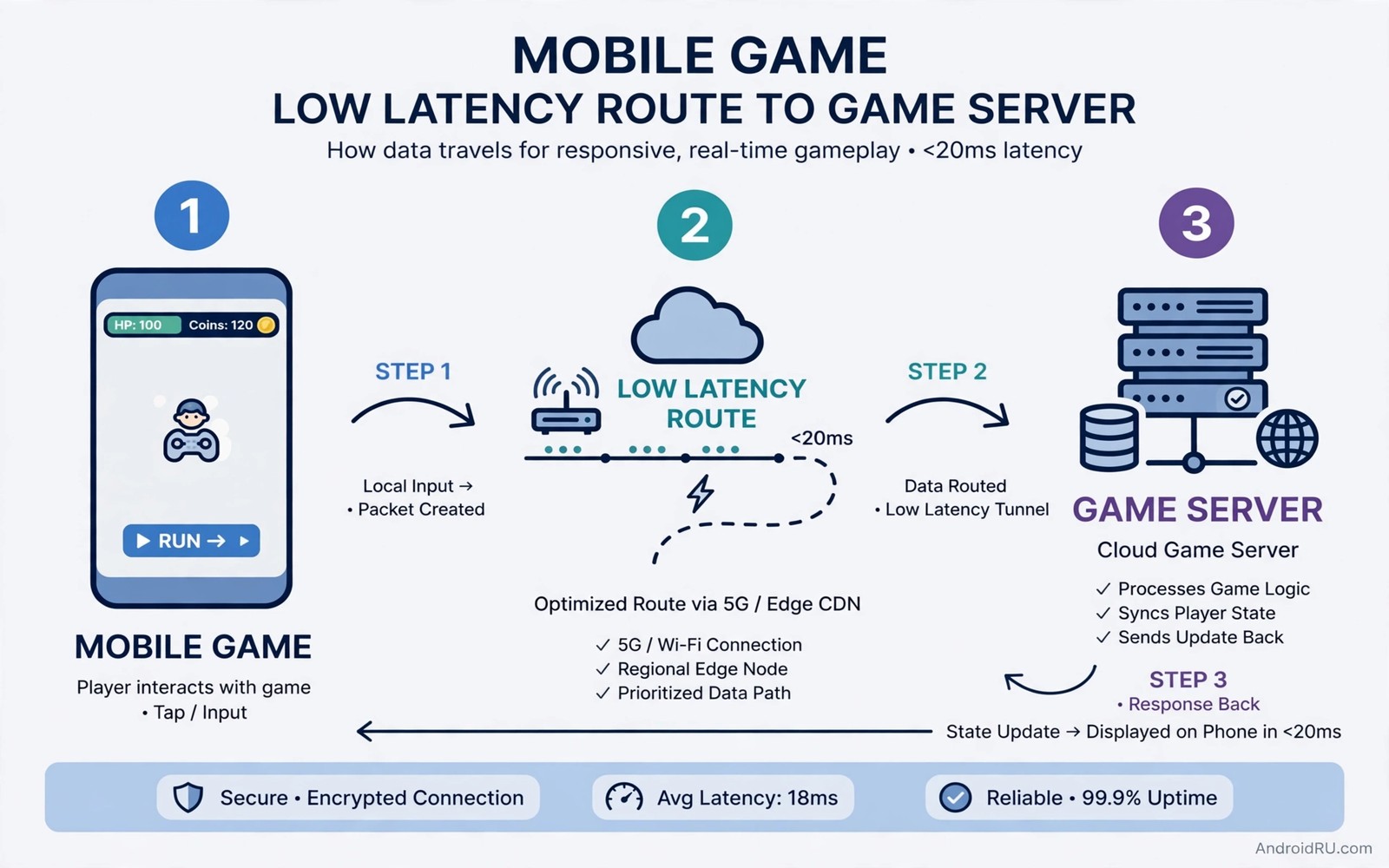
High ping turns a fast reaction into a late action. You tap to shoot and the game responds a fraction of a second later. That delay decides close matches and it frustrates skilled players. A 5G connection can offer low latency but it does not guarantee it. Signal strength and server choice and background apps all shape the final ping. A few targeted hacks can cut the delay without a new phone.
Ping measures the round trip time for a small packet to reach a game server and return. A low ping means a fast round trip. A high ping means a slow round trip. Speed alone does not fix ping because a fast download can still travel a long and congested route. The route matters more than the headline speed. A nearby server on a clean route will beat a distant server on a fast but crowded route.
This guide gives five hacks in the order that helps most players first. You will choose the right server and clean up background traffic. You will check signal and network mode and game settings. Each hack includes a test so that you can measure the gain. A measured gain beats a guessed gain every time.
Hack one: choose the nearest game server
Open the game settings and look for a server region option. Choose the region closest to your real location. A nearby server shortens the physical route and it usually cuts ping by a large margin. An automatic region choice can pick a busy or distant server by mistake. A manual choice gives you control over the route.
Test two nearby regions if the game allows it. A region that looks closer on a map can still route through a congested path. Play one match on each region and note the ping shown in the game. Keep the region with the lower and steadier ping. A steady ping matters more than a single low reading because a jittery ping causes stutter even when the average looks good.
Avoid a VPN for competitive matches unless you need it for access. A VPN adds extra hops and it usually raises ping. A direct route to the game server is almost always faster. If you must use a VPN then choose a server in the same region as the game server. That choice minimises the extra distance but it rarely beats a direct connection.
Hack two: stop background apps from stealing bandwidth
Close cloud backup and app updates before a match. A background upload can spike ping at the worst moment. A video app preloading content can do the same. Open the recent apps screen and close everything except the game. That clean state gives the game the full connection.
Turn off auto updates during a gaming session. An update that starts mid match can flood the connection for minutes. Set updates to Wi-Fi only or to manual during a tournament. A manual update habit protects competitive sessions without losing updates entirely. You can run updates after the session ends.
Pause cloud photo sync during a match as well. A photo backup can upload large files in the background without any visible warning. A paused sync costs nothing for an hour. Resume the sync after the match when ping no longer matters. That small pause can remove the spikes that ruin close fights.
Hack three: lock a stable network mode
Test the game on a locked 5G mode in a strong coverage area. A phone that flips between 5G and LTE during a match can spike ping at each switch. A stable mode removes those switches. Use the lock only where 5G stays strong. Return to auto mode when you leave that area so that coverage does not fail.
Check signal strength in the spot where you play. A weak signal forces retries and retries raise ping. Move near a window or a stronger coverage spot if the signal looks weak. A short move can cut ping more than any setting change. A strong and stable signal is the foundation for every other hack in this guide. Weak signal help is available in the steps for fixing a weak 5G signal if your gaming spot sits at the edge of coverage.
Hack four: use game mode and performance settings
Turn on the game mode or gaming mode on your phone if it offers one. A game mode can prioritise the game process and limit background activity. It can also block notifications that interrupt a match. Test a match with game mode on and a match with it off. Keep the mode only if the ping or the stability improves.
Set the game graphics to a stable frame rate rather than the maximum quality. A phone that overheats will throttle performance and that throttle can raise ping indirectly through frame delays. A stable medium graphics setting keeps the phone cool and the game responsive. A cool phone sustains performance for a full session while a hot phone fades after ten minutes.
Close the game fully between sessions rather than leaving it in the background for hours. A stale game session can accumulate state that harms performance. A fresh launch gives a clean connection to the server. That habit costs seconds and it can remove odd lag that survives a simple pause. Parallel connection tricks can also help and the guide to parallel downloading over Wi-Fi and data shows how combined links behave under load.
Hack five: test ping properly before you judge
Use the in game ping display rather than a generic speed test. A generic test measures a different server on a different route. The in game display measures the exact route that matters for your match. Note the ping at the start and in the middle and at the end of a match. A rising ping during a match points to heat or background traffic.
Test at the same time of day that you normally play. Network load changes across the day and a morning test cannot predict an evening match. An evening test during peak hours gives a realistic picture. If ping stays high only at peak hours then congestion is the cause rather than your phone. A congestion cause needs a server or time change rather than a phone change.
Use this pre match routine
Run the same routine before every competitive session. Choose the nearest server and close background apps. Check signal and turn on game mode. Play a warm up match and note the ping. That routine takes two minutes and it removes most avoidable lag.
Step one: choose nearest server region in game
Step two: close background apps and pause sync
Step three: check signal in gaming spot
Step four: turn on game mode on phone
Step five: play warm up match and note ping
This routine is an original example written for this guide. It uses only standard game and phone settings. It does not require any extra app. The routine works because it fixes the server and the background traffic before the match starts. A match that starts clean stays clean far more often than a match that starts with hidden traffic.
Measure the gain across several matches
Do not judge a hack by a single match. A single match can catch a lucky server moment. Play three matches with a hack and three matches without it. Compare the average ping and the worst ping across the sets. A hack that cuts the worst ping helps more than a hack that only cuts the average. Worst ping spikes decide close fights.
Note the time and the server for each match in a simple log. A log reveals patterns that memory hides. A pattern such as high ping only on one server points to a server choice fix. A pattern such as high ping only in the evening points to congestion. A log turns guesswork into evidence. Real speed measurement matters too and the guide to testing real mobile internet speeds will help you measure the link without misleading ads.
Build a gaming spot with stable signal
Choose a gaming spot near a window or near the side of the house that faces the nearest tower. A spot with a strong signal gives a lower and steadier ping. A spot in a basement or behind thick walls gives a weaker signal and a higher ping. A short move to a better spot can beat every software hack in this guide. Test ping in two spots before you settle on a permanent gaming chair.
Keep the gaming spot cool and ventilated. A hot room can push the phone into thermal throttling during a long session. A small fan or an open window can keep the phone cooler. A cooler phone sustains frame rate and responsiveness for longer. A hot phone may still show a good ping at the start and then fade as the session continues.
Use a phone stand so that your hands do not cover the antennas. Hands over antenna areas can weaken the signal during a match. A stand keeps the antennas clear and it keeps the screen at a comfortable angle. A stand also reduces hand fatigue during long sessions. That ergonomic gain pairs well with the signal gain.
Review matches to find lag patterns
Watch replays or match summaries after a laggy session. A replay can show whether lag hit during fights or during quiet moments. Lag during fights points to load or heat. Lag during quiet moments points to a network spike. That distinction guides the next fix. A fight only pattern needs a performance fix. A random pattern needs a network fix.
Note the opponent region when lag appears. A match against players from a distant region can route through a farther server. That routing choice is outside your control. A pattern of lag only against distant opponents suggests server matchmaking rather than your phone. A pattern of lag in every match suggests a local cause that you can fix.
Share the ping log with teammates if you play as a team. A team log can reveal whether one player or the whole team suffers lag. A whole team problem points to a server issue. A single player problem points to a local setup issue. Shared evidence helps a team choose the right fix instead of blaming one player unfairly.
Common mistakes
A common mistake is to chase download speed while ignoring server region. A fast link to a distant server still gives high ping. Another mistake is to leave cloud sync running during a match. A silent upload can spike ping without any visible warning. Close background traffic before every competitive session.
Do not lock 5G in a weak area just because a guide suggests it. A weak 5G lock can raise ping through retries. Use a lock only where the signal stays strong. Do not judge a hack by one match either. Averages across several matches give the true picture.
Frequently Asked Questions
What ping is good for mobile multiplayer?
A ping under fifty milliseconds feels responsive for most mobile games. A ping under one hundred still plays well for casual matches. A ping above one hundred and fifty starts to feel delayed in fast games. Aim for a steady low ping rather than a single low reading.
Does 5G always beat Wi-Fi for gaming ping?
No because a strong local Wi-Fi link to a nearby server can beat a weak 5G link. Test both links in your gaming spot. Choose the link with the lower and steadier in game ping for competitive matches.
Can a phone cooler reduce ping?
A cooler can help indirectly by preventing heat throttling during long sessions. It cannot fix a distant server or a weak signal. Use a cooler as a support for long sessions rather than as a primary ping fix.
Conclusion
Today open your game and set the server region to the nearest option. Close background apps and pause cloud sync before your next match. Play a warm up match and note the ping at the start and at the end. If the ping stays steady then keep that routine for every competitive session. If it spikes then check signal and background traffic before you blame the game.
Keep a short log of ping across three matches after each change. A log will show which hack actually helps in your spot. That evidence based habit will cut lag faster than any single setting change.

