

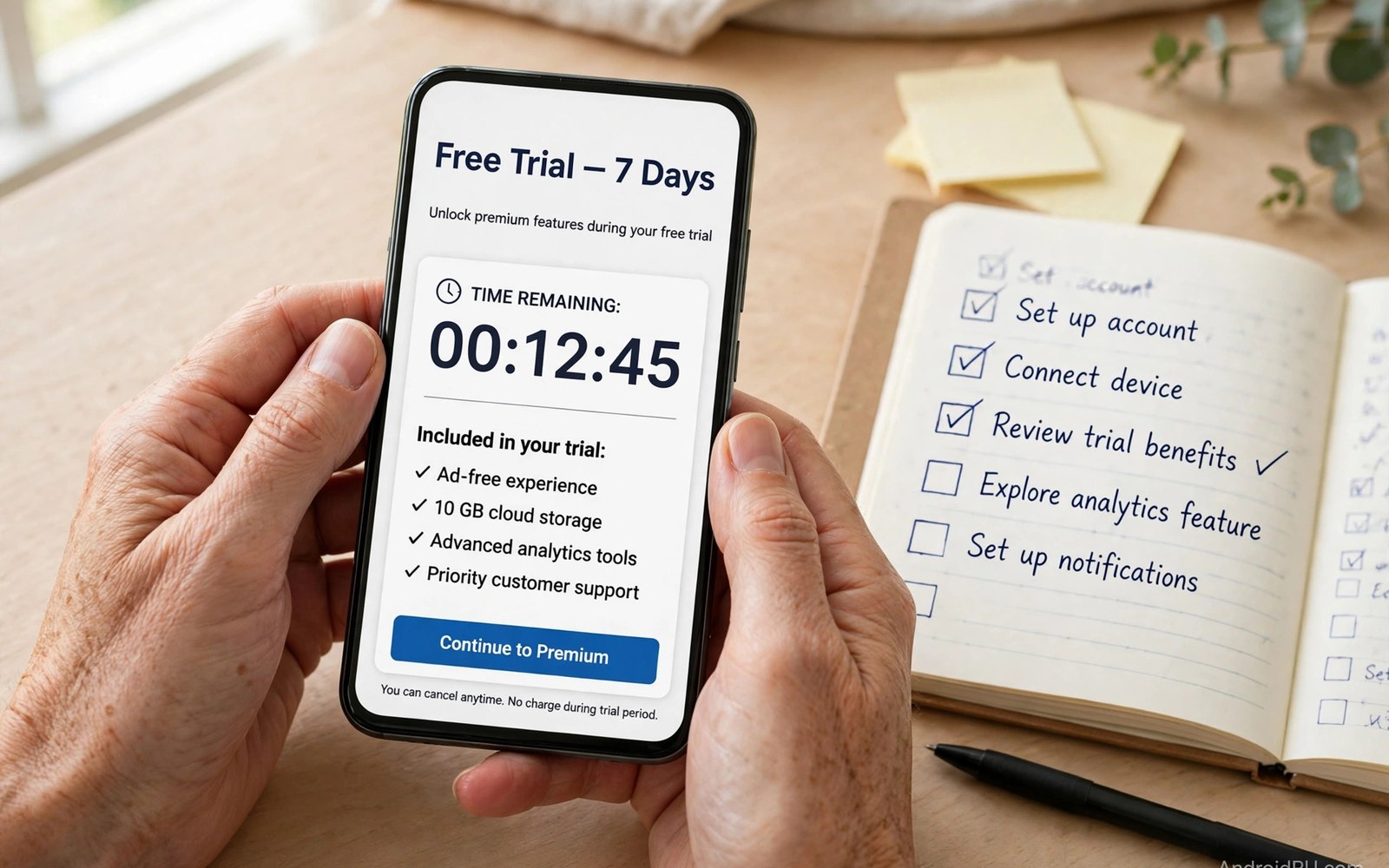
Free trials promise a risk free taste of premium apps. The best trials unlock every feature for a full test period. The worst trials restrict key features or demand payment details upfront. Knowing the difference saves money and frustration.
This guide explains what unrestricted trials look like. It shows how to test apps thoroughly during trial periods. It also covers the traps that turn trials into surprise bills. A good trial should feel like a genuine test drive rather than a sales funnel.
What Unrestricted Really Means
An unrestricted trial gives full access to premium features. No feature sits behind a second paywall during the trial. No usage caps throttle your testing. The trial period lasts long enough to evaluate real daily use rather than a quick glance.
Restricted trials hide their best features until you pay. You test a hollow version and must trust marketing for the rest. That is not a trial. It is a demo dressed as a trial. Prefer apps that trust their product enough to show everything upfront.
Why Developers Offer Full Trials
Confident developers offer full trials because their apps retain users on merit. A user who experiences full value understands the price. Conversion follows satisfaction rather than pressure. That model builds loyal subscribers who stay voluntarily.
Less confident developers restrict trials to hide weaknesses. They fear full access reveals flaws before payment. That fear tells you something important. An app afraid of full testing may disappoint after you pay as well.
Trial Lengths That Make Sense
Seven days suits simple apps with obvious features. Fourteen days suits productivity tools that need workflow integration. Thirty days suits complex apps like fitness coaches or learning platforms. Shorter trials for complex apps signal sales pressure rather than genuine evaluation.
Match trial length to your testing needs. A photo editor reveals itself in days. A habit tracker needs weeks to prove its system works. Do not judge a long term tool on a short trial. If the trial feels too brief then the app may not respect your decision process.
Payment Details Upfront: A Warning Sign
Some trials require a payment method before starting. That requirement enables silent conversion when the trial ends. Developers know many users forget conversion dates. The upfront card turns forgetfulness into revenue.
Prefer trials that start without payment details. Those trials end cleanly without action from you. If a trial demands a card then set a cancellation reminder immediately. Better yet cancel on day one and enjoy the trial without conversion risk.
How to Test an App During Trial
Test with real work rather than toy examples. Import your actual notes into a note app trial. Edit real photos in a photo editor trial. Follow a real workout plan in a fitness trial. Real tasks reveal strengths and flaws that demos hide.
Test edge cases too. Try offline mode and large files and export functions. Check sync across your devices. Test customer support with a real question. A trial that survives real use deserves your money. One that fails real use deserves cancellation.
Trials Across App Categories
Productivity trials should test workflow integration deeply. Music trials should test library depth and audio quality. Fitness trials should test program variety and tracking accuracy. Photo trials should test export quality and speed. Each category has its own critical test.
Game trials differ because games rarely offer full trials. Instead games offer free versions with limited content. Treat game free versions as extended demos. Judge them on fun rather than on completeness. A fun demo predicts a fun full game reasonably well.
Common Trial Traps
Auto conversion is the biggest trap. Silent renewal after trial end catches forgetful users. Feature restrictions form the second trap. A trial that hides premium features misleads your evaluation. Short trial windows form the third trap for complex apps.
Another trap is the trial that requires cancellation inside the app rather than the store. Some apps bury cancellation in obscure menus. Others require contacting support to cancel. Check cancellation steps before starting any trial. Easy cancellation signals an honest developer. Readers managing trial conversions should also review auto-renewal traps for the full defense playbook.
Trials Versus Money Back Guarantees
Money back guarantees differ from trials. A guarantee lets you pay first and refund within a window. A trial lets you test before paying anything. Trials carry less risk for users. Guarantees suit apps that cannot offer trials for technical reasons.
Compare the guarantee window against trial lengths. A thirty day guarantee approximates a thirty day trial with extra friction. You must remember to request the refund. A true trial removes that burden entirely. Prefer trials whenever both options exist.
Family Trials and Sharing
Some trials extend to family members under sharing plans. A family trial lets everyone test before the household commits. That shared testing reveals whether the app suits all members. It also prevents duplicate trials across accounts.
Check whether a trial covers the family or only the buyer. A buyer-only trial may surprise other members with paywalls. Family trial terms appear on the subscription page for most apps. Read them before inviting family to test.
After the Trial Ends
Decide before the trial ends rather than after. Mark the end date on your calendar at signup. Test thoroughly in the final days. Cancel promptly if doubts remain. You can always resubscribe later when certainty grows.
If you convert then choose the best billing period. Monthly billing suits uncertain long term use. Yearly billing suits proven daily tools. Start monthly after any trial regardless of discounts. A month of paid use confirms the trial impression before annual commitment.
Trials as a Discovery Tool
Trials also serve discovery beyond single apps. Try several competing apps in sequence through trials. Compare them on real tasks over successive weeks. That comparison reveals the best tool far better than reviews alone.
Keep notes during each trial. Record strengths and weaknesses while fresh. Those notes make the final comparison honest. Without notes the most recent trial always feels best due to recency bias. Structured comparison beats memory every time.
Supporting Honest Trial Practices
Reward developers who offer unrestricted trials. Subscribe when their apps earn it. Recommend honest trials to friends. Market pressure encourages more developers to offer fair trials. Your choices shape trial norms across the whole store.
Avoid developers who use trial traps repeatedly. Report deceptive trial practices through store feedback channels. Reviews warning about trial traps help other users. Collective honesty pressure improves the ecosystem for everyone.
Trial Abuse and Fair Use Policies
Some users exploit trials by creating repeated accounts. Developers respond with stricter trial rules that hurt honest users. Fair use policies limit trials per device or payment method. Honest users rarely notice these limits. Repeated trial abuse can lead to account restrictions.
Use trials honestly and accept their limits. One genuine trial per app gives a fair evaluation. If you need longer testing then contact the developer directly. Many developers extend trials for serious evaluators who ask politely.
Comparing Trials Across Competitors
Trial quality itself signals developer confidence. Compare trial terms across competing apps before choosing. The app with the fullest trial often has the strongest product. Developers confident in value hide nothing during evaluation.
Run competitor trials back to back on identical tasks. That head to head test reveals differences reviews miss. Note speed and reliability and support responsiveness during each trial. The winner usually emerges clearly from real use.
Trial Extensions and Special Offers
Some apps offer trial extensions when you engage deeply. Completing onboarding or inviting feedback may extend testing time. Those extensions reward serious evaluation. Accept them when you need more time for a fair decision.
Be wary of extensions tied to payment details. An extension that requires a card is a conversion trap in disguise. Genuine extensions need no new billing information. Check the terms before accepting any extension offer.
Trials for Business and Team Apps
Business apps often offer team trials with multiple seats. Test with your actual team during the trial period. Real collaboration reveals integration problems solo testing misses. Include the least technical team member in testing. Their experience predicts adoption success.
Business trials may include onboarding support from the vendor. Use that support fully during the trial window. Ask hard questions about migration and data export. The trial period is your leverage for honest answers before payment.
Documenting Trial Decisions
Keep a simple trial log for every app you test. Record start date and end date and key findings. Note the cancellation steps you verified. That log prevents trial chaos when testing several apps at once.
Review the log weekly during active trial periods. Decide each trial before its end date arrives. A decided trial never becomes a surprise charge. The log habit protects your budget across all future trials. Trial safety also connects to broader billing control in auto-renewal traps for users who want full protection.
When a Trial Converts to a Loyalty Discount
Some developers reward trial users who convert promptly. A loyalty discount may apply to the first paid period after trial. That discount lowers the effective cost of committing early. Compare it against monthly pricing before accepting the annual upsell that often accompanies it.
Loyalty discounts still deserve the same scrutiny as any offer. A discount on a service you barely use remains waste. Accept discounts only for apps that passed your full trial testing. The trial verdict should drive the purchase rather than the discount size. Users comparing trial models can also explore free trial options alongside broader pricing choices in a full value analysis of paid versus subscription models.
Trials and Accessibility Testing
Trials offer a vital window for accessibility testing. Users with specific needs should test screen reader support and font scaling and contrast options during trial. A premium app that fails accessibility testing deserves cancellation regardless of other strengths.
Contact support during trial about accessibility gaps. Responsive developers often fix gaps quickly when reported. Unresponsive support during trial predicts unresponsive support after payment. Accessibility testing protects both your experience and your budget.
Trial Evaluation Checklist Script
The snippet below shows a simple trial evaluation checklist. It lists test criteria for any premium app trial. Adapt the criteria to the app category you are testing. Check each item before the trial ends.
criteria = [
    "Full features unlocked",
    "Real task tested",
    "Offline mode tested",
    "Export tested",
    "Cancellation steps checked",
]
for item in criteria:
    print("Check:", item)
The snippet above is a simple organizational example. It does not change any trial or subscription. Use it only as a checklist alongside the official trial settings on your device.

