

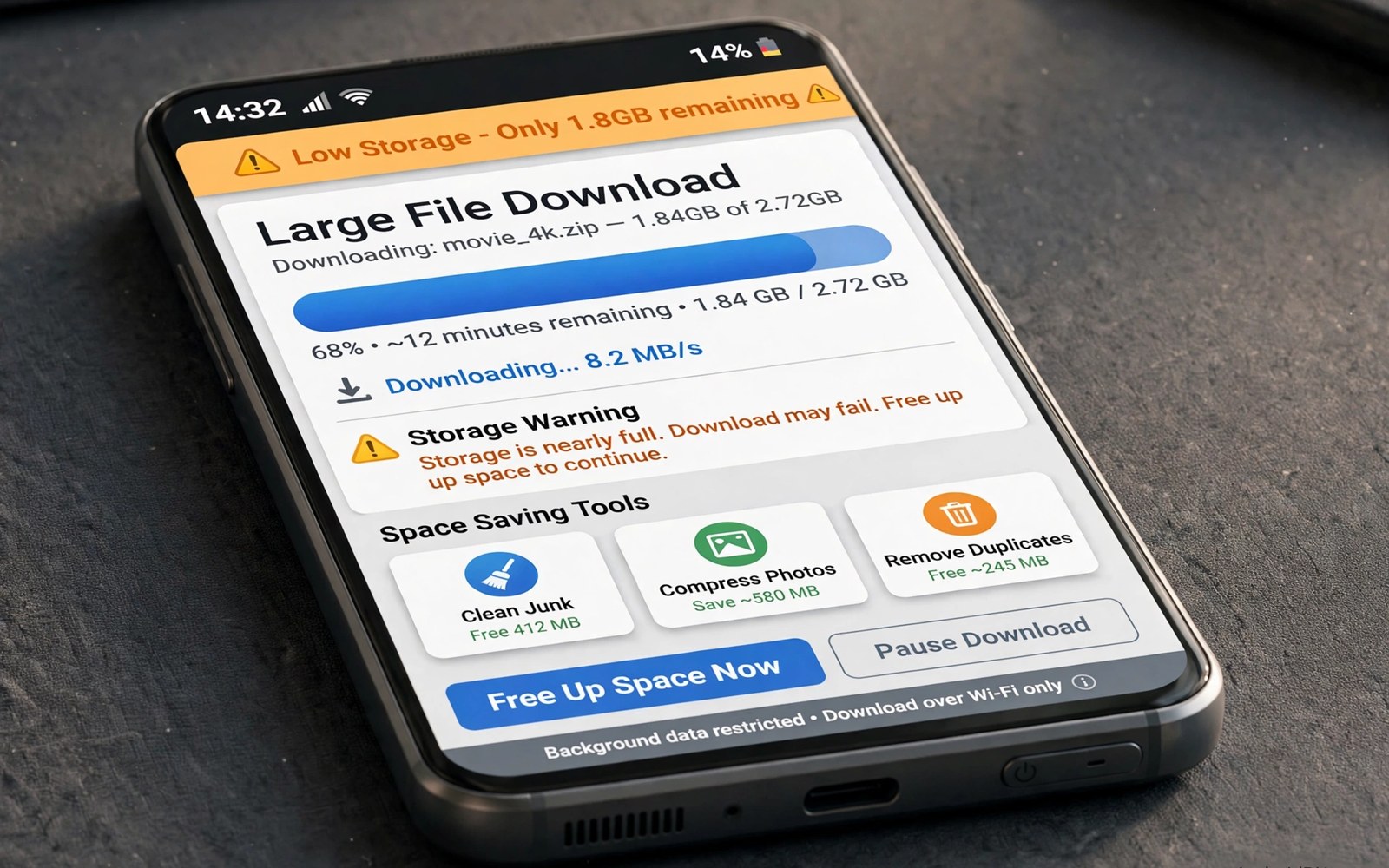
A low storage phone turns a large download into a gamble. The download may stop halfway and leave a partial file behind. The phone may run out of space during an update and leave other apps struggling. A large file that succeeds may still crowd out photos and messages. Planning the download matters as much as the download itself.
Check free space before you start any file larger than a few hundred megabytes. Open storage settings and note the free amount in plain numbers. Compare that number with the file size plus a safety margin for temporary data. A download often needs extra space while it unpacks or installs. Starting with barely enough space invites a failure near the end. Owners who face this often also benefit from storage hacks for owners of 64GB smartphones that keep a small phone usable.
Choose the destination before you tap download. A memory card can hold a large media file better than a crowded internal store. A computer drive can hold a file that you only need to view once. A cloud folder can hold a file that you will open on several devices. A destination choice made early prevents a painful move later. It also keeps the phone free for apps that cannot run from external storage.
Stage a large download in safe steps
Split a large task into smaller parts when the source allows it. Download one episode instead of a whole season. Download one chapter instead of a whole course pack. Smaller parts finish faster and they are easier to retry. A failed small part wastes minutes rather than hours. A completed small part also frees you to watch or read while the next part downloads.
Pause background downloads during a large transfer. Other apps may compete for the same free space and the same network. Close large games and close media apps that sync in the background. A quiet phone gives the large download a clear path. The same focus helps when you clean the downloads folder automatically every week so old parts do not pile up.
Pick the right size and quality first
Many sources offer several quality levels for the same file. A lower resolution video often looks fine on a phone screen. A compressed document pack often reads just as well as a full quality pack. Choose the smallest version that still meets your need. That choice can cut a download to a fraction of its original size. It also reduces the time that the phone spends writing data.
Check the file size on the download page before you accept it. A page that hides the size deserves caution. A trusted source shows size and format clearly. Avoid a download that looks far larger than the content should be. An unexpected size can signal a bundled installer or a wrong file.
Estimate download space with a short script
file_size = 1200
free_space = 1800
margin = 300
print("fits" if file_size + margin <= free_space else "too large")
print("remaining", free_space - file_size)
The snippet above follows a standard pattern for checking whether a file fits in free space with a safety margin. It only prints a result and it changes no file. You can adapt the numbers for your own phone and for your own download size.
A simple fit check stops most large download failures before they start. Add a margin for temporary files and for system needs. A margin of a few hundred megabytes suits most phones. Increase the margin when the file must unpack after downloading. A clear fit check turns a guess into a decision.
Use Wi-Fi and timing to improve large downloads
Download timing affects success as much as file size does. A home Wi-Fi network performs best when few devices compete for bandwidth. A late night download often completes faster than a download during a busy evening. A download during a video call may stall because the call consumes priority bandwidth. Choose a quiet window for a large file and the download will finish with fewer retries.
Place the phone near the router for a large download when possible. A strong signal reduces packet loss and reduces the need for retransmission. A weak signal at the far end of a house can turn a straightforward download into a series of restarts. A short move closer to the router can save more time than a faster data plan. Test signal strength in the download spot before you start a very large file.
Keep the phone awake during a critical download when the app allows it. A phone that sleeps aggressively may pause a download and resume it awkwardly. A charger connected during the download prevents a battery shutdown mid file. A stable power and network environment gives a large download the best chance. Small environmental choices matter more than many owners realise.
Recover gracefully when a large download fails
A failed download should not trigger an immediate retry with the same settings. Check free space first and check network strength second. Delete the partial file before you retry so the new attempt starts clean. A clean retry avoids a corrupted file that looks complete but fails to open. A partial file that remains can also confuse an installer that checks file presence rather than file integrity.
Try a different source mirror when the same file fails repeatedly from one source. A mirror may serve the same content from a closer server. A closer server often delivers a more stable connection. Verify the file size and format after a mirror download. A matching size gives confidence that the mirror file is complete.
Split a stubborn large file into parts when the source offers a split option. Parts download independently and a failed part can be retried alone. A complete set of parts can be joined after all parts arrive. Splitting adds steps but it turns an all or nothing download into a manageable set of smaller tasks. That approach suits very large files on unreliable connections.
Advanced download management for travellers
Travellers face download challenges that home users rarely meet. A hotel Wi-Fi network may be slow and unreliable. A mobile connection abroad may be expensive. A large download started at a hotel may fail repeatedly. Planning downloads before travel avoids those problems. Download large files at home on a stable connection before departure. A pre travel download habit is the single best traveller trick.
Use offline maps and offline guides as a model for other large downloads. An offline map downloaded at home works without any network abroad. An offline guide works the same way. A large file downloaded at home works offline abroad without data costs. Treat every large travel file as an offline asset to prepare in advance. That mindset prevents expensive surprises.
Carry a small USB drive with large travel files as a backup to phone downloads. A drive copy lets you restore a file quickly without a network. A drive copy also lets you share a file with a travel companion without using data. A drive is light and it needs no power beyond the phone port. A traveller backup drive is a cheap insurance policy.
Check download completion before leaving a Wi-Fi zone. A file that shows as downloaded may still be verifying or unpacking. Open the file and confirm that it plays or reads correctly before departure. A file that opens correctly is a true offline asset. A file that fails to open at home can be redownloaded easily. A file that fails abroad may be impossible to replace.
Delete travel downloads after a trip to free space for the next journey. A travel file that served its purpose does not need to stay on the phone indefinitely. A post trip cleanup restores the phone to its normal state. A clean phone is ready for the next trip without a storage crisis. A post trip habit closes the loop that a pre trip habit opened.
A practical download checklist for students
Students download course packs and lecture videos that can be very large. A student checklist starts by checking free space before a new term begins. A term start check gives you time to move old course files to an archive. An archive of old courses preserves them without crowding current work. A clean start to a term prevents a mid term storage crisis during exams.
Download lecture videos in the quality that suits phone viewing rather than the highest quality available. A lecture video at normal quality is perfectly readable on a phone screen. A highest quality lecture video uses far more space for little benefit. A quality choice matched to the screen saves space across many lectures. A term of lectures at normal quality can save gigabytes.
Organise downloads by course and by week as soon as they arrive. A course folder with week subfolders makes revision easy. A revision search by week is faster than a search through a mixed downloads folder. A course organisation habit also helps when a lecturer refers to a specific week. A well organised download set supports better studying.
Delete lecture downloads after exams when the course ends. A finished course rarely needs every lecture video permanently. Keep only summary notes and key slides after an exam. A post exam delete frees space for the next term. A clean phone at term start is ready for new learning.
Common mistakes
One common mistake is starting a large download with almost no free space. A second mistake is downloading over a weak connection that drops repeatedly. A third mistake is leaving partial files in downloads after a failure. Partial files waste space and they confuse the next attempt. Delete a partial file before you retry the same download.
Another mistake is downloading a large file to internal storage when a card sits empty. Internal storage holds apps and system data that need room to breathe. External storage suits large media that you can move or delete easily. Match the file to the storage type that fits its use.
Frequently asked questions
Why does a large download stop at ninety percent?
A late stop often means free space ran out during unpacking or verification. Check free space and delete a partial file before you retry. Try a smaller quality version when space stays tight. A stable connection also reduces late failures.
Can I download directly to a memory card?
Many browsers and download apps allow a card destination in settings. Set the destination before you start the download. Check that the card has enough free space for the file and a margin. Move the file later when the card destination was not available.
Should I use mobile data for a large download?
Use Wi-Fi for large downloads whenever possible. Mobile data can cost more and it can drop in weak coverage. A large download over mobile data can also eat a monthly allowance quickly. Wait for Wi-Fi when the file is not urgent.
Conclusion
Large downloads on a low storage phone need a fit check and a destination choice and a staged plan. Smaller parts and lower quality options reduce risk without reducing usefulness. A margin for temporary data prevents late failures. Deleting partial files keeps the next attempt clean.
Your concrete next step is to check free space today and delete one partial download that you no longer need. Then set your browser download folder to a card or an archive folder before the next large file. Readers who manage photos can also follow automatic photo backup to free cloud platforms to free internal space first.

