

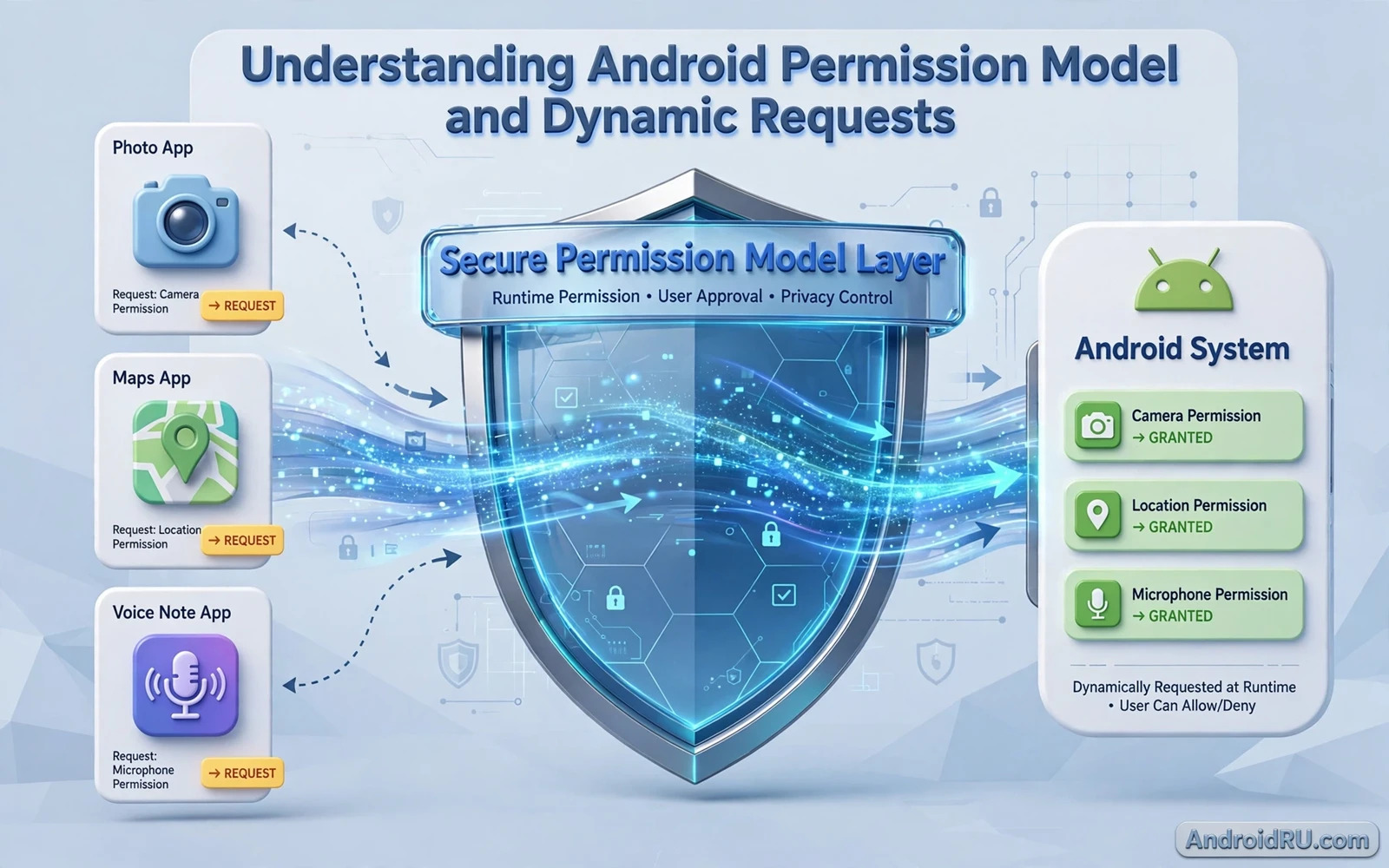
What the Permission Model Protects
The Android permission model controls which sensitive capabilities an app can use. Location and camera and microphone and contacts and storage are protected because misuse can harm privacy and safety. An app without the relevant permission cannot access that capability even when its code tries to do so. That gate protects users from apps that overreach and it gives users a clear point of control. Permissions are therefore a core part of Android security rather than a minor settings detail.
Permissions fall into groups based on risk. Normal permissions carry low risk and they are granted automatically at install. Dangerous permissions carry higher risk and they require explicit user approval at runtime. Signature permissions are reserved for apps signed with the same key as the defining app. Special access permissions cover powerful capabilities that need a settings screen rather than a simple dialog. Understanding these groups helps developers to request only what they truly need.
Least privilege is the guiding principle for permission design. An app should request the smallest set of permissions that lets its core features work. A flashlight app that requests contacts has no credible need for that access and users will rightly distrust it. A lean permission list also reduces the damage when an app is compromised. Least privilege is both a security practice and a trust signal that users can see in the store listing.
Install Time Versus Runtime Permissions
Older Android versions granted dangerous permissions at install time when users accepted a single list. That model gave users little context about why a permission was needed. Modern Android grants dangerous permissions at runtime when the feature that needs them is used. Runtime grants give users context because the request appears at the moment of use. That context helps users to make a better decision about whether to allow access.
Runtime permission flow has several states that developers must handle. A permission can be granted or denied or denied permanently after repeated denials. A denied permission must not crash the app and it must not block unrelated features. A permanently denied permission requires the user to change settings manually because the system will not show the dialog again. An app that handles all states gracefully feels polished while an app that crashes on denial feels broken.
Permission rationale dialogs explain why access is needed before the system dialog appears. A rationale should be short and specific and tied to the feature the user just tried to use. A generic rationale that lists every permission at first launch teaches users to dismiss dialogs without reading them. A contextual rationale at the moment of use builds understanding and it increases the chance of a thoughtful allow decision. Timing of the rationale matters as much as its wording.
Requesting Permissions Dynamically
Dynamic requests should be tied to user action rather than fired in bulk at startup. A camera permission should be requested when the user taps the camera button. A location permission should be requested when the user asks for nearby results. That timing connects the request to a visible benefit. Bulk requests at startup create a wall of dialogs that users dismiss quickly and that pattern harms grant rates for permissions that actually matter.
Developers should check permission state before every sensitive operation rather than assuming a previous grant still holds. Users can revoke permissions at any time from settings and the system can auto revoke permissions for unused apps. A check before use prevents a crash and it lets the app show a graceful fallback. A fallback might be manual entry or a limited feature mode that still delivers value without the permission. Graceful fallback turns a denial into a usable experience rather than a dead end.
Background access needs extra care because users may not realise that an app is using a capability while it is not visible. Location in the background and microphone in the background require stronger justification and clearer disclosure. An app that needs background access should explain it plainly and should offer a foreground only option when possible. Background access without a clear need will damage trust and it may violate store policy. Policy and user trust point in the same direction here.
Permissions for Developers
Developers should declare permissions in the manifest and request dangerous permissions at runtime with a clear flow. A permission that is declared but never requested will never be granted and its feature will fail silently. A permission that is requested but never declared will also fail. The manifest and the runtime flow must match and both must be tested after every change. A permission checklist in code review catches mismatches before they reach users.
Testing must cover grant and deny and permanent deny and revocation during use. Each state changes app behaviour and each state deserves a test case. Automated tests can simulate grant and deny states for key flows. Manual testing should cover revocation from settings while the app is running because that path is easy to miss in automated tests. A permission bug found in testing is cheap while the same bug in production damages ratings quickly.
Store policy shapes permission choices too and developers can review Google Play Console policy updates for developers to see how policy treats sensitive permissions and declarations. Policy changes can require a new declaration form or a new justification for a permission. A team that tracks policy alongside code avoids a last minute scramble before release. Policy awareness is part of permission design rather than a separate compliance chore.
Permissions for Users
Users can review permissions per app in settings and they can revoke any permission at any time. A periodic permission review is a healthy habit especially after installing many new apps. Users should ask whether each granted permission matches the features they actually use. A permission that no longer matches any used feature should be revoked. That simple review reduces exposure without affecting daily use.
Permission manager screens show which apps used a permission recently and that history helps users to spot surprising access. An app that accessed location at night without a clear reason deserves scrutiny. Users can also use one time grants for sensitive permissions when they need a feature once but not permanently. One time grants are a good balance for occasional use because they limit exposure while keeping the feature available.
Children and shared devices need extra attention because permission decisions affect more than one person. A shared tablet should have separate profiles or careful app choices so one user cannot grant broad access for everyone. App locking and profile controls help to keep permission decisions separate. Families should review permissions together so everyone understands what each app can access on a shared device.
Common Permission Mistakes
One common mistake is requesting a permission for a feature that could work without it. Location can often be replaced by manual search or by coarse location when precise location is not needed. Contacts can often be replaced by manual entry or by a system picker that shares only the chosen contact. System pickers are a powerful alternative because they give the app only the item the user chose rather than broad access to a whole data set. Pickers reduce permission burden and increase user trust at the same time.
Another mistake is explaining permissions only in a privacy policy that users rarely read. A privacy policy is necessary but it is not a substitute for a clear in app explanation at the moment of use. Users need to understand the trade off in the moment when they decide. A short sentence tied to the feature is more effective than a long policy page that is never opened. Both are needed but they serve different moments in the user journey.
Library choices can also add permission needs and readers can learn from top open source libraries for Android developers how to evaluate libraries that may request permissions indirectly. A library that adds a permission to the merged manifest can surprise a team that never declared that permission itself. Manifest merging should be reviewed after adding a library so unexpected permissions are caught early. That review is a small habit with a large trust benefit.
Designing a Trustworthy Permission Flow
A trustworthy flow starts with a feature first design where the user sees value before any request appears. The request appears when the user tries the feature and the rationale explains the benefit in one clear sentence. Denial leads to a fallback rather than a loop of repeated requests. Repeated requests after denial frustrate users and they teach users to deny permanently. Respect for a denial is a sign of a mature app.
Cloud features often need permission context too because storage and account access interact with permissions and readers can explore integrating cloud storage APIs into Android applications to see how cloud access and permission handling fit together. A cloud feature that needs local files or account access should explain both needs clearly. That clarity helps users to grant with confidence rather than with doubt.
A good permission model balances capability and control. It lets apps deliver powerful features while giving users clear gates and clear revocation. Developers who request little and explain well and handle denial gracefully earn trust. Users who review grants and use one time grants and pickers keep their exposure low. When both sides practise those habits the permission system works as intended for everyone.
Permission Changes Across Android Versions
Permission behaviour changes across Android versions and a flow that worked on an older version may need adjustment on a newer version. Auto revoke and one time grants and photo picker changes all arrived in different versions. Developers should test permission flows on each version they support rather than assuming uniform behaviour. Version specific testing catches subtle differences before users encounter them.
Photo and media permissions illustrate version change well because system pickers now offer a safer alternative to broad media access. An app that still requests broad media access when a picker would suffice looks outdated and it asks users for more trust than needed. Migrating to pickers where possible reduces permission burden and improves user confidence. Version aware design keeps permission requests minimal as the platform evolves.
permission flow checklist
declare permission in manifest
request at moment of feature use
show short specific rationale first
handle grant and deny and permanent deny
test revocation from settings during use

