

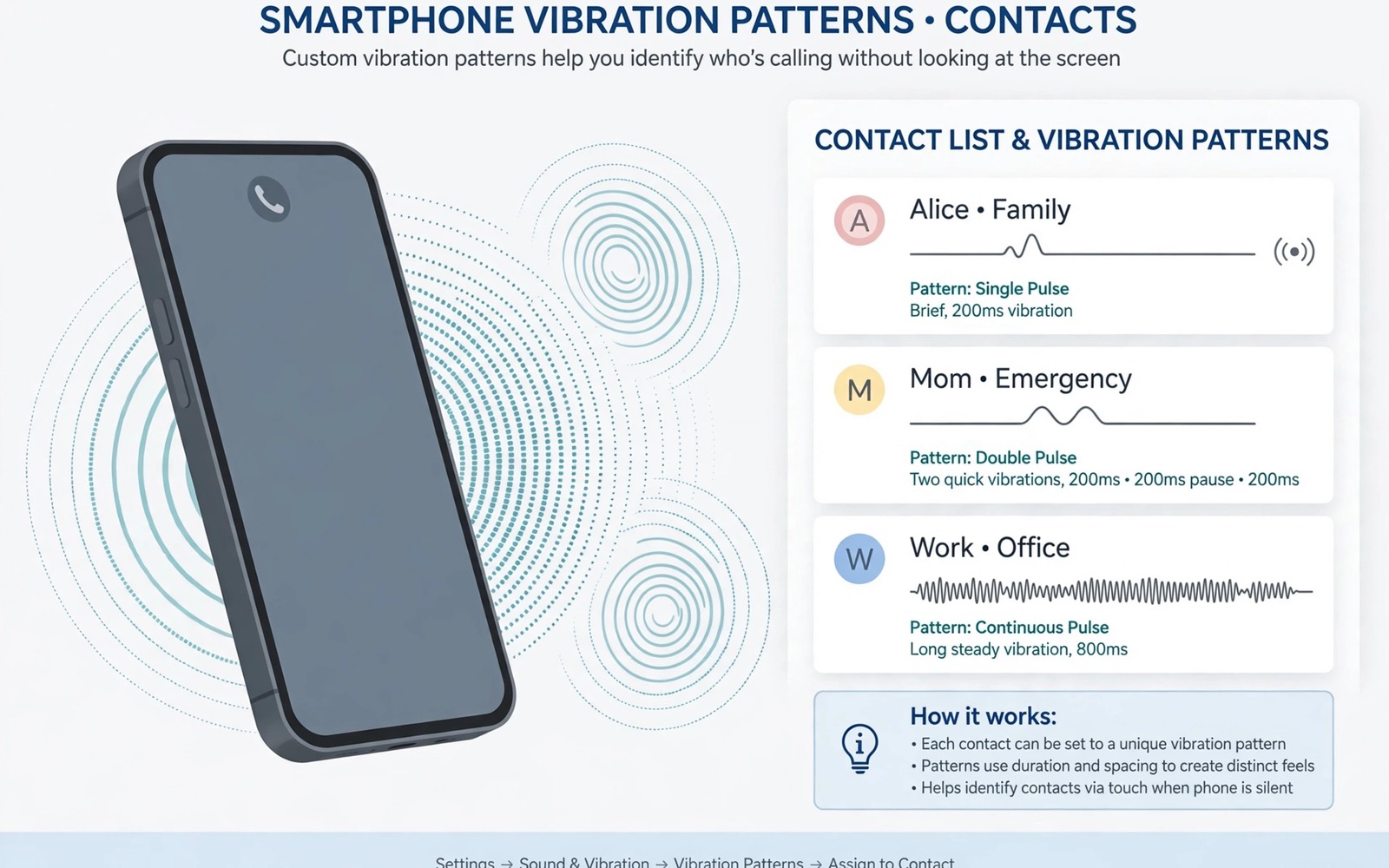
A phone in a pocket cannot show you who is calling. A custom vibration pattern can tell you without a glance. A short double buzz can mean family. A long steady buzz can mean work. A gentle triple tap can mean a close friend. Once you learn the patterns you will know whether to reach for the phone or let it wait. That small skill is useful in meetings and in noisy rooms.
Haptic patterns work because touch is easy to recognise when the rhythm is distinct. The brain learns a rhythm fast when it repeats in the same form. Problems start when patterns are too similar to each other. Two patterns that differ by a tiny pause will blur together in daily use. The guide below builds a small set of clearly different patterns and assigns them to the contacts that matter most. The same instinct for a recognisable response also shows up in custom fingerprint animations, which give the screen its own distinct cue when you pick the phone up.
You do not need to assign a pattern to every contact. Start with five people you hear from most often. A small set stays easy to remember and easy to feel. You can expand the set later once the first patterns feel automatic. The steps use built-in contact options where possible and a simple vibration tool where the built-in options are limited.
Learn How Vibration Patterns Are Built
A vibration pattern is a sequence of buzzes and pauses. A short buzz feels like a tap. A long buzz feels like a hum. A pause creates space between buzzes so the rhythm stays clear. A pattern with two short buzzes feels very different from a pattern with one long buzz. Keep each pattern to three buzzes or fewer so it stays easy to remember.
Test patterns on a table first and then in a pocket. A pattern that feels clear in your hand can feel vague through thick fabric. Increase the length of each buzz slightly for pocket use. Keep the pauses long enough that buzzes do not merge into one long hum. A clear rhythm in a pocket is the real test because that is where the pattern must work.
Assign Patterns To Your Closest Contacts
Open a contact and look for a vibration or ringtone option in the contact details. Some phones let you pick a vibration pattern per contact. Some phones only let you pick a ringtone per contact. If vibration per contact is missing then a call tool or a contacts tool can add it. Pick a tool that changes vibration only and does not take over your whole dialler.
Assign the most distinct pattern to the most important contact. A family emergency contact deserves a pattern you cannot miss. A work contact deserves a steady pattern that feels formal. A friend deserves a light pattern that feels friendly. Custom system audio tweaks pair well with vibration because sound and touch together make a contact even easier to recognise. Write the assignments down until they feel automatic.
Contact haptic setup
1. List five contacts you hear from most
2. Design one distinct pattern for each contact
3. Assign the pattern in contact details or a vibration tool
4. Test each pattern in a pocket blind
5. Pair the pattern with a matching ringtone if needed
6. Review the set after one week
The example above was written for this guide as a plain summary of the steps in the sections before it. It uses only the menus and options described above and it needs no extra tool to understand. Follow the steps in order so you can see which change helps most. If one step makes things worse then undo that step alone and keep the rest.
Design Patterns That Cannot Be Confused
Give each pattern a different number of buzzes and a different total length. One contact can use a single long buzz. Another can use two short buzzes. Another can use three quick taps. Another can use a short buzz followed by a long buzz. That spread makes each pattern stand out even when you are busy.
Avoid patterns that differ only in pause length. A pause of 200 milliseconds and a pause of 300 milliseconds feel almost the same in a pocket. Change the buzz count or the buzz length instead. Those differences survive noise and movement and thick clothing. Test the full set blind by asking someone to call you and guessing the caller before you look.
Use Haptics For Messages And Alerts Too
Calls are not the only place where patterns help. A message from a close contact can use a gentle double tap. A message from a group chat can use a single short buzz. A calendar alert can use a slow pattern that feels calm. Keep message patterns softer than call patterns so a message never feels like an urgent call.
Do not assign patterns to every app or every group. Too many patterns turn a helpful system into noise. Pick three message sources that matter and leave the rest on the default buzz. Custom edge lighting alerts can support haptics because light and touch together are easier to notice. Review the set after a week and remove any pattern you keep misreading.
Keep Patterns Gentle On Battery And Motor
Vibration uses the motor in the phone and long patterns use more power than short ones. A set of short patterns costs almost nothing extra over a day. A set of long patterns for every message can add up. Keep patterns short and let the phone rest between alerts. That habit protects the motor and the battery at the same time.
If vibration feels weak then check the vibration strength setting before you lengthen every pattern. A stronger motor setting can make a short pattern clearer without making it longer. If vibration feels harsh then lower the strength and keep the rhythm. A clear rhythm at a comfortable strength beats a loud rhythm that annoys everyone nearby.
Practise Patterns In Real Situations
A pattern learned at a desk may fail in a noisy street or on a moving bus. Practise patterns in the places where you actually receive calls. Put the phone in a coat pocket and walk around the block while a friend calls you. Guess the caller before you look at the screen. Repeat the test with different coats because thick fabric changes how vibration feels. Real situation practice reveals weak patterns before they matter.
Keep a small practice routine for the first two weeks. Ask a family member to call at random times during the day. Try to name the caller from vibration alone. Note any pattern you misread twice and redesign that pattern at once. A pattern that fails twice in practice will fail at an important moment too. Early redesign saves embarrassment later.
Combine Vibration With Sound Cues
Vibration works even better when paired with a distinct ringtone for the same contact. A short double buzz plus a gentle tone creates two signals for the brain to recognise. The combination helps in a pocket where vibration alone may feel vague. It also helps when the phone sits on a table and vibration is muted by a soft surface. Sound and touch together are harder to miss than either signal alone.
Keep the ringtone short and distinct so it does not annoy people nearby. A two second tone is enough to identify a caller. A long song as a ringtone defeats the purpose of a quick cue. Match the tone mood to the contact in the same way you match the vibration rhythm. A calm tone for work and a warm tone for family make the system feel natural rather than mechanical.
Vibration Patterns For Accessibility Needs
Vibration patterns can help users who cannot rely on sound or sight alone. A distinct pattern for a close contact can alert a user who keeps the phone silent for work. A pattern for an emergency contact can stand out from every other alert on the phone. Design accessibility patterns with larger differences than normal patterns. Use a long buzz for emergency and short taps for routine contacts. The larger gap makes patterns easier to feel through clothing and in noisy places. Test accessibility patterns with the user who will rely on them rather than assuming what feels clear.
Pair vibration patterns with visual cues for users who benefit from both signals. A flashing edge light in a distinct colour can support a vibration pattern for the same contact. Custom edge lighting alerts show how light and touch can work together. A combined signal is easier to notice than either signal alone. Keep the combination consistent for each contact so the brain learns one pair rather than two unrelated signals. Review the pairs monthly because a changed pattern without a changed light can confuse the system. Consistency across senses is what makes an accessibility setup reliable.
Battery and motor health matter for accessibility patterns because they are used all day. Long patterns for every alert can wear the motor faster than short patterns. Keep routine patterns short and reserve long patterns for truly urgent contacts. Check vibration strength settings so patterns stay clear without being harsh. A pattern that is too strong can startle while a pattern that is too weak can be missed. Find a middle strength that is clear in a pocket and comfortable in the hand. That balance protects both the user experience and the phone hardware over time.
Common mistakes
One common mistake is creating ten patterns that all sound alike. A large set is hard to learn and easy to confuse. Start with five distinct patterns and expand slowly. Another mistake is using a very long pattern for every call. Long patterns drain attention and battery. A third mistake is never testing in a pocket. A pattern that works in the hand may fail through clothing. Always test in the place where you will actually feel it.
FAQ
Can I set a vibration pattern for one contact only?
Yes on many phones through the contact details or through a vibration tool. The option may sit under ringtone or under a separate vibration menu. If your phone lacks it then a focused vibration tool can add per contact patterns.
Will custom patterns work in silent mode?
Yes if vibration is turned on in silent mode. Check the sound mode settings because some silent modes turn vibration off completely. A pattern cannot help if the motor is off.
Why do two contacts feel the same?
Their patterns likely share the same buzz count and length. Change one pattern to a different buzz count or a much longer buzz. Test the pair blind until you can tell them apart every time.
Conclusion
List your five most important contacts today and design one distinct pattern for each. Assign the patterns and test them blind in a pocket before you trust them. Keep the set small until every pattern feels automatic. That simple setup lets you know who is calling without looking at the screen. Expand the set only after the first five feel effortless.

