

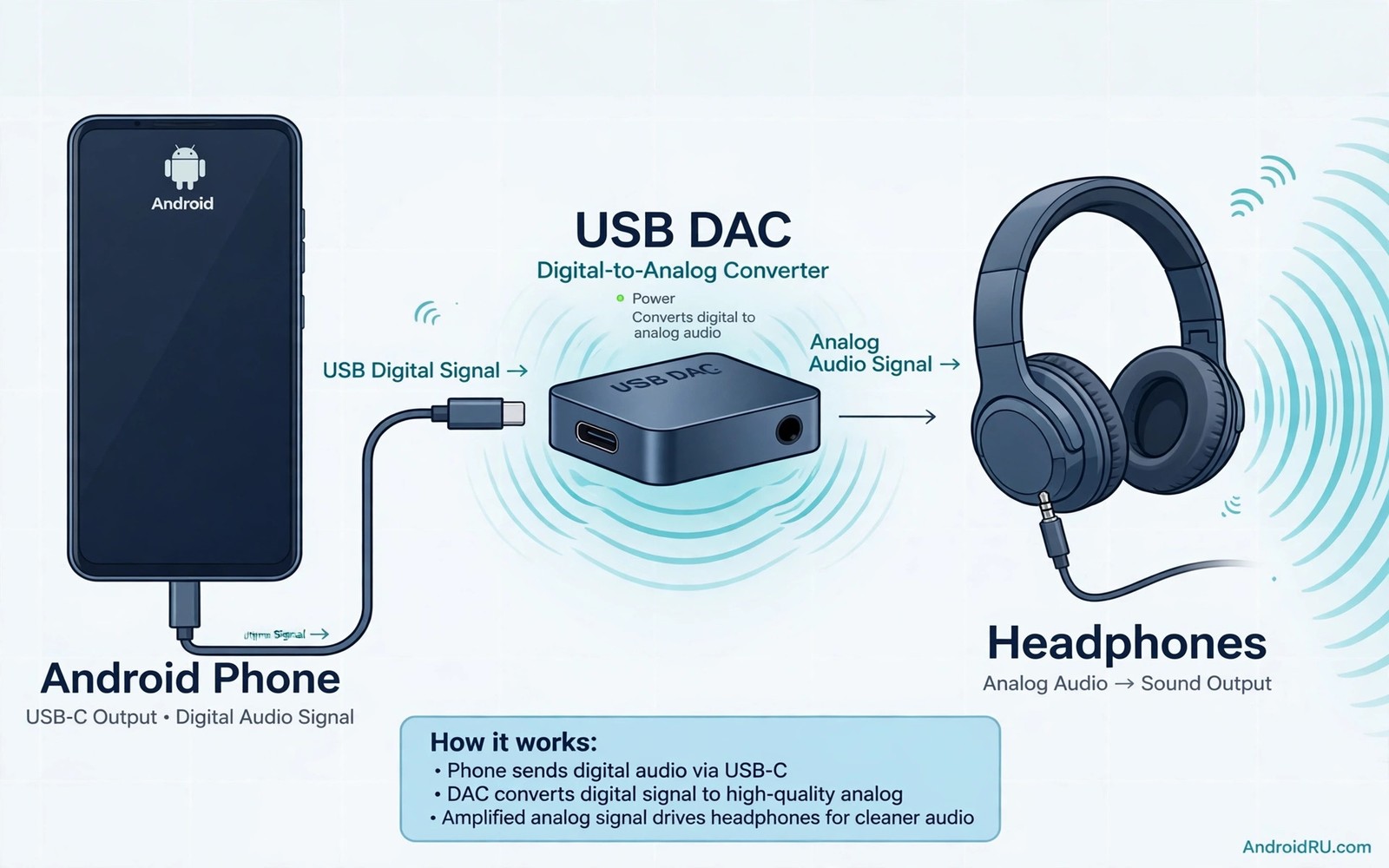
Audio hissing is a faint noise that sits behind music in quiet passages. It comes from a noisy internal audio circuit or a weak amplifier stage. A phone built for many tasks may not prioritise clean audio. An external USB DAC moves conversion outside the noisy phone body. That move can lower hiss and improve detail at once.
A DAC converts digital audio into an analogue signal for earphones. A good DAC also amplifies that signal cleanly. A phone internal DAC may share power with radios and screens. That sharing can inject noise into the audio path. An external DAC with its own clean power path avoids much of that noise. The result is a darker background and clearer quiet details.
This guide explains when a DAC helps and when it does not. It covers DAC types and power needs and app settings. It also covers hiss causes that a DAC cannot fix. Use the guide to choose a DAC that matches your earphones. A matched DAC gives a clear gain without wasted money.
Find The Real Cause Of Hissing First
Test your earphones on a second device. If hiss follows the earphones then the earphones may be sensitive to noise. If hiss stays with the phone then the phone audio path is likely the cause. Test a different cable or adapter if you use one. A faulty adapter can add hiss that a DAC would also need to replace.
Test hiss at different volumes. Hiss that stays constant while music volume changes points to a noise floor problem. Hiss that grows with volume points to a gain or source problem. Note the pattern before you buy a DAC. A DAC helps most with a constant noise floor hiss. A source file with baked in hiss will not improve with any DAC.
Choose A DAC That Matches Your Earphones
Check earphone sensitivity and impedance before you buy. Sensitive earphones reveal hiss easily and they need a low noise DAC. High impedance headphones need more amplifier power. A tiny dongle DAC suits sensitive earphones for travel. A larger DAC with more power suits demanding headphones at a desk.
Check the DAC connection type and power draw. A USB-C DAC should work with your phone without a special driver. A DAC that draws too much power can drain the phone fast. Test battery use during a long listening session. A DAC that sounds great but kills battery in an hour may not suit travel. The cheap dongle risk is covered in why cheap DAC dongles fail and amp chips change audio before you pick the cheapest option.
Set Up The DAC On Android Correctly
Connect the DAC with a good USB-C cable or a direct USB-C plug. Android should recognise the DAC as an audio output at once. Open sound settings and confirm that audio routes to the USB device. Play a familiar song and listen for hiss in a quiet passage. Compare the same passage with the phone internal audio.
Disable extra sound effects for a clean DAC test. Bass boost and virtual surround can mask hiss and distort the comparison. Test with effects off first. Turn on only the effects that you truly enjoy after the clean test. A DAC test with effects on tells you little about the DAC itself.
Tune App Quality And Volume For Clean Sound
Set music app quality to high on Wi-Fi for DAC tests. A low quality stream can sound harsh and noisy on a revealing DAC. A high quality file lets the DAC show its clean background. Set phone volume to a high level and control final volume on the DAC if it has a control. That gain staging can lower hiss in some setups.
Avoid maximum volume on both phone and DAC at once. Double maximum gain can clip and add harshness. Find a balance where quiet passages stay clean and loud passages stay clear. Save that balance as your DAC listening level. A stable gain setting beats constant volume fiddling during songs.
Know When A DAC Will Not Help
A DAC will not fix hiss baked into a recording. Old recordings can carry tape hiss that no device can remove. A DAC will not fix a broken earphone driver. A rattling driver needs repair or replacement. A DAC will not fix Bluetooth hiss because Bluetooth uses its own audio path. Use a DAC for wired listening only.
A DAC will not help if your earphones already sound clean on the phone. Spend money on better earphones or better music files instead. A DAC is a targeted fix for a noisy phone audio path. Targeted spending beats random upgrades. Test the phone path first and buy a DAC only when the test points to it.
cause_check = test_second_device
dac_match = sensitivity_and_impedance
test_setup = effects_off_high_quality
gain = phone_high_dac_controlled
The snippet above is an original example written for this guide. It shows generic settings that you can adapt to your own device. It does not copy code from any outside source.
Use the example above as a DAC buying and test checklist. It is not code to install. Follow each line in order before you pay for a DAC. Keep the checklist for future audio purchases.
Compare DAC Types For Different Budgets
Dongle DACs suit travel and sensitive earphones well. A dongle DAC is small and draws modest power. A dongle DAC may lack power for demanding headphones. A desktop DAC suits demanding headphones at a desk. A desktop DAC needs more space and power. Budget and use case should drive DAC type choice.
A mid price dongle often beats a very cheap dongle clearly. A mid price dongle usually uses a cleaner amp chip. A very cheap dongle may hiss worse than a phone. Price is not a perfect guide but extremely low price is a warning. Read measurements or detailed reviews when available. Measurements reveal noise floor better than marketing claims.
A DAC with a volume control gives finer gain staging control. A DAC without volume control relies on phone volume alone. Fine control helps sensitive earphones avoid hiss at low volume. A volume control is worth a small premium for sensitive earphones. Control features matter for daily listening comfort.
Consider a DAC with a balanced output only if your earphones support it. Balanced output can reduce crosstalk in some designs. Balanced cables add cost and complexity. A single ended DAC suits most earphones well. Buy balanced only when your earphones and listening habits justify it.
Build A Wired Listening Routine
A wired listening routine starts with a clean source file. Use high quality downloads for favourite albums. Use high quality streaming on Wi-Fi for discovery. A clean source lets the DAC show its strength. A poor source hides DAC benefits behind compression artefacts.
Connect the DAC before you open the music app. Early connection lets Android route audio correctly from the start. A late connection can leave audio on the phone speaker briefly. A clean start avoids a confusing routing fault. Routine connection order prevents small annoyances.
Listen in a quiet room for critical comparisons. Street noise masks the hiss difference that a DAC fixes. A quiet room reveals background darkness clearly. A quiet test gives a fair verdict on a DAC purchase. A noisy test can lead to a wrong return decision. Cheap dongle pitfalls still matter and why cheap DAC dongles fail and amp chips change audio warns against the lowest price trap.
Store the DAC in a small pouch with its cable. A pouch protects the USB plug from pocket damage. A damaged plug can cause dropouts that sound like DAC faults. Pouch storage keeps the DAC ready for daily use. A ready DAC gets used while a buried DAC gets forgotten.
Test DAC Sound With Familiar Music
A DAC test needs music that you know intimately. A familiar song reveals small clarity changes. An unfamiliar song hides changes behind novelty. Choose three familiar songs for DAC testing. Three songs cover vocals and bass and treble.
Listen to each song first on phone audio. Note hiss in quiet passages and vocal clarity. Listen again on the DAC with the same volume. Note hiss and clarity changes. A side by side note set gives a fair verdict. Memory alone can mislead a DAC comparison.
Test the DAC with headphones that you know well. New headphones plus a new DAC change two variables at once. Two variables make the result unclear. A known headphone isolates the DAC effect. Isolation is a testing principle for audio gear.
Test the DAC at a moderate volume. Very loud volume can hide hiss behind music energy. Moderate volume reveals background noise clearly. A DAC that cleans a moderate volume background is a real upgrade. A DAC that only helps at maximum volume is less useful. Equalizer apps can also shape sound and how wireless audio equalizer companion apps boost headphone bass covers app tuning.
Keep DAC test notes for future purchases. A note set helps you compare a future DAC fairly. Future comparisons need a stable test method. Stable methods turn audio shopping into a skill. Skill beats marketing for audio gear.
If wireless earbuds also need a sound upgrade then getting studio quality sound out of cheap wireless earbuds covers tuning for wireless buds.
Common Mistakes
The first mistake is buying a DAC before testing a second device. A second device test separates phone hiss from earphone hiss. The second mistake is buying the cheapest dongle with a noisy amp chip. A cheap dongle can hiss worse than the phone. The third mistake is testing a DAC with sound effects on. Effects hide the clean background that a DAC should reveal.
Another mistake is using maximum volume on phone and DAC together. Double gain can clip sound. A further mistake is expecting a DAC to fix Bluetooth audio. A DAC only helps wired audio paths.
Frequently Asked Questions
Will a DAC make all music sound better?
A DAC improves the noise floor and clarity for wired listening. It cannot fix a poor recording or poor earphones. High quality files and good earphones matter as much as the DAC. Test a familiar high quality song for a fair judgement.
Do I need a DAC if my phone has a headphone jack?
Not always. A phone with a clean internal DAC may already sound good. Test hiss in quiet passages first. Buy an external DAC only if hiss or weak power limits your earphones. A clean internal path needs no upgrade.
Does a DAC drain phone battery fast?
A small dongle DAC uses modest power. A large powerful DAC can drain battery faster. Test battery use during a long session. Carry a power bank for long DAC listening trips if needed.
Conclusion
Test your earphones on a second device today and note whether hiss follows the earphones or stays with the phone. If hiss stays with the phone then try a low noise USB DAC with a clean test setup and effects off. Compare a quiet passage before and after the DAC. If the background turns darker and details emerge then keep the DAC as your wired audio upgrade. That second device test is your concrete next step toward hiss free Android sound.

