

Samsung Galaxy XCover7 Review: Build Quality, Workday Use and Battery
Most phones are designed for a desk, a sofa, and a careful hand. The Galaxy XCover7 is designed for the opposite: a building site at 7 a.m., a warehouse aisle, a delivery van, a rainy loading dock. It is a rugged phone that still looks and behaves like a normal Samsung handset, and that balance is exactly what makes it interesting. You get a big 6.6-inch screen, a 50MP camera, 5G, and the familiar One UI software, wrapped in a body that is rated to survive drops, dust, and being dunked in water. Many buyers ask, is Galaxy XCover7 worth buying? For buyers who want a rugged IP68 body, a removable battery and a low price, the answer is yes. The Galaxy XCover7 price in India varies by seller and variant, so check a few listings before ordering.
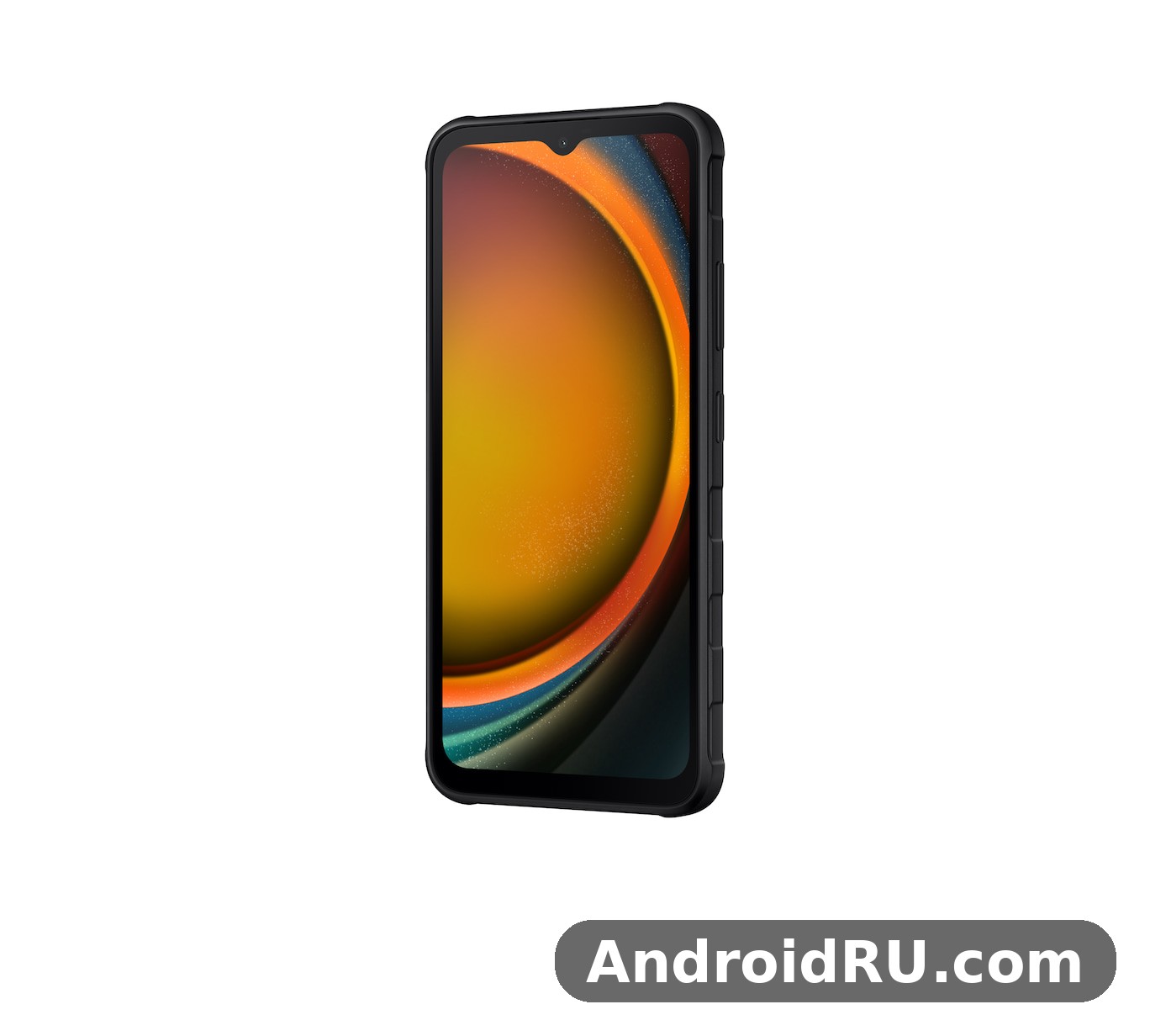
This review looks at the three things the title promises: how well the phone is built, how it holds up through a real workday, and how far its battery goes. I will also cover the display, the cameras, the software, and the full specifications, so you can judge whether this is the right rugged phone for your job — or whether a tougher-looking phone would only slow you down. In a Galaxy XCover7 camera test, daylight shots come out sharp and well exposed, while low light is where the limits show. The Galaxy XCover7 benchmark score reflects a mid-range chip: quick in everyday apps, modest in heavy games.
Samsung Galaxy XCover7 Build Quality and MIL-STD-810H Durability
Pick up the XCover7 and the first thing you notice is the grip. The back is textured, the frame is chunky, and the phone weighs around 240 grams. At roughly 169 x 80.1 x 10.2 mm it is noticeably thicker than a regular Galaxy phone, and that thickness is deliberate. There is more material between your hand and the internals, and the corners are reinforced to absorb the shock of a drop onto concrete. A Galaxy XCover7 battery life test with mixed use shows it reaches the end of a workday, and a spare battery covers longer shifts. The Galaxy XCover7 colours range from understated dark shades to lighter finishes, so pick the one that hides smudges best for you.
The phone carries an IP68 rating, which means it is protected against dust and can survive immersion in fresh water up to 1.5 metres for 30 minutes. That matters on a work site, where rain, mud, and splashes are routine rather than accidents. It also meets the MIL-STD-810H military durability standard, a set of lab tests covering drops, vibration, humidity, and temperature extremes. Lab tests are not a guarantee that a phone will survive every fall, but they do tell you the design was tested against conditions a normal phone never faces. The Galaxy XCover7 price and specifications together make it a strong work-phone option, with the screen and battery leading the list. A Galaxy XCover7 case is worth buying from day one, since it protects the camera lenses and the corners from drops.
Drop Protection and Gorilla Glass Victus+ on the XCover7
The screen is protected by Corning Gorilla Glass Victus+, a tougher glass than the panels used on most budget phones. Combined with the raised frame around the display, it gives the screen a real chance of surviving a face-down drop onto a hard floor. The back panel is plastic rather than glass, which is a sensible choice here: plastic flexes instead of shattering, and it keeps the weight down. In a Galaxy XCover7 vs Galaxy XCover6 Pro comparison, the deciding factors are chipset, display refresh rate and price. The Galaxy XCover7 NFC supports contactless payments in markets where the feature is included.
In practice, the textured back is one of the best things about this phone. It stays grippy with sweaty hands, with dusty hands, and with thin work gloves. A smooth glass phone needs a case to survive a job site; the XCover7 feels like it was built to be used bare. How long does Galaxy XCover7 battery last? With mixed use it reaches the end of a workday, and a spare battery covers longer shifts. The Galaxy XCover7 dual SIM support covers two nano-SIM cards in most regions.
IP68 Water and Dust Resistance for Outdoor Work
IP68 is the same rating you find on flagship phones, but it means more on a rugged handset because the phone is expected to be used in the rain rather than protected from it. You can answer a call in heavy rain, check a delivery note with wet hands, or rinse mud off the phone under a tap. Samsung still recommends against salt water, chlorinated pool water, and soapy water, and the rating can weaken after hard impacts, so treat it as strong protection rather than an invitation to swim with the phone. A Galaxy XCover7 performance test shows the Dimensity 6100+ handling everyday apps smoothly, with only heavy games asking for lower settings. The Galaxy XCover7 IP68 rating means it survives dust and immersion in shallow water.
What IP68 Does Not Cover on a Rugged Phone
Water resistance does not cover steam, hot water, or high-pressure jets, and it does not make the phone indestructible. If the phone takes a hard drop that cracks the frame, the seals can be compromised. The sensible habit is the same as with any rugged device: inspect it after a bad fall, dry the charging port before plugging in, and do not charge it while it is wet. The Galaxy XCover7 display quality is adequate for the price, though colours and brightness lag behind AMOLED rivals. The Galaxy XCover7 fingerprint sensor sits in the power button and unlocks the phone quickly once you register the same finger twice.
Galaxy XCover7 Display, Glove Mode and Outdoor Visibility
The 6.6-inch PLS LCD display runs at Full HD+ resolution (1080 x 2408 pixels) with a 60Hz refresh rate. It is not the brightest or smoothest screen Samsung makes, and the 60Hz refresh rate is the most obvious compromise on the spec sheet. Scrolling is less silky than on a 120Hz panel, and that is visible the moment you swipe through a long list of emails or a spreadsheet. The Galaxy XCover7 camera quality at night is modest, with night mode helping a little but noise showing in dark areas. The Galaxy XCover7 microSD slot takes cards up to 1TB, which is the easy way to add room for photos and offline video.
That said, the screen is well suited to its job. Text is sharp at this size and resolution, colours are natural rather than oversaturated, and the panel stays readable in bright daylight, which is where this phone spends most of its time. An LCD panel also avoids the burn-in risk that comes with OLED screens showing the same dispatch app or barcode scanner interface for hours at a time. Should I buy Galaxy XCover7 or wait for a sale? If you want a rugged IP68 body, a removable battery and a low price, it is an easy recommendation. A Galaxy XCover7 rugged case adds grip and corner protection on top of the already tough body.
Glove Mode and Touch Sensitivity With Wet Hands
The standout display feature is increased touch sensitivity for glove mode. Turn it on in Settings and the screen responds to gloved fingers, which is a genuine workday feature rather than a gimmick. Warehouse staff, couriers, and field engineers often cannot take gloves off every time a notification arrives, and this mode keeps the phone usable without that dance. The screen also responds better to wet fingers than a typical phone, so rain does not turn every tap into a missed touch.
For a sense of how this compares with the previous generation, the Samsung Galaxy XCover6 Pro Review: Durability Features and Daily Performance covers a phone with a faster 120Hz screen but a similar rugged brief. The XCover7 trades that refresh rate for a newer chipset and newer software, which is the right trade for most work users.
Display Settings Worth Changing on Day One
Open Settings, then Display, and set the screen timeout to a length that matches your work — two minutes is a good middle ground for scanning and checking lists. Then open Settings, then Display, then Touch sensitivity, and switch it on if you wear gloves. Finally, check the brightness setting: adaptive brightness works well outdoors, but if you work in one bright location all day, a fixed high brightness can be more predictable. This Galaxy XCover7 honest review keeps the trade-offs in view: the screen and battery impress, while 15W charging is slow and the 60Hz screen is basic. The Galaxy XCover7 MIL-STD-810H rating covers drops and shocks, which is the point of a rugged phone.
Galaxy XCover7 Performance: Dimensity 6100+ for Workday Apps
The XCover7 runs on the MediaTek Dimensity 6100+, a 6nm octa-core chipset with two performance cores and six efficiency cores, paired with 6GB of RAM and 128GB of storage. This is a mid-range chip, and it behaves like one: work apps open quickly, maps and messaging stay smooth, and multitasking between a browser, a PDF, and a chat app is comfortable. It is not a gaming phone, and heavy 3D games will run at modest settings, but that was never the point of this device. The Galaxy XCover7 charging time from empty is two hours with a 15W charger, so overnight charging is the easy routine. The Galaxy XCover7 overheating reports are rare in normal use, and the phone stays comfortable during long video sessions.
What matters for a work phone is consistency. The Dimensity 6100+ is efficient, so it does not heat up quickly during a long video call or a day of navigation, and the 6GB of RAM is enough to keep several work apps in memory without constant reloading. Storage can be expanded with a microSD card up to 1TB, which is useful for offline maps, manuals, and photos of completed jobs. A Galaxy XCover7 gaming test shows casual games running smoothly, while demanding titles need medium settings to stay stable. A Galaxy XCover7 screen protector is a cheap add-on that keeps the display free of scratches.
Everyday Speed for Maps, Messaging and Barcode Scanning
In daily use, the phone handles the tasks that fill a workday without fuss: navigation with live traffic, scanning barcodes and QR codes, taking photos of paperwork, and running a push-to-talk app. The 5G connection keeps cloud documents and dispatch updates flowing, and Wi-Fi 5 plus Bluetooth 5.3 cover the usual accessories, from headsets to printers. NFC is included, so contactless payments and tap-to-pair accessories work as expected. The Galaxy XCover7 unboxing covers the phone, a USB-C cable and the paperwork, so check what your retailer includes before you buy. The Galaxy XCover7 128GB price is the one most buyers compare, since that is the standard storage option.
If your priority is raw speed for the money rather than ruggedness, the Samsung Galaxy F55 5G Review: Everyday Speed, Cameras and Value looks at a slim mainstream phone that puts more of its budget into performance and cameras. The XCover7 spends its budget on the body, the battery, and the glove-friendly screen instead.
Storage, microSD Expansion and 5G Connectivity
The 128GB of built-in storage is a reasonable starting point, and the dedicated microSD slot means you do not have to choose between a second SIM and more storage in most configurations. Keep work documents and offline maps on the card and the internal storage free for apps, and the phone stays responsive for longer. Check the official listing for your region for the exact SIM configuration, since it varies by market. A Galaxy XCover7 battery drain overnight fix usually starts with battery saver and a check for apps running in the background. The Galaxy XCover7 used price depends on condition and battery health, so check the screen and charging port before paying.
Galaxy XCover7 Battery Life and Removable 4050 mAh Battery
The battery is a 4050 mAh unit, and it is removable — the single most unusual feature on this phone in 2026. You can pop off the back cover, swap in a spare battery, and go from empty to full in seconds. For a courier on a 12-hour shift, a field engineer away from a charger, or anyone who cannot afford to wait for a top-up, that is worth more than a bigger sealed battery. A spare battery costs far less than a power bank and weighs less too. For a Galaxy XCover7 fingerprint sensor not working problem, re-register the same finger twice and clean the sensor area first. A Galaxy XCover7 battery replacement is easy, because the battery is removable and swaps in seconds.
Charging is 15W wired over USB-C. That is slow by modern standards: a full charge from empty takes well over an hour and a half, so overnight charging is the sensible routine. There is no wireless charging. The trade-off is clear — Samsung kept the removable battery and the rugged body, and fast charging was the casualty. If you plan around it by charging overnight and carrying a spare, the slow speed rarely matters. A Galaxy XCover7 screen flickering issue is rare, and a restart or a software update usually clears it. The Galaxy XCover7 screen replacement cost varies by repair shop, so get two quotes before booking a repair.
How Long the Battery Lasts on a Workday
With a 60Hz LCD and an efficient 6nm chipset, the 4050 mAh capacity goes further than the number suggests. A typical workday of calls, messaging, maps, photos, and a few hours of screen-on time will usually leave charge in reserve by evening. Heavy navigation with the screen at full brightness all day is the hardest workload, and that is exactly the scenario where a spare battery earns its place in your bag. Wondering how to take a screenshot on Galaxy XCover7? Press power and volume down together, or use a palm swipe. The Galaxy XCover7 best price usually shows up during sales events, so wait for a promotion if you are not in a hurry.
For comparison with a mainstream Samsung phone built around long battery life rather than ruggedness, the Samsung Galaxy M12 Review: Build Quality, Battery and Daily Use covers a handset with a much larger battery but none of the XCover7’s drop and water protection. The XCover7 gives you a smaller battery that you can swap, which is a different answer to the same problem.
Charging Habits That Keep a Removable Battery Healthy
Charge the phone overnight with the standard 15W charger, keep a spare battery charged and ready, and avoid leaving either battery in a hot vehicle. Because the battery is removable, a worn battery after a couple of years is a cheap replacement rather than a repair-shop visit — one of the quiet long-term savings of this phone. This is how to factory reset Galaxy XCover7 safely: back up first, then use Settings, General management, Reset. The Galaxy XCover7 weight feels balanced in the hand for a phone with a large screen, and a case adds only a little.
Power Saving Settings for Long Shifts
One UI includes a power saving mode that limits background activity and caps performance, and it is worth switching on when a shift runs long. You can also set it to turn on automatically at a chosen battery level. Turning off 5G in areas with weak signal, lowering the screen brightness indoors, and closing navigation when you stop moving will all stretch the last 20 percent noticeably further. Does Galaxy XCover7 have NFC? Yes, contactless payments work where the feature is included.
Galaxy XCover7 Cameras: 50MP Rear Camera for Work Documentation
The rear camera is a 50MP sensor with an f/1.8 aperture and phase-detection autofocus. In daylight it takes sharp, well-exposed photos with natural colours, which is exactly what you need for documenting a finished installation, a damaged parcel, or a meter reading. The camera app is the standard Samsung app, so the modes are familiar: photo, video, portrait, night, and panorama, plus a document scan option that straightens and crops paperwork.
There is no ultrawide camera and no telephoto lens, so you will be stepping closer or further away rather than zooming optically. Digital zoom is available, but quality drops quickly past 2x. For work documentation this is rarely a problem, since the subject is usually within a few metres, but if you photograph wide rooms or tall structures regularly, the single lens is a limitation to know about. Does Galaxy XCover7 support microSD card expansion? Yes, the slot takes cards up to 1TB.
Front Camera, Video Calls and Low Light Performance
The 5MP front camera is basic, and that is an honest description: it is fine for video calls and for unlocking the phone with your face, but selfies are soft and low on detail. Video recording from the rear camera reaches 1080p at 30 frames per second, which is adequate for short clips of a site or a fault, though it will not impress anyone used to 4K recording on a flagship. The Galaxy XCover7 best settings for battery life are adaptive brightness and battery saver overnight.
Low-light performance is modest. Night mode helps with static scenes, but moving subjects in dim warehouses will blur, and the small sensor shows noise earlier than a flagship camera. The flash is a useful work light in a pinch, but for regular low-light documentation a cheap clip-on light will do more than any software mode. The Galaxy XCover7 hidden features include the programmable XCover key, glove mode and routines that automate daily tasks.
Galaxy XCover7 Software: Android 14, One UI 6 and XCover Key
The XCover7 ships with Android 14 and Samsung’s One UI 6, the same clean software found on the rest of the Galaxy range. That matters more than it sounds: you get the familiar quick settings, the Samsung Knox security platform, and the same app compatibility as any mainstream Samsung phone. Work apps, banking apps, and device management tools all behave as expected, and Samsung provides several years of OS and security updates — check the official support page for the current schedule in your region. A Galaxy XCover7 overheating while gaming fix is to lower the graphics settings and take the case off during long sessions.
One UI 6 is easy to live with. Large buttons, clear text, and a settings layout that most Android users already know mean there is almost no learning curve. The phone also supports Samsung’s enterprise features, so an IT department can manage it with the usual mobile device management tools, enforce policies, and push work apps remotely. A Galaxy XCover7 camera blurry photos fix is to clean the lens, tap to focus, and hold the phone steady for a second longer.
The Programmable XCover Key and Push-to-Talk Support
On the left side of the phone sits the programmable XCover Key, a physical button you can program to launch an app or trigger an action. Set it to open the camera, turn on the torch, start a push-to-talk app, or launch your dispatch software, and you have one-press access without looking at the screen. Long-press and short-press can do different things, so a single button covers two shortcuts.
The phone also supports push-to-talk apps, which turn it into a walkie-talkie replacement for teams that used to carry separate radios. Combined with the loud speaker, this is one of the features that separates a work phone from a regular phone with a tough case: the hardware and the software were designed together for team communication. The Galaxy XCover7 software update problems are uncommon, and a restart after installing usually clears a stuck update.
Setting Up the XCover Key in One UI 6
Open Settings, then Advanced features, then XCover Key, and choose what a single press and a long press should do. A practical setup is a single press for the torch and a long press for your most-used work app, since those are the two things you reach for without looking. Test the setup with gloves on before your first shift, because the button is the fastest way to reach the torch in a dark cupboard or a poorly lit plant room. To learn how to turn off 5G on Galaxy XCover7, open Settings, Connections, Mobile networks, and pick 4G.
The original XCover line set the template for this kind of phone, and the Samsung Galaxy XCover Pro Review: Build Quality, Workday Use and Battery shows how the earlier model handled the same workday brief with older hardware. The XCover7 keeps the formula and updates the chipset, the camera, and the software.
Galaxy XCover7 Full Specifications
Here are the full specifications of the Samsung Galaxy XCover7, based on the official launch specifications. Where a detail varies by region, such as the exact SIM configuration, the official listing for your market is the final word.
| Specification | Samsung Galaxy XCover7 |
|---|---|
| Display | 6.6-inch PLS LCD, 1080 x 2408 pixels (FHD+), 60Hz, 20:9, Gorilla Glass Victus+ |
| Processor | MediaTek Dimensity 6100+ (6nm, octa-core: 2x Cortex-A76 at 2.2GHz + 6x Cortex-A55 at 2.0GHz) |
| Graphics | Mali-G57 MC2 |
| RAM | 6GB |
| Storage | 128GB, expandable with microSD up to 1TB |
| Rear camera | 50MP, f/1.8, phase-detection autofocus, 1080p video at 30fps |
| Front camera | 5MP |
| Battery | 4050 mAh, removable (user-replaceable) |
| Charging | 15W wired over USB-C, no wireless charging |
| Operating system | Android 14 with One UI 6 |
| Durability | IP68 dust and water resistance, MIL-STD-810H |
| Security | Side-mounted fingerprint sensor, face recognition, Samsung Knox |
| Connectivity | 5G, Wi-Fi 5, Bluetooth 5.3, NFC, USB-C |
| Special features | Programmable XCover Key, glove mode (touch sensitivity), push-to-talk support, loud speaker |
| Dimensions | Approximately 169.0 x 80.1 x 10.2 mm |
| Weight | Approximately 240 g |
Galaxy XCover7 vs Galaxy XCover6 Pro at a Glance
The XCover6 Pro is the closest comparison, and the table below shows where the XCover7 moves forward and where it steps back. Both phones share the rugged brief, the removable battery, and the XCover Key, so the choice comes down to the details.
| Feature | Galaxy XCover7 | Galaxy XCover6 Pro |
|---|---|---|
| Display | 6.6-inch PLS LCD, 60Hz | 6.6-inch PLS LCD, 120Hz |
| Processor | Dimensity 6100+ | Snapdragon 778G |
| Rear camera | 50MP | 50MP |
| Battery | 4050 mAh, removable | 4050 mAh, removable |
| Software at launch | Android 14, One UI 6 | Android 12, One UI 4.1 |
| Durability | IP68, MIL-STD-810H | IP68, MIL-STD-810H |
The XCover7 is the better buy for most people because it starts on newer software with a longer update runway, while the XCover6 Pro keeps the smoother 120Hz display. If you find the older model at a steep discount and you value the faster screen, it is still a capable work phone — but check its remaining update support before you commit. A Galaxy XCover7 slow charging fix is to use a 15W USB-C PD charger and a good cable, since old low-wattage chargers charge slowly.
Galaxy XCover7 Pros and Cons and Who Should Buy It
No phone is right for everyone, and a rugged phone is a more specialised choice than most. Here is the honest balance after weighing the build, the workday performance, and the battery against what the phone gives up to get there.
Pros of the Galaxy XCover7
- Removable 4050 mAh battery — swap in a spare in seconds and keep working through a long shift without a charger.
- MIL-STD-810H build with IP68 water and dust resistance, so drops, rain, and dust are part of the design brief rather than a risk.
- Glove mode and a programmable XCover Key, two features that genuinely change how the phone works on a job.
- A 50MP rear camera that takes sharp daylight photos for documenting work.
- Familiar One UI 6 software with Samsung Knox security and enterprise management support.
Cons of the Galaxy XCover7
- 15W charging is slow, and a full charge takes well over an hour and a half.
- The 60Hz display feels dated next to the 120Hz screens on similarly priced mainstream phones.
- No ultrawide camera, no 4K video recording, and a basic 5MP front camera.
- At around 240 grams and 10.2 mm thick, it is heavy and bulky for one-handed use in a pocket.
- Mid-range performance is fine for work apps but not for demanding games.
Who the XCover7 Is For
This phone is for people whose phone is a work tool first and a personal device second: couriers, warehouse staff, field engineers, construction workers, delivery drivers, and anyone who works outdoors in all weather. If your phone regularly gets dropped, rained on, or used with gloves, the XCover7 will save you money on repairs and replacements over a year or two. Is Galaxy XCover7 good for students? With a rugged body and a removable battery and a price that fits a student budget, it is a sensible pick.
It is not the right phone if you want the fastest screen, the best cameras, or the slimmest body for the money. If your phone spends its life on a desk and in a pocket, a mainstream Galaxy phone will give you more of what you notice day to day. And if you want long battery life in a slim body without ruggedness, the Samsung Galaxy M13 Review: Daily Use, Software and Battery Life covers a budget Samsung handset with a different set of priorities.
Frequently Asked Questions About the Samsung Galaxy XCover7
Is the Galaxy XCover7 battery really removable?
Yes. The 4050 mAh battery is user-replaceable: you remove the back cover, lift the battery out, and fit a spare. This is rare on modern phones, and it is the XCover7’s most practical feature for long shifts, because a spare battery restores a full charge in seconds while a power bank and a cable take over an hour. The Galaxy XCover7 price puts it firmly in the budget range, and it undercuts most rivals with the same screen and battery.
Can you use the Galaxy XCover7 with gloves on?
Yes, with the touch sensitivity setting switched on. Open Settings, then Display, then Touch sensitivity, and the screen will respond to gloved fingers and to wet fingers. Thin work gloves work best; very thick winter gloves may still need a tap with a knuckle or a stylus. The Galaxy XCover7 specs cover the essentials: Dimensity 6100+, 4,050 mAh battery, 50MP main camera and a 6.6-inch TFT display.
Is the Galaxy XCover7 waterproof?
It is rated IP68, which means it is protected against dust and can be immersed in fresh water up to 1.5 metres for 30 minutes. That covers rain, splashes, and accidental drops into water. It does not cover salt water, chlorinated water, steam, or high-pressure jets, and the seals can weaken after a hard drop, so it is best described as highly water resistant rather than waterproof. The Samsung Galaxy XCover7 price varies by region and storage option, so compare a few sellers before you buy.
Does the Galaxy XCover7 support 5G and microSD expansion?
Yes to both. The Dimensity 6100+ chipset includes 5G connectivity, and the phone takes a microSD card up to 1TB for extra storage. The SIM configuration varies by region, so check the official listing for your market if you need a specific dual-SIM setup. If you are tracking the XCover7 price, the 128GB model is usually the best-value option.
How long does the Galaxy XCover7 battery last?
For a typical workday of calls, messaging, maps, and photos, the 4050 mAh battery usually lasts the full day with charge to spare, thanks to the efficient chipset and the 60Hz LCD. Heavy navigation at full brightness is the hardest workload and may need a top-up or a spare battery on a long shift. Charging is 15W wired, so plan on overnight charging. The Galaxy XCover7 camera setup is built around a single 50MP sensor.
Final Verdict on the Galaxy XCover7 for Workday Use
The Galaxy XCover7 is a phone that knows exactly what it is. It is not trying to be the fastest, the thinnest, or the best camera phone. It is trying to be the phone that is still working at the end of a long, wet, dusty day — and on that measure it succeeds. The rugged body, the glove mode, the programmable key, and the removable battery are not spec-sheet decorations; they are the features that decide whether a work phone is useful or frustrating. The Galaxy XCover7 charging setup tops out at 15W, so a full charge takes a while but overnight charging covers it.
The compromises are real but honest: slow charging, a 60Hz screen, and a single rear camera. If those matter more to you than durability, buy a mainstream phone and a good case. If durability, a swappable battery, and glove-friendly use matter more, the XCover7 is one of the few phones built for your working day rather than adapted to it. Check the current price and the update support schedule for your region, then set up the XCover Key and the touch sensitivity on day one — those two settings are what turn a tough phone into a genuinely useful work tool. The Galaxy XCover7 features include Dimensity 6100+, a 4,050 mAh battery and a 50MP camera, which is a strong set for the price.

