

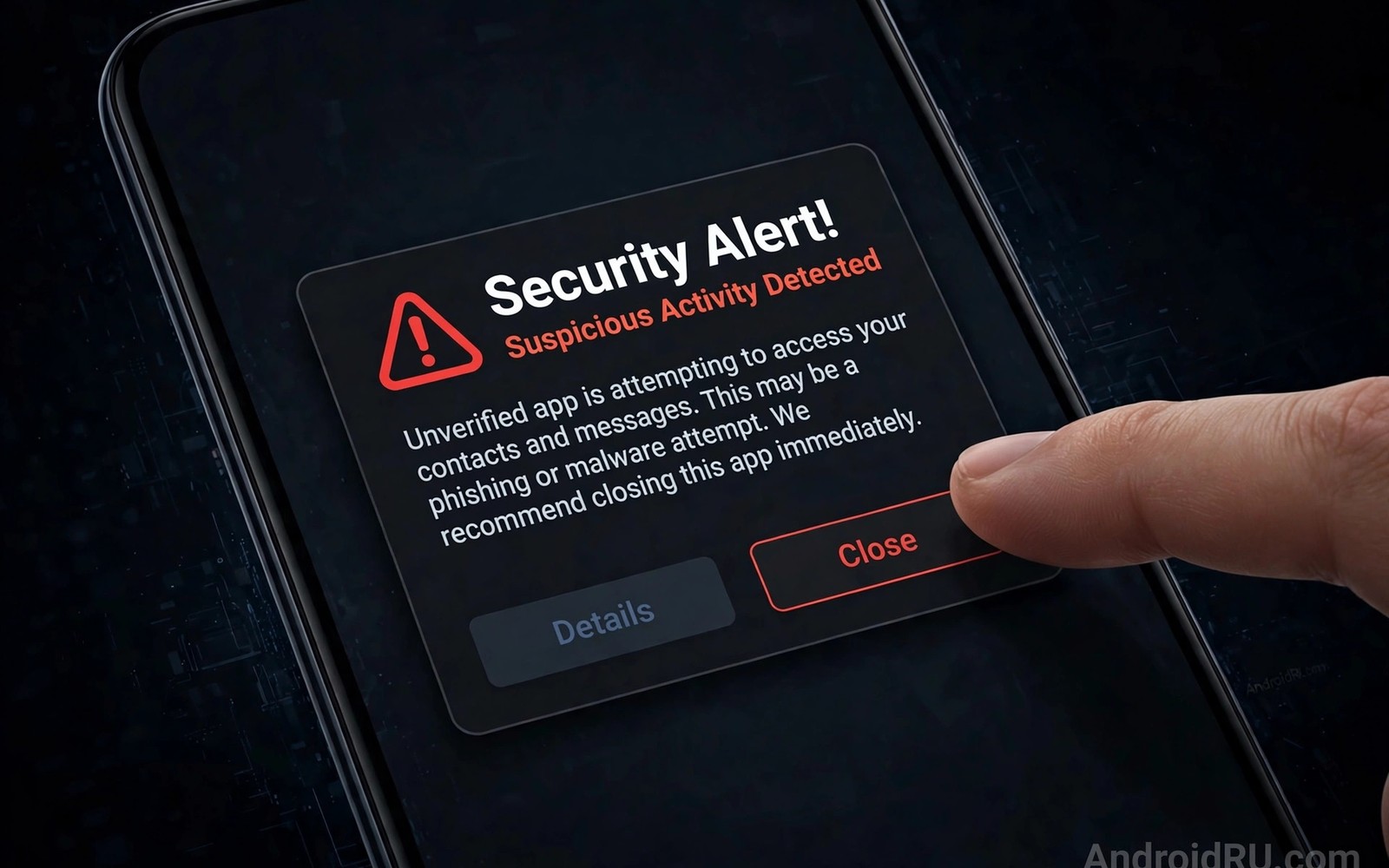
Fake alerts claim your phone has a virus. They urge an instant update or a download. Real system updates never arrive as browser pop-ups. These fakes aim to install malware or steal details. Learning their signs stops the trap cold.
This guide shows how to spot fake alerts. It covers safe closing steps and cleanup. It also covers the real update path. Readers who want the wider safety baseline should review critical security settings beside this guide.
Anatomy Of A Fake Alert
Fake alerts use alarming colours and countdown timers. They claim dozens of viruses found instantly. A browser page cannot scan your whole phone. That claim alone proves the page is fake. Real scanners work inside apps not web pages.
The page offers a single big button to fix it. That button downloads a file or opens a scam. Some pages play alarm sounds to raise panic. Panic drives fast taps without thought. A calm pause defeats the design.
Signs The Alert Is Fake
A browser tab showing a system warning is fake. System warnings appear in Settings not web pages. Poor grammar and odd logos add more clues. A countdown timer is a pressure trick. A request for payment to clean viruses is a scam.
Check the page address for odd domains. Fake pages use lookalike domains with extra words. A real update page never asks for card details. A real scanner never charges for a basic scan. Any payment demand ends the discussion.
Close The Pop-Up Safely
Do not tap any button inside the fake page. Tap the browser tab switcher instead. Close the offending tab from the tab list. That route avoids hidden download triggers. If the page resists closing then force-stop the browser.
Clear the browser cache after closing the tab. Clearing removes stored page tricks for that site. Block notifications from the site if prompted. Notification permission lets fakes return later. Deny notification requests from unknown sites always.
- Close the tab from the tab switcher.
- Force-stop the browser if the tab resists.
- Clear cache and site data for the site.
- Block notifications from unknown sites.
- Never tap buttons inside the fake page.
Fake alert response
1. Do not tap page buttons
2. Close the tab from tab switcher
3. Clear site data and cache
4. Block site notifications
5. Check Settings for real updates
When Pop-Ups Keep Returning
Returning pop-ups may signal notification abuse. Check site notification permissions in browser settings. Remove permission for every unknown site. Check installed apps for new adware too. A recent install may generate the pop-ups.
Boot into safe mode if pop-ups persist system-wide. Safe mode disables third-party apps temporarily. Pop-ups that stop in safe mode point to an app. Remove recently installed apps one by one. Restart normally after each removal to test.
The Real Update Path
Real updates live in Settings under System. Open the system update screen directly. The phone checks with the maker servers there. A genuine update shows version details clearly. It never arrives through a browser warning.
App updates live inside the official store app. Update prompts from other sources deserve suspicion. A message claiming an urgent app update may be fake. Open the store app to verify any claim. Readers who judge store listings can use spotting risky apps for listing checks.
After A Mistaken Tap
Uninstall any file installed from a fake page. Scan the device with built-in protection after. Change passwords for accounts used since the tap. Watch bank alerts for unknown charges. Report the fake page through the browser menu.
Warn friends if the fake came through a message. Shared warnings stop the same trap spreading. Keep browser warnings turned on always. Warnings block many known fake pages early. A calm routine beats every scare tactic.
Fake alerts rely on fear and false authority. Browser pages cannot scan your phone for viruses. Real updates live in Settings and the store. Safe closing avoids the trap buttons entirely. Calm checks keep scare pages powerless.
Pop-Up Economics And Scam Models
Fake pop-ups earn money through several models. Some sell fake security software directly. Users pay for useless cleaning tools. Others install adware for ad revenue. Adware generates income per impression. Some harvest payment card details. Cards fund larger fraud operations. Each model needs a user tap. Refusing taps starves every model. Readers who browse safely should also review safe browsing habits for link-level defence. Tap refusal is the universal defence.
Affiliate fraud drives many fake alert pages. Affiliates earn commissions per install. Fake pages push affiliate installers aggressively. Installers may bundle unwanted software. Bundled software earns further commissions. The chain rewards deception at each step. Legitimate advertisers avoid such chains. Report affiliate abuse through ad platforms. Reports disrupt affiliate income streams. Disruption reduces future fake pages.
Tech support scams follow fake alerts often. A fake page offers a support number. Callers pose as technicians helpfully. They request remote access to fix issues. Remote access enables data theft directly. They may charge for fake repairs. Real support never arrives via pop-ups. Hang up on pop-up support numbers. Contact support through official apps only. That rule defeats support scams entirely.
Malvertising spreads fake alerts through ad networks. Compromised ads appear on legitimate sites. Users trust the hosting site wrongly. The ad redirects to fake alert pages. Ad blockers reduce malvertising exposure. Built-in browser protections help too. Keep browsers updated for ad protections. Report malicious ads to site owners. Site owners can remove bad advertisers. Collective reporting cleans ad networks slowly.
Cleaning Up After Scareware
Scareware may install unwanted apps silently. Check installed apps after any scare encounter. Sort apps by install date for review. Remove apps installed around the scare time. Unknown apps from that window deserve removal. Restart the phone after removals. Check battery and data use after cleanup. Quiet stats confirm successful cleanup. Persistent anomalies need deeper investigation. Safe mode helps isolate stubborn apps.
Browser data cleanup removes scare page traces. Clear cache and cookies for affected sites. Clear site permissions for unknown sites. Notification permissions deserve special attention. Unknown sites may hold notification rights. Notification rights let scares return repeatedly. Remove rights for every unknown site. Reset browser settings if scares persist. Resetting loses saved data but restores safety. Safety outweighs saved data in these cases.
Account checks follow scareware cleanup always. Change passwords for accounts used since exposure. Start with email accounts first. Email resets unlock many other accounts. Check bank statements for unknown charges. Small charges may signal card theft. Report unknown charges promptly to banks. Early reports improve refund chances. Monitor accounts for a month after incidents. Monitoring catches delayed fraud attempts.
Reporting scare pages helps the wider community. Report pages through browser menus. Reports feed warning databases quickly. Other users receive warnings sooner. Report scam numbers to carriers too. Carrier blocks reduce scam reach. Share warnings with friends and family. Friends may encounter the same pages. Shared warnings prevent repeat victimisation. Community reporting is collective defence.
Scareware Distribution Networks
Scareware distribution uses ad networks heavily. Ad networks serve ads across sites. Malicious advertisers buy ad slots. Slots redirect users to scare pages. Networks detect malicious ads slowly. Slow detection exposes many users. Ad blockers reduce exposure significantly. Blockers filter known malicious sources. Filtering is imperfect but helpful. Imperfection still beats no filtering.
Search poisoning promotes scare pages too. Poisoned results rank fake pages highly. Users trust high rankings wrongly. Rankings reflect manipulation not quality. Scroll beyond top results carefully. Official sites usually rank well too. Compare domains before clicking results. Domain comparison reveals poisoned entries. Entries with odd domains deserve avoidance. Avoidance beats investigation for suspicious results.
Social engineering calls follow scare pages. Pages display fake support numbers. Numbers connect to scam call centres. Centres employ persuasive operators. Operators request remote access politely. Politeness disarms victim suspicion. Suspicion should trigger hang-ups. Hang-ups end scam calls instantly. Instant ending prevents data theft. Ending calls is a powerful defence.
Scareware evolves with browser defences. Defences block known scare domains. Scammers register new domains constantly. Constant registration outpaces blocklists. Blocklists lag behind new domains. User vigilance covers lag periods. Vigilance means recognising scare patterns. Patterns include countdowns and alarms. Alarms signal manipulation attempts. Manipulation recognition defeats new domains.
Reporting infrastructure improves blocklist speed. User reports feed blocklist updates. Updates propagate to browsers globally. Global propagation protects distant users. Distant users benefit from local reports. Reporting is a global public good. Goods require collective contributions. Contributions take minutes per report. Minutes per report save hours collectively. Collective action scales defence effectively.
Education campaigns reduce scareware success. Campaigns teach scare pattern recognition. Recognition training uses real examples. Real examples make patterns memorable. Memorability persists beyond campaigns. Persistent memory aids future encounters. Encounters test memory under pressure. Pressure degrades memory performance. Repeated training strengthens memory resilience. Resilience grows through practice cycles.
Scare Page Recognition For Seniors
Seniors face targeted scare page campaigns. Campaigns exploit trust in authority figures. Authority figures include fake technicians. Technicians in pop-ups are scammers. Scammers request remote access politely. Polite requests disarm suspicion effectively. Suspicion should trigger immediate tab closure. Closure ends the scam attempt. Attempts fail without user taps. Tap refusal is senior protection.
The steps above follow the approach described in the official developer documentation for Android security and privacy. That documentation explains the same controls in general terms for phone owners who want a safer device.

