

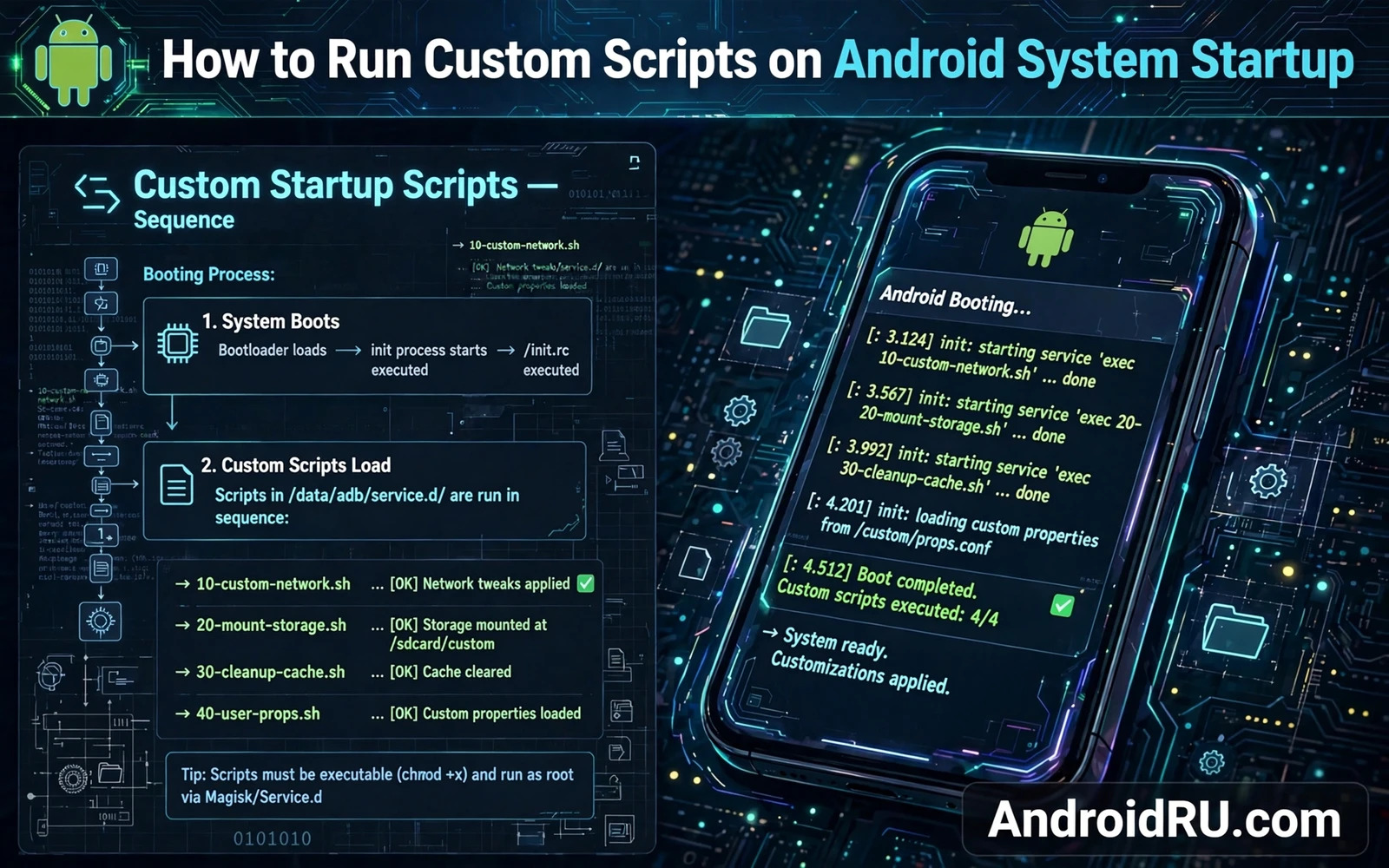
Why Startup Scripts Appeal To Power Users
A startup script runs commands automatically every time the phone boots. Owners use startup scripts to set system properties and to tune kernel parameters and to start a service that stock Android does not start on its own. Automation at boot removes the need to repeat manual steps after every restart. A well written script makes the phone behave the same way after every boot without owner intervention.
Startup scripts also create consistency across updates and across reinstalls. A script stored in a module or in a backup can reapply a known configuration quickly. That consistency is valuable for test devices that are reset often. It is also valuable for owners who tune the same settings on more than one device.
The appeal comes with a clear danger. A script that runs at boot runs before the owner can intervene easily. A script with an error can delay boot or can loop or can change a setting that breaks a core service. A script that works on one device may fail on another device with a different kernel or a different system layout. Boot time is the worst time for an untested command.
Treat every startup script as system code rather than as a casual note. Read each line before installing it. Understand what each command changes and what happens if it fails. A script whose purpose cannot be explained in plain language should not run at boot.
Systemless Methods Are Safer Than System Edits
Systemless root methods apply changes through an overlay at boot instead of writing directly to the system partition. A startup script delivered through a module can be disabled by disabling the module. That disable switch is the safety net that direct system edits lack. A direct edit to a startup file in the system partition requires a rewrite to undo and may not survive an update cleanly.
Modules designed for startup scripts usually provide a dedicated script file that the root framework executes at a defined boot stage. Some stages run very early before most services start. Other stages run later when the system is mostly ready. Choosing the wrong stage can make a command fail because its target service is not running yet. Read the module documentation for the stage it uses.
Keep scripts short and focused. One script should do one job well. A script that tunes the kernel and sets properties and starts services and cleans caches tries to do too much. A failure in one part can mask success in another part. Separate jobs into separate scripts or separate modules so each job can be disabled independently.
Log script output to a file in a location that survives boot. A log turns a mysterious boot delay into a readable record. Check the log after the first few boots with the script enabled. A clean log with no errors is evidence that the script is stable. Errors that appear only sometimes still deserve attention because intermittent boot problems are hard to diagnose later.
Testing Before Trusting A Script
Run every command in the script manually in a terminal session before adding it to a startup script. Manual testing reveals errors and reveals missing tools and reveals commands that need a different working directory. A command that fails manually will also fail at boot but at boot the failure is harder to see.
Test the script as a whole in a terminal session with the same environment that boot will provide as closely as possible. Some commands depend on a path or on a service that is present in a terminal session but absent at early boot. If a command needs a service then move it to a later boot stage or add a wait and retry logic that is bounded so it cannot loop forever.
Test reboot behaviour explicitly. Enable the script and reboot and observe boot time and check that core functions work. Test calls and messaging and Wi-Fi after boot. A script that breaks Wi-Fi initialisation may not show an error on the home screen. Functional testing after boot catches problems that logs miss.
Keep a recovery plan ready before enabling a new script. Know how to boot into recovery and how to disable the module that carries the script. The bootloop guide that explains how to fix bootloop issues after installing modules or ROMs covers module disabling in recovery. A plan written down before trouble starts is far more useful than a plan searched for during trouble.
Writing Scripts That Fail Safely
Design scripts to fail safely. A script should check that a target file exists before writing to it. A script should check that a command succeeded before running a dependent command. A script should never delete files at boot unless deletion is its explicit and tested purpose. Safe failure means that an unexpected condition produces a log entry rather than a broken system.
Avoid hard coded paths that differ between devices unless the script is device specific. Use variables for paths that the root framework provides. Device specific scripts should be labelled with the model and the software build they were tested on. A script copied to a different model without review is a common source of boot trouble.
Avoid long sleeps and unbounded loops at boot. A script that waits indefinitely for a condition that never arrives can stall the boot sequence. Use a bounded retry count and a short delay between retries. If the condition is not met after the bounded retries then log the failure and exit cleanly. The system should boot without the optional tuning rather than stall waiting for it.
Review startup scripts regularly. A script written for an older system version may become obsolete after an update. An obsolete script can set a property that no longer exists or can tune a kernel parameter that has been renamed. The systemless root overview that explains understanding systemless root concept and mount points helps owners understand why boot time overlays behave as they do. The utilities roundup that covers top Android modding utilities every tweaker needs helps owners choose tools that manage startup scripts safely. The hooks overview that explains understanding Android system hooks and substrate architecture explains the deeper framework that many startup tweaks rely on.
Boot Stages And When Commands Run
Boot stages define when a startup script can safely run because services become available in a sequence rather than all at once. Early stages have only basic system services. Later stages have network and user apps available. A script that needs network must run at a later stage. A script that sets a kernel parameter can run earlier. Stage selection is therefore a design decision rather than a minor detail.
A script that runs too early may fail silently because its target file does not exist yet. The file may be created by a service that starts later. Silent failure is dangerous because the owner believes the script worked while it actually did nothing. Logging helps detect silent failure. A log entry that says the target was missing turns silence into information. Information allows a stage correction.
A script that runs too late may miss its window. A service that starts before the script runs will use its default configuration rather than the script configuration. Restarting the service after the script runs can fix the order problem in some cases. In other cases the service cannot be restarted cleanly. Late scripts should be tested against the service startup order rather than assumed to work.
User interface scripts belong at a late stage because they depend on the system UI being ready. A script that changes a UI setting before system UI starts may be overwritten when system UI initialises. Late execution avoids the overwrite. Owners sometimes place UI scripts early out of habit and then wonder why the setting never sticks. Stage awareness explains the mystery.
Kernel tuning scripts belong at an early to middle stage because kernel parameters should be set before demanding apps start. A tuning script that runs after a game has already started cannot affect that game session. Early tuning ensures that the first demanding app benefits from the tuned parameters. Timing relative to app launch matters for tuning effectiveness.
Testing stage placement requires rebooting with the script at different stages and checking the log each time. A script that logs success at a later stage but fails at an earlier stage has found its minimum stage. The minimum working stage is the correct stage. Earlier stages offer no benefit. Later stages add delay without benefit. Minimum working stage is the efficient choice.
Script Maintenance Over Time
Scripts age because system paths and property names change across Android versions. A script written for one version may reference a path that no longer exists on the next version. The script will then fail silently or log an error that the owner may not see. Regular review after major updates catches aging scripts before they cause confusion. Review should be scheduled rather than left to chance.
Version control for scripts helps owners track changes and revert bad edits. A simple backup copy before each edit is a form of version control. A dated copy preserves the last working version. When a new edit breaks boot the owner can restore the dated copy in recovery. Without a dated copy the owner must rewrite the script from memory under stress.
Commenting scripts in plain language helps future owners including the original author after months away. A comment should explain why a command exists rather than merely repeating what the command does. Why comments preserve intent. What comments merely restate code. Intent survives system changes better than code because intent guides rewriting when code becomes obsolete.
Sharing scripts with the community requires the same care as sharing any system modification. A shared script should state the tested device model and software build and root framework version. A script without test context may be applied to an incompatible device by a trusting reader. Context protects readers from harm and protects authors from blame for misuse.
Removing obsolete scripts is as important as writing new ones. An obsolete script that sets a property for an app no longer installed wastes boot time and adds failure risk. Periodic cleanup keeps the startup sequence lean. A lean startup sequence boots faster and fails less often. Cleanup should be part of routine maintenance rather than a rare event.
Security review of scripts should happen regularly because scripts run with high privilege at boot. A script downloaded from an untrusted source could contain a harmful command hidden among legitimate commands. Reading every line before installation is essential. Reading again after an update is equally essential because updates can introduce new commands. Trust in scripts must be earned continuously rather than granted once.

