

What a Magisk Module Is
A Magisk module is a package that changes system behaviour without directly modifying the system partition. Magisk mounts module files over system files at boot so the original system image stays untouched on disk. That systemless design makes it easier to remove a change and it makes it easier to pass some integrity checks than a direct system edit. A module can replace files and add files and run scripts at defined boot stages. Understanding that mount model is the key to building a safe module.
A module is not a general app and it is not a safe playground for casual experiments on a daily phone. Module code runs with high privilege during boot and a mistake can prevent the phone from starting normally. A test device with a full backup and a working recovery is the right place for module development. A daily phone that holds personal data and banking apps should not be the first target for an untested module. That caution protects both data and device.
Before any module work begins back up all personal data and back up system partitions where recovery allows it. Root access can void a warranty and it can break payment apps and integrity checks. A bootloop is a real risk when a module script fails or when a replaced file is incompatible with the device. A backup stored outside the phone is the only reliable safety net when the phone cannot boot to copy its own data.
Module Structure From Scratch
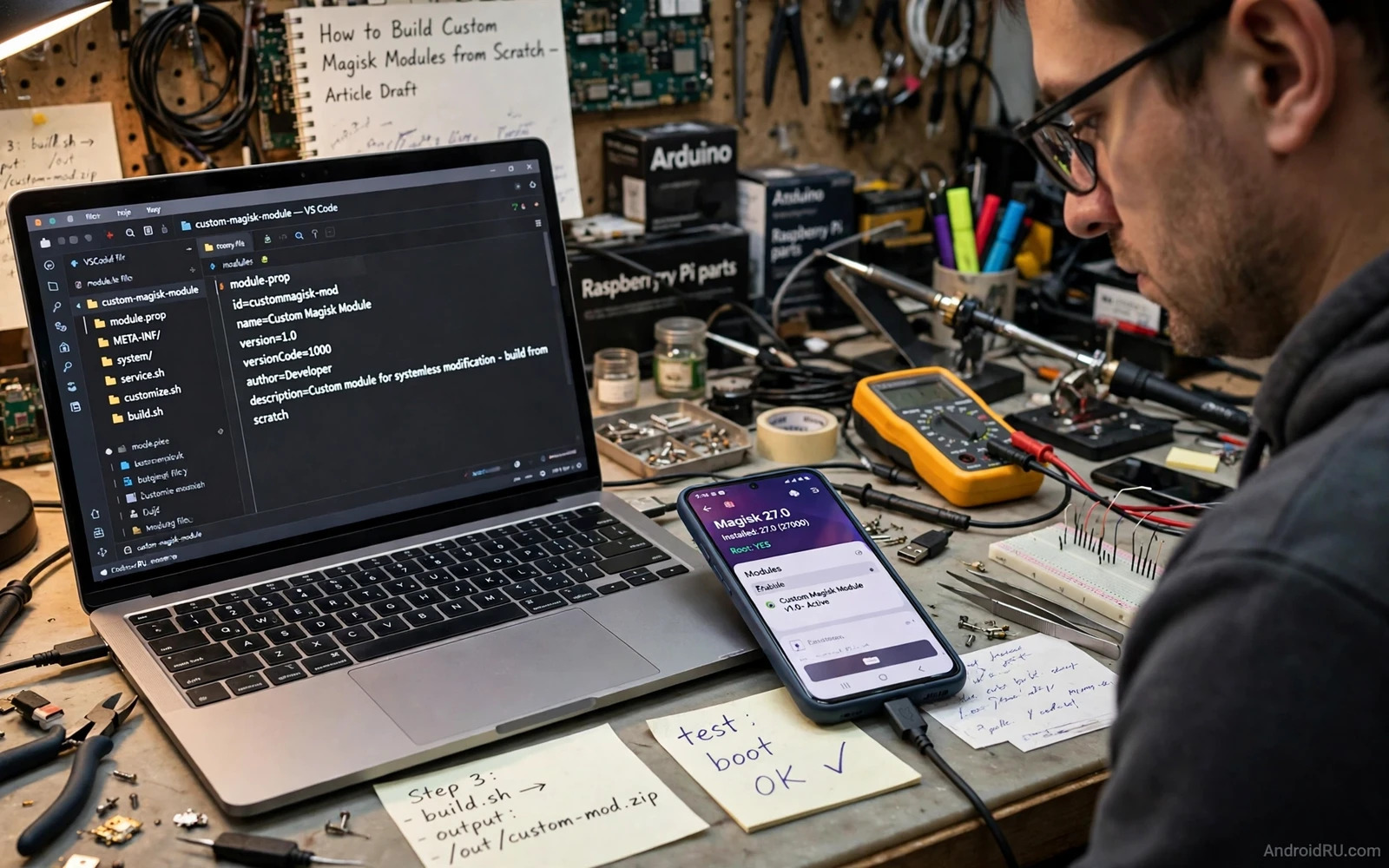
A basic module contains a metadata file and a script file and an optional system folder that mirrors the paths to be overlaid. The metadata file carries the module id and name and version and author and description. The id must be stable and unique because Magisk uses it to track the module across installs and updates. A clear description helps users to understand what the module changes and what it does not change. A module that hides its changes behind a vague description is hard to trust.
The install script runs during module installation and it can set permissions and create directories and check device compatibility. The boot scripts run at defined stages after boot and they can apply runtime changes. Scripts must be small and defensive and they must fail safely rather than continuing after an error. A script that continues after a failed check can leave the device in a half changed state that is hard to diagnose. Early exit on error is a safety feature rather than a limitation.
The system folder in a module mirrors only the paths that the module intends to change. A module that copies a whole system tree is wasteful and risky because it may overlay files that should not change. A focused module overlays a small set of files and leaves everything else alone. That focus also makes review easier because a reviewer can see exactly which files are affected. Small modules are easier to test and easier to remove and easier to trust.
Writing Safe Install and Boot Scripts
Scripts should check device model and Android version and Magisk version before applying changes. A module built for one device may break another device that uses different file paths or different services. A compatibility check that aborts installation on an unsupported device protects users from a predictable failure. The check should be visible in the install log so a user who sees an abort understands why it happened. Silent failures help no one and they waste debugging time.
File permissions in a module must match the permissions of the files being replaced. A system file with wrong permissions can fail to load or can create a security hole. Scripts should set ownership and permissions explicitly for every file they install. Permissions should be tested on the target device rather than assumed from another device. A permission error that appears only at boot is harder to fix than the same error found during installation testing.
Boot scripts should avoid long work and network access and heavy processing during early boot. Early boot is a sensitive stage and a slow script can delay the system or trigger a watchdog. A boot script should do its core task quickly and exit cleanly. Long setup work belongs in a later stage or in a companion app that runs after the system is stable. Respect for boot timing is part of building a module that feels professional rather than experimental.
Testing a Module Without Losing the Phone
Testing should start with the module disabled and the phone booting normally to confirm the baseline. Then the module is enabled and the phone is rebooted and the boot log is checked. Each test should change one thing at a time so a failure points to a single change. A test log that records the module version and the device state and the observed result makes later debugging possible. Testing without notes produces results that cannot be repeated or trusted.
Recovery knowledge is part of testing because a failed module must be removable without a working system. Magisk supports safe mode and module disabling from recovery in many setups. The exact recovery steps for the target device should be practised before a risky test rather than learned during a bootloop. A developer who knows the recovery path will test more boldly and recover more quickly. A developer who does not know it will avoid testing and ship untested code.
Modules that hook system behaviour pair naturally with hook frameworks and readers can study creating a custom LSPosed hooking module to see how method hooking differs from file overlay. A Magisk module changes files and a hook module changes method behaviour at runtime. Some goals need both approaches and some goals need only one. Choosing the simpler approach first keeps the module smaller and safer.
Systemless Design Choices
Systemless design means thinking about what happens when the module is removed. Files overlaid by the module disappear on removal and the original system files become visible again. Runtime changes made by a boot script may persist until the next reboot and they should be reversible by design. A module that leaves permanent changes behind after removal breaks the promise of systemless modification. Removal testing should be part of every module test plan and not an afterthought.
Updates to a module should preserve user settings where possible and should not silently change behaviour in a breaking way. A version note that lists changed files and changed scripts helps users to decide whether to update. A module that updates itself without user action can surprise users and can break a working setup. User control over updates is especially important for modules that run with high privilege at boot.
Camera layer work on rooted phones often uses modules as the delivery vehicle and developers can review implementing virtual camera drivers on rooted Android for an example of a rooted camera layer and its risks. That example shows why module packaging matters for experimental system work. It also shows why backup and removal planning must be part of the module design rather than a separate document that no one reads.
Publishing and Supporting a Module
Publishing a module requires honest documentation of supported devices and Android versions and known limits. A module page that claims universal support for an untested range of devices will attract failure reports that could have been prevented. A supported device list that grows only through testing is slower but far more trustworthy. Users respect a narrow honest list more than a broad untested claim that fails on their phone.
Support for a module means reading logs and asking for device details rather than guessing at a fix. A bug report template that asks for module version and device model and Magisk version and relevant logs will improve fix speed greatly. Fixes should be tested on the reported device pattern when possible. A fix that is shipped without testing on the failing pattern may fix one device and break another.
Testing a module on different environments also benefits from emulator and device testing habits and readers can explore testing Android apps on emulators versus physical devices to see how emulator limits affect system level testing. Emulators cannot replace physical device testing for boot scripts and file overlays. They can still help for logic testing and for script syntax checks before a physical test. That division keeps physical testing focused on what only a real phone can reveal.
A good custom Magisk module is small and focused and well documented and tested on real devices. It overlays only the files it must change and it checks compatibility before it installs. It fails safely and it removes cleanly and it respects boot timing. It is built on a backed up test device rather than on a daily phone. When those habits are followed a module can be a powerful and responsible way to extend a rooted Android device.
Module Versioning and Updates
Module versioning should follow a clear scheme so users can tell whether an update is a fix or a feature change. A version code that always increases lets Magisk detect updates reliably. A changelog that lists changed files and changed behaviour helps users to decide whether to update now or wait. A module that updates without a changelog forces users to guess at risk. Clear versioning is a small habit that builds long term trust.
Update testing should repeat the full install and boot and removal test on the target device. An update that works on a clean install may fail on a device that already has an older version installed. Migration from an older version may need to remove old files or update old settings. Testing the upgrade path is as important as testing a fresh install. Many module failures in the field come from upgrade paths that were never tested.
Support channels for a module should state which devices and versions are supported and which are not. A clear support statement reduces unanswerable bug reports and it sets honest expectations. Users on unsupported devices can still try a module but they understand that support is limited. Honesty about support scope protects both users and maintainers from frustration.
magisk module skeleton
module.prop with stable id and version
customize.sh with device checks and early exit
system folder mirroring only changed paths
service scripts short and boot safe
test install and removal on a backed up device

