

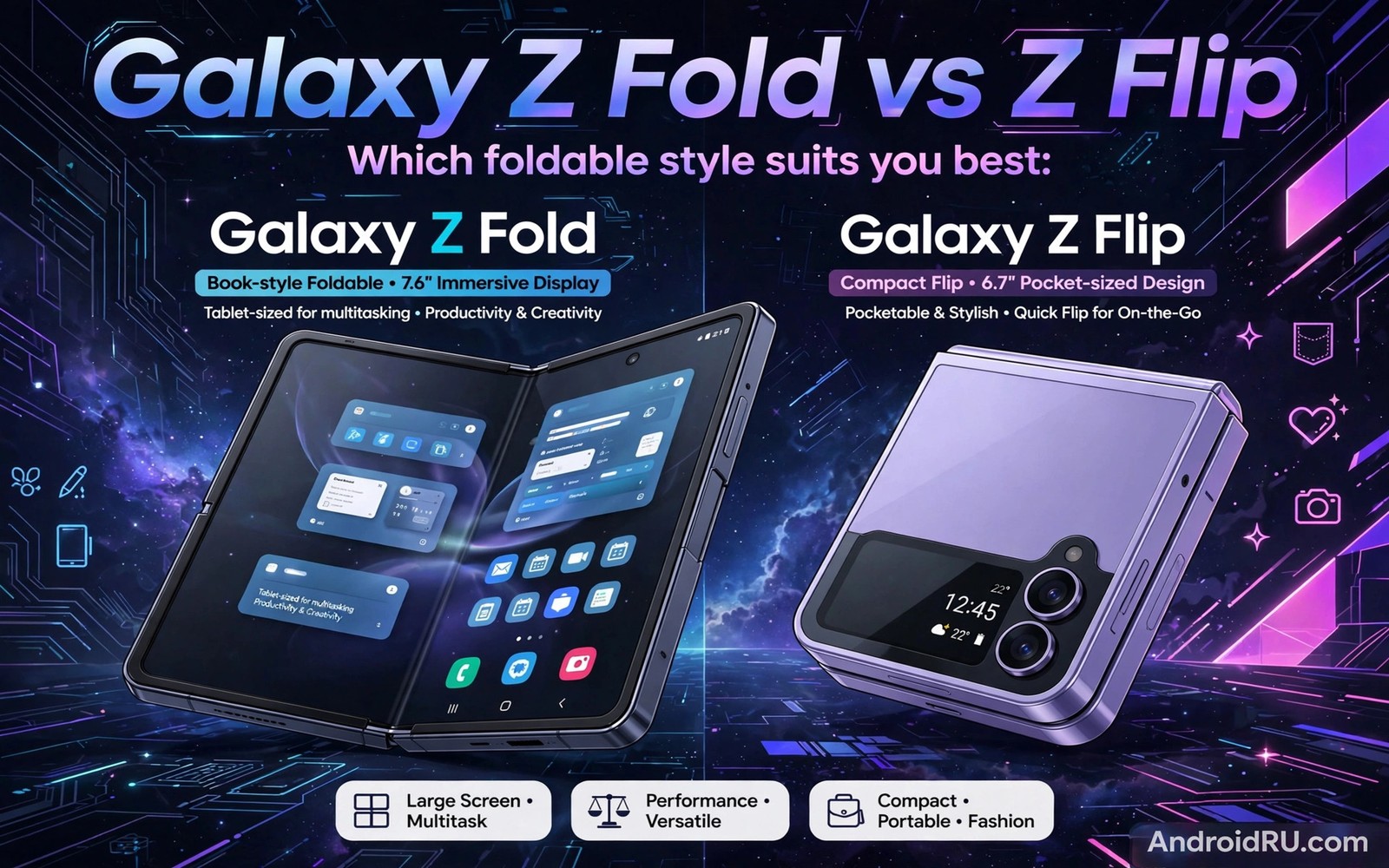
Here is a clear look at Galaxy Z Fold vs Z Flip for anyone shopping or learning today.
Galaxy Z Fold vs Z Flip is the classic Samsung foldable dilemma. Both phones fold and both run the same core software. They aim at very different owners though. The Fold opens into a tablet for work and media. The Flip folds small for style and pocket comfort. Your daily routine picks the winner faster than any spec chart.
Start with one honest question about your phone time. Do you spend hours reading and comparing apps side by side. Or do you mostly message and snap photos and scroll feeds. Long screen sessions favour the Fold by a wide margin. Quick bursts and compact carry favour the Flip. If crease worries hold you back then read about screen crease durability over time before you rule either phone out.
Keep your own phone nearby while you read the sections below. Compare each point against the model in your hand and your daily routine. Note which tips fit your habits and which tips feel unnecessary. A guide works best when you filter it through real use. Your notes will matter more than any single recommendation here.
What Each Phone Is Built For
The Fold targets people who want a tablet without carrying a second device. Its inner screen handles documents and spreadsheets and video calls with room to spare. Multitasking feels natural because two apps can sit side by side at readable sizes. The outer screen works for calls and quick replies while you walk. It is a work tool that happens to fold.
The Flip targets people who want a normal phone in a smaller package. It unfolds into a full tall screen for everyday apps and video. It folds into a compact square that fits tiny pockets and evening bags. The cover screen handles music and alerts and camera previews. It is a lifestyle phone that happens to fold.
Screens in Real Daily Use
Fold inner screens measure close to tablet size when open. Reading feels relaxed because lines stay wide and text stays large. Split screen keeps both apps usable instead of cramped. The crease crosses the middle but fades from attention during reading. Brightness and colour quality now match flagship slab phones in normal light.
Flip inner screens match a standard phone once unfolded. Scrolling and video feel exactly like a slab phone experience. The cover screen has grown more useful with each generation. You can reply and control music and check widgets without opening the phone. That small screen saves time across dozens of tiny checks each day.
The snippet below shows a simple way to check whether a Samsung foldable is open or closed in code. Apps use this signal to rearrange buttons and panels. It explains why good foldable apps feel smooth during a fold.
val state = foldingFeature?.state
when (state) {
    FoldingFeature.State.FLAT -> showPhoneLayout()
    FoldingFeature.State.HALF_OPENED -> showTabletopLayout()
    else -> showDefaultLayout()
}
The code sample above follows the standard pattern shown in official Android developer guidance for handling foldable states. It is provided for learning and testing on your own device.
Cameras and Photo Habits
Fold cameras benefit from a huge preview screen for framing shots. You can review photos large right after you take them. The main sensors still lag behind top slab flagships in low light. Software processing closes much of the gap for social sharing. Serious night photographers should test sample shots before committing.
Flip cameras shine for selfies because the rear cameras face you when folded. The cover screen acts as a finder so you see yourself clearly. Video creators love hands free shooting with the phone half folded like a camcorder. Main camera quality sits close to flagship level for daylight shots. Low light shots still trail the best slab cameras by a small margin.
Battery Life and Charging
Fold battery life swings with inner screen use. A day of light outer screen use leaves plenty of charge at night. A day of heavy tablet use with video and multitasking drains faster. Most owners learn to mix screens and save the big screen for tasks that need it. Charging speed is solid but not class leading.
Flip battery life reflects its smaller cell and smaller body. Light days with cover screen checks end comfortably. Heavy video days may need a late afternoon charge. Wireless charging and fast wired charging cover most top ups. Carry a small power bank on travel days if video calls fill your schedule.
Price and Who Should Buy Which
Fold prices sit at the top of the phone market. The cost makes sense if it replaces a tablet and a phone in your bag. Students and professionals who read and annotate daily gain the most value. Casual users pay a premium for screen space they may rarely use. Wait for deals if the price feels steep for your habits.
Flip prices sit closer to flagship slab phones. The cost buys compact design and fun rather than extra screen space. Fashion conscious buyers and small pocket owners love the shape. It also suits first time foldable buyers who want lower risk. Choose the Flip if compact carry matters more than tablet power.
A Simple Weekly Care Routine
Weekly care for Galaxy Z Fold vs Z Flip works best when it becomes a Sunday habit. Remove the case and wipe shells and phone body separately. Inspect case edges for cracks that could press into the hinge. Clean pockets or bags that carry lint toward the phone. A tidy carrying routine protects folding parts without extra cost.
Check battery habits during the same weekly session for a fuller picture. Review which apps used the most power in the past seven days. Limit background work for apps that drained power without benefit. Update apps that fix known foldable bugs. Steady weekly tuning keeps performance smooth across months.
Settings Worth Reviewing This Week
A settings review for Galaxy Z Fold vs Z Flip should include accessibility options that ease daily use. Larger text and bolder buttons help during long reading sessions. Touch sensitivity settings matter for screen protectors. Sound and vibration tweaks reduce missed alerts. Small accessibility gains compound across thousands of daily interactions.
Finish the review by checking storage and backup status together. Full storage slows apps and blocks updates. Cloud backup should cover photos and messages and settings. Test restore steps once so a repair never causes panic. A healthy backup turns device trouble into a minor delay.
Accessories That Help Most Owners
Accessories for Galaxy Z Fold vs Z Flip should start with a hinge aware case and a spare protector. Those two items prevent most common damage for little money. A compact power bank covers heavy travel days without bulk. A soft sleeve guards the phone inside larger bags. Buy quality basics before novelty gadgets.
Cables and chargers deserve the same care as cases. A slow charger suits overnight charging and battery health. A fast charger suits brief top ups before travel. Keep one charger at home and one at work to avoid cable stress. Label chargers so family members use the right one for the phone.
Travel Habits for Folding Phones
Airport and station routines for Galaxy Z Fold vs Z Flip benefit from cover screen boarding passes. Show tickets without unfolding in queues. Keep the phone folded while moving through crowds for grip safety. Unfold at gates for booking changes and long reads. A folded phone also survives bumps better than an open one.
Hotel evenings suit inner screen work after a travel day. Review photos and messages on the large display. Back up the day photos over hotel Wi-Fi. Charge slowly overnight in a ventilated spot. Morning starts feel easier when the phone is full and backed up.
Planning Your Next Upgrade
Budget planning for Galaxy Z Fold vs Z Flip upgrades should include cases and care plans. A new phone without protection risks early repair bills. Set aside funds for a case on day one. Consider a care plan if your lifestyle risks drops. Total ownership cost matters more than the phone price alone.
Keep your current phone as a backup after upgrading when possible. A spare phone covers repair downtime without stress. Wipe work data before passing it to family members. A backup device also eases trade-in timing pressure. Patience in selling usually earns a better price.
Reading and Media Habits on Big Screens
Reading habits for Galaxy Z Fold vs Z Flip improve when font size matches screen width. Large screens tempt tiny fonts that strain eyes during long sessions. Set text large enough to read at a relaxed arm distance. Use dark themes in dim rooms to cut glare. Comfortable reading keeps you using the big screen for hours without fatigue.
Media habits matter just as much as reading settings for enjoyment. Tabletop mode turns the phone into a tiny television for video. Keep volume moderate and brightness balanced for indoor watching. Download shows offline to avoid streaming drain on travel days. Good media habits make the large screen feel like a reward rather than a drain.
Safety and Privacy on Two Screens
Public use of Galaxy Z Fold vs Z Flip calls for awareness of both screens at once. An open foldable shows more content to nearby strangers. Angle the large screen away from crowds during sensitive work. Use privacy filters when working with confidential documents. Fold shut when conversations turn private in public spaces.
Children and guests should use foldables under clear ground rules. Explain hinge care and screen fragility before handing the phone over. Use guest modes or app pins for shared use. Supervise young users during their first folding sessions. Clear rules prevent accidents and arguments alike.
Common Mistakes to Avoid
A common mistake is buying the Fold for prestige and then using only the outer screen. That wastes the big screen you paid for. Track your screen time for a week before you buy. If tablet apps fill your day then the Fold earns its price. Also read about how ultra-thin glass works so you know what glass care involves.
Another mistake is expecting Flip battery life to match a big slab phone. The small cell needs smarter habits and cover screen use. Lower brightness and limit background video to stretch the day. Buy a case early because flip hinges dislike pocket grit.
Frequently Asked Questions
Is the Fold too heavy for daily use?
The Fold feels heavy at first next to a slab phone. Most owners adapt within a week of regular use. Two hand use becomes normal for reading and video. If one hand use dominates your day then the Flip feels far easier.
Can the Flip survive in a small bag?
The folded Flip fits small bags and jacket pockets with ease. It still needs a case to guard the hinge and screens. Keep keys and coins away from it in the same pocket. A sleeve adds cheap insurance on busy days.
Which phone holds value better?
Both phones lose value like other flagships in year one. Limited colours and clean condition help resale later. A documented battery and screen history also helps buyers trust your listing. Trade-in deals often beat private sale hassle.
Conclusion
Share the most useful tip here with a friend who owns a foldable. Teaching a tip forces you to understand it more deeply. Your friend may share a habit that improves your routine too. Foldable ownership gets easier when owners swap practical lessons. Community knowledge fills gaps that manuals often leave open.
Choose the Fold when tablet work fills your day and one device must do it all. Choose the Flip when compact carry and style matter most. Test both in a store with your own apps and pockets. Then read about apps built for large inner displays and set up multitasking on day one so your new foldable feels great from the start.

