

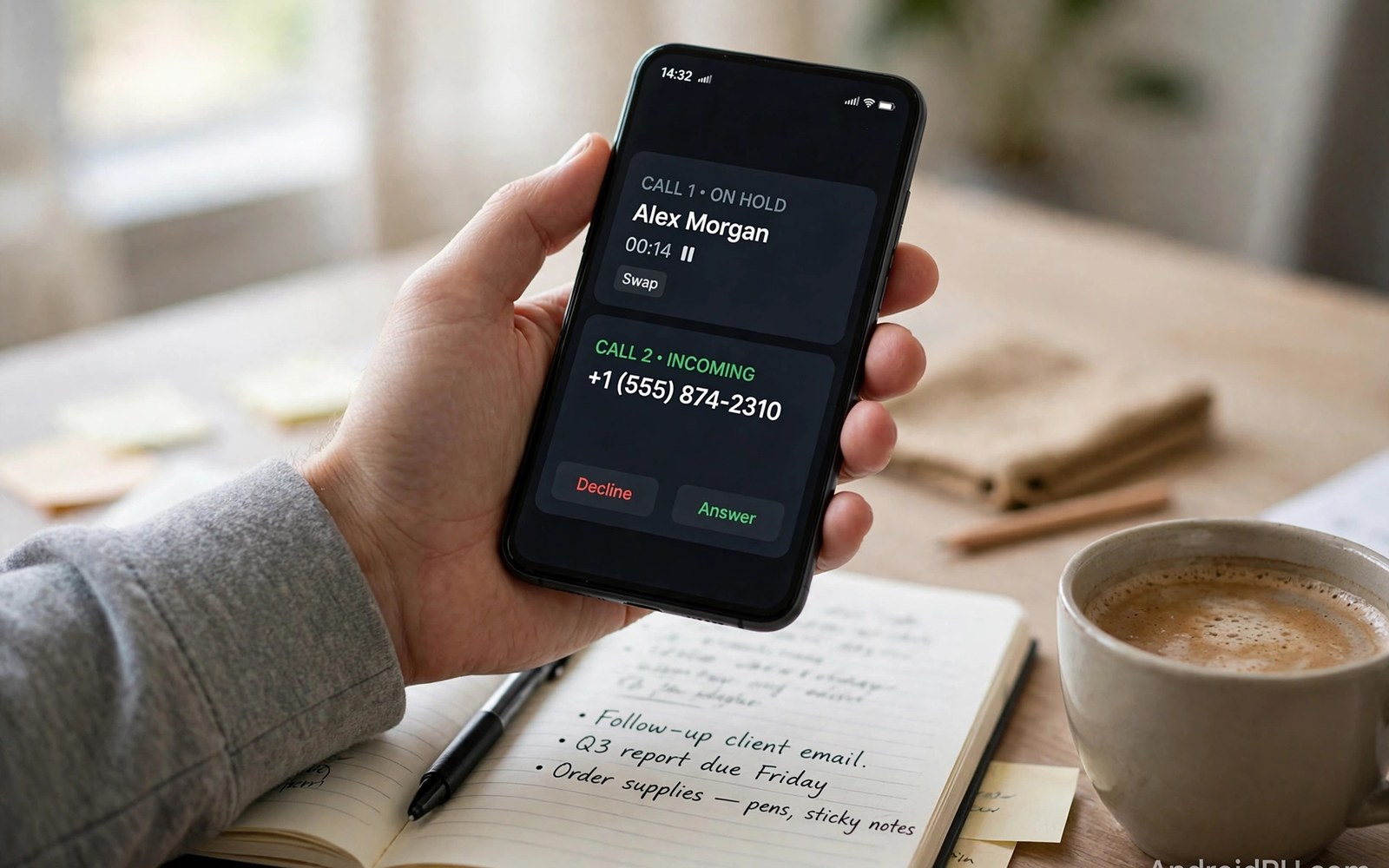
Two phone numbers once meant two phones in your pocket. Dual SIM Android phones changed that trade-off completely. One device now handles work calls and personal calls. It keeps both numbers active at the same time. You answer each line with full context on screen. This article shows how to set it up well. It also shows how to avoid the usual mistakes.
The setup takes about fifteen minutes for most users. The hard part is not the technical steps. The hard part is choosing defaults that match daily life. A good default prevents wrong-line answers. A bad default creates them every week. Read the sections below before you change settings. Then adjust the setup after a week of real use.
How Dual SIM Works on Modern Android Phones
Dual SIM phones hold two carrier profiles at once. The profiles can be two physical cards or one card plus one eSIM. Some phones support two eSIM profiles with one active line. Each line gets its own number and its own plan. You can receive calls on either number without swapping cards. The phone shows which line is ringing on the incoming screen. That clarity prevents awkward answers on the wrong line. It is the core benefit of carrying one phone instead of two.
Only one line usually handles mobile data at a time. You choose the data line in the SIM settings menu. You can switch the data line in seconds when coverage changes. Voice calls can arrive on either line while data runs on one. Some phones support dual standby for both lines at once. True dual active service is rare on consumer phones today. Check the specs of your model before you assume full dual active use. The distinction matters most for people who take calls all day.
Setting Defaults for Calls Texts and Data
Open the SIM settings and label each line clearly. Name one line Work and the other Personal for easy reading. Set a default line for outgoing calls to avoid mistakes. Your phone can also ask which line to use for each call. The ask-every-time option suits people who mix lines often. The fixed default suits people with one dominant line. Review the default each month as your habits change. A stale default causes more wrong-line calls than any other setting.
Text messages need a default line too. Your messaging app shows the sending line before you tap send. Check that indicator on sensitive work messages. Data defaults deserve the same attention on limited plans. Route data through the line with the larger allowance. Set a data warning on the smaller plan to avoid overage fees. If one line is for travel then switch data to it only abroad. These small defaults keep two lines from fighting each other.
Work Life Balance on a Single Device
One phone for work and life reduces pocket clutter fast. You no longer carry two handsets and two chargers. You also charge only one battery each night. The trade-off is that work can reach you at any hour. Use do not disturb rules to protect personal time. Android lets you silence one line while the other rings. Set work hours in your focus mode and let personal calls through. That single rule restores evenings without missing family calls.
Separate contact groups help even more. Tag work contacts and personal contacts in your address book. Your call history then shows which line each contact used. Some phones let you set distinct ringtones per line. A work ringtone tells you to answer in a professional tone. A personal ringtone tells you to relax before you pick up. These cues sound small but they reduce daily stress. They also prevent the classic mistake of answering a boss with a casual greeting.
Costs Coverage and Plan Pairing Tips
Pairing two plans can save money when done with care. Use a cheap data heavy plan for streaming and browsing. Use a low cost voice plan for the line that rarely calls out. Compare the combined cost against a single premium plan. Two cheap plans often beat one expensive plan on total value. Watch for duplicate charges such as two voicemail fees. Some carriers charge for features on each line separately. Add those fees before you declare a saving.
Coverage pairing is another smart reason to run two lines. One carrier may cover your office while another covers your home town. Dual SIM lets you use the stronger signal in each place. Switch the data line when you enter a weak coverage zone. This trick helps commuters who cross carrier dead zones daily. Travelers gain a similar benefit with a local line abroad. Your home line stays active for bank codes and urgent calls. Readers weighing carriers should also compare budget carrier plans before pairing two expensive contracts.
Roaming and Travel with Two Lines
Travel turns dual SIM from a convenience into a real saver. Buy a local eSIM for data at your destination. Keep your home line active for calls and verification codes. Set the local line as the data default on arrival. Turn off data roaming on the home line to avoid surprise bills. Your home line can still receive calls over Wi-Fi calling. Check roaming rates before you leave home in any case. A short check prevents a bill that dwarfs the trip savings.
Some travelers prefer two local lines in one trip. One line can serve data while the other serves local calls. That setup suits long stays and business trips abroad. Remember that emergency numbers work even without an active plan. Your phone can call emergency services on any available network. Save hotel and embassy numbers on both lines for safety. Test both lines at the airport before you leave the terminal. A quick test confirms that each profile activated correctly.
Common Dual SIM Problems and Fixes
The most common complaint is a missed call on the second line. Dual standby phones pause one line during an active call. A caller may reach voicemail while you talk on the other line. Enable call forwarding between lines if your carriers allow it. Forwarding sends the missed call to your active line. Check that both lines show signal bars on the home screen. A missing bar often means a loose card or an expired profile. Reseat the card or re-download the eSIM profile to fix it.
Battery drain is another frequent worry with two active lines. Two radios searching for signal use more power than one. The effect is small in strong coverage areas. It grows in weak signal zones where the phone boosts power. Limit background data on the secondary line to save battery. Turn off the second line at night if you do not need it. If your phone runs hot then test with one line disabled. That test shows whether dual SIM is the real cause or just a suspect. Users moving networks should also read about unlocking a carrier-locked phone since a locked phone limits dual SIM freedom.
Managing Notifications for Each Line
Notifications can reveal which line received a message. Android shows the SIM label on many message alerts. Use that label to judge urgency at a glance. Work messages can wait until office hours. Personal messages may need a faster reply. Set notification sounds per app rather than per line alone. Messaging apps often lack per-line sounds. Use focus modes to silence work apps after hours instead.
Voicemail needs attention on dual SIM phones too. Each line may have its own voicemail box. Check both boxes until you merge them with forwarding. Some carriers let you forward unanswered calls to one box. That single box simplifies your morning routine. Test forwarding with a call from a friend. Confirm that the greeting matches the line you want. A work caller should never hear a personal greeting.
eSIM Plus Physical SIM Combinations
The most flexible dual SIM setup mixes one eSIM with one card. The physical card serves your stable main line. The eSIM serves travel plans and short-term lines. You can swap the eSIM profile without opening the tray. That speed helps when plans change often. It also helps when a trip needs a local plan fast. Keep the main line on the physical card for reliability. The card works even if eSIM servers have an outage.
Some phones support two eSIM profiles instead of a card. That setup suits users who change lines very often. It removes the tray entirely from daily use. The downside is dependence on carrier servers for every change. A server outage can delay a profile switch. Weigh that risk against the convenience gain. Most users will prefer the mixed setup for balance. It pairs digital speed with physical reliability.
Privacy Tips for Two Lines
Two lines improve privacy when used with care. Share the work number widely and guard the personal number. Give the personal number only to family and close friends. Use the work number for shops and online forms. That split reduces spam on your personal line. It also protects your private number after a data breach. A leaked work number is easier to replace than a personal one.
Check app permissions for each line separately. Some apps read the default line for verification. Others let you pick a line for each account. Use the work line for work apps and accounts. Use the personal line for banking and family services. That separation limits cross-contamination between roles. Review the split once a year as apps change. Good privacy habits grow stronger with a simple annual check.
Dual SIM Setup Checklist
- Label each line clearly as Work or Personal in SIM settings.
- Set defaults for calls and texts and review them each month.
- Choose the data line with the larger allowance as the default.
- Set a distinct ringtone for each line to avoid wrong answers.
- Turn off data roaming on the home line before you travel.
- Test both lines with a call after every settings change.
Settings > Network & internet > SIMs
Rename SIM 1 to Work and SIM 2 to Personal
Set Preferred SIM for mobile data
Set Preferred SIM for calls or Ask every time
Toggle data roaming off for the home line abroad
The steps above reflect standard Android SIM settings on recent versions. Menu names may differ slightly by phone maker and software version. Carrier features such as forwarding depend on your plan and region.
One Phone Done Right Beats Two Phones
Dual SIM works best when you set it up with intent. Label the lines and set clear defaults from day one. Use focus modes to protect personal time from work calls. Pair plans by cost and coverage rather than brand loyalty. The result is one phone that serves two roles cleanly. You carry less gear and you miss fewer important calls. That balance is the real promise of dual SIM design. Heavy data users can also review prepaid data options for the data line.
Start with one change at a time if the setup feels complex. Label the lines first and test calls on each line. Add data defaults and roaming rules next. Review the setup after a week of real use. Adjust anything that caused a wrong line answer. A small weekly review keeps the system honest. Soon the two line setup will feel as natural as one line ever did.

