

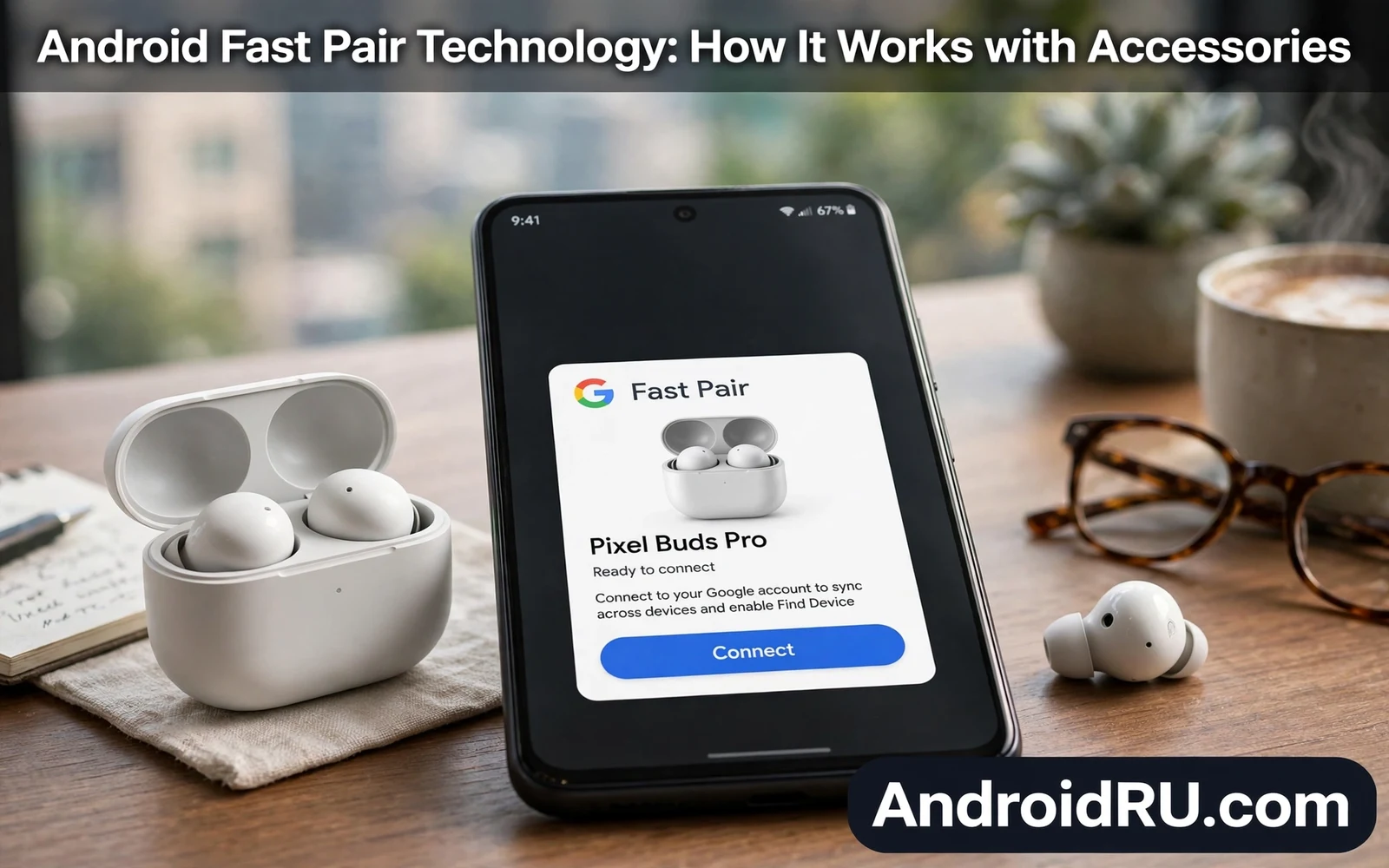
Fast Pair lets an Android phone discover nearby Bluetooth accessories and pair with them in a few taps. Earbuds and headphones and wearables can advertise themselves to a nearby phone. The phone shows a pairing card with the accessory name and image. One tap starts pairing without a deep settings hunt. This guide explains Android Fast Pair technology and how it works with accessories. It covers discovery and pairing and switching and troubleshooting in practical terms.
Traditional Bluetooth pairing forced owners to open settings and scan and pick a cryptic device name. That process confused owners when several unknown devices appeared in scan results. Fast Pair replaces cryptic names with a rich card that identifies the accessory clearly. The card can show battery levels for earbuds and case where the accessory supports it. The card can also offer setup steps for companion apps. That clarity turns pairing from a settings chore into a quick confirmation.
Desktop and multi device workflows benefit from accessories that pair cleanly across screens. Readers who build such setups can review whether Android desktop mode can replace a laptop for context on phones as work hubs. Fast Pair accessories move between phone and tablet and laptop contexts with less friction. A headset that pairs fast on a phone can serve video calls on a larger screen too. Accessory ease matters more as phones take on more work roles.
How Fast Pair Discovery Works
A Fast Pair accessory broadcasts a Bluetooth Low Energy advertisement when it enters pairing mode. A nearby Android phone listens for that advertisement while Bluetooth stays on. Google Play services on the phone recognizes the Fast Pair signal and builds the pairing card. The card appears as a notification style popup near the bottom of the screen. Owners tap connect to start classic Bluetooth pairing with the accessory. The whole flow usually finishes in seconds when both devices support Fast Pair.
Account association lets Fast Pair remember accessories across a signed in account. A paired accessory can appear on other Android devices signed into the same account. That cross device memory saves repeat pairing when owners switch phones or tablets. Owners can manage saved accessories in account device settings. Removing a saved accessory stops it from appearing on other account devices. Account association helps owners while still leaving removal control in owner hands.
Pairing Earbuds Headphones And Wearables
- Turn on Bluetooth on the Android phone
- Put the accessory into pairing mode
- Wait for the Fast Pair card to appear
- Tap connect and confirm any pairing code
- Test audio or notifications after pairing
Earbuds gain extra value from Fast Pair because case battery and bud battery can appear on the card. Owners can judge whether buds need charging before a commute. Headphones gain value from quick switching between phone and tablet for calls and media. Wearables gain value from guided setup that follows pairing. Each accessory class uses the same discovery core with different follow up steps. Owners should follow companion app prompts after pairing where the accessory offers them.
Nearby Share and Fast Pair both rely on nearby device discovery yet they serve different jobs. Readers who compare nearby tools can explore Android Nearby Share versus Quick Share to see how file sharing discovery differs from accessory pairing. Fast Pair connects a lasting accessory relationship. Nearby Share moves a single file between devices. Understanding that split helps owners pick the right card when several nearby prompts appear.
Switching Between Devices
Fast Pair accessories can switch audio between devices signed into the same account in supported cases. A call on a tablet can take over earbuds that played music from a phone. That handover reduces manual disconnect steps during a busy day. Switching behavior varies by accessory and by app. Media apps may pause on one device before audio moves to another device. Owners should test switching with real calls and real media before relying on it during important meetings.
Find My Device integration can help locate lost Fast Pair accessories where the accessory supports it. A last known location may appear when the accessory last connected to a phone. That location helps owners retrace steps after losing earbuds. Location accuracy depends on Bluetooth range and on phone location history settings. Owners who value finding lost buds should keep location features on for accessory devices. Privacy conscious owners should weigh that benefit against location data collection.
Troubleshooting Fast Pair Problems
A missing Fast Pair card usually means Bluetooth is off or the accessory left pairing mode. Owners should toggle Bluetooth off and on and then re-enter pairing mode. A card that appears yet fails to pair may signal low accessory battery or interference. Moving closer to the phone and charging the accessory often fixes the failure. A phone restart clears stuck Bluetooth sessions in many cases. Owners should also confirm that Play services stays updated because Fast Pair logic lives there.
Essential setup choices shape how smoothly accessory pairing works day to day. The guide on essential system settings to change on new Android phones covers Bluetooth visibility and notification controls that affect pairing cards. A pairing card hidden by aggressive notification rules may go unnoticed. A Bluetooth setting that hides the phone from nearby devices can block discovery. Owners who tune those settings once enjoy faster pairing thereafter.
Fast Pair succeeds because it hides Bluetooth complexity behind a clear card and a single tap. Discovery uses low energy advertising while pairing uses classic Bluetooth audio paths. Account memory extends that ease across devices. Switching and finding features add value beyond the first pair. Owners who keep Bluetooth on and Play services updated get the smoothest experience. Accessories should feel instant in daily use and Fast Pair brings Android much closer to that goal.
Fast Pair And Battery Life
Fast Pair discovery uses Bluetooth Low Energy advertising that costs little battery on accessories. Earbuds in pairing mode advertise for a limited window rather than forever. That limited window preserves bud battery while waiting for a phone. Phones listening for Fast Pair signals also use low energy scanning. Battery cost stays modest for typical daily pairing. Owners who pair once and stay connected pay almost no ongoing discovery cost.
Connected accessories draw battery through audio streaming rather than through Fast Pair itself. Music playback and calls dominate accessory battery use. Fast Pair only handles discovery and initial pairing. Owners who blame Fast Pair for bud drain usually face streaming or volume causes instead. Lower volume and shorter calls extend bud life far more than disabling discovery. Understanding that split prevents owners from disabling a useful feature for no gain.
Case battery readings on Fast Pair cards help owners plan charging before trips. A card that shows low case battery warns owners to charge before leaving home. That warning prevents dead buds during commutes. Owners should glance at battery readings during pairing rather than ignoring them. A habit of checking readings turns pairing cards into planning tools. Small planning habits prevent larger inconveniences later.
Fast Pair In Shared Households
Shared households benefit from Fast Pair account memory because accessories follow the owner across devices. A parent headset can appear on a parent tablet without repeat pairing. A child tablet signed into a different account will not inherit that headset automatically. That account boundary protects privacy in shared homes. Owners should sign devices into correct accounts before pairing shared accessories. Correct accounts keep accessory lists tidy across a household.
Guests in a household may pair accessories temporarily without joining the owner account. A guest can pair earbuds directly through standard Bluetooth pairing when Fast Pair account memory does not apply. That direct pairing works yet it lacks Fast Pair card convenience in some cases. Owners should help guests with manual pairing steps when needed. Hospitality with technology means guiding guests patiently rather than assuming familiarity. A short guide saves guests from settings frustration.
Lost accessory finding through account features helps households recover earbuds from couches and bags. A last known location narrows search areas considerably. Owners should check that location before searching an entire house. A systematic search from last known location outward finds buds faster. Households with many accessories should name accessories clearly in account settings. Clear names prevent confusion when several similar buds appear in device lists.
Fast Pair And Future Accessories
Future accessories will likely expand Fast Pair style discovery beyond audio into broader device classes. Smart home sensors and health wearables could benefit from instant pairing cards. A sensor that pairs in one tap lowers setup friction for whole home systems. Fast Pair principles of clear identity and quick confirmation suit many accessory types. Owners should expect pairing to keep getting simpler as standards converge. Simpler pairing encourages owners to try new accessory categories with confidence.
Cross brand accessory support remains a challenge because makers implement pairing features at different speeds. A headset from one brand may support full Fast Pair cards while another offers only basic pairing. Owners should check Fast Pair support before buying accessories that promise instant pairing. Reviews and maker specs usually state Fast Pair support explicitly. Buying with that check prevents disappointment after unboxing. Standards improve yearly yet buyer checks still matter today.
Accessory makers who adopt Fast Pair early gain an advantage because owners notice effortless pairing immediately. A first pairing experience shapes owner opinion of an accessory brand for months. Smooth pairing feels premium even on affordable earbuds. Clumsy pairing frustrates owners before they ever judge sound quality. Makers who invest in pairing polish therefore earn loyalty cheaply. Owners reward that polish with recommendations to friends and family.

