

What Logcat Records
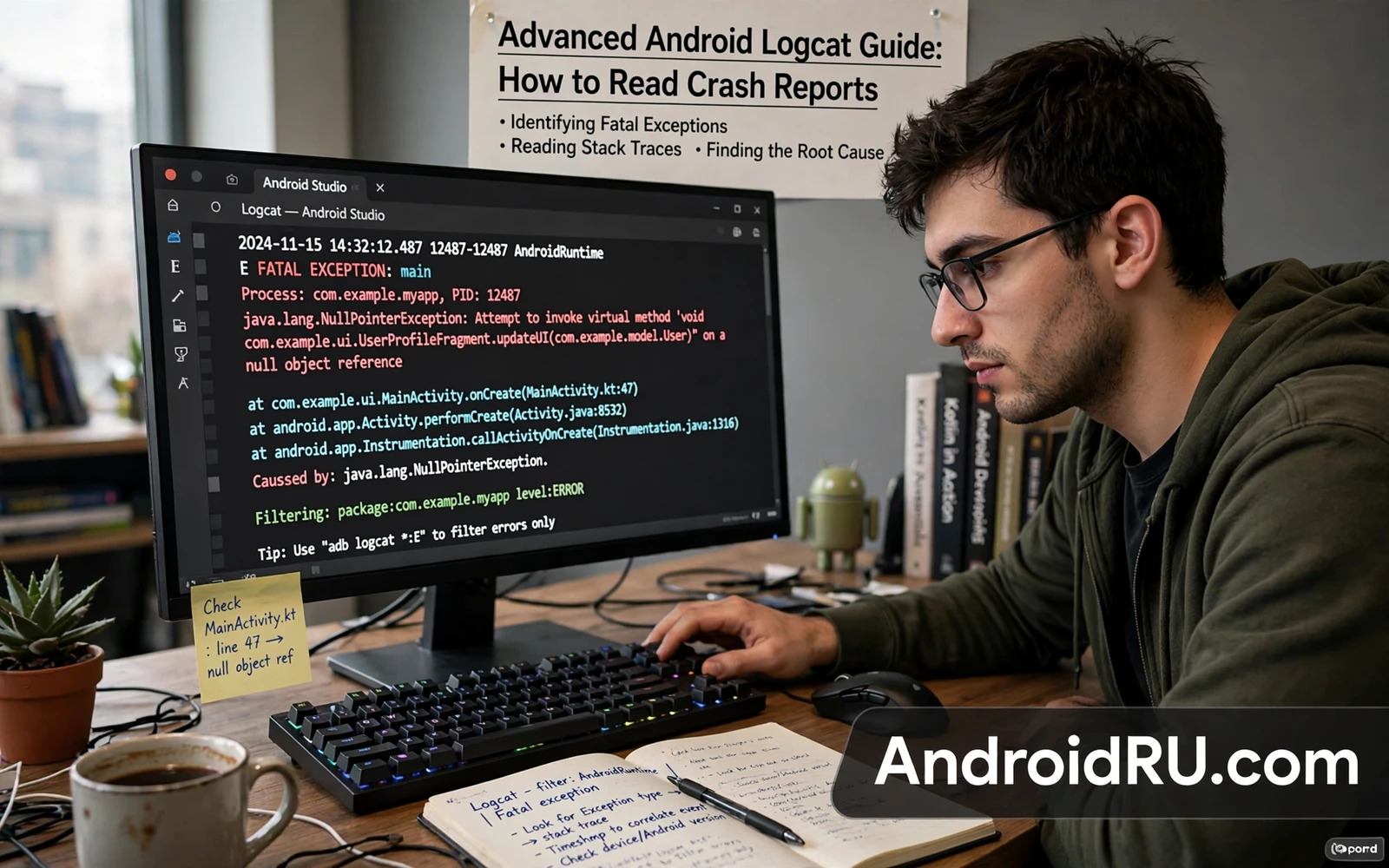
Logcat is the Android logging system that collects messages from apps and from system services and from the kernel. Apps log informational messages and warnings and errors during normal operation. System services log state changes and permission decisions and service lifecycle events. When an app crashes the system logs a detailed report that includes the exception type and a stack trace. That report is the starting point for diagnosis.
Logcat output is a stream rather than a single file. Messages arrive continuously while the phone runs. A crash report appears in the stream at the moment of the crash. Capturing the stream around the crash moment preserves the context that led to failure. Context before the crash often matters as much as the crash line itself because a warning minutes earlier may explain the failure.
Log levels help filter the stream. Verbose logs include fine grained detail. Debug logs include development information. Info logs describe normal operation. Warning logs describe potential problems. Error logs describe failures. Fatal logs describe crashes. Filtering by level reduces noise but aggressive filtering can hide the warning that preceded an error. Start broad and narrow gradually.
Tags identify the source component of each log line. An app tag usually matches the app or library that emitted the message. A system tag identifies the service. Tag filtering isolates one app from the noise of the whole system. Process filtering isolates one running instance. Both filters together give a focused view without losing relevant context from system services that interact with the app.
Capturing A Clean Crash Log
Clear the log buffer before reproducing a crash when possible. A cleared buffer ensures that the captured log starts near the reproduction steps. Reproduce the crash with a minimal sequence of actions. Note the exact taps and inputs that triggered it. A reproducible crash with a clean log is far easier to diagnose than a random crash in a long log full of unrelated activity.
Capture logs through ADB from a computer for the most reliable results. ADB capture runs independently of the crashing app so it survives the crash. On device log readers can also work but they may be killed or restricted by background limits. A computer capture session is the professional standard for crash analysis.
Save the captured log to a file immediately after reproduction. A saved file can be searched and shared and compared with later captures. Do not rely on a terminal scrollback that may be lost when the session closes. A file also preserves timestamps that are essential for ordering events.
Remove sensitive information from logs before sharing them. Logs can contain account identifiers and tokens and personal data logged by buggy apps. Review the log for sensitive strings before posting it in a public forum or sending it to a developer. Redact tokens and personal identifiers while preserving the stack trace and the error lines that matter for diagnosis.
Reading A Stack Trace Step By Step
Find the fatal exception line first. It names the exception type and often includes a short message. Common types include null pointer exceptions and illegal state exceptions and out of memory errors. The type alone does not solve the problem but it narrows the search. A null pointer points to missing data. An illegal state points to a wrong sequence of calls. An out of memory error points to resource exhaustion.
Read the stack trace from top to bottom. The top frames show where the exception was thrown. The frames below show the call chain that led there. App frames are more relevant than framework frames for most app crashes. Framework frames show system code that the app called. App frames show the app code that made the call. The first app frame below the framework frames is often the most useful line.
Look for the app package name in the stack trace. Lines with the app package identify app code. Lines with system package names identify platform code. A crash whose top app frame is in a specific feature points to that feature as the investigation area. A crash with no app frames may be a system service crash rather than an app crash. That distinction changes who should fix it.
Check the lines immediately before the fatal exception for warnings. A warning about a failed resource load or a permission denial or a network timeout may explain why later code received missing data. Crash analysis that ignores preceding warnings often misses the root cause. The exception is the effect. The warning may be the cause.
Common Crash Patterns And Next Steps
Null pointer crashes often follow a missing permission or a missing file or a failed network response that the app did not handle. The fix from the owner side may be granting a permission or clearing corrupted app data or reinstalling the app. The fix from the developer side is a null check. Owners should try the safe owner side steps before reporting the crash as a developer bug.
Out of memory crashes often follow large image handling or long sessions with growing caches. Clearing app cache can help temporarily. A persistent out of memory crash in one app points to a leak in that app. Owners can report the pattern with a log that shows memory growth over time. A single crash line alone does not prove a leak. A pattern across sessions does.
Permission related crashes often show a security exception in the stack trace. The app attempted an operation without the required permission. Granting the permission through settings may resolve it. If the permission was already granted then the app may be requesting it at the wrong time or in the wrong way. That detail belongs in a bug report.
System service crashes appear different from app crashes because the process name is a system service. Owners should not attempt to fix system service crashes with app level steps beyond a reboot and a cache clear. Persistent system crashes after an update may need a firmware reflash or a manufacturer fix. Reporting with a clean log helps the manufacturer reproduce the issue.
For repair context the bootloop guide that explains how to fix bootloop issues after installing modules or ROMs shows how logs guide recovery decisions. The display guide that explains how to change device screen resolution and DPI via ADB shows ADB foundations for log capture. The utilities roundup that covers top Android modding utilities every tweaker needs covers tools that complement log analysis. Together they turn log reading from a mysterious skill into a routine diagnostic habit.
Filtering Logcat By Tag And Process
Tag filtering in logcat uses exact tag matching in many tools and pattern matching in others. Owners should learn the filtering syntax for their chosen tool before capturing a long log. A filter that is too broad captures noise. A filter that is too narrow misses system context. A balanced filter includes the app tag plus relevant system tags such as activity manager and package manager. Balanced filtering preserves context without drowning in noise.
Process identifier filtering isolates a specific running instance when multiple instances of an app exist. Process identifiers change on every app launch which means that a filter from a previous session will not match a new session. Owners should capture the current process identifier at reproduction time. Stale process filters produce empty logs that look like a capture failure. Fresh identifiers produce useful logs.
Regex filtering allows complex patterns such as matching multiple tags with one expression. Regex power comes with regex risk because a malformed pattern matches nothing or matches everything. Owners should test regex filters on a short log sample before applying them to a long capture. Sample testing validates the pattern quickly. Untested regex on a long capture wastes the capture opportunity.
Log buffer size limits how much history logcat retains. A small buffer overwrites old messages quickly on a busy device. A large buffer retains more history but uses more memory. Owners capturing a crash that requires long reproduction should increase buffer size beforehand where the tool allows it. Buffer sizing is part of capture preparation rather than an afterthought.
Multiple buffers exist for different log types including main and system and radio and events. App crashes usually appear in the main buffer. Radio issues appear in the radio buffer. System service issues may appear in the system buffer. Owners should capture the relevant buffer for the problem type. Capturing only the main buffer for a radio problem misses the relevant messages entirely.
Time format in logcat output affects analysis because different formats show different timestamp precision. A format with millisecond precision helps order rapid events. A format with only second precision may show several events with the same timestamp. Owners analysing rapid sequences should use millisecond precision. Precision choice should match event speed.
Sharing Logs Responsibly
Log sharing with developers should include the crash stack trace and the steps to reproduce and the device model and software version. Those four elements allow a developer to understand and reproduce the issue. A log without reproduction steps is hard to act on. A log without device information may describe a device specific issue that the developer cannot identify. Complete reports save back and forth questions.
Redaction before sharing should remove tokens and passwords and personal identifiers and location data. Redaction should preserve error lines and stack frames because those lines carry diagnostic value. Over redaction that removes stack frames destroys diagnostic value. Under redaction that leaves tokens exposes security risk. Balanced redaction requires reading the log rather than blindly deleting sections.
Public forum sharing carries higher risk than private developer sharing because public logs remain accessible indefinitely. Owners should prefer private sharing channels for logs from apps handling sensitive data. Public sharing suits generic system crashes with no personal data. Sensitivity of the app should determine sharing channel. Banking app logs belong in private channels. Generic launcher crash logs may suit public forums.
Log file size should be trimmed to the relevant window around the crash. A huge log file containing hours of unrelated activity burdens the developer and increases personal data exposure. Trimming to a window starting shortly before reproduction and ending shortly after the crash focuses attention. Focused logs receive faster developer responses because they are easier to review.
Version information in a bug report should include app version and system version and device model and any relevant module or framework version. Version completeness prevents a developer from testing on a different version where the bug does not reproduce. Version mismatch is a common cause of unreproducible bug reports. Complete versions eliminate that mismatch.
Follow up after sharing a log helps developers confirm a fix. Owners should test a fixed version and report whether the crash persists. Confirmation closes the loop. A bug report without follow up leaves the developer uncertain whether the fix worked. Confirmation is a small effort that improves the whole ecosystem for other owners facing the same crash.

