

Acer Iconia Talk S Review: Battery Life, Storage and Everyday Use
Acer pitched the Iconia Talk S as two devices in one: a 7-inch tablet for reading, video and browsing, and a phone you can actually call from. That combination was rare in 2016, and it is still the reason people search for this tablet today. This Acer Iconia Talk S review 2016 tablet with phone calls looks at the three things buyers ask about first, battery life, storage and everyday use, and measures them against the published specifications, so you can judge whether a second-hand unit is worth your money in 2026.
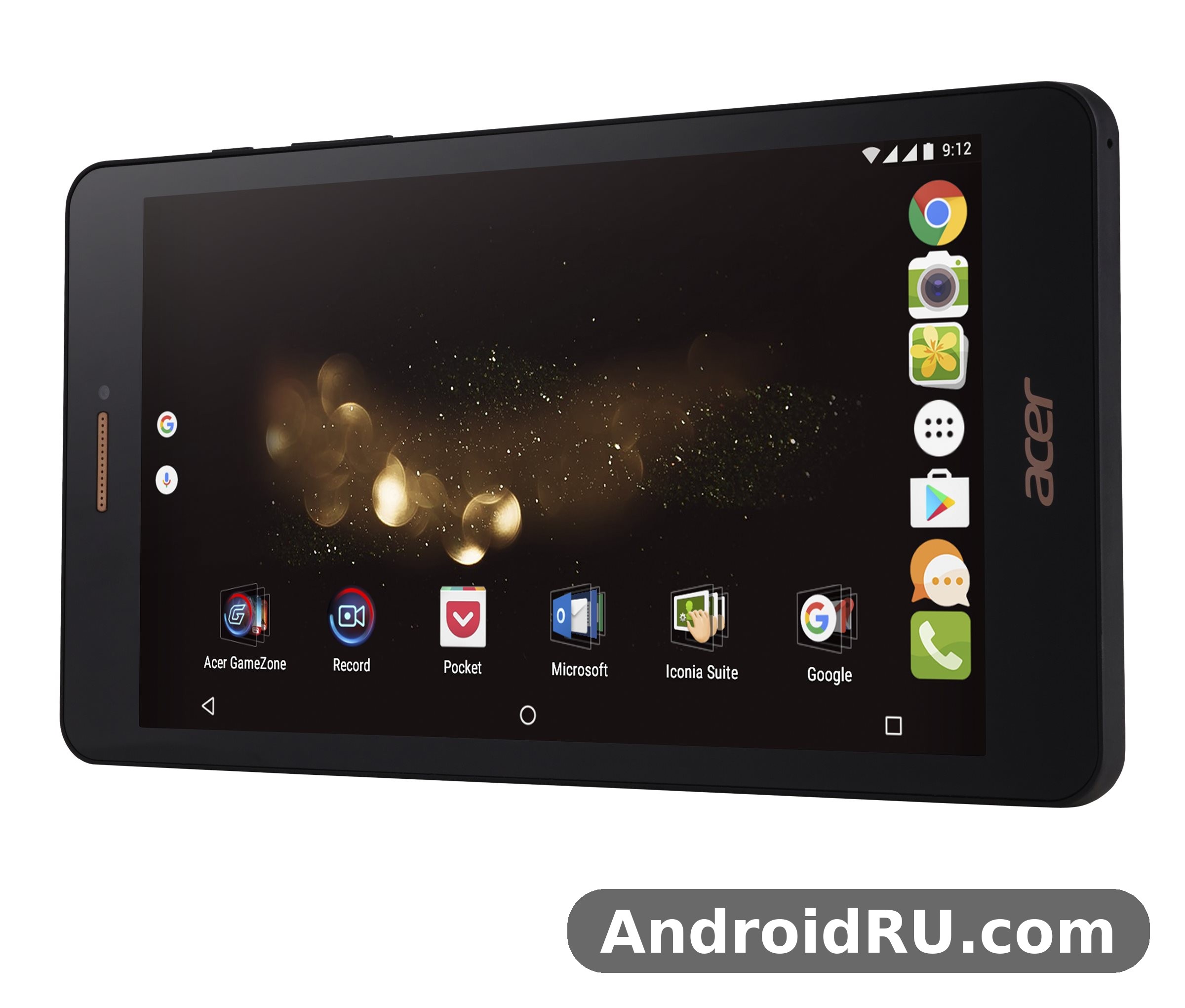
The short version is simple. This is a budget tablet with a 3400mAh battery that Acer rated for up to 9 hours of multimedia use, 2GB of RAM, and a choice of 16GB or 32GB of internal storage with a dedicated microSD slot. It runs Android 6.0 Marshmallow on a MediaTek MT8735 quad-core chip, and it takes two SIM cards with LTE. It will not keep up with a modern tablet, but for reading, video, calls and light apps it still has a clear job to do.
This Iconia Talk S review sticks to facts you can check: the published specification sheet, the launch price of around 169 euros, and the way each hardware choice plays out in daily use. No feature is invented here, and where a number depends on how you use the tablet, you will get a range instead of a promise. As an Acer tablet from 2016, it belongs to a different era of Android hardware, and that context shapes every verdict below.
Acer Iconia Talk S at a Glance: A 7-Inch Tablet That Makes Calls
The Iconia Talk S is a 7-inch tablet with a SIM card slot, and that slot is the whole point. Most tablets in this size and price range were Wi-Fi only, which meant they went quiet the moment you left home. This one carries its own mobile connection, so maps, messages and calls keep working on the road. It was aimed at people who wanted one device for the bag rather than a tablet plus a phone, and at buyers who liked the idea of a big screen for reading without giving up voice calls.
Which Iconia Talk S Is This Review About?
Two different tablets share the Iconia Talk S name, and mixing them up is the most common mistake in listings and second-hand adverts. The first one, model A1-724, arrived in late 2014 with a Qualcomm Snapdragon 410 chip, 1GB of RAM, Android 4.4 KitKat, a 3780mAh battery and a 5MP rear camera. The second one, model A1-734, is the tablet this review covers. The Acer Iconia Talk S A1-734 model number difference is the fastest way to tell them apart: the 2016 model runs a MediaTek MT8735 chip with 2GB of RAM, Android 6.0 Marshmallow, a 3400mAh battery and a 13MP rear camera. If a listing quotes 1GB of RAM or Android 4.4, it is describing the older A1-724, not the tablet reviewed here.
The Acer Iconia Talk S release date October 2016 is the date that belongs to the 2016 model, which was announced in August 2016 and reached shops in October of the same year. The Iconia Talk S price at launch was around 169 euros in Europe, with an expected price of about 204 US dollars quoted in specification listings. That put it firmly in budget territory, below the mainstream 7-inch and 8-inch tablets of the time, and the hardware reflects that price in every section below.
Who This Tablet Was Built For
Acer aimed this tablet at commuters, frequent travellers and anyone who reads a lot on the move. The 7-inch screen is big enough for ebooks and web pages, small enough to hold in one hand on a bus, and the LTE connection means a book, a map or a video does not need a hotspot. It also suited people who wanted a second device for the car or the kitchen, a spare screen for video calls with family, or a simple tablet for an older relative who still wants to make ordinary phone calls from the same device.
It was never aimed at power users. The chip, the memory and the screen resolution all say the same thing: this tablet is for light, steady use rather than heavy multitasking or demanding games. Buyers who understood that trade-off at launch were the happy ones, and the same holds true for anyone considering a used unit today.
Acer Iconia Talk S Battery Life: What the 3400mAh Cell Delivers
Battery life is the first promise in the title of this review, and it is also the first thing to check on any used unit, because a sealed battery from 2016 has already lived a long life. The cell is a non-removable lithium-ion unit rated at 3400mAh, or 12.92 Wh, and Acer quoted up to 9 hours of multimedia use. That figure is a manufacturer rating under controlled conditions, so treat it as a ceiling, not a daily guarantee.
Everyday Battery Life in Practice
So, Acer Iconia Talk S battery life how long does it last when the tablet is used the way most people use it? A realistic answer is a range. For video playback at moderate brightness with Wi-Fi on, expect roughly 6 to 8 hours from a healthy cell. For mixed use, some reading, some browsing, a few calls and a video or two, a full charge covers a day of light use with room to spare. For standby with the screen off, the tablet stretches across several days, because the low-power quad-core chip sips energy when idle. Heavy LTE use, bright outdoor viewing and long video calls all pull that range down, sometimes by a third.
The 7-inch HD screen helps here. A 1280 x 720 panel at this size draws less power than the sharper screens on larger tablets, and the MediaTek MT8735 is a modest chip that does not run hot. The trade-off is speed, covered later, but for battery life the modest hardware is a genuine advantage. A tablet that lasts a full day of reading and video without hunting for a charger is doing exactly what this one was built to do.
What Drains the Battery Fastest
Three things drain this battery faster than anything else: the mobile connection, the screen brightness and video calls. LTE in a weak signal area forces the radio to work harder, and that shows up directly in battery drain. A bright screen outdoors costs far more than the same screen indoors. Video calls combine the camera, the screen, the speaker and the radio at once, and they are the heaviest everyday load this tablet faces. Turning brightness down to a comfortable indoor level, using Wi-Fi where it is available and closing apps that sit in the background are the simplest ways to stretch a charge.
Age matters too. Acer Iconia Talk S 3400mAh battery replacement options are limited because the cell is sealed inside the case and there is no official battery service for a discontinued 2016 tablet. A tired battery in a second-hand unit will show up as sudden drops in percentage, shutdowns above 10 percent, or a tablet that only lasts a couple of hours. Those are signs the cell is worn out, and replacing it means opening the tablet, which is a repair job rather than a quick swap. Check battery behaviour before paying for a used unit, and treat any seller claim of a brand-new battery with care.
Charging the Iconia Talk S: What to Expect
Iconia Talk S charging runs over a micro-USB 2.0 port, the standard of its era, and there is no fast charging on the specification sheet. Acer Iconia Talk S charging time and battery drain are linked: a full charge from empty takes roughly three to four hours on the bundled charger, and the tablet charges more slowly while the screen is on. Use the charger that came with it or a reputable 5V charger of similar output, keep the micro-USB port free of dust, and expect the last stretch from 90 to 100 percent to take longer than the first stretch from empty to half full. That slow final phase is normal for lithium-ion cells and protects the battery over time.
Acer Iconia Talk S Storage: 16GB or 32GB Plus microSD
Storage is the second promise in the title, and it is the area where buyers of a used unit most often get caught out. The tablet was sold with either 16GB or 32GB of internal storage, and the version you find second-hand is very often the 16GB one. The operating system and the pre-installed apps take a share of that space before you install anything, so the free space on a 16GB model is noticeably smaller than the number on the box.
How Much Space You Actually Get
Acer Iconia Talk S 16GB storage is it enough in 2026? For a reader who keeps a handful of books, a few apps and some photos, yes, it can be. For anyone who downloads video for offline viewing, keeps large games or stores a big photo library, no, it is not. The Iconia Talk S storage story is really about the microSD slot, because the internal storage alone was tight even at launch. The 16GB or 32GB of storage gives you the starting point, and the card slot gives you the room to grow.
Acer Iconia Talk S 32GB storage version availability varied by region and by retailer, so the 32GB model is harder to find second-hand in some markets. If you have the choice and the price difference is small, the 32GB version is the better buy, because it doubles the room for apps and system updates before the card slot has to do any work. Either way, check the free space in the settings menu before paying, and be wary of a unit that arrives almost full, since a full tablet runs slower and leaves no room for app updates.
Moving Apps and Media to a microSD Card
Acer Iconia Talk S microSD card expandable storage up to 128GB is the real safety net for this tablet. The Iconia Talk S microSD slot is a dedicated slot, which means the card does not take the place of a SIM card, and both SIM slots stay free while the card is in place. Photos, videos, music and downloaded documents can live on the card, and Android 6.0 lets you move some app data across as well, though not every app supports it.
The practical setup is simple: keep apps and the system on internal storage, and keep media on the card. A 64GB card is the sweet spot for most owners, big enough for a solid offline video collection without costing much, while a 128GB card suits anyone who carries a large music or ebook library. Buy a card from a known brand and format it in the tablet itself, because a slow or fake card is the most common cause of stuttering video and vanishing photos on a tablet of this age.
Storage Cleanup Tips That Still Work on Android 6.0
Acer Iconia Talk S factory reset and storage cleanup tips start with the obvious and work downwards. First, clear the cached data of browsers and video apps, which can quietly grow to hundreds of megabytes. Second, uninstall apps you have not opened in months, and move photos and videos to the microSD card or to a computer. Third, check the downloads folder, where forgotten files tend to pile up. A factory reset is the last resort, useful when a used tablet arrives full of someone else’s apps, but back up anything you want to keep first, because a reset wipes the internal storage completely.
Display, Design and Everyday Use on a 7-Inch Screen
The screen is where you spend all of your time with a tablet, so it deserves a close look. Acer Iconia Talk S for everyday use reading and video is where the tablet earns its keep, and the display is good enough for that job without being remarkable. The panel is a 7.0-inch IPS LCD with a resolution of 720 x 1280 pixels in a 16:9 ratio, which works out to about 210 pixels per inch. Colours are natural rather than vivid, viewing angles are wide thanks to the IPS panel, and the screen is bright enough for indoor use, though it struggles in direct sunlight like most budget tablets of its time.
The 7-Inch HD IPS Display
Acer Iconia Talk S 7 inch tablet display quality is decent for the price and the era. Text is readable, video looks clean at normal viewing distance, and the 16:9 shape suits widescreen video better than it suits reading, since a page of text feels narrower than on a 4:3 tablet. Acer Iconia Talk S screen 210 ppi sharpness for reading is adequate rather than crisp: book text is comfortable at normal sizes, small print needs a pinch to zoom, and comics or magazines with fine detail show the limits of a 720p panel. The screen covers about 69.8 percent of the front face, so the bezels are wide by modern standards, but they also give your thumbs somewhere to rest without touching the display.
The Iconia Talk S display is a capacitive touchscreen with 16 million colours, and it responds well to light touches. There is no stylus support and no high refresh rate, both of which would have been unusual at this price in 2016. For scrolling through articles, watching videos and tapping through menus, the panel does its job without fuss.
Size, Weight and Holding It for Hours
The Acer Iconia Talk S 191.7 x 101 x 9.4 mm dimensions weight of 260 grams make it a genuinely portable tablet. Those Iconia Talk S dimensions put it in the same pocket as a large paperback book, and the Iconia Talk S weight is light enough to hold one-handed for a chapter or two, though a 7-inch tablet is still a two-handed device for long reading sessions. The body is 9.4 mm thick, which feels chunky next to a modern tablet but gives the case a solid, grippy feel rather than a fragile one.
Design-wise, the launch units paired black with gold trim, a look that stood out against the plain black slabs most rivals were selling. The buttons and ports sit where you expect them, the micro-USB port is on the edge for easy charging while reading, and the overall build is plastic with a finish that hides fingerprints better than glossy rivals. It will not win a design award in 2026, but it does not feel cheap in the hand either.
Performance: MediaTek MT8735, 2GB of RAM and Android 6.0
Overall Iconia Talk S performance is best described as steady rather than fast. The MediaTek MT8735 is a quad-core chip with four Cortex-A53 cores running at up to 1.3 GHz, paired with a Mali-T720MP2 graphics processor. It was a budget chip even when it was new, built for efficiency and low cost rather than speed, and a decade later it is firmly in the slow lane. That does not make the tablet useless. It makes it a specialist in light tasks.
Day-to-Day Speed and Multitasking
Acer Iconia Talk S 2GB RAM multitasking performance is limited to a few light apps at a time. The Iconia Talk S RAM is 2GB, which is double the 1GB in the older A1-724 and enough for a browser with a couple of tabs, an ebook reader and a messaging app, but not enough to juggle a dozen apps without reloads. Switching between two apps is fine. Switching between six will see apps restart, and heavy web pages with lots of advertising will make the browser pause. Keeping the number of open apps small and using lite versions of apps where they exist are the two habits that keep this tablet feeling responsive.
Acer Iconia Talk S MediaTek MT8735 performance review notes from the time praised the chip for steady, cool running rather than raw speed, and that still holds. The tablet does not get hot in normal use, it handles 1080p video playback smoothly, and it opens books, maps and email without drama. What it does not do is rush. App installs take a while, updates take longer, and anything that asks for serious processing, like editing a large document with images, will feel slow. For reading, browsing, calls and video, the speed is acceptable. For anything heavier, it is not the right tool.
Gaming on the Mali-T720MP2
Iconia Talk S gaming is a casual affair. Acer Iconia Talk S Mali T720MP2 gaming performance suits puzzle games, card games, simple platformers and older casual titles, all of which run at smooth frame rates on the 720p screen. Demanding 3D games from recent years will struggle, with low frame rates and long loading times, and some newer titles will not install at all because of the old Android version. The 7-inch screen is a comfortable size for handheld gaming, and the loudspeaker is loud enough for casual play without headphones, but anyone buying this tablet mainly for games should look at a newer device instead.
The Iconia Talk S software is Android 6.0 Marshmallow, and that is where the performance story meets its hardest limit. The Acer Iconia Talk S Android 6.0 Marshmallow update story is short: it shipped with 6.0 and stayed there, with no major version upgrade on the published record. Iconia Talk S updates stopped long ago, which means newer apps increasingly refuse to install, security patches are years out of date, and some services will warn about the old system. That is the single biggest reason to treat this tablet as a secondary device for offline-friendly tasks rather than a daily driver for banking or sensitive accounts.
Cameras, Sound and Connectivity
The cameras on a budget tablet are rarely the reason to buy one, and the Iconia Talk S follows that pattern. What it does offer is a usable rear camera for quick snaps and a front camera that covers video calls, plus a connectivity list that was generous for the price: dual SIM LTE, Wi-Fi, Bluetooth, GPS and even an FM radio.
13MP Rear Camera and 2MP Front Camera
Acer Iconia Talk S 13MP camera photo quality is usable in daylight and weak everywhere else. The Iconia Talk S camera setup pairs a 13MP rear sensor with autofocus, HDR and panorama modes against a 2MP front camera, and the rear camera records 1080p video at 30 frames per second. Acer Iconia Talk S 1080p video recording rear camera output is steady enough for short clips of family moments or a quick record of a whiteboard, but the small sensor and the modest lens mean indoor shots come out noisy and low-light shots come out soft.
Acer Iconia Talk S front 2MP camera video calls are passable on a good connection, with a soft image that is fine for family chats and poor for anything where detail matters. Nobody should buy this tablet for photography. Its camera is a convenience for scanning a document, snapping a timetable or joining a call, and judged on that basis it does enough.
LTE, Wi-Fi, GPS and the Rest
Connectivity is one of the strongest parts of this tablet. The Iconia Talk S SIM setup is unusual for a tablet: one micro-SIM and one nano-SIM, both live at once. The Acer Iconia Talk S dual SIM LTE tablet price was around 169 euros at launch, and for that money buyers got two SIM slots, one micro-SIM and one nano-SIM, with LTE Cat4 speeds of up to 150 Mbps down and 50 Mbps up, plus HSPA at 42.2 Mbps down. Acer Iconia Talk S LTE Cat4 download speed real world figures sit well below the 150 Mbps ceiling, as they do on every device, but the connection is fast enough for video streaming, maps and calls wherever coverage is decent.
Acer Iconia Talk S WiFi hotspot and Bluetooth 4.0 cover the basics: Wi-Fi 802.11 a/b/g/n with Wi-Fi Direct and hotspot mode, so the tablet can share its mobile connection with a laptop, and Bluetooth 4.0 with A2DP for wireless headphones and speakers. The Iconia Talk S Bluetooth range is ordinary for the standard, fine across a room. Iconia Talk S GPS uses A-GPS and GLONASS, and Acer Iconia Talk S GPS GLONASS navigation accuracy is fine for road use and walking directions, with a fix that usually arrives within seconds outdoors. The Acer Iconia Talk S FM radio and 3.5mm headphone jack are small extras that still matter to some owners: the radio works with wired headphones as an antenna, and the jack carries DTS-HD sound. For sound, the Iconia Talk S speakers are a single loudspeaker plus that 3.5mm jack, and the loudspeaker is loud enough for video in a quiet room. The Acer Iconia Talk S accelerometer and proximity sensor list is short, just those two sensors, and there is no NFC, no fingerprint reader and no infrared port.
Full Specifications
This Acer Iconia Talk S full specifications and features table brings every published number together in one place. The Iconia Talk S specs below are the 2016 model, A1-734, and they are the numbers to check against any second-hand listing before you pay.
| Feature | Acer Iconia Talk S (2016, A1-734) |
|---|---|
| Launch | Announced August 2016, released October 2016, now discontinued |
| Display | 7.0-inch IPS LCD, 720 x 1280 pixels, 16:9, about 210 ppi, 69.8% screen-to-body ratio |
| Chipset | MediaTek MT8735 |
| CPU | Quad-core 1.3 GHz Cortex-A53 |
| GPU | Mali-T720MP2 |
| RAM | 2GB |
| Storage | 16GB or 32GB internal |
| Card slot | microSD, up to 128GB, dedicated slot |
| Rear camera | 13MP, autofocus, HDR, panorama, 1080p video at 30fps |
| Front camera | 2MP |
| Battery | 3400mAh non-removable Li-ion, 12.92 Wh, up to 9 hours multimedia use |
| Operating system | Android 6.0 Marshmallow |
| SIM | Dual SIM, micro-SIM and nano-SIM |
| Network | GSM, HSPA, LTE Cat4 150/50 Mbps |
| Wi-Fi | Wi-Fi 802.11 a/b/g/n, Wi-Fi Direct, hotspot |
| Bluetooth | 4.0, A2DP |
| GPS | Yes, with A-GPS and GLONASS |
| FM radio | Yes |
| USB | microUSB 2.0 |
| Audio | 3.5mm jack, DTS-HD sound, loudspeaker |
| Sensors | Accelerometer, proximity |
| NFC | No |
| Dimensions | 191.7 x 101 x 9.4 mm |
| Weight | 260 g |
Iconia Talk S vs the Older A1-724
Acer Iconia Talk S vs other 7 inch tablets from the same period is a useful comparison, but the closest comparison of all is with its own older namesake. The table below lines the 2016 model up against the 2014 A1-724 and against a different Acer tablet from a later era, the Chromebook Tab 10, so the generational gap is easy to see.
| Feature | Iconia Talk S (2016) | Iconia Talk S A1-724 (2014) | Acer Chromebook Tab 10 |
|---|---|---|---|
| Display | 7.0-inch IPS, 720 x 1280 | 7.0-inch IPS, 800 x 1280 | 9.7-inch, 2048 x 1536 |
| Chipset | MediaTek MT8735 | Qualcomm Snapdragon 410 | Qualcomm Snapdragon 835 |
| RAM | 2GB | 1GB | 4GB |
| Storage | 16GB or 32GB, microSD to 128GB | 16GB, microSD to 128GB | 32GB |
| Battery | 3400mAh, up to 9 hours multimedia | 3780mAh | 34 Wh, about 9 hours |
| Rear camera | 13MP, 1080p video | 5MP | 5MP |
| Operating system | Android 6.0 Marshmallow | Android 4.4 KitKat | ChromeOS |
| Phone calls | Yes, dual SIM LTE | Yes, dual SIM LTE | No |
The 2016 model is the better tablet in almost every respect that matters for daily use: twice the RAM, a newer Android version, a much better rear camera and a faster chip for everyday tasks. The older A1-724 only wins on battery capacity, and even that advantage is small once the newer screen and chip are taken into account. Anyone choosing between the two should pick the 2016 model, and should check the model number on the back of the device before paying.
How It Compares With the Acer Chromebook Tab 10
The Chromebook Tab 10 is a different kind of Acer tablet: a larger 9.7-inch device running ChromeOS with a stylus, built for classrooms and web work rather than phone calls. It has a sharper screen, more RAM and a faster chip, but it cannot make phone calls and it is a bigger device to carry. The comparison shows what the Iconia Talk S gives up in screen and speed to gain portability and a SIM slot. For a full look at that larger Acer tablet, see Acer Chromebook Tab 10 Review: Design, Software and Storage, which covers its design, its software and its storage in detail.
Pros and Cons: Who the Iconia Talk S Suits
Every budget tablet is a bundle of trade-offs, and this one is no exception. The honest picture is a device that does a small set of jobs well and should not be asked to do more.
Pros: the 7-inch size is genuinely portable, the dual SIM LTE connection keeps it useful away from Wi-Fi, the microSD slot fixes the tight internal storage, the battery covers a day of light use, and the price on the second-hand market is low. The IPS display is pleasant for reading, the FM radio and headphone jack are handy extras, and the tablet runs cool and quiet in normal use.
Cons: Android 6.0 is old and no longer updated, so newer apps may refuse to install; 2GB of RAM limits multitasking; the 720p screen is soft for fine print; the cameras are weak in low light; the battery is sealed and hard to replace; and there is no fast charging, no NFC and no fingerprint reader. Typical Iconia Talk S problems at this age are a tired battery, a worn micro-USB port and sluggish performance when the storage is nearly full, all of which are worth checking on a used unit.
Who Should Still Consider One
With the Acer Iconia Talk S discontinued where to buy second hand is the only realistic route, and the buyers who get value from it are the ones with a narrow job in mind. An Iconia Talk S second hand purchase should start with a battery check, a test of both SIM slots and a look at the microSD slot, and then it suits a reader, a traveller who wants offline maps and calls in one device, a parent looking for a cheap tablet for video calls with family, or anyone who wants a spare screen for the car or the kitchen. Iconia Talk S accessories are basic now, a case, a screen protector and a micro-USB cable, and that is all most owners need.
Who Should Look Elsewhere
Anyone who needs a daily driver for work, banking, recent apps or demanding games should look elsewhere. The old Android version alone rules it out as a primary device for sensitive accounts, and the 2GB of RAM rules it out for heavy multitasking. Iconia Talk S alternatives worth a look include newer budget tablets and, for buyers who prefer a phone-sized device, recent Acer phones such as the ones covered in Acer Liquid Z6 Plus Review: Key Features Tested and the Complete Specs and Acer Liquid Z6 After a Week of Use: Review, Display and Full Specs. Readers curious about other Acer phones from the same era can also read A Closer Look at the Acer Acerone Liquid S162E4: Review, Specs and Real-World Use and A Closer Look at the Acer Acerone Liquid S272E4: Review, Specs and Real-World Use to compare how Acer balanced price, screen and battery across its range.
Frequently Asked Questions
Is the Acer Iconia Talk S still worth buying in 2026?
It is worth buying only as a cheap secondary device for a narrow job, such as reading, video, offline maps and voice calls. As a primary tablet it is not worth it, because Android 6.0 is no longer updated, many newer apps will not install, and the 2GB of RAM limits what it can do at once. Pay a low second-hand price, check the battery first, and treat it as a spare screen rather than a daily driver.
How long does the Acer Iconia Talk S battery last?
Acer rated the 3400mAh battery for up to 9 hours of multimedia use. In practice a healthy cell gives roughly 6 to 8 hours of video playback, a day of light mixed use, and several days on standby. A worn battery in a used unit will last far less, so check for sudden percentage drops or shutdowns above 10 percent before buying.
Can the Acer Iconia Talk S make phone calls?
Yes. The tablet has two SIM slots, one micro-SIM and one nano-SIM, with LTE support, and it makes ordinary voice calls as well as sending text messages. Calls work through the loudspeaker or through wired headphones connected to the 3.5mm jack, and the dual SIM setup lets you keep a personal number and a travel number in the same device.
Does the Acer Iconia Talk S support microSD cards?
Yes. It has a dedicated microSD slot that accepts cards up to 128GB, and the slot is separate from the SIM slots, so using a card does not cost you a SIM. Photos, videos, music and documents can live on the card, which is the easiest way to live with the 16GB version of the tablet.
Final Verdict: Battery Life, Storage and Everyday Use
That is the honest answer this Acer Iconia Talk S Review: Battery Life, Storage and Everyday Use comes down to. The battery is good for a day of light use and up to 9 hours of multimedia on paper, the storage is tight at 16GB but workable thanks to the microSD slot, and everyday use is comfortable for reading, video, calls and light browsing. The price for all of that is an old Android version, modest speed and a sealed battery that is now a decade old.
If you find a clean 2016 unit at a low price, check the battery, both SIM slots and the card slot, put in a microSD card, and keep your expectations to light tasks, it will serve you well as a second device. If you need a primary tablet for work, recent apps or heavy use, spend a little more on something newer. That is the line this tablet draws, and it is a clear one.

