

Samsung Galaxy A52s 5G Review: Photo Quality, Video and Performance
The Samsung Galaxy A52s 5G arrived as a mid-range phone with a camera setup that looked far more ambitious than its price suggested. A 64MP main sensor with optical image stabilisation, a 120Hz Super AMOLED display and the Snapdragon 778G gave it the raw ingredients of a much more expensive handset. I spent extended time with this phone as a daily driver, shooting in bright sun, dim restaurants, rain and late-night streets, and the results were mostly impressive, with a few quirks worth knowing before you buy. In a straight Galaxy A52s 5G camera test against its predecessor, the main sensor holds up well in daylight, with the biggest gains showing in night mode and portrait edge detection. The A52s storage starts at 128GB in the base model, and buyers who shoot a lot of video should consider the larger version, though a microSD card can add room later.
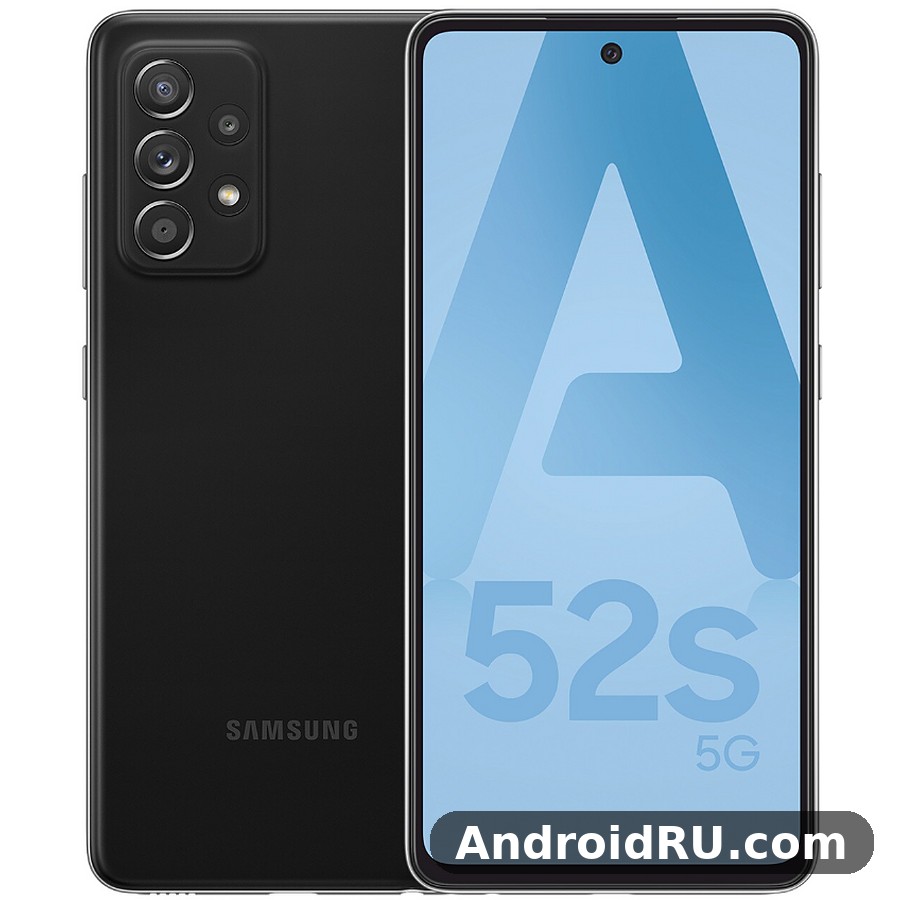
This Samsung Galaxy A52s 5G camera review focuses on the three things the title promises: photo quality, video and performance. You will find real shooting notes, honest trade-offs and practical settings, not a spec sheet repeated back at you. The full specifications section further down lists every number in one place, from the display and chipset to the battery and sensors, so this single article covers both the hands-on experience and the hard data. The Galaxy A52s 5G gaming performance is good for popular titles at medium settings, though demanding games need lower graphics settings to hold a steady frame rate. The A52s eSIM option is not available on this model, so a second line needs the physical dual-SIM tray.
Who is this review for? Anyone weighing a used or discounted A52s 5G in 2026, anyone comparing it with the newer A-series phones, and anyone who cares more about the camera than about having the latest model number. The phone launched with Android 11 and One UI 3.1, and Samsung kept it updated for years, so the software story matters as much as the hardware here. If you want a camera-first mid-range phone without flagship money, the next sections will tell you exactly what to expect. The Galaxy A52s 5G night mode camera work is strongest on the main sensor, where multi-frame processing brightens shadows without turning night scenes into daylight. The A52s NFC chip covers contactless payments and tap-to-pair accessories, though availability can vary by region.
Samsung Galaxy A52s 5G Camera Hardware: 64MP OIS Main Sensor and Quad Lenses
Four cameras sit on the back, and two of them do most of the work. The main camera is a 64MP sensor with an f/1.8 aperture, phase detection autofocus and optical image stabilisation, which steadies the sensor itself rather than relying on software alone. That hardware stabilisation is the single most useful camera feature on this phone, and it shows up in sharp evening shots and steadier video. Beside it sits a 12MP ultrawide camera with a 123-degree field of view, a 5MP macro camera and a 5MP depth sensor. The front camera is a 32MP unit set into a small punch hole at the top of the display. Video tops out at 4K at 30 frames per second from the rear camera, with 1080p at 60 frames per second available when you want smoother motion. The Galaxy A52s 5G selfie camera quality is solid in good light, with the 32MP front sensor capturing natural skin tones and enough detail for social photos and video calls. The A52s microSD slot accepts cards up to 1TB, which is the cheapest way to add room for photos and offline video.
64MP Main Camera With Optical Image Stabilisation
By default the main camera shoots 16MP pixel-binned photos, combining four pixels into one for cleaner results and better light gathering. You can switch to the full 64MP mode in the camera settings, but the binned 16MP shots are the ones you will want most days: they are smaller, cleaner in low light and easier to share. When I compared Galaxy A52s 5G 64MP camera samples side by side with the standard output, full resolution helped only when I planned to crop hard into a distant subject, and even then the gain was modest. Autofocus is quick in good light and locks onto faces and pets without hunting. In dimmer scenes it slows a little, and the phone sometimes takes an extra beat before the shutter fires. That pause is short, but it is the difference between catching a toddler mid-laugh and catching the back of their head. The best camera settings for Galaxy A52s 5G start with the main lens at full resolution for landscapes, night mode after dark, and the grid switched on for straighter horizons.
When to Use the Full 64MP Mode
Use the full 64MP mode for landscapes you plan to print large, or for a distant sign you want to crop into later. For everything else, the binned 16MP mode gives cleaner files, faster processing and better low-light results. The full-resolution files are also much larger, so they fill storage quickly on a phone where photos already pile up fast. This A52s review is based on daily use rather than benchmarks alone, so the verdict reflects how the phone behaves over weeks, not minutes.
12MP Ultrawide Camera for Landscapes and Group Shots
The ultrawide lens is genuinely useful for landscapes, tight interiors and group shots where stepping back is not an option. Galaxy A52s 5G ultrawide camera quality holds up well in daylight: colours stay close to the main camera, which is not always true on mid-range phones, and edge softness is mild rather than distracting. Distortion is visible at the corners if you look for it, especially with straight lines like door frames, but the phone corrects much of it automatically. Night shots from the ultrawide are a clear step down from the main camera. Without stabilisation and with a slower f/2.2 aperture, it gathers less light and leans on longer exposures that smear fine detail. Treat it as a daylight and golden-hour lens, and switch to the main camera after dark. The A52s camera is built around its 64MP main sensor with optical image stabilisation, which does most of the heavy lifting in everyday photos.
5MP Macro and 5MP Depth Cameras
The macro camera focuses from a few centimetres away and can produce fun close-ups of flowers, food and textures. A52s 5G macro camera close up photos look best in bright light, where the modest 5MP resolution still resolves fine detail, but in dim light the results soften quickly. The depth sensor supports portrait mode, helping the phone separate a subject from the background for a natural blur. Neither of these two cameras will be the reason you buy the phone. They round out the system and they work when asked, yet the main and ultrawide cameras carry almost every shot you will actually keep. The A52s selfie camera handles video calls and social photos well in good light, with portrait mode adding a soft background blur.
Photo Quality in Daylight: Colour, Detail and Dynamic Range
In bright daylight the A52s 5G is hard to fault. Galaxy A52s 5G photo quality in daylight is punchy without looking overcooked, skies stay blue instead of washing out, and shadows keep detail instead of crushing to black. Samsung’s processing leans warm and vivid by default, which suits travel photos and food, though anyone who prefers a flat, neutral file will want to dial the saturation back in the gallery editor. Dynamic range is strong for the class. Shooting into a bright window or a sunlit street, the phone holds highlights and lifts shadows in the same frame. HDR kicks in automatically, and it rarely produces the halo artefacts that cheaper phones show around rooflines and tree branches. The Galaxy A52s 5G headphone jack does not exist on this model, so wired listening needs a USB-C adapter or a USB-C headset. A Galaxy A52s 5G water resistance test shows the IP67 rating holding up against rain, splashes and brief immersion in fresh water, though Samsung does not cover water damage under warranty. The A52s IP67 rating means the phone survives rain, splashes and brief immersion in fresh water, though Samsung does not cover water damage under warranty.
Colour and Dynamic Range in Bright Light
Greens look rich rather than radioactive, skin tones stay believable in open shade, and reds hold their shape instead of bleeding into neighbouring pixels. Galaxy A52s 5G dynamic range HDR photos keep highlight detail in skies while lifting shadow detail in the same frame, which is exactly what you want from a travel camera. On very sunny days the phone can push contrast a touch too far, so faces in harsh midday light sometimes lose a little detail in the brightest patches. Turning on the scene optimiser helps with landscapes, but I left it off for people, where its extra processing can smooth skin more than I like. The best screen protector for Galaxy A52s 5G is a tempered glass one that covers the display fully and still lets touch input feel direct. The A52s colours are Awesome Black, Awesome White, Awesome Violet and Awesome Mint, with the darker shades hiding fingerprints best. A good A52s case is worth buying on day one, because the back panel shows scratches and smudges quickly.
Detail, 2x Digital Zoom and Portrait Mode
At 16MP, daylight detail is excellent: brickwork, foliage and fabric all resolve cleanly, and crops to half the frame still look fine on a phone screen or a small print. A52s 5G 2x digital zoom quality holds up well in good light thanks to the high-resolution sensor, while 4x and beyond softens quickly and is best reserved for shots you cannot walk closer to. There is no telephoto lens here, so zoom is always a compromise. Portrait mode is one of the pleasant surprises. Edge detection around hair is decent, the blur falls off naturally, and the phone lets you adjust the blur strength before and after the shot. Busy backgrounds with thin branches can confuse it, so check the result before moving on when the backdrop is complicated. The A52s portrait mode works best with a clear subject and some distance behind them, which keeps edge detection clean.
Portrait Mode Edge Detection in Practice
A52s 5G portrait mode edge detection works best when the subject stands a metre or two from the background, with hair against a bright sky as the hardest test. The phone handles that test better than most rivals at this price, with only the occasional stray strand blurred or kept by mistake. The live focus preview is accurate enough to trust, so check the outline on screen before you press the shutter.
Low-Light Photos and Night Mode on the Galaxy A52s 5G
After dark is where the stabilised main camera earns its keep. A52s 5G Night mode low light photos are a clear step up from the standard mode, but the standard mode still has its place. Standard low-light shots are usable rather than great: expect visible noise in the shadows, softer detail and colours that drift a little warm under street lighting. That is normal for a mid-range sensor, and the A52s 5G handles it better than the average phone in its price band did at launch. Night mode changes the picture. It stacks several exposures over a few seconds, and with the phone held reasonably steady the results are brighter, cleaner and more detailed in places the standard mode turns to murk. A handheld Night mode shot takes around two to four seconds, and the stabilisation keeps most of that time usable without a tripod. Does Galaxy A52s 5G have a microSD card slot? Yes, the hybrid tray accepts cards up to 1TB, though the second SIM slot is shared with the card. The A52s signal holds up well on calls and mobile data, though thick walls and crowded places can still weaken reception on any phone.
Night Mode: What Changes After Dark
Switching to Night mode brightens the whole scene, sometimes beyond what your eye sees, which can make a dim cafe look like a brightly lit room. That is a matter of taste: the extra brightness reveals detail, but it can flatten the mood of a candlelit scene. For city streets, markets and building exteriors, Night mode is the right choice nearly every time. For moody indoor shots, the standard mode often keeps the atmosphere better. Moving subjects are the weak point. People walking through a Night mode frame blur, and pets rarely sit still long enough. For those shots, use the standard mode with a higher ISO and accept some noise, or add light to the scene and keep the shutter fast.
How to Get the Best Night Mode Shot
Small habits make the difference between a keeper and a smear. Brace the phone against a wall, a table or a railing, tap to focus on the brightest part of your subject, and hold still until the capture circle finishes. Avoid tapping the shutter again while the phone is still processing, and give it a second to finish writing the file. If the scene has people in it, ask them to hold still for the full capture, and take two shots so you have a backup when one of them blinks.
- Switch to Night mode and brace the phone against something solid.
- Tap to focus on the brightest part of your subject, then hold still.
- Wait for the capture circle to finish before moving the phone.
- Check the result on screen and retake it if a moving subject blurred.
Video Recording: 4K Footage, Stabilisation and Selfie Video
Video is a genuine strength. The Galaxy A52s 5G 4K video recording test I ran on walks, in markets and at family gatherings kept coming back with the same verdict: smooth, colourful and easy to watch. The rear camera records 4K at 30 frames per second with electronic stabilisation on top of the optical stabilisation, and A52s 5G video stabilisation walking footage looks smooth at a normal pace. Colours match the photo output, autofocus shifts are gentle rather than jumpy, and audio from the built-in microphones is clear enough for vlogs and family clips, with wind noise kept under control on calm days. Super Steady mode crops in further and leans on the ultrawide camera for extra stability, which is useful for running or cycling footage. The trade-off is a narrower field of view and softer detail, so I used it only when the motion demanded it. Standard stabilised 4K was the better default for almost everything else.
4K Video at 30fps in Daylight and Indoors
Daylight 4K footage is crisp, with good dynamic range and natural motion. Panning slowly gives clean results, while fast pans show the rolling shutter wobble that affects most phones in this class. Indoors and at dusk, noise appears and detail softens, and the stabilisation works harder, which can give handheld clips a faint floating feel. A52s 5G 1080p 60fps video low light is often the smarter choice in those conditions, since the higher frame rate and lower resolution hide noise better than 4K does.
Selfie Video and Slow Motion
The 32MP front camera records 4K at 30fps too, which is rare at this price and genuinely handy for video calls and self-recorded clips. A52s 5G selfie camera 32MP video calls come out sharp in daylight, skin tones are flattering without looking plastic, and the wide field of view fits two people comfortably. Galaxy A52s 5G slow motion video 240fps in 720p is fun for sports and pets, though the resolution drop is obvious on a large screen, so treat it as a novelty rather than a daily tool.
Snapdragon 778G Performance in Daily Use and Gaming
The Snapdragon 778G is the reason this phone aged better than its stablemates. Built on a 6nm process with a Kryo 670 CPU and Adreno 642L GPU, it is fast enough that everyday tasks never feel like a compromise: apps open quickly, the 120Hz display stays smooth while scrolling, and switching between a dozen apps rarely forces a reload. The Snapdragon 778G also explains why the phone still feels quick years after launch, when rivals on weaker chips already feel sluggish. One UI on top of Android is heavier than stock Android, and the phone occasionally pauses for a beat when a big app first loads or when the camera processes a Night mode shot. Those pauses are short and infrequent, and they never turned into the stutters that cheaper chips show. With 6GB or 8GB of RAM depending on the variant, multitasking holds up well, and the 8GB model keeps more apps alive in the background. The Snapdragon 778G processor performance in the Galaxy A52s 5G is smooth for daily apps and multitasking, with benchmark scores that sit comfortably in the upper mid-range. If A52s overheating shows up during long gaming sessions, a short break and lower graphics settings bring temperatures back down.
Daily Speed: Apps, Multitasking and One UI
Messaging, email, maps, banking and streaming all run without drama. The in-display fingerprint sensor is quick once it learns your thumb, and face unlock works well in good light as a backup. A52s 5G RAM 8GB multitasking keeps games and camera apps resident in memory for longer, so switching back rarely forces a reload. Samsung’s software adds genuinely useful extras: Edge panels, Secure Folder, and a solid set of camera modes are all present, and Galaxy A52s 5G One UI features like Link to Windows, Samsung Health and Samsung Knox security all work on this model. The phone received several years of updates, so the software you run today is far newer than the Android 11 it shipped with. The Galaxy A52s 5G software update schedule follows Samsung’s promise for this model, with major Android upgrades and security patches arriving over several years. Each A52s update arrives through Settings, then Software update, and installing it promptly keeps security patches current.
Gaming on the Adreno 642L
Snapdragon 778G gaming performance is strong for the class. Popular titles such as PUBG Mobile, Call of Duty: Mobile and Genshin Impact run well at medium to high settings, with the 120Hz display making fast games feel responsive. Demanding games at their highest graphics settings will drop frames and warm the phone, so medium settings with high frame rate is the sweet spot for longer sessions. Casual games and cloud streaming are effortless, and the stereo speakers with Dolby Atmos support make games and video sound fuller than a single-speaker phone. Does Galaxy A52s 5G overheat while gaming? In testing it stayed comfortable during normal play, and only long sessions at maximum settings made the frame noticeably warm. The A52s RAM is 6GB in the base model, which is enough for everyday multitasking without constant app reloads.
Heat and Throttling During Long Gaming Sessions
A52s 5G heating during gaming stays manageable. After 30 to 45 minutes of heavy gaming, the back of the phone gets warm and frame rates ease down a little to protect the chip. The drop is gradual rather than sudden, and the phone stays comfortable to hold. Shorter sessions show no throttling at all, and normal use never makes the phone noticeably warm, which is one benefit of the efficient 6nm process. Choosing between the A52s 128GB vs 256GB options comes down to photos and offline video: heavy shooters should take the larger size, while light users can save money and add a microSD card later. The A52s processor is the Snapdragon 778G, an octa-core chip that handles daily apps and multitasking without fuss.
Full Specifications: Display, Chipset, Cameras, Battery and Design
All specifications below are for the standard Galaxy A52s 5G (model SM-A528B in most regions). Regional variants can differ slightly in 5G bands, dual-SIM setup and bundled accessories, so check the official Samsung page for your country if a specific band or accessory matters to you. The sections that follow explain what each number means in daily use, and the table at the end gathers the headline figures in one place. The Galaxy A52s 5G full specifications are listed in the specs section below, covering display, processor, cameras, battery and connectivity in one place. For an A52s battery drain overnight fix, check battery usage in Settings, turn off always-on display, and restrict background activity for apps that drain power while idle. The A52s display is a 6.5-inch Super AMOLED 120Hz panel, which is generous for video, reading and gaming at this price. Some A52s heating during charging is normal, especially with fast charging, and the phone cools down once the battery passes 80 percent.
Display Specifications: 6.5-Inch 120Hz Super AMOLED
The display is a 6.5-inch Super AMOLED panel with a Full HD+ resolution of 1080 by 2400 pixels, a 20:9 aspect ratio and a pixel density of around 405 pixels per inch. Text looks crisp, icons have clean edges, and the punch-hole front camera sits in a small cutout at the top centre that is easy to ignore after a day or two. The 120Hz Super AMOLED display is the headline feature: scrolling through feeds, swiping between home screens and playing supported games all feel noticeably smoother than on a 60Hz panel. A52s 5G 120Hz Super AMOLED display brightness reaches around 800 nits at its peak, which keeps the screen readable outdoors, though direct midday sun still washes it out a little. The phone adjusts the refresh rate to save power when the screen is static, and you can switch to 60Hz in settings if you want to stretch the battery further. A52s 5G Gorilla Glass 5 protection covers the front against scratches and minor knocks, and the always-on display shows the time, date and notifications using only a few lit pixels. The Galaxy A52s 5G display quality is the first thing most owners notice, with punchy colours, deep blacks and smooth scrolling from the 120Hz refresh rate. The A52s specs are summarised in the specifications section below, with the display, chipset, cameras and battery listed together. A fresh A52s wallpaper is the quickest way to make the home screen feel new, and the bright display makes colourful images look their best.
Chipset, CPU and GPU: Snapdragon 778G Explained
At the heart of the phone is the Qualcomm Snapdragon 778G 5G, a 6nm chipset with an octa-core Kryo 670 CPU and Adreno 642L GPU. The CPU uses a 1+3+4 layout: one prime Kryo 670 core at up to 2.4GHz, three performance cores at up to 2.2GHz and four efficiency cores at up to 1.9GHz. Heavy tasks such as photo processing and game loading use the faster cores, while background sync and light browsing run on the efficiency cores to save power. A smaller manufacturing process lets the chip do more work per watt, which shows up as less heat and steadier performance during long sessions. The Adreno 642L graphics processor handles popular games at medium to high settings, supports the 120Hz display in supported titles, and manages video playback and photo editing without stutter. The A52s performance is smooth for everyday apps, messaging, browsing and video, with heavier games being the only place it shows its mid-range roots.
Battery, Charging and Endurance: 4500mAh and 25W
Galaxy A52s 5G battery life full day test results are solid rather than spectacular. The 4500mAh battery delivers a full day of mixed use with the display at 120Hz, including photos, messaging and an hour or so of video, usually leaving 15 to 25 percent by bedtime. Galaxy A52s 5G screen on time 6 to 8 hours is typical for mixed use, depending on brightness, refresh rate and signal strength. Heavy camera days and long gaming sessions will need a top-up before the evening. Galaxy A52s 5G charging time 25W wired over USB-C means a full charge takes roughly an hour and a half with a suitable 25W charger, with about half a charge in around 30 minutes. There is no wireless charging, which is normal for this price range, and the charger in the box varied by region, so check what is included with your unit. Does Galaxy A52s 5G support wireless charging? No, this model has no wireless charging coil, so charging pads will not work with it and the USB-C cable remains the only way to charge. The A52s battery is a 4500mAh cell, and with the efficient display it comfortably covers a full day for most owners. The A52s charging tops out at 25W wired, and there is no wireless charging on this model.
Design, Dimensions, Weight and Build Quality
Galaxy A52s 5G dimensions and weight 189g read as 159.9 by 75.1 by 8.4 millimetres and 189 grams. The phone feels balanced in the hand, the matte plastic back resists fingerprints, and the camera module blends into the body with a minimal raised surround. Colours at launch were Awesome Black, Awesome White, Awesome Violet and Awesome Mint, with availability varying by region. The frame and back are plastic, which keeps the weight down and survives drops better than glass, though it feels less premium to the touch than a glass-backed rival. A52s 5G IP67 water resistance test conditions mean the phone is protected against dust and can survive immersion in up to one metre of fresh water for up to 30 minutes. That covers rain, splashes and an accidental drop in a sink, but it does not cover salt water, chlorinated pools or high-pressure jets, and water damage is not covered by the standard warranty. The best back cover for Galaxy A52s 5G is a slim one with raised edges around the cameras, which protects the lenses without adding much bulk. An A52s unboxing is a quick job: the phone, a USB-C cable and the paperwork are inside, and you will need your own charger if one is not included in your region. A tempered glass A52s protector is cheap insurance against drops and pocket scratches, and it fits the display without getting in the way of touch input.
RAM, Storage, microSD, Connectivity, Sensors and Audio
The Galaxy A52s 5G comes with 6GB or 8GB of RAM and 128GB or 256GB of internal storage, depending on the variant and region. A52s 5G storage 128GB microSD 1TB expansion is a real advantage: the dedicated microSD slot supports cards up to 1TB, so photos, videos, music and offline maps can live on the card while internal storage stays free for apps. Connectivity is complete for a mid-range phone: 5G on sub-6GHz bands, Wi-Fi 6, Bluetooth 5.2, NFC for contactless payments, GPS with GLONASS, Galileo and BeiDou, and USB-C 2.0 with OTG support. A52s 5G Wi-Fi 6 Bluetooth 5.2 NFC all work together to keep wireless earbuds, payments and navigation reliable. Sensors include an optical fingerprint sensor under the display, an accelerometer, gyroscope, proximity sensor, compass and light sensor. Galaxy A52s 5G fingerprint sensor under display registration takes a few seconds during setup and unlocks quickly with a registered thumb. Audio comes from stereo speakers with Dolby Atmos support, and the 3.5mm headphone jack survives on this model, which is increasingly rare and genuinely useful for wired headphones and older car stereos. Does Galaxy A52s 5G support eSIM? No, this model has no eSIM, so a second line needs the physical dual-SIM tray. The A52s fingerprint sensor sits under the display and unlocks quickly once your finger is registered well. The A52s speakers are loud enough for video calls and podcasts, though headphones still win for music and films.
Software: Android 11, One UI 3.1 and Updates
The Galaxy A52s 5G launched with Android 11 and Samsung’s One UI 3.1. A52s 5G software update Android 14 arrived under Samsung’s promise of four generations of Android updates and five years of security updates, so the phone received updates through Android 14 in practice. One UI adds Edge panels, a secure folder, a refined camera interface, and a solid set of privacy controls on top of stock Android. At launch, One UI 3.1 brought a cleaner notification shade, improved camera modes including single take and director’s view, and deeper integration with Samsung’s ecosystem apps. If you buy one used, check the software version in settings and install any pending updates before judging performance or battery life, since later updates improved both. Among the Galaxy A52s 5G hidden features and tips worth knowing are the double-press shortcut for the camera, the edge panel and the one-handed mode in Settings. The A52s features worth learning first are the fingerprint sensor, the quick settings layout and the camera modes tucked behind the More tab.
| Specification | Galaxy A52s 5G |
|---|---|
| Display | 6.5-inch Super AMOLED, 1080 x 2400, 120Hz, 800 nits peak, Gorilla Glass 5 |
| Chipset | Qualcomm Snapdragon 778G 5G (6nm) |
| CPU | Octa-core Kryo 670: 1x 2.4GHz + 3x 2.2GHz + 4x 1.9GHz |
| GPU | Adreno 642L |
| RAM | 6GB / 8GB |
| Storage | 128GB / 256GB, microSD up to 1TB |
| Rear cameras | 64MP f/1.8 OIS + 12MP f/2.2 ultrawide 123-degree + 5MP macro + 5MP depth |
| Front camera | 32MP f/2.2, 4K video at 30fps |
| Video | 4K at 30fps, 1080p at 60fps, gyro-EIS, slow motion 240fps at 720p |
| Battery | 4500mAh, 25W wired charging |
| Dimensions | 159.9 x 75.1 x 8.4 mm |
| Weight | 189 g |
| Build | Plastic frame and back, Gorilla Glass 5 front, IP67 |
| Operating system | Android 11 at launch, One UI 3.1, upgradable through Android 14 |
| Connectivity | 5G sub-6GHz, Wi-Fi 6, Bluetooth 5.2, NFC, USB-C 2.0, GPS |
| Audio | Stereo speakers, Dolby Atmos, 3.5mm headphone jack |
| Security | Optical under-display fingerprint sensor, face unlock, Samsung Knox |
| Colours | Awesome Black, Awesome White, Awesome Violet, Awesome Mint |
Pros and Cons and How the A52s 5G Compares With Its Siblings
No phone is perfect, and this one is no exception. A52s 5G vs A52 5G differences come down mostly to the chip: the A52s 5G runs the faster Snapdragon 778G while the cheaper sibling uses the Snapdragon 750G, and that gap shows in gaming and in how the phone ages. If you want the newer mid-range daily experience instead, the Samsung Galaxy A53 5G Review: Daily Performance and Key Features covers the successor with its bigger battery and longer support, while the Samsung Galaxy A52 5G Review: Design, Battery Life and Usability shows where the cheaper sibling still holds up on screen, camera and water resistance. A52s 5G vs A53 5G camera comparison is close on paper, since both use a 64MP main camera with OIS, but the A52s 5G keeps the headphone jack and microSD slot that the A53 5G dropped, which matters to plenty of buyers.
| Feature | Galaxy A52s 5G | Galaxy A52 5G | Galaxy A53 5G |
|---|---|---|---|
| Chipset | Snapdragon 778G | Snapdragon 750G | Exynos 1280 |
| Display | 6.5-inch Super AMOLED, 120Hz | 6.5-inch Super AMOLED, 120Hz | 6.5-inch Super AMOLED, 120Hz |
| Main camera | 64MP, f/1.8, OIS | 64MP, f/1.8, OIS | 64MP, f/1.8, OIS |
| Battery | 4500mAh, 25W charging | 4500mAh, 25W charging | 5000mAh, 25W charging |
| Headphone jack | Yes | Yes | No |
| Water resistance | IP67 | IP67 | IP67 |
What I Liked Most
- The camera system punches above its price: stabilised 64MP photos, a useful ultrawide and 4K video from both front and rear cameras make it a strong pick for anyone who shoots a lot.
- The 120Hz Super AMOLED display is bright, smooth and easy on the eyes, and it makes the whole phone feel newer than its age.
- The Snapdragon 778G keeps the whole phone feeling quick years after launch, with gaming and multitasking that still hold up.
- IP67 resistance, stereo speakers, a headphone jack and microSD expansion round out a package that is unusually complete.
What Could Be Better
- Battery life is only average, and heavy users will reach for a charger before the day ends.
- The plastic frame and back feel plain next to glass rivals, and there is no telephoto lens, so zoom beyond 2x is a compromise.
- Charging at 25W is slower than many rivals that moved to faster wired charging, and the in-box charger situation varied by region.
- The in-display fingerprint sensor can be slower than a physical sensor, especially with a damp thumb.
Samsung Galaxy A52s 5G Review FAQ
Is the Galaxy A52s 5G camera still good in 2026?
Yes, for everyday photos and 4K video it holds up well. Daylight shots are sharp and colourful, Night mode rescues dim scenes, and the stabilised main camera beats many newer budget phones. It will not match a recent flagship in low light or zoom, but for social media, family photos and travel it remains a strong performer. Does Galaxy A52s 5G support dual SIM? Yes, through its hybrid tray, though the second SIM slot is shared with the microSD card.
Does the Galaxy A52s 5G record 4K video?
Yes. The rear camera records 4K at 30 frames per second with optical and electronic stabilisation, and the 32MP front camera also records 4K at 30 frames per second. For smoother motion, switch to 1080p at 60 frames per second, which is often the better choice indoors or in low light. Does Galaxy A52s 5G support call recording? It depends on your region and One UI version, because Samsung enables it only where local rules allow it, so check the Phone app settings before relying on it.
How good is the Snapdragon 778G for gaming?
It handles popular games at medium to high settings with smooth frame rates, and the 120Hz display helps fast games feel responsive. Very demanding titles at maximum graphics will warm the phone and drop frames over long sessions, so medium settings with a high frame rate give the best balance of looks and smoothness. For A52s gaming, lighter titles run smoothly, while demanding games need lower graphics settings to hold a steady frame rate.
Is the Galaxy A52s 5G worth buying used in 2026?
For the right price, yes, especially if the camera and the headphone jack matter to you. Galaxy A52s 5G price used second hand varies by condition and storage, so check the battery health, confirm the phone is not network locked, and make sure it runs a recent software version. If the price is close to a newer A-series model with a bigger battery, the newer phone may be the better buy. The Galaxy A52s 5G price in India varies by storage and by seller, so check a few large retailers before buying rather than trusting the first listing you see. A direct Galaxy A52s 5G vs Galaxy A52 5G comparison shows the newer phone’s faster chip and brighter display, while the older model remains good value at discounted prices. The A52s price varies by retailer and storage, so compare a few listings before you buy.
Final Verdict: Who Should Buy the Galaxy A52s 5G
The A52s 5G is a camera-first mid-range phone that still makes sense. Its stabilised main camera, capable video and fast Snapdragon 778G chip cover the things most people actually do with a phone, and the display, water resistance and headphone jack round out a package with few weak spots. The trade-offs are real: average battery life, plastic build and no telephoto zoom, but none of them spoils the experience. Galaxy A52s 5G for photography beginners is a good fit too, since the default modes do the hard work and the pro mode is there when you want to learn manual control. Is Galaxy A52s 5G worth buying? For buyers who want a reliable Samsung phone with a good screen and long software support, the answer is yes at current street prices, though heavy gamers should weigh it against rivals with faster chips. The Galaxy A52s 5G pros and cons come down to this: a good screen, dependable cameras and long software support on the plus side, against no wireless charging and performance that stays mid-range rather than flagship.
Buy it if you want strong photos and 4K video without flagship money, and if you value the headphone jack and microSD slot. Skip it if you need two-day battery life or serious zoom, in which case a newer mid-range phone is worth the extra money. If a bigger battery and a newer design matter more, the Samsung Galaxy A54 5G Review: Design, Software and Camera Quality is worth reading before you decide, and the Samsung Galaxy A55 5G Review: Build Quality, Software and Daily Speed shows what the more premium build in the current range feels like. For the older budget option, the Samsung Galaxy A51 5G Review: Display Quality, Speed and Daily Use covers the phone that started this run of practical mid-range handsets. Either way, test the camera in the shop if you can: take one daylight shot, one portrait and one Night mode photo, and you will know within a minute whether this is your phone.

