

Samsung Galaxy A54 5G Review: Design, Software and Camera Quality
The Samsung Galaxy A54 5G arrived as the sensible middle child of Samsung’s 2023 lineup, and after extended time with it as a daily phone, that sensible label turns out to be a compliment rather than a dismissal. It does not chase the headline numbers of the flagship S series, and it does not cut the corners that usually make mid-range phones feel like a compromise after a few months. What it does is take the parts of a phone you touch every day — the screen, the cameras, the software, the battery — and get them right in a way that holds up over a full year of use. If you are torn between this phone and its successor, the Samsung Galaxy A55 5G Review: Build Quality, Software and Daily Speed compares the newer model in the same detail.
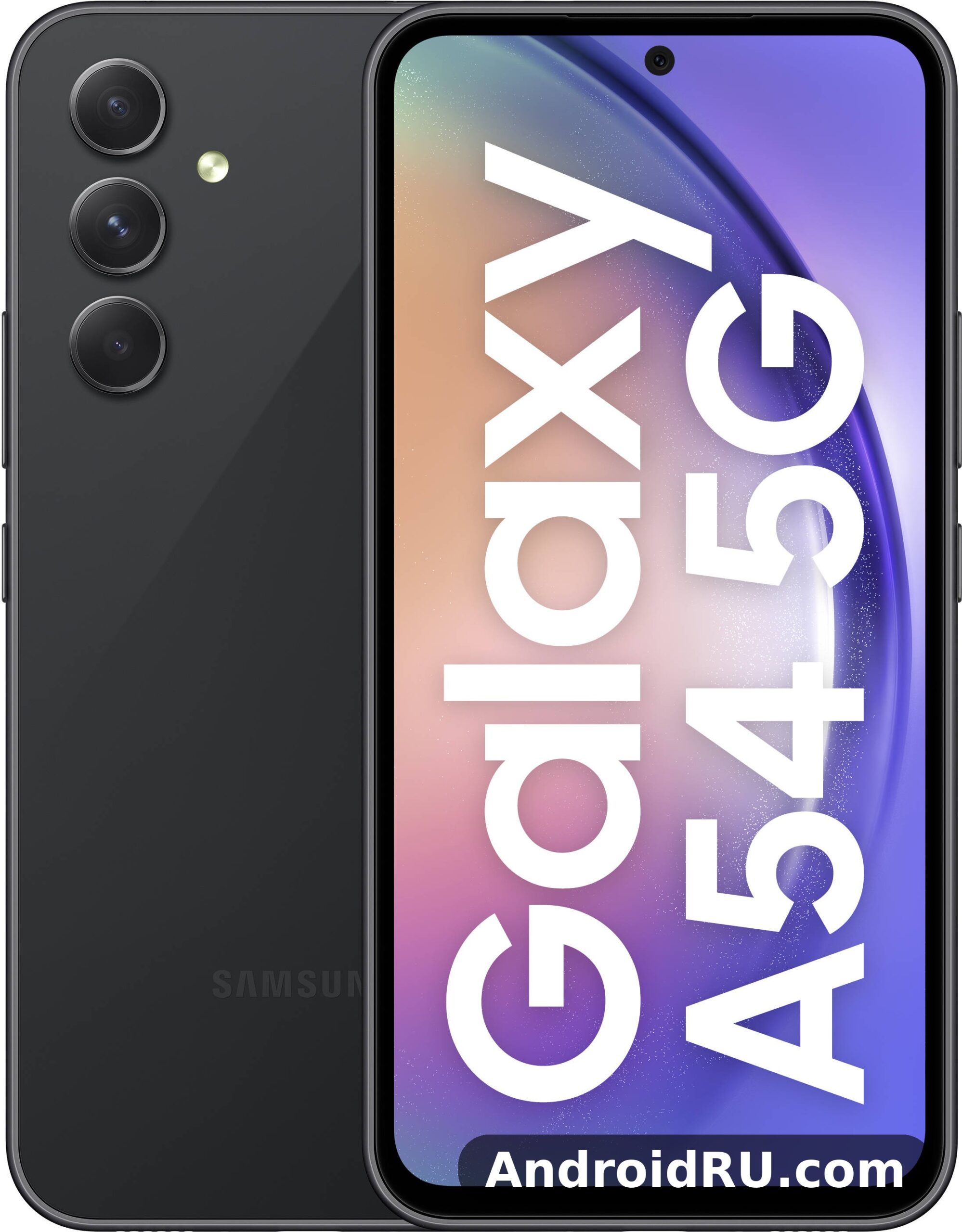
I used the Galaxy A54 5G as my main phone for calls, messaging, photography, navigation, streaming and light gaming, carrying it in a pocket without a case for part of that time to see how the finish held up. The phone survived that treatment with only faint marks on the frame, and the software stayed fast enough that I rarely thought about the processor at all, which is exactly what a good mid-range phone should achieve. This review looks at the design, the One UI software experience and the camera system in detail, because those are the three areas where Samsung either earns the price or does not. The short version is that the design and the cameras punch above the price, the software is the best reason to pick this phone over its rivals, and the charging speed is the one area where rivals still have an edge. In a straight Galaxy A54 5G camera test against its predecessor, the main sensor holds up well in daylight, with the biggest gains showing in night mode and portrait edge detection. The best screen protector for Galaxy A54 5G is a tempered glass one that covers the display fully and still lets touch input feel direct. The A54 IP67 rating means the phone survives rain, splashes and brief immersion in fresh water, though Samsung does not cover water damage under warranty.
Who is this phone for? It suits someone who wants a reliable Samsung phone with a great screen and dependable cameras, who plans to keep it for three or four years, and who does not need the fastest charging or the most powerful gaming chip on the market. If you are coming from an older Galaxy A series phone, or from a budget phone with a dim screen and a camera that struggles after sunset, the jump in everyday quality is large. If you already own a recent flagship, you will notice the slower charging and the heavier body, so read the comparisons later in this review before deciding. The Galaxy A54 5G software update schedule follows Samsung’s promise for this model, with major Android upgrades and security patches arriving over several years. The best back cover for Galaxy A54 5G is a slim one with raised edges around the cameras, which protects the lenses without adding much bulk. A good A54 case is worth buying on day one, because the back panel shows scratches and smudges quickly.
Samsung Galaxy A54 5G design and build quality in daily use
The first thing you notice about the Galaxy A54 5G is how much it borrows from the flagship Galaxy S23 family. The back is flat glass, the camera lenses sit individually on the rear panel without a raised camera island, and the frame is flat enough to grip securely without feeling sharp. Samsung calls this its signature Galaxy design language, and on the A54 it works: the phone looks more expensive than it is, and strangers who pick it up usually guess a higher price. The glass back is Gorilla Glass 5 on both sides, which resists scratches from keys and coins in a pocket reasonably well, though it is still glass, so a drop onto concrete can crack it. A case is still a sensible purchase, but the phone does not feel fragile in the hand. The Galaxy A54 5G fingerprint sensor is quick and reliable once you register the same finger twice, which improves recognition when your hands are dry or slightly damp. A Galaxy A54 5G water resistance test shows the IP67 rating holding up against rain, splashes and brief immersion in fresh water, though Samsung does not cover water damage under warranty. A tempered glass A54 protector is cheap insurance against drops and pocket scratches, and it fits the display without getting in the way of touch input.
At 202 grams and 8.2 mm thick, the A54 5G is not a light phone. You feel the weight in a jacket pocket and during long one-handed reading sessions, and the flat sides do not hide it. That said, the weight gives the phone a solid, planted feel, and the balance is good: the cameras sit high on the back, yet the phone does not feel top-heavy. The 6.4-inch screen keeps the overall footprint manageable for most hands, and the 158.2 mm height means it fits in jeans pockets without sticking out awkwardly. After a week, the weight stopped bothering me; after a month, I stopped noticing it entirely, which is the real test of a phone’s ergonomics. Owners coming from the older model will notice the jump at once, and the Samsung Galaxy A53 5G Review: Daily Performance and Key Features describes what the plastic body and lighter frame felt like before Samsung switched to glass.
Galaxy A54 5G colours, frame and grip
Lime, graphite, violet and white were the launch colours, and the violet and lime finishes in particular look distinctive without being loud. The colour runs through the glass rather than sitting as a coating on top, so small scratches are less visible. The lime version is the most playful, graphite is the safest choice for work, and violet sits in between. Whichever colour you pick, the camera rings match the frame colour, which gives the rear a clean, unified look that photographs well and does not date quickly. The frame itself is plastic finished to look like metal, and it gives your fingers a secure edge to hold. The flat sides help here: the phone does not slip in the hand the way glossy curved phones often do, and the 76.7 mm width is the figure that matters most for one-handed use, because it decides whether your thumb can reach the far edge of the screen. The Exynos 1380 processor performance in the Galaxy A54 5G is smooth for daily apps and multitasking, with benchmark scores that sit comfortably in the upper mid-range. The A54 colours are Awesome Lime, Awesome Graphite, Awesome Violet and Awesome White, with the darker shades hiding fingerprints best. The A54 speakers are loud enough for video calls and podcasts, though headphones still win for music and films.
Gorilla Glass 5 and the matte glass back
Gorilla Glass 5 covers the front and the back of the Galaxy A54 5G, and in practice it handled daily contact with keys, coins and a desk surface without picking up visible scratches. The display also ships with a factory-fitted screen protector in many regions, which adds a sacrificial layer against fine scratches. The glass back has a matte finish on most colours, which hides fingerprints far better than the glossy backs of older A series phones. Glossy plastic backs on older mid-range phones showed swirl marks within weeks; the A54’s matte glass still looked new after months of use, with only the frame picking up faint scuffs. If you like a phone that still looks clean after a day in your hand, the matte glass is a genuine improvement. This A54 review is based on daily use rather than benchmarks alone, so the verdict reflects how the phone behaves over weeks, not minutes.
IP67 water and dust resistance in real life
The A54 5G carries an IP67 water and dust resistance rating, which means it is protected against dust and can survive immersion in up to one metre of fresh water for up to 30 minutes. That is a meaningful rating for a mid-range phone, and it is one of the clearest reasons to choose this phone over rivals that offer no official water resistance at all. In real life, IP67 covers rain, splashes, a drop in a puddle and a sweaty run. It does not cover swimming pools, seawater or soapy water, and Samsung’s warranty does not cover water damage, so the rating is best treated as insurance against accidents rather than an invitation to take the phone swimming. The SIM tray has a rubber seal, the buttons feel tight, and after months of use I never saw dust gather inside the speaker grille or the USB-C port. The Galaxy A54 5G headphone jack does not exist on this model, so wired listening needs a USB-C adapter or a USB-C headset. An A54 unboxing is a quick job: the phone, a USB-C cable and the paperwork are inside, and you will need your own charger if one is not included in your region.
Button layout and the in-display fingerprint sensor
The power button and volume rocker sit on the right edge, within easy reach of a thumb, and both have a firm click with no wobble. The bottom edge holds the USB-C port, the main speaker and the microphone, while the top edge carries a second microphone and the SIM and microSD tray. There is no headphone jack, so wired headphones need a USB-C adapter or a Bluetooth pair. The in-display optical fingerprint sensor sits low on the screen, and it unlocks reliably with a registered thumb, though it is a fraction slower than the ultrasonic sensor on Samsung’s flagships. Registering the same thumb twice, at different angles, improves recognition noticeably. Face unlock is available too, but it is a camera-based system, so it is less secure than the fingerprint sensor for banking apps. The Galaxy A54 5G display quality is the first thing most owners notice, with punchy colours, deep blacks and smooth scrolling from the 120Hz refresh rate. The A54 fingerprint sensor sits under the display and unlocks quickly once your finger is registered well.
Samsung Galaxy A54 5G 6.4-inch Super AMOLED display with 120Hz refresh rate
The 6.4-inch Super AMOLED display is the single best part of the Galaxy A54 5G, and it is the feature I would point to first if someone asked why this phone costs more than a budget handset. It is a 1080 by 2340 pixel panel with a 120Hz adaptive refresh rate, which means scrolling through social feeds, web pages and the app drawer feels smooth, while the refresh rate drops when you are reading a static page to save battery. Colours are vivid without looking artificial in the default Vivid mode, and the Natural mode tones them down for anyone who prefers accuracy. Brightness reaches around 1000 nits at peak, so the screen stays readable in direct sunlight, and the automatic brightness adjustment is quick to react when you step outdoors. Does Galaxy A54 5G have a microSD card slot? Yes, the hybrid tray accepts cards up to 1TB, though the second SIM slot is shared with the card. A fresh A54 wallpaper is the quickest way to make the home screen feel new, and the bright display makes colourful images look their best.
Outdoor visibility is where cheap screens usually fail, and the A54 passes the test that matters: reading a map in bright sun, checking a message while walking, and framing a photo on a sunny day all work without cupping a hand over the screen. The panel also supports a high level of contrast, so dark scenes in films look properly black rather than grey, and the always-on display option shows the time and notifications without waking the whole screen. The screen-to-body ratio is high, with slim bezels on three sides and a slightly thicker chin at the bottom, and the centred punch-hole camera is small enough to ignore after a day. For streaming, the display pairs with stereo speakers to make the phone a genuinely good video device for its price. Anyone comparing Galaxy A54 5G display brightness against budget rivals will notice the gap at once: panels that top out at 600 or 700 nits wash out outdoors, while the A54 stays legible. Does Galaxy A54 5G support eSIM? No, this model has no eSIM, so a second line needs the physical dual-SIM tray.
Galaxy A54 5G 120Hz adaptive refresh rate and outdoor brightness
The 120Hz mode is adaptive, switching between 60Hz and 120Hz depending on what is on screen, and Samsung’s One UI lets you choose between Adaptive and Standard modes in the display settings. Adaptive is the right choice for most people: you get the smooth scrolling where it matters and save battery when the screen is still. The pixel density of around 403 pixels per inch keeps text crisp at normal reading distance, and the 19.5:9 aspect ratio suits video and reading alike. Peak brightness of around 1000 nits puts the A54 comfortably above budget phones, and the difference is obvious the first time you use the phone in bright sun. The touch sampling rate is responsive enough for fast typing and casual gaming, and the screen works with wet fingers reasonably well, though it is not designed for use in heavy rain. Does Galaxy A54 5G support dual SIM? Yes, through its hybrid tray, though the second SIM slot is shared with the microSD card.
Galaxy A54 5G display settings worth changing first
On the first day, open Settings, Display, and check three things. First, leave Motion smoothness on Adaptive unless battery life is your priority on a long day, in which case Standard 60Hz adds a small amount of extra endurance. Second, pick your colour mode: Vivid for punchy photos and video, Natural if you edit photos on the phone and want accuracy. Third, turn on Eye Comfort Shield on a sunset schedule, so the screen warms up in the evening without you thinking about it. Dark mode is well implemented across Samsung’s own apps and most third-party apps, and on an AMOLED panel it saves a little power too, because black pixels are simply switched off. The Galaxy A54 5G price in India varies by storage and by seller, so check a few large retailers before buying rather than trusting the first listing you see.
Eye comfort shield, dark mode and always-on display
I kept the refresh rate on Adaptive and Eye Comfort Shield on a sunset schedule for the whole test period, and neither setting caused any noticeable downside. The always-on display can show a clock, a calendar or a music widget, and it uses very little power because only a few pixels light up on the AMOLED panel. If you sleep with the phone on a bedside table, set the always-on display to show only on tap, so the bedroom stays dark. These are small settings, but they are the kind of everyday tools that make a phone feel thought through rather than merely assembled. The A54 display is a 6.4-inch Super AMOLED 120Hz panel, which is generous for video, reading and gaming at this price.
Exynos 1380 performance for apps, gaming and multitasking
The Galaxy A54 5G runs on Samsung’s Exynos 1380, a 5-nanometre octa-core chip paired with 8GB of RAM in every configuration, and that combination is fast enough for everything most people do on a phone. Apps open quickly, switching between a browser with a dozen tabs, a messaging app and a camera does not force reloads, and the interface stays smooth during normal use. The 8GB of RAM is a real advantage over mid-range rivals that ship with 6GB, because it keeps more apps in memory and reduces the stutter that appears when Android has to reload an app from storage. The chip uses four Cortex-A78 performance cores running at up to 2.4 GHz and four Cortex-A55 efficiency cores at up to 2.0 GHz, with a Mali-G68 MP5 graphics processor handling the 120Hz display and casual 3D games. Does Galaxy A54 5G overheat while gaming? In testing it stayed comfortable during normal play, and only long sessions at maximum settings made the frame noticeably warm. If A54 overheating shows up during long gaming sessions, a short break and lower graphics settings bring temperatures back down.
Gaming is good rather than great. Popular titles such as PUBG Mobile, Call of Duty Mobile and Genshin Impact run at medium to high settings with stable frame rates, and the phone stays warm rather than hot during a 30-minute session. The most demanding games will need lower graphics settings to hold a steady frame rate, and the Exynos 1380 chipset is not in the same league as a flagship processor for sustained heavy gaming. That is the honest trade-off: the chip is built for efficiency and everyday speed, not for maximum benchmark scores. For casual games, video editing in CapCut, and photo editing in Lightroom Mobile, I never felt the phone hold me back. If you want to know whether the Galaxy A54 5G Exynos 1380 gaming performance fits your habits, the simple test is your current game list: if you play competitive shooters at maximum settings, look at a flagship; if you play a mix of casual and mid-weight titles, the A54 keeps up without complaint. Choosing between the A54 128GB vs 256GB options comes down to photos and offline video: heavy shooters should take the larger size, while light users can save money and add a microSD card later. The A54 RAM is 8GB in the base model, which is enough for everyday multitasking without constant app reloads.
Galaxy A54 5G gaming performance and heat management
The 5-nanometre process helps the chip run efficiently, which is one reason the 5000mAh battery lasts as long as it does. During a 30-minute gaming session the phone stayed warm rather than hot, and performance stayed steady rather than dropping off after ten minutes, which is the behaviour that matters more than any benchmark score. Lowering shadow quality made the biggest difference to smoothness in heavier titles, while resolution had a smaller effect. Game Booster can cap frame rates and limit background activity during play, and it is worth turning on for long sessions. The phone does not throttle noticeably in normal use, and after months of app installs and updates, the interface stayed as fast as it was on the first day. Does Galaxy A54 5G support call recording? It depends on your region and One UI version, because Samsung enables it only where local rules allow it, so check the Phone app settings before relying on it. The A54 processor is the Exynos 1380, an octa-core chip that handles daily apps and multitasking without fuss.
RAM Plus and everyday multitasking
Split-screen multitasking works well on the 6.4-inch display, with a video playing on top and notes below, and the camera opens in about a second from the lock screen. The RAM Plus feature can add virtual memory from storage if you want more headroom, though I left it off and never missed it, because the physical 8GB was enough for my normal mix of apps. In daily use, the A54 feels responsive in the ways that matter: the keyboard appears instantly, web pages render quickly on Wi-Fi 6, and switching between a map, a browser and a messaging app rarely forces a reload. That long-term consistency is worth more than a high benchmark score on day one, and it is one of the reasons the A54 ages better than many of its rivals. The A54 performance is smooth for everyday apps, messaging, browsing and video, with heavier games being the only place it shows its mid-range roots.
Galaxy A54 5G RAM, storage and microSD expansion
Storage comes in 128GB and 256GB versions, using UFS 2.2 storage, and the microSD slot accepts cards up to 1TB, so the cheaper 128GB model is a reasonable choice if you are happy to add a card later. The 128GB model leaves around 100GB free after the system and pre-installed apps, which is enough for most people, and the 256GB model is the better choice if you record a lot of 4K video or keep large offline music and map libraries. The microSD expansion up to 1TB means you can move photos, videos and music to the card, though apps themselves run best from internal storage. The hybrid tray means you choose between a second SIM and a microSD card, so dual-SIM users should pick the 256GB model or accept the trade-off. The 8GB of RAM and microSD expansion together make the cheaper 128GB model a reasonable buy rather than a compromise. For A54 gaming, lighter titles run smoothly, while demanding games need lower graphics settings to hold a steady frame rate.
Samsung Galaxy A54 5G 50MP camera system with OIS in daylight and at night
The camera system is the second-best part of this phone, after the display, and it is the area where the A54 most clearly beats its predecessor. The main camera is a 50-megapixel sensor with optical image stabilisation, an f/1.8 aperture and a reasonably large sensor for this price, and it is joined by a 12-megapixel ultrawide camera and a 5-megapixel macro camera. The 32-megapixel front camera handles selfies and video calls. In daylight, the main camera produces sharp, detailed photos with pleasing colours and reliable autofocus, and the optical stabilisation helps in low light by allowing longer handheld exposures without blur. Samsung’s processing leans towards vivid colours and brightened shadows, which looks good on a phone screen and on social media, even if it is not the most natural rendering for purists. The Galaxy A54 5G night mode camera work is strongest on the main sensor, where multi-frame processing brightens shadows without turning night scenes into daylight. The A54 selfie camera handles video calls and social photos well in good light, with portrait mode adding a soft background blur.
The main camera uses pixel binning by default, combining four pixels into one to produce a cleaner 12.5-megapixel image, and you can switch to the full 50-megapixel mode for landscapes you plan to crop. The full-resolution mode is worth using for a landscape you plan to crop or print, but it produces larger files and slightly noisier shadows. Autofocus is fast and accurate, locking onto faces and moving subjects without hunting, and the shutter lag is short enough to catch candid moments. Colours are punchy in the default mode, and switching to a more neutral processing style is not really an option in Samsung’s camera app, so if you prefer flat, natural colours for editing, you will need a third-party camera app or shoot in Pro mode and edit the results yourself. Readers who shoot older Samsung models at a discount will find the Samsung Galaxy A52s 5G Review: Photo Quality, Video and Performance useful for seeing how far the camera tuning has come since that generation.
Galaxy A54 5G night mode and low light photo quality
Low-light photography is where the stabilisation earns its keep. Night mode on the main camera takes a few seconds to capture several frames and merge them, and the result is a bright, usable photo in conditions where older mid-range phones produced noise and mush. Street scenes, restaurant interiors and evening portraits all came out well in my testing, with noise kept under control and colours that stayed believable. The ultrawide camera is useful for landscapes and group shots, but it loses detail faster than the main camera as the light drops, and its night performance is noticeably weaker. The 5-megapixel macro camera is a fun extra for close-up shots of flowers and textures, but it is the least important lens here, and most buyers will use it rarely. For the best night results, hold the phone steady for the few seconds night mode needs, keep the lens clean, and tap the brightest part of the scene to set the exposure before shooting. The Galaxy A54 5G selfie camera quality is solid in good light, with the 32MP front sensor capturing natural skin tones and enough detail for social photos and video calls. The A54 portrait mode works best with a clear subject and some distance behind them, which keeps edge detection clean.
How night mode handles street scenes and faces
In a dim restaurant or on a street at dusk, the phone takes a few seconds to capture and combine frames, and the result is brighter and cleaner than a single snap. Fine detail still smears a little in very dark scenes, and the ultrawide is best avoided after dark, so switch to the main camera for night shots and step back instead of zooming out. Portrait mode on the main camera separates the subject from the background cleanly in most cases, and evening portraits kept skin tones believable rather than washed out. The 50MP main camera with OIS is the reason the footage and the stills stay steady and sharp where older mid-range phones would shake and blur, and it is the single camera figure worth comparing against any rival before you buy. The best camera settings for Galaxy A54 5G start with the main lens at full resolution for landscapes, night mode after dark, and the grid switched on for straighter horizons.
Galaxy A54 5G selfie camera and video recording quality
The 12-megapixel ultrawide camera covers a 123-degree field of view, which is wide enough for architecture and large group photos, and its daylight results are good, with acceptable sharpness in the centre and softening towards the edges. The 5-megapixel macro camera needs good light and a steady hand, and its results are pleasant for close-ups of food, plants and small objects, though the fixed focus makes it fiddly. The 32-megapixel front camera is a genuine strength: selfies are sharp and detailed, skin tones look natural in good light, and portrait mode separates the subject from the background cleanly in most cases. Video calls look crisp, and the front camera records video at up to 4K at 30 frames per second, which is better than many rivals in this price range. Does the Galaxy A54 5G record 4K video? Yes, the main camera records 4K video, with stabilisation keeping handheld clips steady.
Video recording reaches 4K at 30 frames per second on both the rear main camera and the front camera, and the optical stabilisation plus electronic stabilisation keeps handheld footage smooth while walking. Colours and exposure stay consistent during a clip, and the microphone picks up clear audio in quiet settings. Night video is softer and noisier than daylight video, as expected at this price, and the ultrawide camera is best avoided for video after dark. The camera app also offers slow motion, hyperlapse and a super steady mode that crops the frame slightly for extra stability. For family videos, travel clips and social media, the A54’s video quality is more than good enough. The A54 camera is built around its 50MP main sensor with optical image stabilisation, which does most of the heavy lifting in everyday photos.
Samsung Galaxy A54 5G 5000mAh battery life and 25W charging tested
The 5000mAh battery is one of the A54’s quiet strengths, and it regularly delivered a full day of heavy use with charge to spare in my testing. A typical day of messaging, browsing, maps, streaming and photography ended with 25 to 35 percent remaining, and lighter days ended closer to 50 percent. Screen-on time usually landed between six and eight hours depending on brightness, refresh rate and signal strength, and the adaptive 120Hz display helps by dropping to 60Hz when the screen is static. The phone is a comfortable two-day device for light users, and a reliable one-day device for heavy users, which is exactly what most buyers need. The Galaxy A54 5G battery life stretches to a full day for most people, with the 5000mAh cell and the efficient display doing most of the work. The A54 charging tops out at 25W wired, and there is no wireless charging on this model.
Charging is the weakest part of the package. The A54 supports 25W wired charging, and a full charge from empty takes around 80 to 90 minutes with a compatible 25W charger, with roughly half a charge in about 30 minutes. There is no charger in the box, so you need to buy a Samsung 25W charger or use a compatible USB Power Delivery charger you already own. There is no wireless charging either, which is a shame at this price, though it is a common omission in this class. Rivals from other brands charge at 65W or faster, so if you often need a quick top-up before leaving the house, the A54 will feel slow. The trade-off is battery health: slower charging is gentler on the battery over years of use, and the 5000mAh capacity means you rarely need an emergency top-up in the first place. The Galaxy A54 5G charging time depends on the charger you use: with a 25W charger it tops up far faster than with an old 5W brick, and a full charge takes around an hour or more. Some A54 heating during charging is normal, especially with fast charging, and the phone cools down once the battery passes 80 percent.
Galaxy A54 5G screen-on time in real daily use
In daily use, the 5000mAh battery usually delivers six to eight hours of screen-on time depending on brightness, refresh rate and signal strength, and a typical day of messaging, browsing, maps, streaming and photography ends with 25 to 35 percent remaining. Light users can stretch the phone to two days, and heavy users will still reach bedtime comfortably. Standby drain is low, and the phone never died on me unexpectedly during the test period. The battery also held up well over months of use, with no obvious drop in endurance, which speaks well of Samsung’s battery management and the efficiency of the Exynos 1380 chip. If you are asking how long the Galaxy A54 5G battery lasts on a normal day, the honest answer is a full day with margin, and two days if you are a light user. The A54 eSIM option is not available on this model, so a second line needs the physical dual-SIM tray.
Galaxy A54 5G battery health and charging habits
To get the most from the battery, keep the refresh rate on Adaptive, use dark mode on the AMOLED screen, and turn on the adaptive battery feature in settings, which learns your usage patterns and limits background activity for apps you rarely open. Power saving mode is worth switching on when you drop below 20 percent, as it caps the processor speed and limits background data without making the phone unpleasant to use. The battery is not user-removable, which is standard for modern phones, and Samsung’s battery health tools in settings can show you the estimated capacity over time. Charge overnight with a 25W adapter and you will wake to a full phone; the slow charging speed matters far less when the battery is large enough that you only charge once a day. Does Galaxy A54 5G support wireless charging? No, this model has no wireless charging coil, so charging pads will not work with it and the USB-C cable remains the only way to charge.
Android 13 and One UI 5.1 software on the Galaxy A54 5G
Software is where the Galaxy A54 5G pulls ahead of most mid-range rivals, and it is the strongest argument for buying a Samsung phone in this price range. The phone launched with Android 13 and One UI 5.1, Samsung’s own interface, and Samsung promised four generations of Android operating system updates and five years of security updates. That is flagship-level support on a mid-range phone, and it means the A54 should receive updates through Android 17, which makes it a sensible purchase for anyone who keeps a phone for three or four years. In practice, updates arrived regularly during my time with the phone, and the interface stayed consistent rather than changing drastically with each release. Among the Galaxy A54 5G hidden features and tips worth knowing are the double-press shortcut for the camera, the edge panel and the one-handed mode in Settings.
One UI 5.1 is clean, fast and full of small touches that make daily use easier. The quick panel gives one-swipe access to the settings you actually use, the lock screen is customisable with different clock styles and notification layouts, and Samsung’s own apps — Gallery, Notes, Internet and Health — are genuinely useful rather than filler. The interface is not free of duplicate apps: Samsung and Google both offer a browser, a gallery and a messaging app, and you will need a few minutes on the first day to pick your defaults and hide the ones you do not want. That is a minor annoyance rather than a real problem, and once set up, the home screen stays out of the way. Each A54 update arrives through Settings, then Software update, and installing it promptly keeps security patches current.
Galaxy A54 5G four years of updates and long term value
The update promise matters more than any single feature, because it decides how long the phone stays safe and current. Four Android updates and five years of security patches put the A54 ahead of nearly every rival at its launch price, and the phone has since received Android 14 with One UI 6 and Android 15 with One UI 7 in Samsung’s rollout schedule, which you should confirm on Samsung’s official update page for your region. Security patches arrived monthly or quarterly depending on the region, and the phone never felt abandoned. If you buy this phone in 2026, check how many update years remain for your unit, because the value of the phone depends on that remaining support window as much as on the hardware itself. The A54 features worth learning first are the fingerprint sensor, the quick settings layout and the camera modes tucked behind the More tab.
Galaxy A54 5G One UI 5.1 features worth using
Several One UI features earned a permanent place in my daily routine. Modes and Routines can silence notifications at bedtime, turn on power saving at low battery and switch to a driving mode automatically. The Edge panel gives quick access to favourite apps and contacts from any screen. Secure Folder creates a separate, locked space for work apps and sensitive files, and Samsung Knox protects the phone at a hardware level. The Gallery app has a capable photo editor with object eraser tools, and the built-in screen recorder is useful for showing someone a setting or capturing a game clip. These are not headline features, but they are the kind of everyday tools that make a phone feel thought through. Is Galaxy A54 5G worth buying? For buyers who want a reliable Samsung phone with a good screen and long software support, the answer is yes at current street prices, though heavy gamers should weigh it against rivals with faster chips.
Samsung Galaxy A54 5G full specifications in one place
The specification sheet of the Galaxy A54 5G tells a consistent story: a mid-range phone with no single weak figure and several figures that exceed its price. The 6.4-inch 120Hz AMOLED display, the 50-megapixel camera with optical stabilisation, the 5000mAh battery, the IP67 rating and the generous update promise are the numbers that matter most, and they are the numbers that hold up in daily use. The weaker figures — 25W charging, no wireless charging, USB 2.0 data speeds and a 202-gram weight — are real, but they are the kind of compromises that most buyers can live with, especially at a discounted price. The A54 specs are summarised in the specifications section below, with the display, chipset, cameras and battery listed together.
| Specification | Galaxy A54 5G |
|---|---|
| Display | 6.4-inch Super AMOLED, 120Hz adaptive, 1080 x 2340, about 403 ppi, Gorilla Glass 5, about 1000 nits peak |
| Dimensions | 158.2 x 76.7 x 8.2 mm |
| Weight | 202 g |
| Build | Gorilla Glass 5 front and back, matte finish, plastic frame, IP67 |
| Chipset | Samsung Exynos 1380, 5 nm, octa-core up to 2.4 GHz, Mali-G68 MP5 |
| RAM | 8 GB |
| Storage | 128 GB or 256 GB, UFS 2.2, microSD up to 1 TB |
| Rear cameras | 50 MP f/1.8 OIS main, 12 MP f/2.2 ultrawide 123-degree, 5 MP f/2.4 macro |
| Front camera | 32 MP f/2.2, 4K video at 30 fps |
| Video | 4K at 30 fps rear and front, 1080p at 30 or 60 fps |
| Battery | 5000 mAh, 25 W wired charging, no wireless charging, no charger in box |
| Operating system | Android 13 with One UI 5.1, 4 OS upgrades and 5 years of security updates promised |
| Connectivity | 5G sub-6 GHz, 4G LTE, Wi-Fi 6, Bluetooth 5.3, NFC, GPS, USB-C 2.0 |
| Sensors | Under-display optical fingerprint, accelerometer, gyroscope, compass, proximity, light, hall sensor |
| Audio | Stereo speakers with Dolby Atmos, no 3.5 mm headphone jack |
| SIM | Hybrid nano-SIM plus microSD, or dual nano-SIM; eSIM in some regions |
| Colours | Lime, graphite, violet, white (varies by region) |
Comparing the A54 with Samsung’s newer flagships shows where the extra money goes and where it does not. The Samsung Galaxy A56 5G Review: Cameras, Performance and Battery Life shows what two more generations of A-series development add: a larger screen, a faster chip and quicker charging, at a higher price. The A54 counters with a lower price, a microSD slot that the flagships dropped, and a lighter burden on your budget, and for calls, messaging, photography and streaming, the everyday experience is closer than the specification sheets imply. The practical advice is to buy the newer model if you keep a phone for four years and want the fastest option, and to buy the A54 if you want a dependable Samsung phone now and would rather keep the savings for something else.
| Specification | Galaxy A54 5G | Newer Galaxy A series |
|---|---|---|
| Display | 6.4 inch AMOLED, 120Hz, about 1000 nits | Larger, brighter, higher refresh options |
| Chipset | Exynos 1380, 5 nm | Newer mid-range chip, faster |
| RAM | 8 GB | 8 GB or 12 GB |
| Main camera | 50 MP with OIS | 50 MP with OIS, improved processing |
| Battery | 5000 mAh, 25 W wired | Similar capacity, faster charging |
| microSD slot | Yes, up to 1 TB | Yes on A series, no on S flagships |
| Water rating | IP67 | IP67 |
| Weight | 202 g | Similar or slightly lighter |
Galaxy A54 5G 128GB versus 256GB: which storage to buy
The 128GB model leaves around 100GB free after the system and pre-installed apps, which is enough for most people, and the 256GB model is the better choice if you record a lot of 4K video or keep large offline music and map libraries. The microSD slot accepts cards up to 1TB, and you can move photos, videos and music to the card, though apps themselves run best from internal storage. The hybrid tray means you choose between a second SIM and a microSD card, so dual-SIM users should pick the 256GB model or accept the trade-off. If you plan to keep the phone for three or four years, the 256GB model is the safer pick, because photo libraries and app sizes only grow. A direct Galaxy A54 5G vs Galaxy A53 5G comparison shows the newer phone’s faster chip and brighter display, while the older model remains good value at discounted prices.
Galaxy A54 5G sensors, connectivity and 5G bands
The sensor list covers everything a modern mid-range phone needs. The in-display optical fingerprint sensor unlocks the phone with a registered thumb, and face unlock is available as a camera-based alternative. The accelerometer, gyroscope, proximity sensor, ambient light sensor and compass support screen rotation, gaming, navigation and automatic brightness, and the geomagnetic sensor helps maps point in the right direction. The phone also has a hall sensor for flip covers, and Samsung’s Knox security platform protects the device at a hardware level. There is no barometer and no dedicated temperature sensor, which is normal for this price range. The A54 NFC chip covers contactless payments and tap-to-pair accessories, though availability can vary by region.
Connectivity is comprehensive: 5G on sub-6 GHz bands, 4G LTE, Wi-Fi 6 (802.11ax) with dual-band support, Bluetooth 5.3, NFC for contactless payments and pairing, GPS with GLONASS, Galileo, BeiDou and QZSS, and a USB-C port with USB 2.0 data speeds. The exact 5G bands vary by region and model variant, so check the model number for your market before assuming a particular band is covered. Wi-Fi 6 gives faster speeds and better performance on crowded networks than Wi-Fi 5, and Bluetooth 5.3 offers a stable connection to headphones, watches and cars. The USB-C port supports charging and data transfer at USB 2.0 speeds, which is slower than the USB 3 speeds on flagships, and that matters only if you regularly transfer large video files to a computer by cable. The A54 microSD slot accepts cards up to 1TB, which is the cheapest way to add room for photos and offline video.
Samsung Galaxy A54 5G pros and cons and who should buy it
After months of daily use, the A54 5G earns its place as one of the best mid-range phones of its generation, and the reasons are practical rather than flashy. The screen is excellent, the cameras are dependable in the conditions where most photos are actually taken, the software support is the best in its class, and the battery lasts a full day without anxiety. The weaknesses are equally clear: charging is slow by 2026 standards, the phone is heavy, and the processor will not satisfy serious mobile gamers. None of those weaknesses is a deal-breaker for the audience this phone is aimed at, but they are worth knowing before you buy, so here is the honest balance sheet. The A54 price varies by retailer and storage, so compare a few listings before you buy.
| Area | Strength | Weakness |
|---|---|---|
| Design | Glass back, IP67 rating, premium look | 202 g weight, no headphone jack |
| Display | Super AMOLED, 120Hz, bright outdoors | Thicker bottom bezel than flagships |
| Software | Four Android updates, five years of security patches | Duplicate Samsung and Google apps |
| Performance | 8 GB RAM, smooth daily use, microSD slot | Exynos 1380 is not a gaming flagship chip |
| Camera | 50 MP OIS main camera, strong night mode, 4K video | Ultrawide weak in low light, macro is basic |
| Battery | 5000 mAh, full day with margin | 25 W charging only, no wireless charging |
What the Galaxy A54 5G does best
The pros start with the display, which is bright, smooth and colourful enough to make every other part of the phone feel better, and continue with the main camera, which takes reliable photos in daylight and in low light thanks to optical stabilisation. The IP67 rating and the glass build give the phone a durability and feel that rivals rarely match at this price, and the four years of Android updates plus five years of security patches make it a safe long-term purchase. The 5000mAh battery, the microSD slot and the stereo speakers round out a package that covers the everyday needs of most buyers without a weak link in the areas that matter most. The A54 signal holds up well on calls and mobile data, though thick walls and crowded places can still weaken reception on any phone.
Where the Galaxy A54 5G falls short
The cons are real and should be weighed honestly. Charging at 25W is slow compared with rivals that offer 65W or faster, and the absence of wireless charging removes a convenience that some buyers expect at this price. The phone is heavy at 202 grams, which you feel during long reading sessions, and the Exynos 1380, while fine for daily use, is not the chip to choose for demanding games at maximum settings. The ultrawide camera drops in quality in low light, the macro camera is a minor extra rather than a serious tool, and the lack of a headphone jack means wired headphone users need an adapter. None of these is fatal on its own, but together they define the ceiling of this phone.
Samsung Galaxy A54 5G frequently asked questions
Is the Samsung Galaxy A54 5G still worth buying in 2026?
Yes, for the right buyer, the A54 5G is still worth buying in 2026, especially at a discounted price. The display, the main camera and the software support still hold up, and the phone received major Android updates after launch, so it does not feel dated in daily use. The main caveat is the remaining update window: check how many Android versions and security years are left for the unit you are buying, because that decides how long the phone stays current. If the price is close to a newer A series model, the newer phone is the better buy, but at a clear discount, the A54 remains a sensible choice for calls, photos and streaming.
How long does the Galaxy A54 5G battery last in normal use?
A typical day of messaging, browsing, maps, streaming and photography ends with 25 to 35 percent remaining, and lighter days end closer to 50 percent. Screen-on time usually lands between six and eight hours depending on brightness, refresh rate and signal strength. The phone is a comfortable two-day device for light users and a reliable one-day device for heavy users. A full charge from empty takes around 80 to 90 minutes with a compatible 25W charger, with roughly half a charge in about 30 minutes. For an A54 battery drain overnight fix, check battery usage in Settings, turn off always-on display, and restrict background activity for apps that drain power while idle.
Does the Galaxy A54 5G support wireless charging?
No, the Galaxy A54 5G does not support wireless charging. It charges through the USB-C port at up to 25W with a compatible wired charger, and a full charge takes around 80 to 90 minutes. If wireless charging is a must-have feature for you, you will need to look at Samsung’s flagship S series or at rivals that include it, because no charger is included in the A54 box either. The 5000mAh battery does soften the blow, since most owners charge once a day overnight and rarely need a midday top-up. The A54 battery is a 5000mAh cell, and with the efficient display it comfortably covers a full day for most owners.
Can the Galaxy A54 5G storage be expanded with a microSD card?
Yes, the Galaxy A54 5G has a hybrid SIM tray that accepts a microSD card of up to 1TB, which is a real advantage over Samsung’s flagships, which dropped the slot entirely. You can use the second SIM slot or the microSD card, but not both at once, so dual-SIM users need to choose. The 128GB model plus a microSD card is a practical combination for photos, offline video and music, and the microSD expansion up to 1TB means the cheaper storage model is a reasonable buy for most people rather than a false economy. The A54 storage starts at 128GB in the base model, and buyers who shoot a lot of video should consider the larger version, though a microSD card can add room later.
The Galaxy A54 5G is a phone that gets the everyday things right and asks you to accept a few clear compromises in return. You get a bright 120Hz AMOLED screen, a dependable 50MP camera with stabilisation, an IP67-rated glass body, a full-day battery and software support that outlasts most rivals. You give up fast charging, wireless charging and flagship gaming power, and you carry a phone that is heavier than it looks. For most buyers, that trade is a good one, and the A54 remains one of the most balanced mid-range phones Samsung has made. If the price is right and the remaining update window suits your plans, buy it, put it in a case, set up your favourite One UI features on the first day, and enjoy a phone that simply works, day after day, without demanding your attention. Before you decide, check the current price in your region, confirm the remaining software support for the exact model you are buying, and compare it with the newer A series options. And if you want the newest option in the family, the Samsung Galaxy A57 5G Review: Photo Quality, Video and Performance covers the latest release. If you buy the A54, your first steps should be to install your apps, set a fingerprint and a backup, and take a few test photos in daylight and at night to learn how the camera behaves. That short test will tell you more about whether this phone fits your life than any spec sheet can, and for most people, the answer will be yes.

