

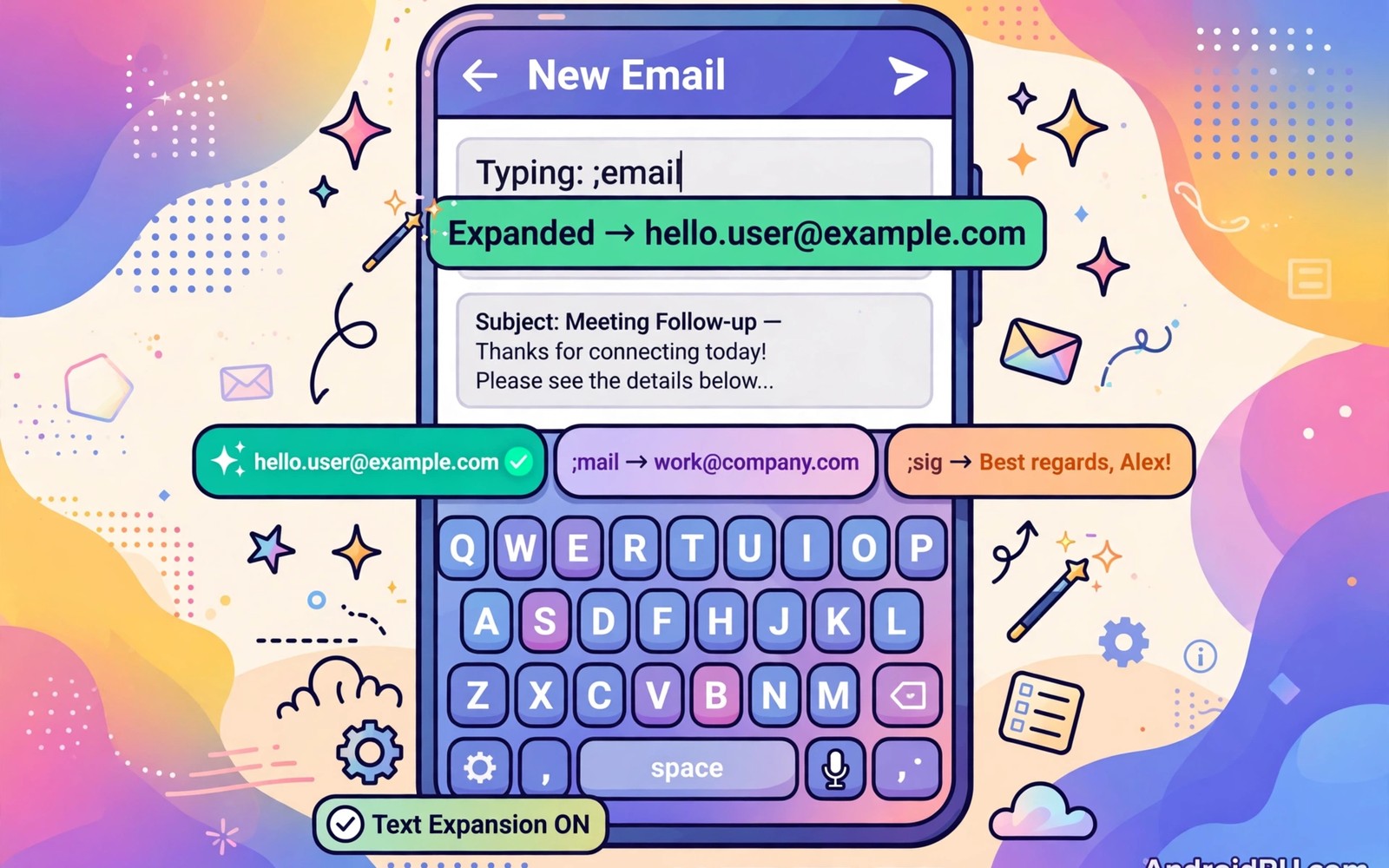
Long emails repeat the same greetings and sign offs and answers day after day. Text expansion replaces a short code with a full phrase as soon as you type it. A code such as an email signature code expands into a complete signature without manual typing.
Expansion saves time and it reduces typing errors in repeated text. A standard greeting typed the same way every time looks more professional than a rushed version with typos. Expansion also helps owners who struggle with long typing on a small screen.
This guide shows how to set up expansion on Android and how to design codes that never trigger by accident. You will learn built in dictionary tricks and dedicated expansion apps and backup habits. A small set of expansions soon covers most of your daily email writing. The same time-saving habit pairs well with clipboard shortcuts, which keep your most reused phrases a tap away even when a full expansion is not needed.
Use the built in personal dictionary first
Android keyboards often include a personal dictionary that maps a shortcut to a full phrase. Open keyboard settings and look for personal dictionary or text correction entries. Add a shortcut and a phrase and test it in a notes app.
Choose shortcuts that you would never type in normal writing. A shortcut with a double letter or a symbol prefix stands out from ordinary words. A code such as sigg for a signature is less likely to expand by accident than a common word.
Test each dictionary entry in a real email draft before you rely on it. A test draft reveals expansion timing and spacing behaviour. A phrase that expands with an extra space may need a small adjustment in the dictionary entry.
Try a dedicated expansion app for more power
A dedicated expansion app offers dynamic phrases with dates and clipboard content and variables. A date variable can insert today date into a template without manual editing. That power suits owners who send many similar emails each week.
Grant only the permissions the expansion app needs for keyboard integration. An expansion app needs input access to detect codes yet it does not need contacts or location access. Review permissions after install and revoke anything unrelated.
Organise expansions into groups for work and personal and support messages. Groups make a large expansion set easier to browse and edit. A grouped list also helps you spot duplicate codes that could conflict.
Design codes that are easy to remember
A good code hints at the phrase it expands into without being a real word. A code for a meeting request can start with meet and end with a distinctive letter. That hint helps you recall the code months after you create it.
Keep codes short yet distinct because a long code defeats the time saving purpose. Three to five characters works well for most phrases. A code longer than the phrase it expands into is a sign of poor design.
Readers who use a physical keyboard will also like how to control a device using keyboard shortcuts because shortcuts and expansion together speed up all typing. A keyboard shortcut moves you fast and an expansion code fills text fast. Both skills share a habit of learning a small set well.
Build a starter set for email
Start with a greeting and a thank you note and a signature and a meeting request. Those four expansions cover a large share of routine email writing. Add a follow up template next when you often chase replies.
Write each template in a neutral tone that fits many recipients. A template that sounds too casual may feel wrong for a formal contact. A neutral template can be edited slightly after expansion when a personal touch is needed.
Review templates once a month to remove outdated job titles and phone numbers. An expansion that inserts an old signature creates embarrassment. A monthly review keeps templates accurate and professional.
Avoid accidental expansions
Accidental expansion happens when a code matches a word you type normally. Avoid codes that are common words or common abbreviations. A code with an unusual prefix such as a double dot reduces accidental triggers sharply.
Test a new code in a notes app with surrounding words to see whether it expands at the wrong time. A code that expands inside a longer word needs a redesign. A safe code expands only when typed as a standalone token.
Turn off expansion temporarily when you write creative text that uses unusual codes. A temporary toggle prevents surprises during a long writing session. Turn expansion back on for routine email work afterwards.
A small code check for keyboard settings
A quick command can show keyboard settings on a phone with debugging enabled. Connect the phone and run the command below once to view input method values. The output helps you confirm which keyboard handles expansion.
adb shell settings get secure default_input_method
adb shell ime list
The snippet above was written for this article to show a safe read only way to review keyboard settings for text expansion. It leaves keyboard settings unchanged while it reports the active input method. You can run it again after switching keyboards to confirm the active input method. Keep a note of the output when you troubleshoot an expansion that stops working.
Expand phrases for customer support
Support replies repeat greetings and troubleshooting steps and closing lines. Expansion templates for support save time and keep tone consistent across agents. A consistent tone builds trust with customers who contact support repeatedly.
Create a template for a common issue such as a password reset request. A reset template can include steps in order without typing them each time. That template reduces errors in step order during a busy shift.
Review support templates after a product update that changes steps. An outdated template can mislead a customer with old instructions. A post update review keeps templates accurate.
Expand phrases for personal messages
Personal messages also benefit from expansion for birthday wishes and thank you notes. A birthday template can be personalised after expansion with a name and a detail. That personalisation keeps the message warm rather than robotic.
A thank you template saves time after a gift or a favour. A quick expansion lets you send thanks promptly rather than delaying. Prompt thanks feels more sincere than a delayed perfect message.
Keep personal templates short so they feel natural after expansion. A long template can feel copied when sent to a close friend. A short template plus a personal sentence strikes the right balance.
Back up and sync expansion sets
An expansion set that lives only on one phone can be lost during a phone change. Export the set regularly and store the export in a safe backup. A regular export prevents rebuilding templates from memory.
Sync an expansion set across devices when the app supports secure sync. A synced set keeps a tablet and a phone consistent for email writing. Consistency means a code works the same way on every device.
Test a synced set on a second device after each major change. A sync error can leave one device with an old template. A quick test on the second device catches the error early. Readers who want keyboard control will also like how to control a device using keyboard shortcuts because expansion and shortcuts together speed up typing.
Expand phrases for travel bookings
Travel bookings repeat passenger details and special requests in many forms. Expansion templates for travel details save time and reduce errors in names and dates. A template that inserts a passport number correctly beats manual typing under time pressure. Accuracy matters most for travel documents.
Create a template for a hotel special request such as a quiet room or a late check in. A request template ensures the request wording stays polite and complete. A complete request gets a better response from hotel staff. That politeness improves the travel experience.
Review travel templates before each trip to update passport expiry and contact details. An outdated template can send an old phone number to an airline. A pre trip review prevents a missed notification about a flight change. That review takes minutes and saves hours of trouble.
Store travel templates separately from work templates to avoid mixing contexts. A travel template sent to a work contact looks unprofessional. Group separation prevents a context mistake during rushed typing. A grouped list keeps templates organised by purpose.
Common mistakes
The biggest mistake is creating dozens of expansions before testing a few. A large untested set creates conflicts and forgotten codes. Start with four expansions and add new ones only after the first set feels automatic.
Another mistake is using a code that is also a common word. A code such as thanks will expand whenever you type that word normally. Choose a code that you would never type as a normal word.
People also forget to back up expansion sets before a phone change. A lost set forces you to rebuild templates from memory. Export the set when the app offers that option and store the export in a safe backup.
Frequently asked questions
Does text expansion work in every app?
Built in dictionary expansion works in most text fields that use the system keyboard. Some apps with custom keyboards may ignore dictionary shortcuts. A dedicated expansion app usually covers more apps through accessibility integration.
Can expansion insert the current date?
A dedicated expansion app can insert dynamic values such as the current date. Built in dictionaries usually support only static phrases. Choose a dedicated app when dynamic templates matter for your work.
Is text expansion safe for passwords?
Never store a password as an expansion phrase because anyone with phone access could trigger it. Use a password manager with autofill for credentials instead. Expansion suits greetings and templates rather than secrets.
Conclusion
Text expansion turns repetitive email writing into a few short codes that expand into polished phrases. Built in dictionaries and dedicated apps together cover simple and dynamic needs. Careful code design prevents accidental triggers and keeps templates professional.
Your concrete next step is to add one signature expansion today using a distinctive code. Test it in a draft email and adjust spacing. Readers who want a full automation routine will benefit from ten genius hacks to automate an Android phone as a next step.

