

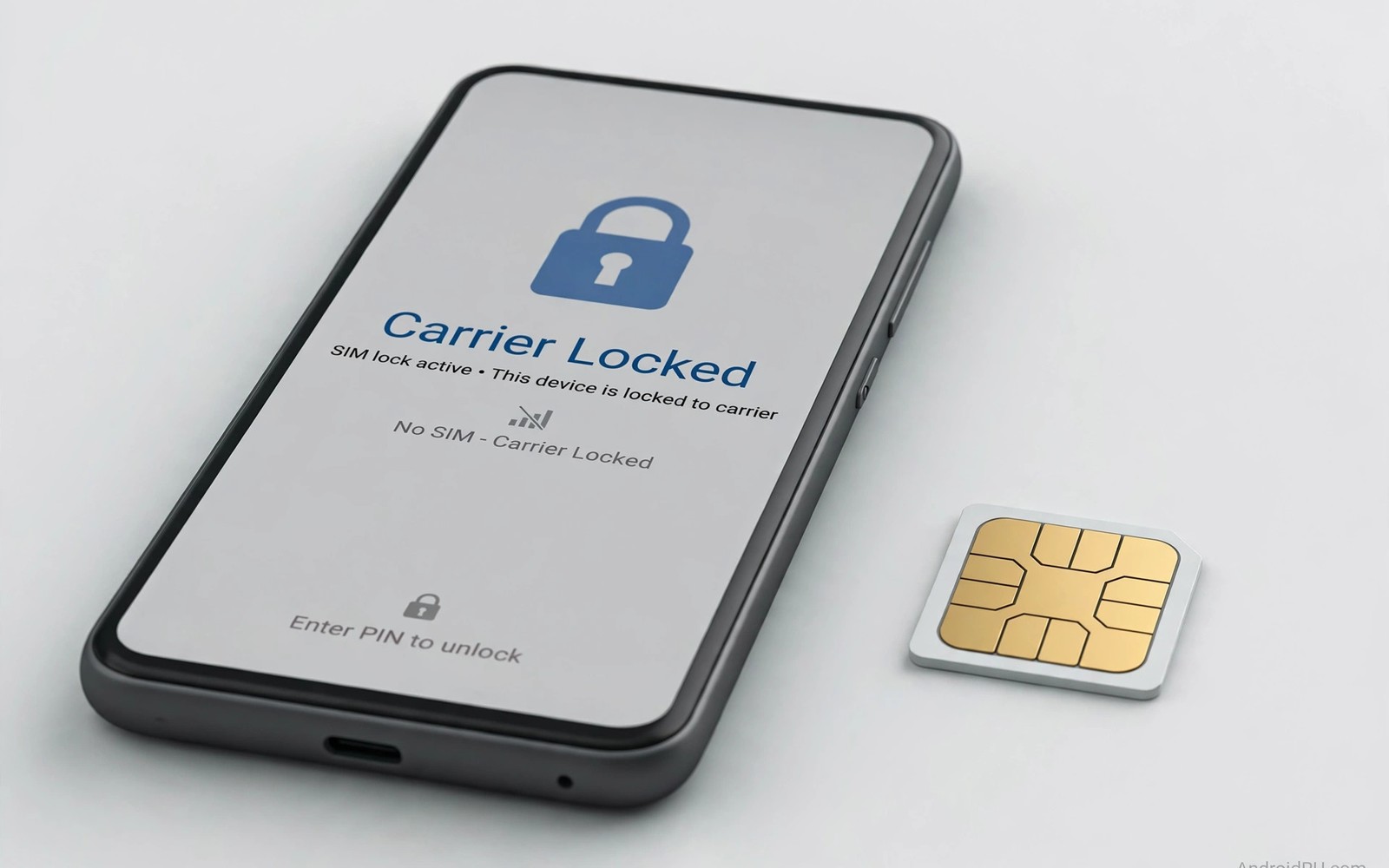
Don’t Buy Locked Phones: The Hidden Downside of Carrier Deals
A locked phone deal looks like a bargain in the store and turns into a constraint the first time you need a local SIM abroad or a cheaper plan at home. The salesperson shows you a flagship for a fraction of its price, the monthly payment looks small, and the contract feels like a formality. Six months later you land in another country, open your bag, and realise the phone in your hand will not accept the cheap local SIM that everyone else is buying at the airport kiosk. That moment is when the discount stops feeling like a discount.
I have watched friends go through this exact cycle. One paid almost nothing upfront for a phone tied to a premium plan, then spent more on two weeks of roaming than the phone discount was worth. Another tried to sell a locked phone after a year and discovered that buyers either walked away or offered far less than the same model unlocked. The pattern repeats because the deal is sold on the monthly number, not on the total cost of ownership over the life of the contract.
This guide walks through what a carrier lock actually restricts, what it costs when you travel, what it does to resale value, when a locked deal can still be sensible, and the exact checks to run before you sign anything. By the end you will have a worksheet, a checklist of questions, and a clear way to test whether the phone in your hand is locked before it matters.
What a Carrier Lock Actually Does to Your Phone
A carrier lock, also called a SIM lock or network lock, ties your phone to one mobile network. The phone will accept SIM cards from that carrier and reject SIM cards from every other carrier. The hardware is the same as the unlocked version. The restriction lives in the phone software, and it stays there until the carrier releases it. That release may happen automatically after a set period, or only after you ask for it and meet the payment and account conditions in your contract.
The lock does more than block a different SIM. Many carrier-sold phones run carrier firmware, which can delay software updates because the carrier tests each update before it reaches you. Carrier firmware often adds carrier apps that you cannot remove, and those apps take up storage and sometimes run in the background. Some locked phones also restrict eSIM profiles from other carriers, which closes off the easiest workaround for travellers. A lock that only blocks a physical SIM is annoying. A lock that blocks eSIM as well leaves you with no cheap option abroad at all.
Lock rules differ by carrier and by country. Some carriers unlock a phone automatically once the device is fully paid off and the account has been active for a set number of days, often 40 to 60 days, though the exact period varies. Others require you to submit a request through support or an online portal, and processing can take minutes or several days. A few carriers unlock only after the full contract term ends. The only reliable source is the written unlock policy for your carrier, not the summary a salesperson gives you in the store.
SIM lock, network lock and firmware lock: what is the difference?
A SIM lock is the most common restriction. The phone checks the network code on the SIM and refuses to connect if it belongs to another carrier. A network lock is the same idea described from the carrier side, and the two terms are used interchangeably in most stores. A firmware lock is different. It is the carrier customisation baked into the software: branded apps, a carrier boot screen, disabled features such as tethering on some plans, and delayed updates. An unlocked phone can still carry some carrier firmware if it was originally sold by a carrier, so an unlock does not always remove every trace of the carrier.
There is also the question of payment plans. A phone bought on an instalment plan is often locked until the balance is paid in full, even if you have been a loyal customer for years. Paying off the phone early usually starts the unlock process, but in some contracts it only starts a waiting period. Ask which one applies to you, because the difference decides whether you can use a local SIM on a trip next month or next year.
How long does a carrier lock usually last?
There is no single answer, and that is exactly why you should ask for yours in writing. In the United States, major carriers typically unlock phones after 40 to 60 days of active service with the device paid off, while some prepaid brands require 12 months of paid service. In the United Kingdom, most carriers stopped locking phones years ago, but older stock and some contracts still carry locks. In other markets the lock may last the full 24-month contract. The range is wide enough that guessing is useless. Get the number, the conditions, and the date, and keep the written confirmation.
What “locked” looks like on the screen
Insert a SIM from another network and a locked phone will usually show one of these messages: “SIM network unlock PIN”, “Invalid SIM”, “SIM not supported”, or “Network locked”. On some phones the message appears only when you try to make a call or use mobile data, so a phone that shows signal bars is not proof that it is unlocked. The reliable test is to insert a different network SIM, restart the phone, and check that calls, texts, and mobile data all work. Do this at home, before a trip, not at a foreign airport.
The Roaming Bill That Wipes Out the Discount
Roaming charges on a locked phone can dwarf the saving from the original deal. A traveller who roams for two weeks may pay more in roaming than the discount that made the locked phone attractive in the first place. Local SIM cards offer cheap data and calls in most countries, often for the price of a coffee, while roaming can cost several dollars per day or per megabyte depending on the plan. A locked phone blocks the cheap option and leaves you with the expensive one.
Think about the numbers. A locked deal might save you 200 dollars on the phone. A two-week trip with roaming at 10 dollars a day costs 140 dollars, and that is before data overage charges. Two trips in a year and the roaming bill has eaten the entire discount, and you still have the lock for the rest of the contract. A traveller who visits family abroad twice a year can easily spend more on roaming than the phone was ever worth as a discount. That said, the roaming math changes if your plan includes free roaming in the countries you visit, so check your plan’s roaming inclusions before you assume the worst.
Frequent travellers should treat an unlocked phone as a travel tool rather than a luxury. The freedom to buy a local plan at the airport often pays for the price difference within a single trip. A local SIM also gives you a local number, which helps with ride apps, restaurant bookings, and two-factor codes that do not arrive reliably on a roaming number. If you travel even twice a year, put roaming cost into your deal worksheet before you sign, not after you get the bill.
Local SIM vs roaming: a real cost comparison
The table below uses typical ranges rather than any one carrier’s price list, because prices change and vary by country. Use it to see the shape of the problem, then replace the ranges with your own carrier’s roaming rates and the local SIM prices at your destination.
| Option | Typical cost for 14 days | What you get |
|---|---|---|
| Local prepaid SIM | 5 to 20 dollars | Local data, calls, and a local number |
| Carrier travel pass | 70 to 140 dollars | Your home allowance abroad, with daily fees |
| Pay-as-you-go roaming | 100 to 400 dollars or more | Data charged per megabyte, easy to overrun |
| eSIM travel plan on an unlocked phone | 10 to 40 dollars | Data only, keeps your home number for calls |
The gap between the first row and the third row is the hidden cost of a locked phone. It is not a small gap. It is the difference between a phone that works for you and a phone that works for the carrier’s roaming revenue. Buyers weighing network freedom should also understand the city speed comparison in whether 5G is really faster than LTE because coverage quality shapes plan choice just as much as price does.
eSIM does not always save you from a lock
Many people assume eSIM solves the travel problem. It can, but only if the carrier lock allows it. Some locked phones accept eSIM profiles only from the same carrier, which means a travel eSIM from another provider will be rejected just like a physical SIM. Before a trip, check both the physical SIM lock status and the eSIM lock status. On an iPhone, go to Settings, then General, then About, and look for “Carrier Lock”. It should say “No SIM restrictions” if the phone is unlocked. On Android, the path varies by brand, but Settings, then About phone, then SIM status or Network, usually shows the lock state. If the phone shows any restriction, sort it out weeks before departure, not the night before.
Resale Value: Why Locked Phones Sell for Less and Slower
Unlocked phones sell faster and for more money because any buyer can use them. Locked phones attract fewer buyers and invite suspicion about outstanding payments or hidden restrictions. A buyer cannot easily verify that a locked phone will unlock soon, and that uncertainty lowers offers. Sellers of locked phones often wait longer and accept lower prices, and the gap grows as the phone gets older and cheaper models appear.
If you replace phones often, then resale value matters as much as purchase price. A phone that costs 800 dollars unlocked and resells for 400 dollars after two years has cost you 400 dollars. The same phone bought locked for 600 dollars on a contract and resold for 200 dollars has cost you 400 dollars too, before you count the plan premium. Add the plan premium and the locked deal is usually the more expensive path. Calculate total cost of ownership including resale rather than looking at the upfront deal alone, because the upfront number is the one the store wants you to look at.
Timing matters as well. A locked phone is hardest to sell in the last months of its contract, when buyers know the lock still has months to run and the model is about to be replaced. An unlocked phone can be sold at any point, which lets you time the sale to a new release or a holiday demand peak. That flexibility is worth real money if you upgrade every year or two.
What buyers check before paying for a used phone
A careful buyer will ask three things: is the phone unlocked, is it fully paid off, and is it blacklisted for non-payment or theft. A locked phone fails the first test immediately. The second test is harder, because the buyer cannot see your instalment balance. That is why buyers discount locked phones so heavily. They are pricing in the risk that the carrier will refuse to unlock the phone until a balance they cannot see is cleared. If you sell a locked phone, expect the buyer to ask for proof of purchase, the carrier name, and the unlock date. Have those ready, or expect a lower offer.
How to price a locked phone fairly
Start with the current used price of the same model unlocked, then subtract at least 20 to 30 percent for the lock, and more if the lock still has many months to run. A locked phone priced almost the same as an unlocked one will sit unsold, because no buyer takes on the restriction for a tiny saving. Be honest in the listing about the carrier and the unlock date. A clear listing with the carrier named and the unlock date stated will sell faster than a vague one, even at the same price, because it removes the buyer’s biggest fear.
Second-hand locked phones carry extra risk
Second-hand locked phones carry extra risk because the original owner may still owe payments on the device. A carrier may refuse to unlock until that balance clears, even when you bought the phone in good faith. Ask the seller for unlock status and original purchase proof before paying for any second-hand locked phone. Test a second-hand phone with your own SIM before completing payment whenever possible. A quick test with a different network SIM reveals lock status immediately, takes about a minute, and prevents a costly mistake that no refund policy may fix. Price second-hand locked phones well below unlocked equivalents because the lock reduces the buyer pool and future resale value. A locked phone that costs nearly as much as an unlocked phone offers poor value, so negotiate hard or walk away when the discount does not reflect the restriction.
When a Locked Deal Still Makes Sense
A locked deal is not automatically a bad deal. It can work when you already love the carrier and plan to stay for years. Long-term customers who never travel and never switch may never feel the lock at all. If your coverage is excellent at home and at work, your plan price is fair, and you have no travel plans, then the lock is a restriction you may never bump into. The key is to make that judgement honestly, based on your real life, not on the salesperson’s version of it.
It can also work when the total contract cost is genuinely lower. That happens sometimes during aggressive promotions, when a carrier subsidises a phone heavily to win a customer. The only way to know is to add the plan cost and the phone cost together over the full contract and compare that total with an unlocked phone plus a cheap plan. A cheap phone with an expensive plan costs more over two years than a full-price phone with a cheap plan. Do the addition before you sign, because the monthly figure hides it.
Families buying phones for parents or teenagers sometimes prefer a locked deal too, because the plan is simple, the store handles setup, and the phone is unlikely to travel abroad or switch networks. If you are choosing a phone for a parent, the guide to smartphones for seniors with big displays and easy UI is a useful companion read, because screen size and simple menus matter more than network freedom for that buyer. The lock is a trade-off, and for some buyers the trade is fair.
A checklist for when the deal is genuinely good
- You have used this carrier for at least a year and coverage is strong where you live, work, and commute, so switching would gain you nothing.
- You travel abroad rarely or never, or your plan already includes free roaming in the countries you visit.
- The total 24-month cost, phone plus plan, is lower than an unlocked phone plus a comparable cheap plan.
- The unlock date and conditions are given to you in writing, with a date you can put in your calendar.
- You plan to keep the phone for the full contract, so resale value during the lock period does not matter to you.
If you can tick every box, the locked deal is a reasonable choice. If you cannot tick even one, the discount is probably costing you more than it saves. Shoppers comparing models should also read the value ranking of smartphone brands ranked from worst to best value before they let a carrier deal decide which brand they buy.
How to Check Lock Status and Unlock Policy Before You Sign
Checking lock status takes a few minutes and saves you from months of regret. Do it in the store, before you sign, and again at home before the return window closes. The steps below work for most Android phones and iPhones, though menu names vary slightly by brand and software version.
- Ask the salesperson, in plain words, “Is this phone locked to your network, and if so, when does it unlock?” Write down the answer and the name of the person who gave it.
- Ask for the unlock policy in writing. An email or a printed page beats a verbal promise, because verbal promises disappear when staff change.
- Check the lock status on the phone itself. On iPhone, go to Settings, General, About, and read the “Carrier Lock” line. On Android, try Settings, About phone, SIM status, or ask the store to insert a SIM from another network and watch what happens.
- Test with a different network SIM. Borrow one from a friend or family member on another carrier, insert it, restart the phone, and confirm that calls, texts, and mobile data all work.
- Confirm the eSIM status separately. Ask whether travel eSIM profiles from other providers will work while the phone is locked, and get that answer in writing too.
- Check the IMEI against the carrier. Some carriers offer an online IMEI checker that shows whether a device is locked, financed, or blacklisted. Use it before buying second-hand.
- Read the unlock request process. Find out whether you request it online, by phone, or in store, what details you need, and how long processing takes.
Keep records of the unlock confirmation once you have it. A screenshot or an email helps if the lock returns after a software update or a factory reset. Carriers can usually reapply an unlock quickly when you show prior confirmation, but only if you can show it. Store the confirmation in the same place you keep the receipt.
Check lock status on Android
On Samsung phones, open Settings, then Connections, then More connection settings, then Network unlock, if the menu exists on your model. On Pixel phones, the lock status is not shown in a single menu, so the SIM test is the reliable method. On other brands, look under Settings, About phone, SIM status, or search Settings for “SIM lock” or “network lock”. Advanced users can connect the phone to a computer and run adb shell getprop gsm.sim.state to read the SIM state, or adb shell dumpsys telephony.registry to inspect the operator details. Those commands only read the state. They do not unlock a phone and they do not bypass any carrier restriction, so do not pay anyone who claims a command can unlock your phone for you.
Check lock status on iPhone
On iPhone the answer is in one place. Go to Settings, then General, then About, and scroll to “Carrier Lock”. If it says “No SIM restrictions”, the phone is unlocked. If it names a carrier, the phone is locked to that carrier. This line updates after an unlock, though you may need to restart the phone or connect it to Wi-Fi before the change appears. If you buy a used iPhone, check this line with the seller present, and insert your own SIM to confirm. A phone that shows “No SIM restrictions” and works with your SIM is safe to buy.
The unlock request: what to gather first
Unlock requests usually start through carrier support or an online portal. You may need the device IMEI, found by dialling *#06#, your account details, and proof of payment. Gather those details before you contact support to avoid repeated calls. Processing time varies from minutes to days depending on carrier systems. Some unlocks arrive as a code that you enter after inserting another SIM, while others complete automatically after a software update. Follow the carrier instructions exactly and restart the phone when told to do so. Then test the unlock with a SIM from another network before you rely on it for travel.
What to do if the carrier refuses to unlock
Carriers can delay an unlock until you meet contract and payment conditions. They must usually unlock once those conditions are met under local rules, so keep payment records to support any request. If you believe you have met the conditions and the carrier still refuses, ask for the refusal in writing, with the specific condition cited. Then escalate through the carrier’s complaints process, and check your local telecom regulator’s rules, because many regulators require carriers to unlock phones once the device is paid off. A written refusal with a named condition is far easier to challenge than a verbal “not yet”.
The Total Cost Worksheet: Compare Deals Like a Spreadsheet
A plan comparison worksheet should list monthly plan cost, phone payment, contract length, and unlock date in separate columns for every offer you consider. That simple table exposes deals that look cheap monthly but cost more over two years. Add expected roaming costs for your travel pattern, because roaming can erase a monthly saving quickly. A worksheet forces honest comparison where sales talk encourages impulse decisions.
| Cost item | Locked deal | Unlocked phone + cheap plan |
|---|---|---|
| Phone upfront | 0 to 100 dollars | 600 to 900 dollars |
| Monthly plan, 24 months | 70 dollars x 24 = 1,680 dollars | 35 dollars x 24 = 840 dollars |
| Phone instalments, 24 months | 25 dollars x 24 = 600 dollars | 0 dollars |
| Roaming, two trips a year | 200 to 400 dollars | 20 to 60 dollars |
| Resale after 24 months | Minus 150 dollars | Minus 350 dollars |
| Total cost over 24 months | About 2,130 to 2,330 dollars | About 1,110 to 1,350 dollars |
Those numbers are an illustration, not a quote, and your own figures will differ. The point is the shape of the result. The locked deal looks cheaper in the store and costs far more over two years, because the plan premium is where the carrier recovers the phone discount. Replace the example figures with the real quotes in front of you and the worksheet will give you an honest answer in five minutes. Include network quality in your worksheet alongside price, because a cheap plan on a weak network frustrates daily use. Ask friends and neighbours about coverage in your area and test a prepaid SIM on the network when possible. A plan that saves money but drops calls at home costs more in frustration than it saves in cash. Include upgrade flexibility as well, because life changes during a two-year contract. A plan that allows early upgrade or device payoff flexibility suits users whose needs change quickly, while a rigid plan suits only users whose needs stay stable for the full term.
Questions to Ask Before You Sign Anything
Print this list or save it on your phone before you walk into a store. A salesperson who answers clearly is a good sign. A salesperson who dodges these questions is giving you information too, just not the kind they intended.
- Is this phone locked, and what is the exact unlock date and the exact conditions?
- What happens if I pay off the phone early? Does that trigger an immediate unlock, or does a waiting period start?
- Does the lock restrict eSIM profiles from other carriers, or only physical SIM cards?
- What is the total cost over the full contract, phone plus plan, including any price rises the contract allows?
- What is the early termination fee, and is it the remaining device balance only, or the balance plus a service fee?
- What are the trade-in conditions, and how much value do I lose if my old phone has a small crack or a worn battery?
- Does the plan price stay fixed for the full term, or can it rise with notice?
- Can I request the unlock online, and how long does processing take once I qualify?
Document every promise from a sales representative in writing before signing. Verbal promises about unlock dates and discounts disappear when staff change. An email confirmation protects you far better than a memory of a conversation. The same care applies to everything that plugs into your phone. Read the warning about cheap accessories that can brick devices before you buy a charger or cable from the same store, because a bad accessory can damage a phone faster than a bad contract can.
Frequently Asked Questions About Locked Phones
Can a carrier refuse to unlock my phone?
Carriers can delay an unlock until you meet contract and payment conditions. They must usually unlock once those conditions are met under local rules. Keep payment records, ask for any refusal in writing with the specific condition named, and escalate through the carrier complaints process if you have met the conditions and the answer is still no. Your local telecom regulator often publishes the exact rule that applies in your country.
Does unlocking void the warranty?
Carrier unlocking through the official process does not normally void the manufacturer warranty. The manufacturer warranty covers hardware faults, and an official unlock is a carrier action, not a modification you made to the phone. Unofficial unlocking methods carry different risks and should be avoided, because they can involve modified software that does void warranty and can leave the phone unstable. Always use the carrier’s own unlock process.
Is an unlocked phone always more expensive?
Unlocked phones cost more upfront in many cases. They often cost less over two years once plan freedom and resale value are counted. The worksheet in this guide shows how a 35-dollar cheap plan against a 70-dollar contract plan saves 840 dollars over 24 months, which is more than the price difference of most phones. The upfront price is only one number in a much longer calculation.
Can I use a locked phone with Wi-Fi only?
Yes. A locked phone works normally on Wi-Fi for browsing, apps, and calls over Wi-Fi or messaging apps. The lock only restricts which mobile network SIM you can use. That makes a locked phone usable as a second device, a media player, or a handset for a child on Wi-Fi, but it does not help if you need mobile data on another network. If you only ever use Wi-Fi, the lock may never affect you at all.
What happens to the lock after a factory reset?
A factory reset does not remove a carrier lock, and in rare cases a reset can make the lock reappear on screen even after an official unlock. That is why you should keep your unlock confirmation email or screenshot. If the lock returns after a reset or a software update, contact the carrier with that confirmation and they can usually reapply the unlock quickly. Do not pay a third-party service to remove a lock that the carrier already removed once.
The Decision in One Paragraph
Do not buy a locked phone until you have compared total contract cost, checked unlock terms in writing, and considered travel and resale. For most buyers an unlocked phone offers freedom worth paying for, because the freedom shows up in cheaper plans, cheaper travel, and a faster sale later. Your concrete next step is simple. Before you sign anything, ask your carrier for the exact unlock date in writing, run the worksheet with the real numbers, and test the phone with a SIM from another network. If the deal still looks good after those three checks, sign with confidence. If it does not, walk out with your money and buy the unlocked phone instead.

