

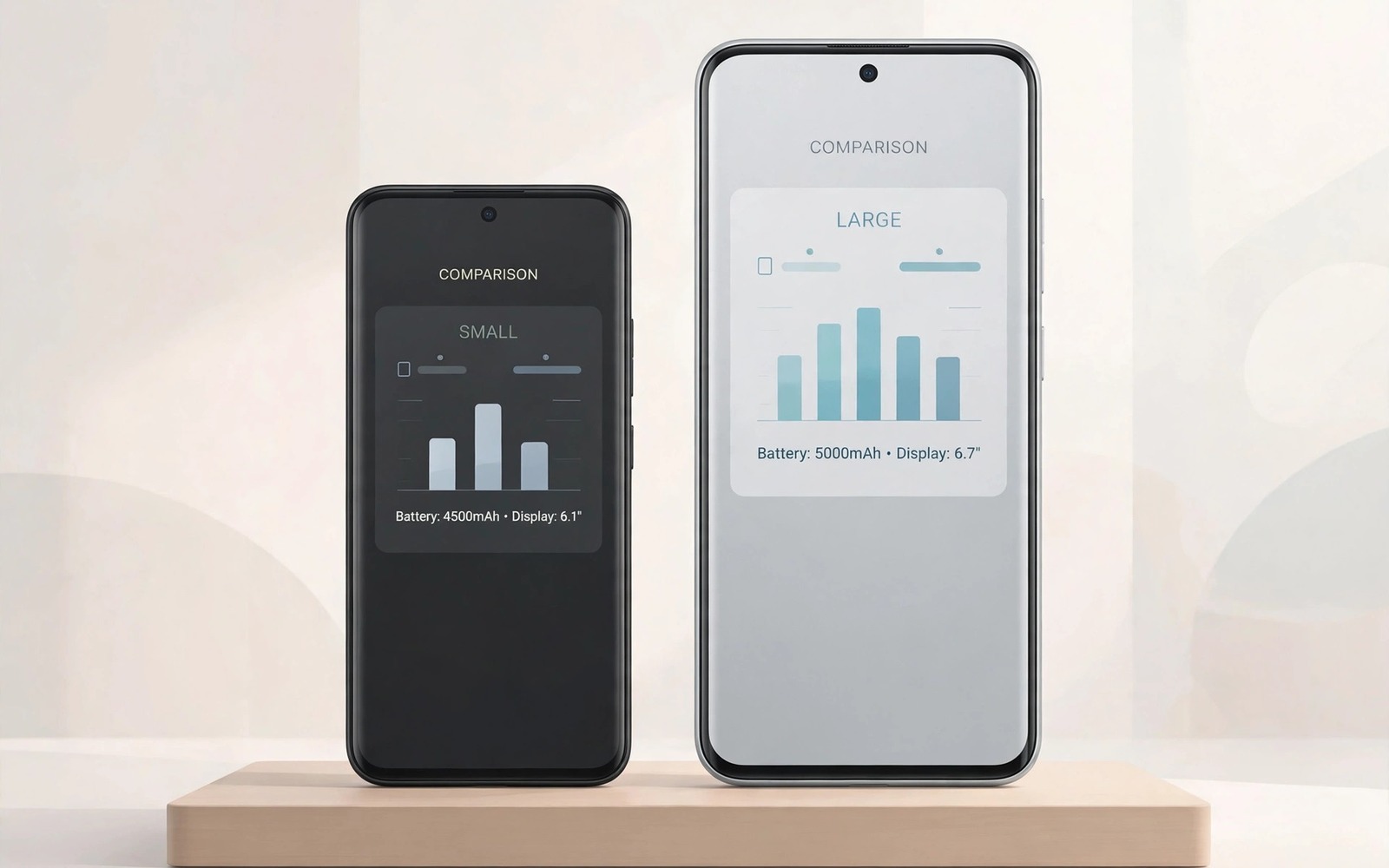
Galaxy Ultra vs Pixel Pro: Which Flagship Is Worth Your $1000?
Two flagship philosophies collide when you place these phones side by side, and the choice between them says a lot about how you actually use a phone. One phone throws hardware at every problem, with more lenses, more zoom, and more raw power. The other trusts software to turn modest hardware into striking photos and effortless daily use. I have spent time with both approaches, and the honest truth is that neither phone is better in every way. Your winner depends on which approach matches your hands, your habits, and the photos you take most often.
Price sharpens the contest because both phones sit near the top of the market, around the thousand-dollar mark depending on storage and deals. A thousand dollars buys a superb screen and a fast chip on either side, so the difference lies in what you get after the first month, when novelty fades. Software polish, camera consistency, update speed, and battery behaviour start to matter more than launch specs. This Galaxy Ultra vs Pixel Pro comparison looks at those everyday differences, with real tests you can repeat in a shop, so you can decide which flagship is worth your $1000 for the way you live.
Read each section with your own use in mind and keep score for the features you touch daily. A traveller who shoots distant landmarks needs different strengths than a parent who shoots toddlers indoors, and a student who takes notes all day needs different strengths than a creator who films video every weekend. There is no single winner here, only a better fit for each kind of buyer.
Galaxy Ultra vs Pixel Pro Price and Value for $1000 Flagship Buyers
Both flagships launch near the same price, but the price you actually pay is rarely the launch price. Trade-in offers, storage deals, carrier discounts, and seasonal sales move the real cost by hundreds of dollars, and the phone with the higher list price can become the cheaper phone after a strong trade-in. Before you compare specs, compare the final price for the storage size you truly need, including tax, a case, and a screen protector. A lower list price can grow quickly when you need more storage for photos and video, and a higher list price can shrink when your old phone is worth a lot as a trade-in.
Think about total cost over three years, not just day one. Cloud storage, photo backup, accessory costs, and repair prices all add up. One brand bundles generous cloud perks for a limited period, while the other integrates backup into a wider service family, so compare total cloud cost over three years rather than launch perks alone. Check repair prices for screens and batteries before you commit, because a beautiful phone with costly repairs can become an expensive companion. A flagship with nearby authorised service saves weeks of waiting after a drop, while mail-in service leaves you without a phone for longer.
Resale value matters too. Flagships from both brands hold value well when kept in good condition, but the model with the stronger trade-in programme often costs less to own over two or three years. If you upgrade every year, trade-in value is a major factor. If you keep a phone for four years, long software support and battery health matter more than resale. Shoppers who want broader context can start with a full buying guide for a new phone before they pay, and that guide covers the same trade-in and storage checks in more detail.
Galaxy Ultra Camera vs Pixel Pro Camera in Real Light
The Ultra approach gives you reach. A long zoom lens pulls distant subjects close without heavy digital cropping, and that reach shines at concerts, stadiums, and on trips where you cannot walk closer to the subject. It also adds weight and complexity to the camera system, and long zoom shots demand steady hands and good light. The Pixel approach gives you consistency. Its processing lifts shadows and balances skin tones in tricky indoor light, and point-and-shoot results often look ready to share without editing. That reliability helps when you have one second to capture a moment that will not repeat.
Test both cameras in the same dim restaurant if you can. Shoot a friend across the table and a menu under warm bulbs, then compare faces, text, and background blur on a larger screen. The phone that handles your worst light best will win your everyday photography, because most of our photos are taken indoors, in the evening, or in mixed light, not in perfect sunshine. Bright outdoor samples hide real differences. Indoor light and moving subjects expose them, so test in your home, your workplace, and your favourite restaurant. Those are the photos you will actually keep.
Zoom reach, portrait shots and night mode compared
Long zoom changes how you frame a scene. You can isolate a mountain peak or a stage performer without moving closer, and image stabilisation decides whether those shots stay sharp at full reach. Try zoom shots handheld in wind or from a moving vehicle before you trust marketing samples. Portrait mode differs too: one phone leans on hardware depth, the other on software, and skin tone handling in warm indoor light is where the difference shows. Night mode on both phones is strong, but they tune colour and noise differently, so compare the same night street scene on both and judge which colour you prefer.
How megapixel counts affect your photos in practice
Big megapixel numbers sound impressive, but they matter less than lens quality, sensor size, and processing. Readers curious about silicon and sensors should study the truth behind huge megapixel counts before they let a single number decide the purchase. In practice, most people view photos on a phone screen or share them online, where a well-processed twelve or fifty megapixel shot looks better than a noisy high-resolution shot. Zoom and low-light handling are better guides than the headline number.
Pixel Pro Software vs Galaxy Ultra Software After Six Months
One interface packs features into every corner. You get deep customisation, split-screen tools, and stylus shortcuts, and power users love that depth. Casual users sometimes feel lost in menus, and learning the system takes time but rewards patience. The other interface stays clean and quiet. Menus sit where you expect them, voice typing feels fast and accurate, and call screening and spam filtering reduce daily friction in a way that rarely appears on a spec sheet. Simplicity becomes a feature when your day already feels busy.
Consider how much time you enjoy tuning a phone. A tinkerer will extract more value from a feature-dense system, while a buyer who wants the phone to disappear into the background will prefer the simpler path. Neither preference is wrong, and both deserve respect. Software fans can compare the long term software experience across brands to see how update speed and interface polish hold up over years, because a phone that feels fast on day one can feel cluttered by year two if updates add features without cleaning up menus.
Updates, AI features and daily friction
Both brands now promise long support, but the exact years differ by model and region, so check the promise for the precise model you plan to buy, and check whether carrier versions receive updates later than other versions. A promise on paper matters less than a record of on-time delivery. AI features differ in tone too: one phone offers a wide set of editing and productivity tools, the other focuses on a smaller set that works reliably, like call screening, live transcription, and photo editing that removes distractions. Try the AI features you would actually use weekly, and ignore the ones that only impress in a demo.
Display, Battery Life and Charging Compared
Both flagships offer bright and smooth displays that look superb indoors. Differences appear under harsh sunlight and during long video sessions. A brighter sustained display helps navigation on a summer road trip, while a more efficient panel stretches battery when you stream for hours. Hold both phones outdoors if you can, and watch how the screen behaves in direct sun. Indoor showroom lighting hides this difference completely.
Battery life depends on your signal and your apps as much as on capacity, so test standby drain and screen time with your own routine when possible. A phone that sips power overnight gives you confidence on travel days, and fast charging helps, but a larger real-world reserve helps more. Check charging behaviour with the charger you already own. Some flagships need a specific charger to reach headline speeds, while others charge well from common chargers you already carry. That practical detail matters at airports and offices where your own charger may stay home.
Chip performance, heat and gaming in daily use
Both chips handle everyday tasks with ease, and the difference shows only in long gaming sessions or heavy video editing, where heat and sustained speed matter. Readers curious about silicon can read a processor comparison for flagship chips to see how flagship processors differ in sustained load. In normal use, app launch speed, camera speed, and voice typing responsiveness tell you more than a benchmark number. Try opening the camera from a locked phone on both, and time how long it takes to take the first photo. That is the speed you will feel every day.
Zoom, Video and Travel Photography: Ultra Reach vs Pixel Consistency
Video stabilisation and audio quality matter for family films and travel clips. Walk while filming, speak at normal volume, and then play the clip back with headphones. Shaky footage and muffled voices ruin memories faster than slightly softer detail. Both phones handle video well, but they tune colour and motion differently, so compare the same walk on both and judge which colour and motion you prefer. Think about how often you truly need extreme zoom. Many buyers use it twice on holiday and then forget it, while others use it weekly for wildlife, sports, or school events. Honest frequency should decide how much weight you give this feature in your final score.
For travellers, the Ultra zoom is a genuine advantage at landmarks, safaris, and concerts, where you cannot move closer. For parents and pet owners, Pixel consistency is a genuine advantage indoors, where subjects move fast and light is poor. Neither advantage is small, and neither applies to everyone. Score each phone on the scenes you shoot most, not on the scenes in an advertisement.
Stylus, ecosystem and accessory extras compared
Extra tools separate these flagships beyond cameras and screens. A built-in stylus turns a phone into a notebook for sketches, signatures, and annotations, and that tool helps students, designers, and field workers daily. Buyers who never draw may carry the stylus slot as dead weight. Test stylus latency with quick handwriting in a notes app: a responsive stylus follows your pen without visible lag. Watch and tablet pairing also differs between the two ecosystems. One links phones, tablets, and watches with deep continuity features, while the other emphasises open standards and broad third-party support. Your existing devices should weigh heavily in this choice.
Galaxy Ultra vs Pixel Pro Comparison Table
| Feature | Galaxy Ultra | Pixel Pro |
|---|---|---|
| Price and value | Higher launch price, often offset by strong trade-in offers and deals | Often lower launch price, strong value for camera and software fans |
| Camera system | Versatile lenses with long zoom reach for travel and events | Consistent processing, strong skin tones and indoor results |
| Zoom | Long optical zoom, best for distant subjects and concerts | Good digital zoom, weaker at extreme distance |
| Battery life | Large battery, strong endurance, fast charging with the right charger | Solid all-day battery, efficient standby, good charging from common chargers |
| Software | Feature-dense interface, deep customisation, stylus tools | Clean interface, fast updates, call screening and voice typing |
| Display | Very bright, large screen, excellent for video and outdoor use | Bright and smooth, excellent colour, slightly smaller in the hand |
| Updates | Long support promise, timing can vary by model and carrier | Fast updates direct from the maker, long support promise |
| Best for | Travellers, zoom shooters, stylus users, power users | Families, point-and-shoot photographers, clean software fans |
Use the table as a starting point, not a final score. A single trait like camera consistency can outweigh three minor wins when photography drives your purchase. Weight what you love and ignore wins that leave you cold. A tiny checklist can keep your comparison honest: list the traits you care about, mark each phone as strong or weak from your own tests, and let the differences guide your shortlist.
Galaxy Ultra: Who It Suits Best
Choose the Ultra path when zoom reach, deep features, and hardware versatility drive your week. It suits travellers who shoot distant landmarks, concert goers, sports parents on the sidelines, and anyone who uses a stylus for notes or sketches. It also suits power users who enjoy customising every corner of their phone and who want the most versatile camera system in one device.
Galaxy Ultra pros and cons
Galaxy Ultra strengths: long zoom reach, versatile camera system, large bright display, built-in stylus, and deep customisation options.
- Pros: excellent zoom for travel and events, a large and bright screen, a stylus for notes and sketches, and a wide set of software features.
- Pros: strong battery endurance and fast charging, plus broad accessory and repair availability in many cities.
- Pros: a versatile camera that covers wide, normal, and long zoom without extra gear.
- Cons: large and heavy in the hand and pocket, a feature-dense interface that can feel busy, and a higher launch price before deals.
- Cons: long zoom shots need steady hands and good light, and the phone can feel like too much device for buyers who mainly message and browse.
Who it is for: travellers, zoom shooters, stylus users, and power users who want the most hardware in one phone and are happy to learn a deep interface.
Pixel Pro: Who It Suits Best
Choose the Pixel path when camera consistency, clean software, and effortless daily use matter most. It suits parents who shoot toddlers indoors, people who want point-and-shoot photos that look ready to share, and buyers who want the phone to disappear into the background. It also suits buyers who value fast updates, call screening, and accurate voice typing in daily life.
Pixel Pro pros and cons
Pixel Pro strengths: consistent camera processing, clean software, fast updates, and effortless daily use.
- Pros: reliable indoor and portrait photos with natural skin tones, a clean interface that is easy to learn, and fast software updates.
- Pros: call screening and spam filtering that reduce daily friction, plus accurate voice typing and live transcription.
- Pros: a comfortable size for many hands and a strong value position at its launch price.
- Cons: weaker long zoom than the Ultra, fewer hardware extras such as a stylus, and battery life that depends heavily on signal and apps.
- Cons: a simpler interface can feel limited for power users who enjoy deep customisation and advanced multitasking tools.
Who it is for: families, point-and-shoot photographers, clean software fans, and buyers who want a phone that works well with little tuning.
Verdict by Use Case and Frequently Asked Questions About Galaxy Ultra vs Pixel Pro
There is no single winner, so here is a verdict per use case. For travel and zoom photography, the Ultra wins on reach. For family photos indoors, the Pixel wins on consistency. For power users and stylus fans, the Ultra wins on depth. For clean software and fast updates, the Pixel wins on simplicity. For value, the winner is whichever phone costs less for your storage size after trade-in on the day you buy. Match the phone to your week, not to a headline spec.
Your concrete next step is to spend twenty minutes in a shop shooting the same dim indoor scene on both phones and comparing the results on a larger screen. Score camera, comfort, and software feel on paper before you leave the shop. Hold both phones for ten minutes and type a message one-handed before you decide, because a large phone with a great zoom lens still needs to fit your pocket and your hand.
Which flagship takes better photos?
The answer depends on your subject and your light. Long zoom and versatile lenses favour one phone for travel and events, while consistent processing and fast point-and-shoot results favour the other phone for family life. Test both in your worst light and judge faces and motion before you choose, and remember that the phone that handles your worst light best will win your everyday photography.
Which flagship lasts longer on updates?
Both brands now promise long support, but the exact years differ by model and region, so check the promise for the precise model you plan to buy. Check whether carrier versions receive updates later than other versions, and look at the maker’s record of on-time delivery, because a promise on paper matters less than updates that actually arrive on time.
Is the price gap justified?
The gap is justified only when you use the extra hardware often. A frequent zoom shooter or stylus user gains real value from extra lenses and tools, while a buyer who mainly messages and browses may gain little from the dearer phone. Match the price to your weekly habits rather than to prestige, and compare the final price after trade-in for the storage size you truly need.
Which flagship is better for video and travel?
For travel video, the Ultra offers more zoom options and a larger screen for framing, while the Pixel offers consistent colour and reliable stabilisation with less tuning. Walk while filming on both, speak at normal volume, and play the clips back with headphones before you decide. Shaky footage and muffled voices ruin memories faster than slightly softer detail, so judge stabilisation and audio as carefully as sharpness.

