

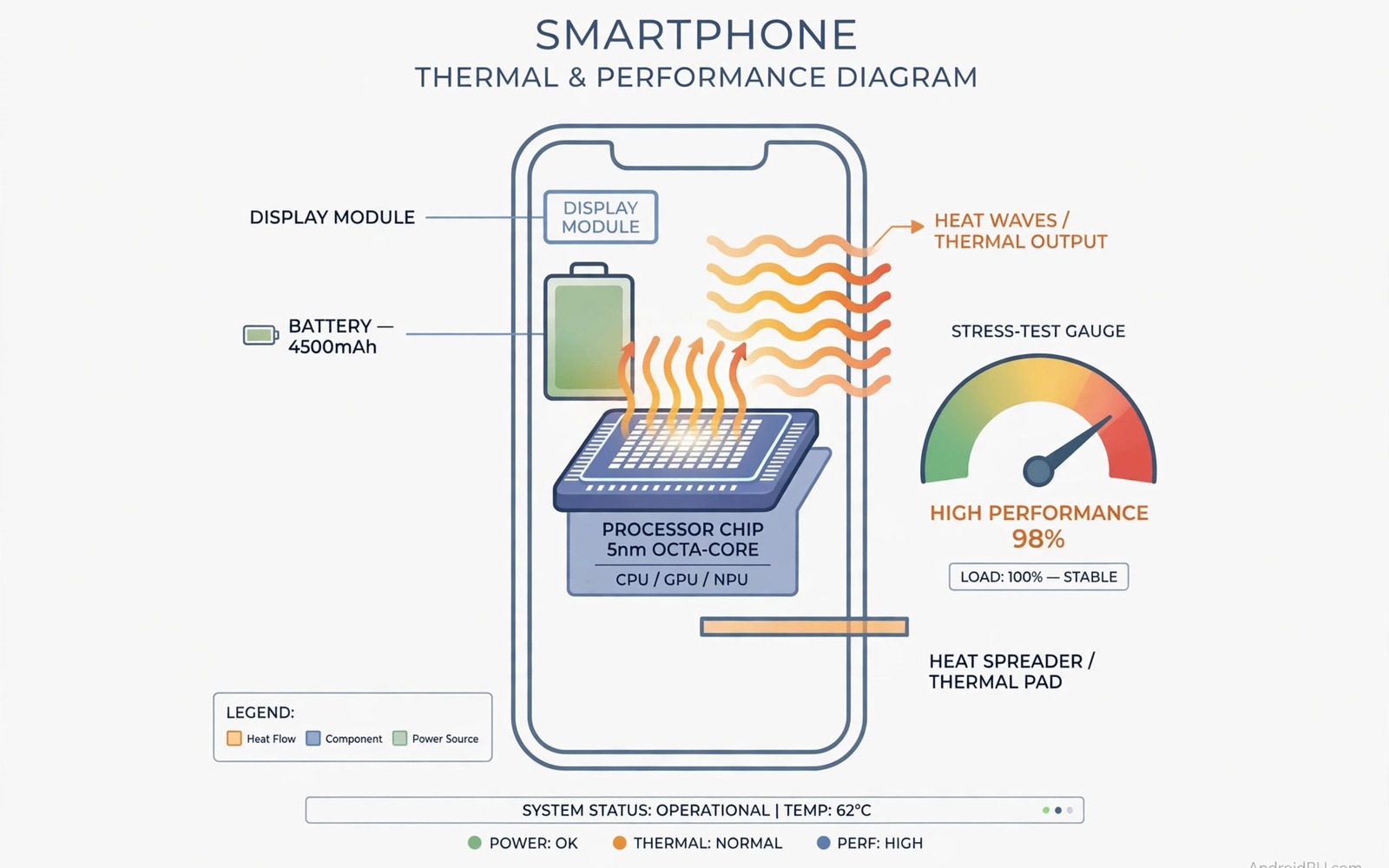
7 Heavy Android Games That Will Stress-Test Any Hardware Chip
Benchmark apps give you a number. Heavy games give you the truth. A benchmark runs for two minutes, the phone stays cool, and the score looks great. Then you open a real game, play for twenty minutes, and the frame rate falls apart. That gap between a lab score and real play is exactly why heavy Android games make the best stress test. They load the processor, the graphics chip, and the memory at the same time, for as long as you play, in the exact conditions you actually use.
I have run this kind of test on a dozen phones over the years, from budget handsets to gaming flagships, and the pattern never changes. The phone that wins the first five minutes is not always the phone that wins minute fifteen. Heat builds, the chip slows down to protect itself, and the game you loved at 120 frames per second turns choppy. A good stress test catches that before you spend money, before your return window closes, and before you blame the game for what is really a hardware limit.
This guide names seven heavy games that stress any chip, explains how to test them fairly, and shows you how to read the results. You will learn which settings matter, which mistakes ruin a test, and how to turn a fifteen-minute session into a clear answer about your phone.
Why heavy games beat synthetic benchmarks for real stress testing
A synthetic benchmark is a sprint. It pushes one part of the chip at a time, in short bursts, with pauses between runs. Real games are a marathon. They keep the processor busy with game logic, the graphics chip busy with lighting and shadows, and the memory busy streaming textures, all at once, without a break. That combined load is what makes a phone hot, and heat is what makes a phone slow.
Games also test things benchmarks ignore. A game streams new textures as you move through a city, so memory bandwidth matters. A game renders crowds and traffic, so draw calls pile up. A game reacts to your touch, so input delay becomes visible the moment frames drop. None of that shows up in a single benchmark score, but all of it shows up in the first ten minutes of a heavy game.
There is another advantage. Games are the load you actually care about. If your phone holds 60 frames per second in a demanding open-world game for fifteen minutes, it will handle everything else you throw at it. If it cannot, no benchmark score will save your evening. Test with the thing you want to do, and the result answers the question you actually asked.
How to run a fair 15-minute stress test on any Android phone
A fair test starts before you open the game. Charge the phone to 100 percent and let it cool to room temperature. A hot phone throttles from the first minute, and a low battery can trigger power saving that caps performance. Close every other app, turn off background downloads, and connect to stable Wi-Fi so network stutter never looks like a hardware problem. Test in a normal room with airflow, never under a blanket or in a hot car.
Pick a busy scene, not a quiet menu
A menu screen stresses nothing. Pick the busiest scene the game offers: a crowded city street with traffic and pedestrians, a large battle with dozens of effects on screen, or a fast drive through a detailed world. Note the exact scene name so you can repeat it later. The same scene, the same route, the same fight, every time. A repeatable scene is what turns a feeling into a measurement.
Record frame rate at three points
Record your frame rate and how hot the phone feels at the start, at five minutes, and at fifteen minutes. A phone that holds its frame rate across all three points is stable. A phone that drops sharply after five minutes is throttling hard. A phone that fades slowly is heat limited but coping. A phone that drops in the first minute is probably limited by its settings, not its cooling. Use a frame rate overlay if your phone has one, or record the screen and count the stutter yourself. Three readings beat one reading every time.
The standard test card for every game
Use the same card for all seven games so results stay comparable. Fifteen minutes, default high graphics settings, case off, battery full, Wi-Fi stable, same busy scene. Write down the phone model, the game version, and the system version too, because a game update or a system update can change performance sharply. A standard plan makes results comparable across phones and across weeks. A different plan for each game makes comparison meaningless.
Case off versus case on changes the result
Run one test with the case off and one with your daily case on. A thick case traps heat and can make throttling worse, while a thin case may change almost nothing. Test the exact case you use every day, because a lab result without your case is less useful than a real result with it. If the case costs you ten frames per second, you have learned something worth knowing before your next long session.
7 heavy Android games that stress-test any hardware chip
These seven cover open worlds, shooters, racing, strategy, and survival play. Together they load every part of a chip. A phone that handles all seven smoothly is a strong gaming phone. Test each one at default high settings first, then raise one setting at a time if you want to find the true limit.
1. Genshin Impact
Genshin Impact remains the hardest open-world test on Android. Its region of Teyvat mixes huge draw distances, dense grass and water effects, dynamic weather, and crowded towns where dozens of characters move at once. The game streams textures constantly as you sprint across the map, so memory bandwidth and storage speed matter as much as raw graphics power. On a mid-range chip, the city of Liyue at dusk, with rain and crowds, is the scene that separates strong phones from average ones.
Pros: the most complete combined load on Android, free to test, huge community sharing settings and results, excellent at exposing thermal limits within ten minutes. Cons: a very large install, heavy battery drain, and the highest graphics preset can overheat thin phones fast. Verdict: the first game to test on any new phone. If it holds 60 frames per second here for fifteen minutes, the phone is genuinely strong.
Who it is for
Anyone judging a phone for open-world gaming, and anyone who wants a single brutal test instead of five small ones.
2. Zenless Zone Zero
Zenless Zone Zero pushes fast combat with flashy effects, dense urban streets, and rapid camera movement. Its stylish cel-shaded look hides a heavy load: particle effects pile up during chain attacks, and the game keeps the processor busy tracking enemy positions while the graphics chip renders reflections and shadows. The combat-heavy Hollow Zero mode is the scene to use, because long fights with many enemies on screen stress both the chip and the cooling system at once.
Pros: superb at exposing frame pacing problems, since stutter is obvious during fast combat. Cons: the load is spikier than Genshin Impact, so a short test can mislead. Verdict: the best second test after Genshin Impact, especially if you care about action games and smooth combat.
Who it is for
Players who live in action games and want to know whether fast combat stays smooth after ten minutes of heat.
3. Wuthering Waves
Wuthering Waves is a demanding open-world action game with long draw distances, detailed character models, and heavy post-processing. Its world of Solaris-3 is beautiful and expensive to render, and the game is known for pushing phones harder than its visual style suggests. Test in a busy city area during combat, where effects, crowd characters, and reflections combine into the heaviest load the game offers.
Pros: a punishing open-world load that rivals Genshin Impact, with long sessions that reveal slow throttling. Cons: performance varies a lot between updates, so always note the game version in your results. Verdict: a strong third test that confirms whether a phone handles sustained open-world play, not just a quick sprint.
Who it is for
Open-world fans who want a second opinion after Genshin Impact, and testers who compare phones across several demanding titles.
4. Honkai: Star Rail
Honkai: Star Rail is turn-based, so it does not need the twitch response of a shooter, but it is still a heavy test. Its detailed space stations and cities, long view distances, and rich lighting push the graphics chip hard, and the game loads large areas as you move through them. The busy hub areas, with many characters and reflective floors, make the best test scenes. Watch the frame rate during area transitions, when the game streams in new textures and the memory system works hardest.
Pros: a steady, repeatable load that is easy to compare across phones. Cons: turn-based combat hides frame pacing problems that action games would expose. Verdict: a useful test for graphics and memory load, best paired with a fast action game for a complete picture.
Who it is for
Players who want a calm, repeatable graphics test, and anyone who plays turn-based games and wants to know their phone handles rich visuals.
5. Fortnite
Fortnite on Android is a full battle royale with a large island, a hundred players dropping in, building mechanics, and constant combat. The opening drop, with the whole island visible below and dozens of players landing at once, is one of the heaviest moments in mobile gaming. Late-game circles, with many players building and fighting in a small zone, stress the processor with tracking and physics while the graphics chip renders dense structures and effects.
Pros: the most realistic test of large-scale multiplayer load, with clear busy scenes. Cons: matchmaking means scenes are never identical twice, so repeatability is weaker than a scripted game. Verdict: the best multiplayer stress test, and the game most likely to expose a phone that is fine offline but struggles online under load.
Who it is for
Battle royale players, and anyone who wants to know how a phone copes when a hundred real players share the same map.
6. PUBG Mobile
PUBG Mobile combines a huge map, long sight lines, vehicles, and up to a hundred players in one match. The parachute drop and the drive across open terrain in a vehicle are the heaviest moments, because the game streams terrain and buildings as you move at speed. Erangel in classic mode, with high graphics and a hot drop zone like Pochinki, gives you a busy scene that is easy to repeat from match to match.
Pros: extremely widely played, so results compare easily with friends and online reports. Cons: network quality affects the result more than in offline games, so test on strong Wi-Fi first. Verdict: the standard shooter stress test, and the best way to check whether a phone holds its frame rate in long competitive matches.
Who it is for
Competitive shooter players who need steady frames for a full thirty-minute match, not just the first five minutes.
7. Call of Duty: Mobile
Call of Duty: Mobile is the fastest test in this list. Its multiplayer maps are small and dense, with constant action, explosions, and scorestreaks filling the screen. The graphics chip works hard on effects and shadows, while the processor tracks many players and projectiles at once. A long session in a busy mode like Domination on a detailed map shows whether a phone can keep up with sustained fast play, and whether touch response stays sharp when frames drop.
Pros: fast, repeatable matches that fit neatly into a fifteen-minute test window. Cons: short matches can hide slow throttling that only appears after twenty minutes. Verdict: the best test for input response and frame pacing under fast action, and a strong final check after the slower open-world games.
Who it is for
Fast shooter fans who notice every dropped frame, and testers who want a quick, repeatable stress test they can run in one sitting.
What the numbers actually mean when a phone throttles
Sustained frame rate matters more than peak frame rate. A phone that peaks at 120 frames and drops to 30 after ten minutes will feel worse than a phone that holds 60 steadily for the whole session. Peak numbers look good in marketing. Sustained numbers feel good in play. When you compare phones, compare the fifteen-minute number, not the first-minute number.
Heat is the reason for almost every drop. As the chip warms up, the phone reduces its speed to protect the battery and the board. That slowdown is called thermal throttling, and it is normal on every phone. The question is how much and how fast. A good gaming phone throttles gently and holds a playable frame rate. A weak one falls off a cliff. If you want the full explanation of why this happens, read Why thermal throttling kills gaming FPS before your next test, because understanding the cause helps you judge whether a drop is normal or a real problem.
Battery drain is the second number worth recording. A heavy game that drains 15 percent in fifteen minutes is working the phone hard. That is expected. A game that drains 25 percent in the same time is pushing the chip to its limit and generating the heat that causes throttling. Record battery at the start and the end of each test, and compare across games. The pattern tells you which games cost the most, and whether your phone can survive a long session away from a charger.
Settings that change the result most in heavy games
Shadows cost the most for the least visible gain. Lower shadows first when frames drop, and keep texture quality high if memory allows, because textures shape how the game looks far more than shadows do. Reflections come next. Resolution is the biggest lever of all: dropping from the highest resolution to one step down can recover ten or more frames per second on a struggling phone, with a small visible difference on a small screen.
Frame rate caps deserve attention too. Many heavy games offer 60, 90, or 120 frames per second. A 120 frame cap looks wonderful for three minutes and then throttles hard on most phones. A 60 frame cap often holds steady for the whole session and feels smoother overall. Test at 60 first, and only raise the cap when the phone proves it can hold it. Optimising RAM allocation for heavy mobile games is another lever worth understanding, because a game that fights the system for memory will stutter even on a fast chip. Read Optimising RAM allocation for heavy mobile games and apply the steps before you judge a phone, so memory pressure never masquerades as weak hardware.
Background apps are the silent killer of test results. A chat app syncing in the background, a cloud backup uploading photos, or a music stream can all steal processor time and memory from the game. Close everything before a test, and turn off auto-sync for the fifteen minutes. A clean test is the only test worth comparing.
Common mistakes that ruin a heavy game stress test
The most common mistake is testing with a hot phone and blaming the game. Heat alone can ruin a test, so always start cool. The second mistake is maxing every setting on the first run. A maxed run overheats quickly and misleads you about what the phone can really do at sensible settings. Start at default high, then raise one setting at a time.
The third mistake is judging a phone by one game only. A phone can excel in a shooter and struggle in a strategy game, because different genres stress different parts of the chip. A set of seven results gives a fuller picture than any single score. The fourth mistake is ignoring the case. A thick case can trap heat and worsen throttling, so test with the case you actually use.
Cooling matters more than most people think. If your phone throttles in every game, a simple cooling change can help more than any settings tweak. Read Cheap thermal cooling hacks for hot phones for practical fixes that cost little and help a lot, from better airflow to simple habits that keep the chip cooler for longer. A cooler phone holds its speed longer, and that is often the cheapest performance upgrade you will ever make.
Frequently asked questions about stress-testing phones with heavy games
Will heavy games damage my Android phone?
No, normal play will not damage a healthy phone. Phones throttle to protect themselves from heat, and that protection works. Limit stress tests to fifteen minutes, stop if the phone becomes uncomfortably hot, and test in a room with airflow. Avoid testing under a blanket or in a hot car. A safe test gives a useful result, and an unsafe test risks hardware for no benefit.
Why does my phone slow down during a heavy game?
Heat causes throttling. The processor reduces its speed to cool down, and that reduction drops the frame rate. A cooler phone holds its speed longer, so remove a thick case, play in a cool room, and lower shadows first to reduce the load. If the phone still drops sharply after five minutes, the cooling system is the limit, not the game.
Which heavy game is best for testing a new phone?
Use several games across genres rather than one title. An open-world game tests graphics and memory, a shooter tests fast action and frame pacing, and a strategy game tests processor load. A set of results gives a fairer picture than a single game score, and it also tells you whether the phone suits the games you actually play.
How long should a stress test last to reveal throttling?
Fifteen minutes is the sweet spot. It is long enough to reveal throttling, which usually appears between five and ten minutes, and short enough to avoid extreme heat. Record the frame rate at the start, at five minutes, and at fifteen minutes. If you only test for two minutes, you are measuring the phone at its best, not its real sustained performance.
Your next step: run one 15-minute test today
Pick one heavy game from this guide and run a fifteen-minute test with a cool phone and default high settings. Record the frame rate at the start, at five minutes, and at fifteen minutes. That simple record will show whether your phone holds steady or throttles under load, and it will tell you more about your hardware than any benchmark score. Do the same test after your next system update, and you will know immediately whether the update helped or hurt your gaming.

