

Stop Draining Battery While Gaming: Try Bypass Charging Today
Playing while plugged in feels like the obvious fix for a draining battery. The game pulls power fast, the charger keeps the phone alive, and the match goes on. What you do not see is the battery working hard in the middle of that exchange: taking in charge and giving it out at the same time, heating up with every cycle. Over weeks and months, that heat and stress age the battery, and a phone that once lasted a full day starts dying by the evening.
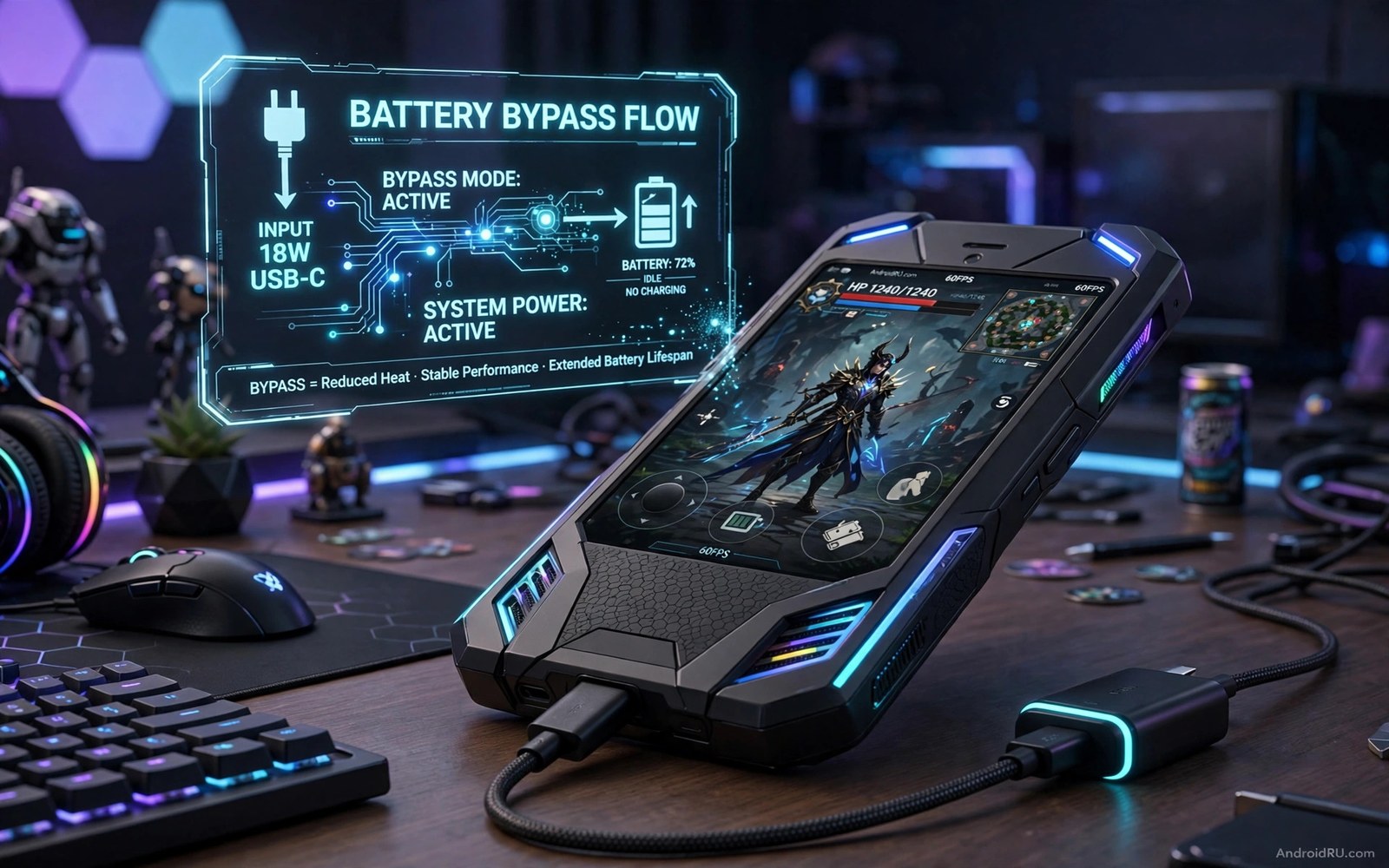
Bypass charging breaks that pattern. Instead of routing power through the battery, the charger feeds the phone circuits directly while the battery rests at its current level. The game still runs at full power, the screen stays bright, and the battery avoids the harsh charge-and-drain cycle that wears it out. Heat drops because one major heat source leaves the chain, and frame rates often stay steadier because the phone runs cooler.
This guide explains what bypass charging does, how to turn it on, how to check it is really working, and what to do when your phone does not offer it by name. It is written for players who game plugged in most days and want their battery to last as long as the phone itself.
What bypass charging does inside a gaming phone
In normal charging, energy flows from the charger into the battery cells while the game pulls energy straight back out. The battery acts as a buffer in the middle, and that buffer work creates heat and chemical stress. A bypass path routes charger power around the battery to the main board, so the battery stays at its current level and rests during play. The phone still runs at full power, because the power comes from the wall, not from stored charge.
Bypass mode usually starts only when the battery is above a set level, often 80 percent or higher. That rule protects the battery from a deep drain during play. If the charger cannot supply enough power for a heavy game, the battery will help for short bursts, and the level will drop slowly. That fallback is normal and safe. It only becomes a problem when the charger is far too weak for the game, which is why charger choice matters as much as the setting itself.
Heat is the link between battery wear and frame drops. A hot phone throttles its processor to protect itself, and throttling shows up as stutter and falling frame rates. To understand that link, read why thermal throttling kills gaming FPS, which explains how heat ties battery wear and frame drops together. Bypass charging removes one heat source from that chain, so the phone has more thermal headroom for the game itself.
Why charging and gaming at the same time wears the battery
A lithium battery ages fastest when it is hot and when it is cycling hard. Gaming while charging does both at once: the game heats the processor, charging heats the cells, and the battery charges and discharges in the same session. A player who games plugged in for two hours every day can put hundreds of extra harsh cycles on a battery within a year. Bypass charging does not stop the processor from getting warm, but it takes the battery out of the loop, which is the single biggest change you can make to daily battery wear.
How to turn on bypass charging step by step
Not every phone calls this feature by the same name. Some gaming phones list it as bypass charging. Others call it charge limit, battery care, gaming charge mode, or a similar label. The idea is the same even when the name differs, so check your phone settings for a gaming charge option before you buy extra hardware. Follow these steps in order, and test the setting in one game before you enable it for every game you play.
- Charge your phone to at least 80 percent before you start, because most bypass modes only engage above that level.
- Open the game space or game mode app on your phone, the launcher that manages performance settings per game.
- Open the profile for your main game, then look for a charge, battery, or power setting inside that profile.
- Turn on the bypass or gaming charge option for that one game only, and leave your other games unchanged for now.
- Plug in the charger you plan to game with, using a cable that fits firmly and stays cool.
- Launch the game from the game space app, not from the home screen, so the game profile and its charge setting apply.
- Play for ten minutes and watch the battery level. A working bypass mode holds the level steady instead of climbing fast.
- If the level climbs fast, normal charging is still active. Check the setting again, restart the game from the game space app, and repeat the ten-minute test.
Where the setting hides on different brands
On gaming phones from brands such as ASUS ROG Phone, Lenovo Legion, and nubia RedMagic, the option usually sits inside the game space app under a battery or charging section, sometimes labelled as bypass charging or a charge limit. On Samsung phones, check Game Launcher and the battery care settings for a charge limit option. On Xiaomi, OnePlus, and other mainstream brands, look inside the game mode or game turbo settings for a charging option. If your phone has no game space app, check the main battery settings for a charge limit or battery protection option, and check your phone’s game settings when the menu names differ from the ones listed here.
Game space and game mode menus to check first
Open the game space app first, because that is where per-game charging options live on most phones that support them. If the game space app has no charging option, open the main Settings app, go to Battery, and look for battery protection, charge limit, or a gaming section. Some phones hide the option under an advanced or more-settings menu inside the game profile, so tap through each sub-menu once rather than assuming the option is absent.
Testing bypass mode in one game before you trust it
Test with one game and one charger before you change anything else. Note the battery level when you start, play for ten minutes, and note the level again. A steady level means the bypass path is carrying the game. A level that climbs by several percent means normal charging is still active. A level that falls slowly means the charger is slightly too weak, and a stronger charger or lower graphics settings will close the gap. Keep the test short, and only enable the setting for other games once the first test passes.
How to check bypass charging is really working
A setting that looks turned on is not proof that bypass mode is active. The battery level test is the simplest check, and the system battery status gives you a second, more precise confirmation. Use both checks the first time you enable the setting, so you know what a working bypass session looks like on your phone.
Reading battery status with dumpsys battery
Android reports battery status through a debug command that only reads information and changes nothing. Connect the phone to a computer with the debug bridge enabled, then run adb shell dumpsys battery. The output shows the battery level, the charging status, and the health reading at that moment. Compare the output before play and during a bypass session to confirm the mode is active.
What the dumpsys battery output tells you
Look for the status line and the level line in the output. During a working bypass session, the level should stay nearly the same across several minutes, while the status shows the phone is not actively charging the battery. If the level climbs steadily, the phone is still charging the battery normally, and the bypass setting is not engaged. Run the command twice, a few minutes apart, so you can see the change, or the lack of it, clearly.
Reading the battery status file on the phone
You can also read the battery status files directly on the phone from a terminal app that has permission to read them. The command cat /sys/class/power_supply/battery/status shows whether the battery reports charging, discharging, or holding steady, and cat /sys/class/power_supply/battery/capacity shows the current level as a number. Check both values before play and again during a bypass session, and look for a steady capacity with a status that no longer reports active charging.
What a steady battery level looks like during play
In a working bypass session, the battery level holds within one percent across ten minutes of play. Small movements of one percent in either direction are normal, because the battery still helps during short power peaks. A climb of three or four percent in ten minutes means normal charging is running. A fall of three or four percent in ten minutes means the charger is too weak for the game, and you should try a stronger charger or lower the heaviest graphics option before you blame the setting.
Bypass charging vs charge limit vs normal charging
The three ways of gaming while plugged in look similar from the outside, but they treat the battery very differently. A charge limit caps the battery at 80 percent, which avoids the hottest top range, but the battery still cycles during play. Normal charging fills the battery to 100 percent while the game drains it, which is the harshest pattern of the three. Bypass charging rests the battery entirely while the charger powers the game, which is why it protects battery health the most.
| Feature | Bypass charging | Charge limit 80 percent | Normal charging |
|---|---|---|---|
| Battery wear during play | Lowest, battery rests | Lower than normal, still cycles | Highest, charges and drains at once |
| Heat from charging | Very low, charging path idle | Moderate, charging stops at the cap | High, full charging heat plus game heat |
| Battery level during play | Holds steady | Holds near 80 percent | Climbs toward 100 percent |
| Needs a special setting | Yes, on supported phones | Yes, on many phones | No, works on every phone |
| Needs a strong charger | Yes, charger must match game demand | Helpful but less critical | No, any charger adds charge |
| Best for | Daily plugged-in gaming | Phones without bypass mode | Short top-ups, not long sessions |
Think of the three options as a ladder. If your phone supports bypass charging, use it for every long session. If it does not, a charge limit is the next best step, and it works on far more phones than bypass mode does. Normal charging is fine for a quick top-up before you head out, but it is the worst choice for a two-hour gaming session, because it combines the two heat sources that age a battery fastest.
What to do when your phone has no bypass mode
Many phones do not offer bypass charging by name, and that does not mean you are stuck with the harshest charging pattern. A charge limit, shorter sessions, and cooling together can cut most of the damage, even without a true bypass path. The goal is the same: keep the battery cooler, keep it away from the top of its range, and give it breaks.
Setting a charge limit of 80 percent
Many phones let you cap charging at 80 percent through a battery care or battery protection setting. Turn the cap on, then start gaming at 80 percent with the charger plugged in. The phone will still cycle some energy during play, but the battery avoids the hottest top range, where wear accelerates. A capped battery also runs cooler during a long session, because the charging circuit stops pushing energy into nearly full cells. If your phone has no built-in cap, charge to about 80 percent, unplug, play until the level falls, and plug in again only when you need to, rather than staying plugged in for the whole session.
Shorter sessions and cooling for phones without bypass mode
Play in shorter sessions with breaks for cooling. A thirty-minute session with a five-minute break beats a two-hour hot marathon for battery health, because the phone cools between sessions instead of staying hot for hours. Let the phone cool in open air during the break, and do not charge during the break if the phone is already hot. A cool phone charges more safely than a hot phone. For more cooling ideas, read cheap thermal cooling hacks for hot gaming phones before your next long session, and pair cooling with a charge limit for the best result on a phone without a true bypass option. A small clip-on cooler or a fan pointed at the back of the phone also helps, though cooling alone does not replace bypass charging.
Chargers, cables, and cooling that make bypass mode work
Bypass charging only works as well as the charger behind it. A weak charger cannot power a heavy game alone, so the battery drains anyway and the heat returns. Match the charger to the game first, and treat the cable as part of the charger, because a poor cable wastes power and adds heat near the port.
Choosing a charger that matches your game
Check your phone manual or the game space app for the recommended charger wattage for bypass play, and use a charger that meets or exceeds it. A heavy 3D game can demand far more power than a light puzzle game, so a charger that works for one game may fall short for another. A quality charger with stable output protects the port and the battery better than the cheapest charger in a drawer, and a strong charger that matches game demand is the difference between a steady battery level and a slow drain during bypass play.
Cables that stay cool and stay connected
Use a cable with a firm fit that stays cool during play. A hot cable wastes power and adds heat near the port, and a loose cable can disconnect during a match, which switches the phone back to battery power without warning. A right-angle connector can reduce strain on the port while you hold the phone in landscape, and a short cable keeps the setup tidy on a desk. Replace a cable that feels loose or hot during use, because a good cable costs little and protects a lot.
A battery-friendly gaming routine for the week
A good routine starts before the first match. Charge the phone to a high level during the day, and start gaming sessions unplugged when the battery allows it. Plug in only for long sessions, and use bypass mode when it is available. That order reduces harsh cycles across a week without changing how much you play. Schedule long sessions with cooling breaks built in, and use the break to stretch while the phone cools in open air.
Track battery health monthly with a simple note. Record the maximum capacity estimate if your phone shows it, and record how long a full charge lasts in normal use. A slow decline over months is normal. A sudden drop after a hot gaming month signals a habit to change, such as longer sessions, a weaker charger, or gaming in a hot room. Lower graphics one step during the hottest months to protect the battery, since a small seasonal adjustment preserves capacity for the cooler months. Summer heat accelerates battery wear, while winter cold makes a battery deliver less power until it warms up indoors.
A sample week that protects battery health
On weekdays, game unplugged for short sessions and plug in with bypass mode only for the one long evening session. On the weekend, plan one long session with a five-minute break every thirty minutes, and keep the phone in open air rather than on a soft bed or sofa that traps heat. At the end of the week, check the battery level pattern you saw during bypass play and note whether the level held steady. A routine that only one person follows will fail on a shared phone, so agree on the bypass setting and the charge limit together with anyone else who games on the same device.
Frequently asked questions about bypass charging
Does bypass charging extend battery life?
Yes, it can extend battery life by reducing harsh charge cycles during gaming, and the gain depends on how often you game while plugged in. A player who games plugged in daily will see a larger gain than a player who rarely charges during play. Bypass mode helps most when combined with a charge limit, so the battery rests during play and never sits at 100 percent for hours. The gain grows with how often you game while plugged in, and daily plugged gaming benefits most.
Why does my battery level still drop in bypass mode?
A heavy game can demand more power than the charger supplies, so the battery helps for short bursts and the level drops slowly. Use a stronger charger in that case, and check the charger wattage and the cable quality first if the level drops fast. If a stronger charger is unavailable, lower the heaviest graphics option to cut power demand. For graphics settings that lower power demand, read five developer tweaks for maximum GPU gaming power and turn down the single heaviest option before your next session.
Can bypass charging damage the charging port?
Normal bypass use does not damage the port by itself. A loose or low-quality cable can wear the port over time, so use a firm quality cable and avoid pulling the cable during play. A cable strain relief or a right-angle connector can reduce port stress, and a firm cable with strain relief protects the charging port from wear over time. Replace damaged cables promptly before port damage grows, and keep the port free of dust so the connector seats fully.
Your next step tonight
Bypass charging removes the worst part of gaming while plugged in. The battery rests while the charger powers the game directly, heat drops, and battery life lasts longer over months. A supported phone with a strong charger gives the cleanest result, while a charge limit and cooling help phones without true bypass support. Check your game space app for a charge option tonight, start one session at 80 percent or higher with a strong charger, and watch the battery level for ten minutes. Keep bypass mode on only if the level holds steady during that test.

