

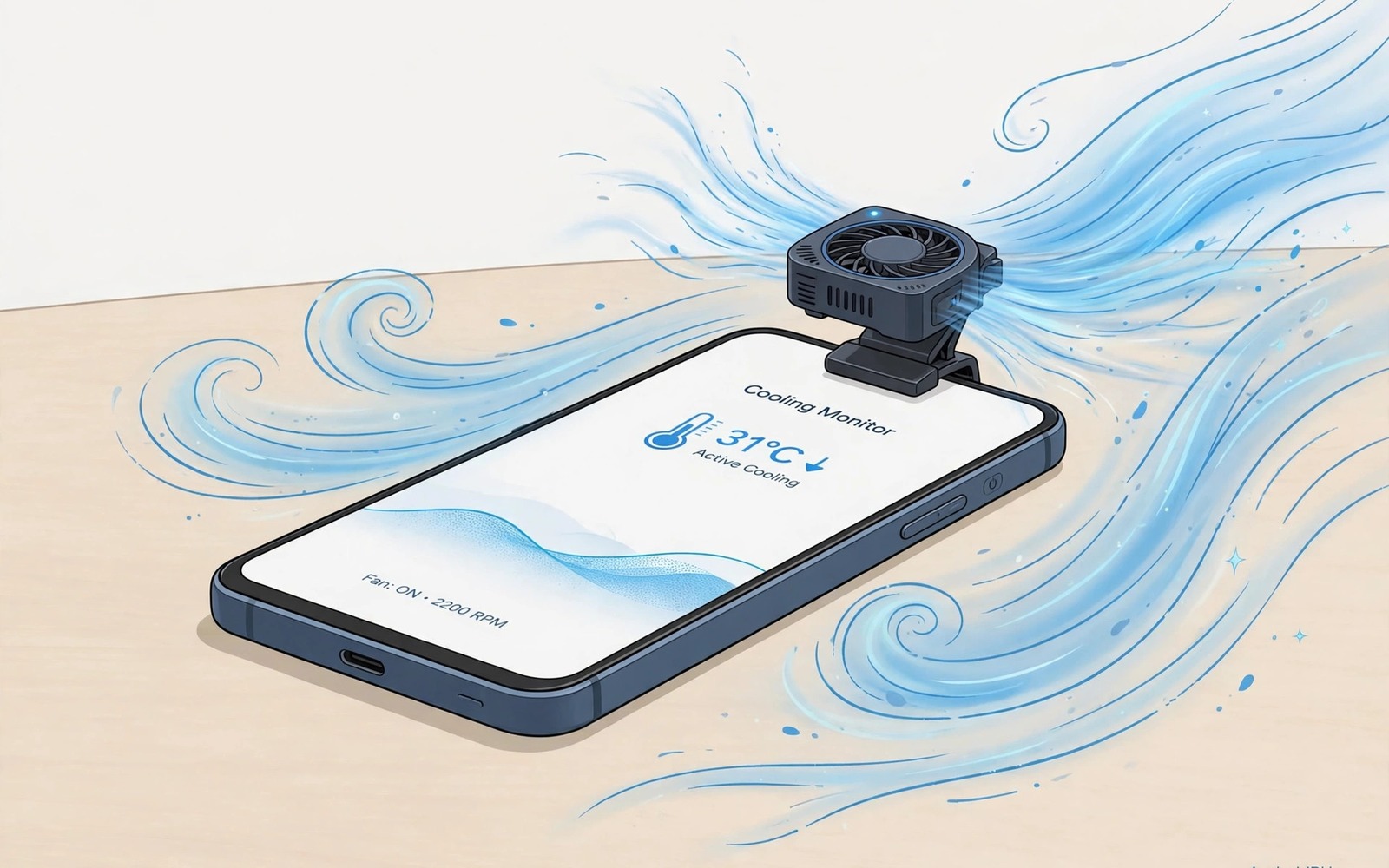
Your phone feels like a hand warmer halfway through a match. Frames that started smooth now stutter at the worst moments. The culprit is heat and the chip slowing itself to survive. This thermal throttling turns a strong phone into a weak one within twenty minutes.
Cooling sounds like an expensive problem. It is not. Three cheap hacks handle most gaming heat without fancy gear. A clip on fan and smarter case habits and better placement together keep temperatures below the throttle point. Each hack costs little and each works immediately.
This guide explains why phones throttle and how to recognise it. You will learn the three hacks in detail with setup tips. You will learn what to avoid so you do not damage the phone while trying to cool it. By the end your sessions will stay smooth far longer.
Why gaming phones get hot and throttle
Games push the processor and graphics chip to maximum for long periods. Those chips generate heat as a byproduct of speed. A phone has no fan and little space for heat sinks. Heat builds in the body until the system slows the chips to protect the battery.
Throttling follows a pattern you can recognise. Play starts smooth and then frames drop after fifteen to thirty minutes. The back of the phone feels hot near the top. Brightness may dim on its own as another heat defence. That pattern is throttling and not a game bug.
Battery charging adds heat on top of gaming heat. Playing while fast charging combines two heat sources at once. The phone throttles sooner and the battery ages faster. Avoid fast charging during intense play when you can. A charged phone plays cooler than a charging phone.
Ambient temperature sets the baseline for everything. A phone in a hot room starts closer to the throttle point. A phone in a cool room has more headroom. Summer gaming needs more cooling help than winter gaming for the same phone and game. Respect the room as part of the system.
Hack one: use a clip-on cooler correctly
A clip on cooler attaches to the back of the phone and blows cool air across it. Semiconductor models add a cold plate that draws heat directly. Basic fan models cost little and help noticeably. Semiconductor models cost more but cool harder for competitive play.
Place the cooler over the hottest spot which is usually near the top of the back panel. That spot sits above the main chip. A cooler placed low on the phone cools the battery area instead and helps less. Feel the back after ten minutes of play to find your phone hot spot.
Power the cooler from a separate charger when possible. A cooler powered by the phone itself drains the battery it tries to protect. A small power bank or a wall charger keeps the cooler running without taxing the phone. Separation is a small habit with a real benefit.
Clean the cooler fan monthly because dust reduces airflow. A clogged fan spins loudly and cools poorly. A quick wipe restores performance. Treat the cooler like any fan in your home and it will serve for years.
Hack two: ditch the case and improve airflow
A thick case insulates the phone like a blanket. It traps heat against the back panel and delays cooling. Removing the case during gaming lets heat escape into the air. The difference can reach several degrees which is often enough to avoid throttling.
If you fear drops then use a thin ventilated case for gaming sessions. Open back designs expose the hot spot while still guarding edges. A bumper style case protects corners without covering the back. Protection and cooling can coexist with the right design.
Hold the phone so your hands do not cover the hot spot. Palms over the chip area trap heat exactly where it hurts. A controller keeps hands off the back panel entirely. Even shifting grip slightly can improve airflow around the hot zone.
Place the phone on a hard cool surface during breaks between matches. A metal table draws heat away faster than a bed or a sofa. A thirty second rest on a cool surface drops temperature noticeably. Use loading screens and lobbies as mini cooling breaks.
Hack three: control the room and the settings
Play near a fan or an air vent when you game at home. Moving air across the phone carries heat away continuously. A desk fan pointed at your hands cools both you and the device. Room airflow is free cooling that many players ignore.
Lower screen brightness by ten percent when heat builds. The display is a major heat source at maximum brightness. A small reduction drops temperature while staying perfectly readable indoors. Your eyes adapt fast and frames benefit immediately.
Cap frame rate and graphics during long sessions in warm rooms. A stable sixty frames with medium graphics generates less heat than a swinging 120FPS. Heat saved today is performance kept tomorrow. Match settings to the room as well as to the game.
Take a five minute break every hour during marathon sessions. A short pause lets the phone cool below the throttle point. The break also rests your eyes and hands. Competitive players use breaks strategically and casual players benefit just as much.
What not to do when cooling a phone
Never put a hot phone in a fridge or freezer. Rapid cooling causes condensation inside the device. Water inside a phone damages circuits far worse than heat ever would. Slow natural cooling always beats a shocking temperature swing.
Never remove the back panel or modify internal heat spreaders without expertise. A broken seal invites dust and water. A damaged battery from a bad repair is dangerous. External cooling methods give most of the benefit with none of the risk.
Never ignore a phone that swells or smells odd during charging. Swelling signals battery damage that cooling cannot fix. Stop using the phone and seek professional help at once. Safety overrides every gaming concern.
Combine cooling with broader performance habits for the best result. A guide to stop lagging in mobile games with 5 performance fixes covers the full system behind smooth play. Cooling is one pillar and settings and network are the others.
adb shell cat /sys/class/thermal/thermal_zone0/temp
adb shell dumpsys battery | grep -i temp
The code block above is an original example written for this article. It shows diagnostic commands that report chip zone temperature and battery temperature from a computer with developer tools. Temperature values usually appear in tenths of degrees. It is a learning aid for users who want to verify cooling with numbers.
Passive cooling pads offer a middle ground between no cooler and a powered fan. A metal plate behind the phone spreads heat across a larger area. It needs no power and adds little bulk. Passive pads help modestly on warm days and they never run out of battery. Pair a passive pad with good airflow for a simple reliable setup.
Software temperature alerts give early warning before throttling starts. A monitoring app can warn you when the battery crosses a threshold you set. That warning is your cue to lower settings or take a break. Acting on the first warning preserves frames better than reacting after stutter begins. Treat the alert as a coach rather than an annoyance.
Thermal paste and internal cooling belong to repair shops rather than casual users. A phone that overheats even at idle may have a failing battery or a blocked vent. Professional diagnosis costs less than a replacement phone. Recognise when a problem exceeds cheap hacks and seek help early. Knowing the limit of DIY cooling protects both phone and owner.
Seasonal habits round out a cooling strategy for year round play. Summer sessions need fans and shade and lower settings as standard. Winter sessions can run higher settings comfortably in a cool room. Adjust your defaults with the seasons instead of fighting summer heat with winter settings. A flexible routine beats a fixed one across the year.
Case material affects cooling more than case thickness alone. A silicone case insulates strongly while a hard plastic shell transfers heat better. Metal bumpers conduct heat well but can interfere with signal slightly. Choose a gaming case by material as well as by fit. A hard shell with ventilation holes offers a practical compromise for daily use.
Common mistakes
The first mistake is gaming while fast charging in a thick case. That combination stacks three heat sources at once. Charge before play or use slow charging during play. Remove the case for intense sessions.
The second mistake is buying a cooler and placing it over the wrong spot. A cooler over the battery area helps little. Find the hot spot after ten minutes of play and place the cooler there. Placement decides effectiveness.
The third mistake is putting a hot phone in a fridge for a quick fix. Condensation damages internals and voids warranties. Cool slowly in moving air instead. Patience protects hardware.
The fourth mistake is ignoring ambient temperature entirely. A hot room defeats every other hack. Move near airflow or lower settings on hot days. The room is part of your cooling system.
Frequently asked questions
Do clip-on coolers really work?
Yes. A decent clip-on fan drops back temperature by several degrees. Semiconductor coolers drop it further with a cold plate. That drop often keeps the chip below the throttle point. Placement over the hot spot matters most.
Is it safe to game without a case?
Gaming without a case is safe on a table or with a controller. The risk is drops during handheld play. A thin bumper case balances protection and airflow. Choose the setup that fits how you hold the phone.
How hot is too hot for a phone?
A back panel above forty five degrees feels very hot and signals throttling risk. Internal temperatures above that range trigger system protections. If the phone dims brightness on its own then it is already defending itself. Cool it and lower settings.
Conclusion
Hot phones throttle and throttling ruins games. Three cheap hacks fight back effectively. A clip-on cooler over the hot spot and a case free or ventilated grip and a cool room with tuned settings keep frames steady. Avoid fridge tricks and internal mods that risk real damage.
Your concrete next step is to play your hottest game for twenty minutes and feel where the back gets hottest. Remove the case for the next session and note whether frames hold longer. If they do then add a basic clip-on fan for competitive play. For more performance help read how to unlock 120FPS in PUBG COD Mobile and Genshin Impact and the secret game booster setting hidden inside Android OS as your next guides.

