

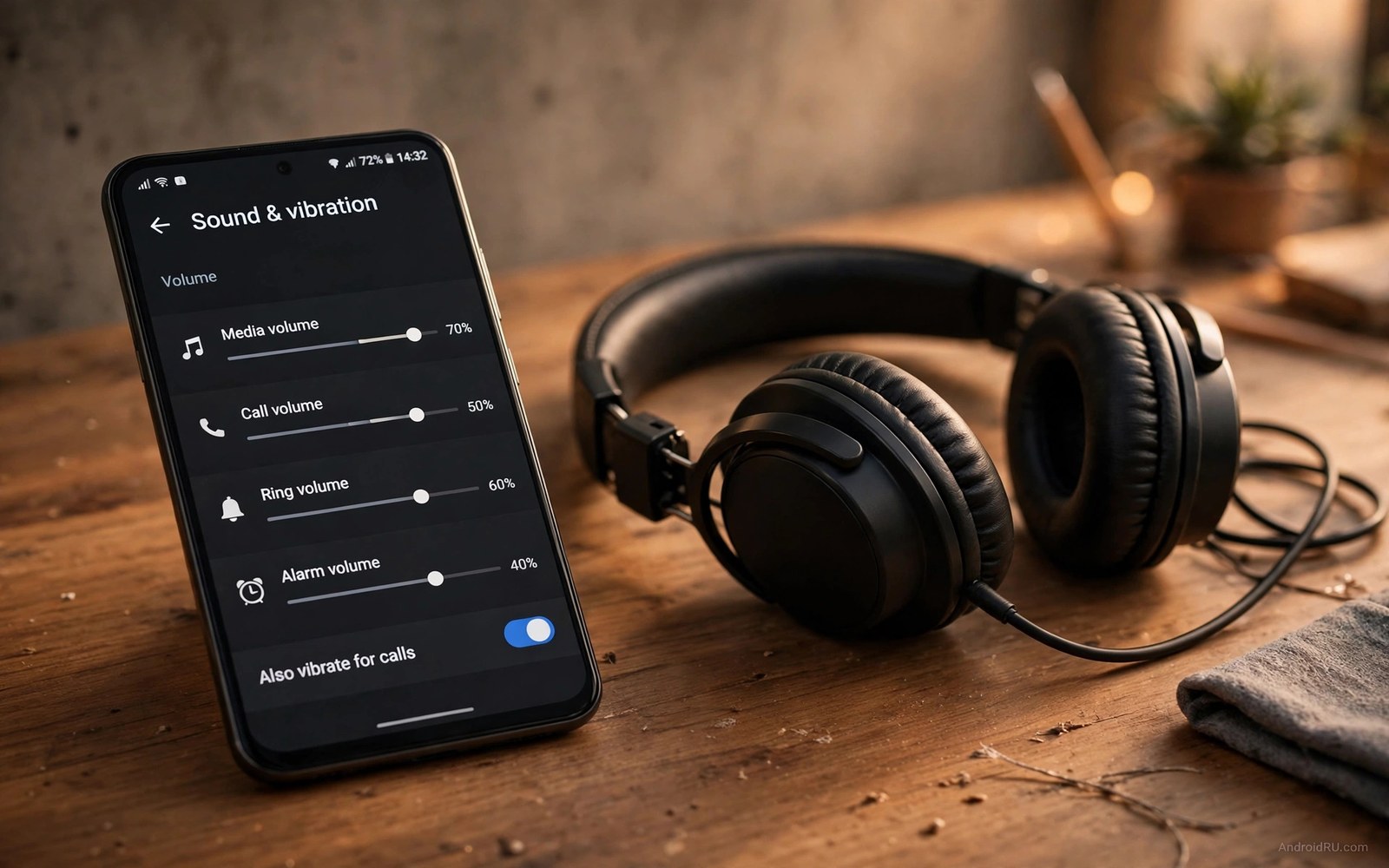
Default sounds make every phone in the room sound identical. A message tone in a meeting could belong to anyone. A call ring in a crowd sends five people reaching for pockets at once. Sound is identity and defaults erase it.
Custom system audio tweaks give each alert a meaning. Messages get one soft tone and calls get one clear ring and alarms get one firm sound. Your ear learns the set within days and triages alerts without looking.
This guide builds a small sound set with intent. You will pick a ringtone and a message tone and an alarm tone. You will assign per app tones for two priority apps. You will set quiet hours so the set never disturbs sleep.
Pick a ringtone that cuts through noise
Choose a ringtone with a clear rising pattern rather than a gentle melody. A rising pattern grabs attention in a noisy street. A gentle melody disappears under traffic and chatter.
Test the ringtone at half volume in a noisy room if possible. A ringtone that works only at full volume will embarrass you indoors. A ringtone that works at half volume outdoors is the right balance.
Ringtone identity pairs with status bar media work in a live control center in the status bar where sound and visual cues triage together. Let the ear decide first and the eye confirm second.
Assign per app tones for two priorities
Give your messaging app a short soft tone that never startles. Give your work app a distinct double beep that signals urgency without panic. Leave every other app on the default notification tone so the two priorities stand out.
Limit per app tones to two apps maximum. A phone with ten custom tones becomes a puzzle where every sound needs decoding. Two tones create a simple language your brain learns in days.
Per app tone discipline matches the notification limits in customizing quick settings tiles where fewer controls mean faster decisions. Fewer tones mean faster triage.
Tune volume curves and vibration
Set media volume and ring volume separately. Media volume can stay moderate for videos while ring volume stays high for calls. Linking them forces a compromise that serves neither use well.
Pair the message tone with a single short vibration. Pair calls with a longer repeating vibration pattern. Vibration gives you a private channel when sound is off during meetings or movies.
Vibration pairing connects to haptic thinking in the wider customization set and to customizing the ambient display only in the sense that quiet signals should stay quiet. Keep vibration subtle so it informs without announcing.
Set quiet hours that protect sleep
Set Do Not Disturb from bedtime to morning with exceptions for favorite contacts only. A call from a favorite still rings through for emergencies. Every other alert waits silently until morning.
Test quiet hours on the first night by asking a non favorite contact to message you. The message should arrive silently. If it sounds then an exception or an app override needs fixing before you rely on the schedule.
Review the sound set monthly and remove any tone you no longer recognize instantly. A sound set decays as apps change and habits shift. Monthly pruning keeps the language sharp.
Custom sound set blueprint
Build your sound set from this blueprint. Each line is one sound decision. Keep the total set small so every sound keeps a clear meaning.
ringtone = clear rising pattern
message_tone = short soft tone
work_app_tone = distinct double beep
other_apps_tone = default
vibration_message = one short pulse
vibration_call = repeating pattern
dnd_hours = bedtime to morning, favorites exception
The blueprint above was written for this guide to summarize the sound set in one place. It is not code to run. Apply each line inside your sound settings screens.
Build sound profiles for work and home
One sound set cannot serve work and home equally. Work needs discreet tones that never embarrass you in meetings. Home needs clear tones that reach you from another room.
Create a work profile with soft tones and strong vibration. Create a home profile with louder tones and gentle vibration. Switch profiles when you arrive and when you leave rather than adjusting volumes manually each time.
Automate profile switching with location or time rules if your phone offers them. Automation removes the daily chore of remembering to switch. A profile that switches itself gets used consistently.
Test each profile in its real environment before relying on it. A work tone that sounds discreet at home may still carry in a quiet office. A home tone that sounds clear indoors may vanish in a garden.
Review profiles when your job or home routine changes. A new office layout or a new baby changes sound needs completely. Profiles should follow life changes within a week of them happening.
Sound design for hearing differences
Sound customization matters most for users with hearing differences because default tones assume average hearing. High frequency tones vanish for users with high frequency loss. Low tones vanish in noisy environments for everyone. Test tones across frequencies and choose ones that remain audible in your real environments rather than in a quiet room.
Vibration becomes the primary channel when hearing is limited. Design vibration patterns with distinct rhythms rather than distinct lengths alone. A pattern of two short pulses followed by a long pulse reads clearly through touch. A single long pulse for every alert reads as the same message regardless of source.
Visual alerts complement sound and vibration for hearing differences. A flashing screen edge or a persistent notification dot can signal an alert that sound missed. Combine all three channels for critical alerts such as alarms and emergency calls. Redundancy across channels is accessibility rather than excess.
Hearing aids interact with phone audio in specific ways that generic advice misses. Bluetooth streaming to hearing aids changes volume curves and latency. Test custom tones through the hearing aid itself rather than through the phone speaker. A tone that sounds perfect on speaker may distort through streaming.
Family members can help by learning the custom sound language too. When a partner recognizes your work tone they can alert you if you miss it. Shared sound knowledge turns a personal system into a household safety net. Teach the two priority tones to household members during setup week.
Sound profiles for public spaces
Public spaces demand sound profiles that respect strangers as much as owners. A loud ringtone in a library disturbs dozens of people for one call. A quiet vibration in a busy station may miss an urgent call entirely. Public sound design balances audibility for the owner against disturbance for bystanders. That balance shifts by venue and a single profile cannot serve all public spaces.
Libraries and theaters need silent profiles with vibration only and no audible tones at all. Even a soft tone carries in a quiet room. Vibration through a table can also disturb neighbors in a theater. Pocket vibration is quieter than table vibration because fabric muffles it. Keep the phone in a pocket rather than on a table in silent venues.
Public transport presents a middle case where moderate tones are acceptable but loud tones are not. A short soft message tone on a train alerts the owner without dominating the carriage. A long musical ringtone dominates the carriage and draws hostile attention. Choose short tones for transport and save longer tones for private spaces.
Outdoor markets and streets allow louder profiles because ambient noise masks phone sounds naturally. A ringtone that seems loud indoors may vanish outdoors. Outdoor profiles can use full volume without disturbing anyone significantly. The ambient noise floor determines appropriate volume more than any fixed rule.
Workplaces with open plans need profiles that respect colleagues working nearby. A colleague hearing your message tone fifty times daily loses focus each time. Reduce message tone frequency by batching non urgent notifications in open offices. Batching protects colleague concentration while keeping urgent alerts immediate through exceptions.
Finally remember that sound etiquette varies by culture and venue norms. A tone acceptable in one country may offend in another. Observe local norms when traveling and adjust profiles to match them. Respectful sound use is part of being a good public citizen and it costs nothing beyond a moment of profile adjustment.
Sound design for shared bedrooms and thin walls
Shared bedrooms and thin apartment walls make sound design a neighborly responsibility as well as a personal preference. A loud alarm that wakes a roommate an hour early damages relationships faster than any missed notification. A soft escalating alarm wakes the owner gradually without shocking the roommate awake instantly. Vibration alarms on a wearable device solve the problem completely for light sleepers who share rooms. Roommates should agree on alarm strategies together rather than each person optimizing alone. A household sound agreement prevents resentment that builds silently over months of disrupted sleep. Review the agreement whenever sleep schedules change so it stays fair for everyone involved.
Common mistakes
Custom audio sets fail through excess. Avoid these.
- Assigning a different tone to ten apps so no tone keeps a meaning.
- Choosing a gentle ringtone that vanishes in street noise.
- Linking media and ring volume so both serve neither use well.
- Forgetting Do Not Disturb exceptions so urgent calls stay silent.
- Picking long musical tones that annoy everyone nearby.
Frequently asked questions
Can I use my own music as a ringtone?
Yes on most phones by selecting an audio file in the ringtone picker. Trim the file to the best few seconds first. A long song intro makes a poor ringtone because callers wait through it.
Why do some apps ignore my custom tone?
Some apps set their own notification channels with fixed sounds. Open the app notification settings and change the channel sound there. System level changes cannot override every app channel.
Will custom sounds drain battery?
No because sounds play only when alerts arrive. Vibration uses slightly more power than sound alone but the difference is tiny. Sound customization is effectively free for battery.
Conclusion
Your phone now speaks a small clear language with a rising ring and a soft message tone and a double beep for work. Your ear triages alerts before your hand reaches the pocket.
Your concrete next step is to assign the two per app tones tonight and test them with a message from each app tomorrow. Keep the tones only if you recognize each one without looking.

