

Power users ask more from a phone than anyone else. They run many apps. They stream and game and navigate for hours. They travel through weak signal areas. They charge in short windows between tasks. A single battery tip cannot cover that load. A daily routine can. A checklist turns scattered tips into a system that works every day without constant thought. This article gives that system.
A checklist works because battery drain has many small sources. Screen brightness costs a little. Background sync costs a little. Weak signal costs a little. Heat costs a little. Each little cost alone looks harmless. Together they decide whether the phone lasts until bedtime. A daily routine addresses each source once per day. No source gets forgotten for weeks. The total saving is larger than any single tip can deliver.
This checklist is built for power users who want control without obsession. It takes only a few minutes spread across the day. Morning setup prevents drain before it starts. Midday checks catch problems early. Evening review learns from the day. Charging habits protect long term health. Follow the whole routine for a week and the bedtime battery level will tell you whether it works for your life.
Morning Setup: Start The Day Right
Begin with a glance at the battery level and the overnight drain. A healthy phone loses only a few percent overnight. A large overnight loss signals background work or weak signal during the night. Note the loss before you start the day. That single number tells you whether night settings need attention. A consistent large loss needs a background review that evening.
Set brightness for the day ahead. Use adaptive brightness indoors and a manual cap that feels comfortable. Turn off always-on display if you do not need it during work. Set screen timeout to thirty seconds. Those three display choices prevent the largest drain source from running wild. Display settings set in the morning protect every hour that follows. A bright screen left unchecked costs power all day long.
Check connectivity for the day plan. Turn on Wi-Fi only where trusted networks exist. Turn off Bluetooth when no earbuds or watch are in use. Set mobile data to the stronger SIM if you use two cards. Those radio choices match the phone to the day ahead. A travel day needs different radio settings than a home office day. Morning radio setup takes seconds and saves hours of drain.
Midday Check: Catch Drain Early
Check battery usage at lunch. Open Settings and tap Battery. Then tap Battery usage and look at the top items. A single app with high background time deserves attention at once. Restrict that app if you do not need its background work. A radio line high in the list points at signal problems. Move to a better signal spot or enable airplane mode in a dead zone for a while. Midday catches cost less than evening regrets.
Check screen time at lunch too. Heavy screen use by midday means the afternoon needs care. Lower brightness a notch for the afternoon. Shorten timeout further if you leave the phone on tables often. Plan a top-up charge during a natural break. A ten minute charge at lunch prevents a critical evening low. Power users who top up early rarely face emergency lows later.
Check heat at lunch as well. A phone that feels warm during normal use may need a break from heavy tasks. Close a game or a video app for a while. Let the phone cool before the afternoon load. Heat in the middle of the day predicts throttling later. A cool phone at lunch stays fast through the afternoon. A hot phone at lunch slows down when you need it most.
App Discipline Through The Day
Keep a lean app habit all day. Close heavy apps fully when you finish them rather than leaving them in the background. A game left paused still holds memory and may run tasks. A social app left open syncs on its schedule. Closing finished apps removes those tasks cleanly. Power users run many apps so this discipline matters more for them than for light users. Each closed app is one less background competitor.
Use lite or web versions for heavy services when you can. A lite app uses less processor power and less background work. A browser version often uses less power than a full app running all day. Bookmark the web version for services you check occasionally. Keep the full app only for services you need instantly. That split gives speed where it matters and savings everywhere else.
Restrict background work for apps you check manually. Shopping and news and games rarely need instant background sync. Set those apps to restricted in App battery usage. Keep phone and messages and work chat unrestricted. That selective restriction is the core of the background tuning in the setting that cuts background app battery usage and it belongs in every power user routine. Review the restricted list weekly and adjust as your app use changes.
Signal And Location Discipline
Signal discipline saves power users more than most tips. A power user travels more and faces weak signal more often. In a weak area set a stable network mode rather than the fastest mode. A stable mode stops hunting between network types. In a dead zone use airplane mode until coverage returns. Those two habits alone can save hours on travel days. They also keep calls more reliable on a stable link.
Location discipline matters for power users with many apps. Many apps request location they do not need. Set location to allow only while using the app for most apps. Deny location for apps that never need it. Turn off Wi-Fi and Bluetooth scanning for location when you do not need them. Those settings cut GPS and radio wakeups across the day. A power user with fifty apps gains more from location discipline than a light user with ten apps.
Dual SIM power users need extra care. Set mobile data to the stronger SIM for the day area. Turn off a second SIM you do not need that day. A second SIM with weak coverage searches all day and drains heavily. Morning SIM setup prevents that waste before it starts. For the SIM drain details see the hidden battery drainer in SIM settings and apply its checks as part of your morning routine.
Charging Habits That Protect The Day And The Years
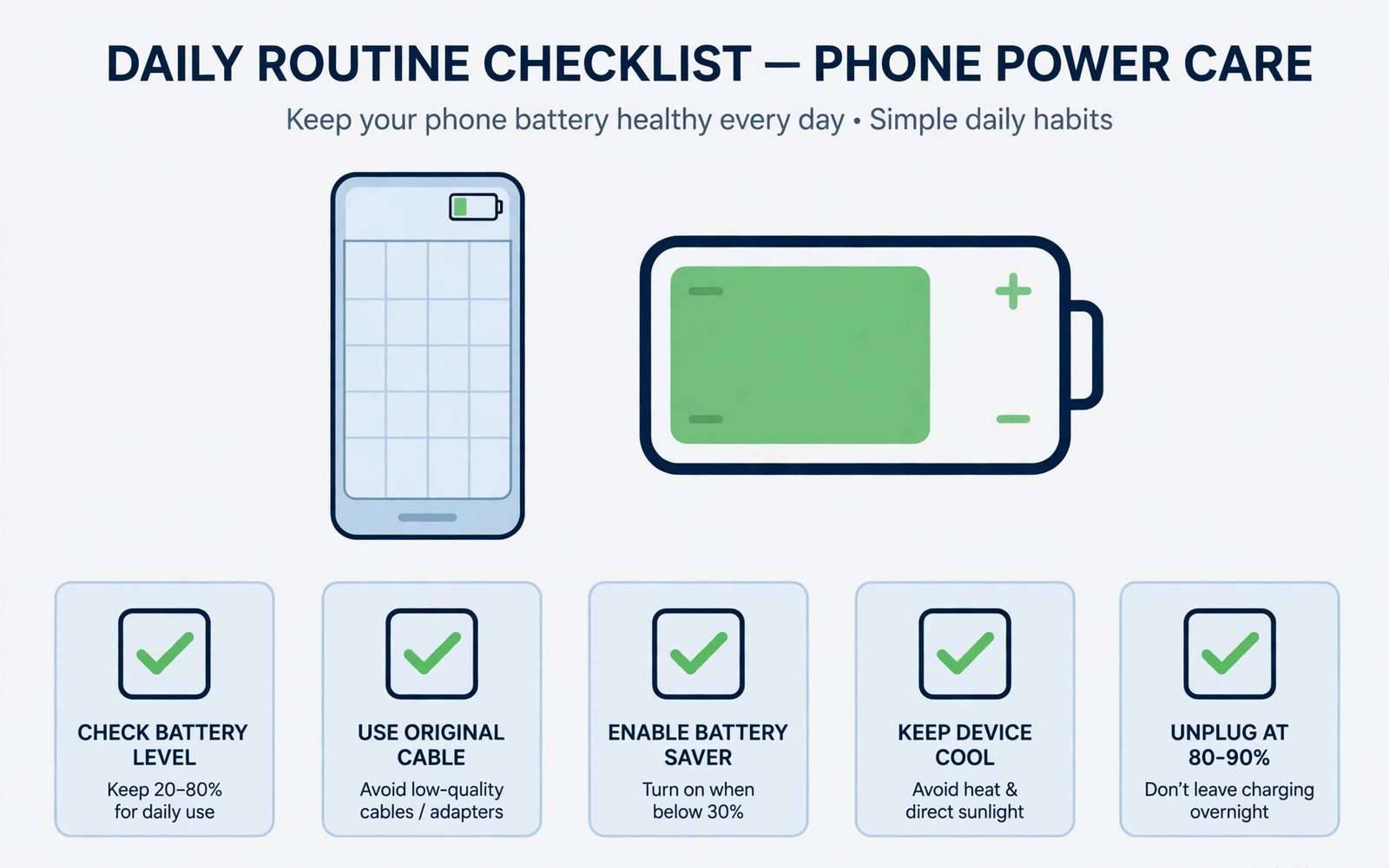
Charge in the middle range on normal days. Top up from around 30 percent to around 80 percent when you can. Avoid deep drains to zero when possible. Avoid long sits at 100 percent overnight when possible. Middle range charging stresses cells least. Power users charge often so middle range habits matter even more for them. Each shallow cycle costs less aging than a deep full cycle.
Use slow charging for routine top-ups. Keep a standard charger at your desk and by your bed. Reserve fast charging for urgent windows before travel or meetings. Cool charging protects the battery over years. Fast charging with heat ages it faster. That split gives speed when it counts and gentleness the rest of the time. For the cap habit that supports this routine see why 80 percent charge limits save battery longevity and turn on a cap when your phone offers one.
Charge on a hard cool surface always. Remove a thick case during fast charging when you can. Avoid charging in direct sun or under bedding. Heat during charging is a silent aging factor. A cool charge today protects capacity months from now. Power users who charge multiple times daily multiply that benefit. Cool charging is one of the highest value habits in this whole checklist.
Evening Review: Learn From The Day
Note the bedtime battery percentage each night. That single number summarises the whole day. A rising trend over a week means the routine works. A falling trend means a new drain appeared. Compare bedtime levels under similar use days. Travel days will differ from home days. Judge trends within similar day types. A home day trend and a travel day trend are separate stories.
Review the top battery usage items each evening for a minute. One new app at the top deserves a restriction decision. One new system line high in the list deserves a settings check. Evening review catches new drains before they become habits. A drain caught on day one costs one day of power. A drain caught after a month costs a month. Daily review is the cheapest insurance in this checklist.
Prepare the phone for the night. Turn on Do Not Disturb with calls from favourites allowed. Turn off Wi-Fi and Bluetooth if no night device needs them. Plug in a slow charger with a cap when available. A calm night setup prevents overnight drain and starts the next day well. Night preparation takes one minute and pays off every morning.
The Full Daily Checklist In One Place
Morning: check overnight drain and set brightness and timeout. Set radio and SIM choices for the day plan. Turn off always-on display if unneeded. Midday: check battery usage and screen time and heat. Restrict any new background offender. Plan a top-up during a natural break. Afternoon: close finished heavy apps. Keep brightness moderate. Use stable network mode in weak areas. Evening: note bedtime percentage and review top usage items. Prepare night settings and slow capped charging.
Daily battery checklist
Morning: overnight drain glance
Morning: brightness cap timeout 30s
Morning: radio and SIM for day plan
Midday: battery usage top offenders
Midday: heat check and top-up plan
All day: close finished heavy apps
All day: stable network in weak areas
All day: middle range slow charging
Evening: bedtime percentage note
Evening: night settings slow capped charge
The checklist above was written for this article as a plain summary of the daily routine. It uses only built-in settings and habits. Print it or keep it as a phone note for the first week. After a week the steps become habit and the note becomes a backup for busy days. A checklist you actually follow beats a perfect plan you ignore.
After a system update run a settings review before you return to this daily routine. Updates can reset saver schedules and display options and scanning choices. For that review see battery settings to tweak after an OS upgrade and run it once after every update. A post update review plus this daily checklist together keep battery life stable across software changes.
Common mistakes
Many power users try to follow every tip at once and burn out in a week. Start with morning display settings and midday usage checks only. Add other steps over two weeks. A routine that survives is better than a perfect routine abandoned quickly. Build habits gradually and keep the ones that help most.
Another mistake is chasing a single drain source while ignoring others. A power user drain is usually a sum of small sources. Screen plus background plus signal plus heat together decide the day. Check all sources in the midday review. A balanced routine beats a single obsession every time.
Some users charge to full every time out of range anxiety. Full charges age the battery faster over years. Middle range charging covers most days with room to spare. Trust the 80 percent cap on normal days. Save full charges for long travel days when range truly matters.
A final mistake is never reviewing the routine itself. App use changes over months. A routine tuned for last year may miss a new drain today. Review the checklist monthly and adjust app restrictions and radio choices. A living routine adapts. A frozen routine slowly stops working.
FAQ
How long does the daily checklist take?
The checklist takes only a few minutes spread across the day. Morning setup takes about a minute. Midday check takes about a minute. Evening review takes about a minute. Charging habits need no extra time beyond normal plugging in. A few minutes daily buys hours of battery life.
Can a checklist really help a heavy power user?
A checklist helps heavy users most because their drain has many sources. Each small saving adds up across a heavy day. Screen and background and signal and heat savings together can add hours. A light user gains less because their total drain is already small. Power users have the most to gain.
What if I miss a day of the checklist?
Missing a day costs little. Battery routines work through averages not perfection. Return to the checklist the next day without guilt. A missed midday check may cost one day of power. It does not erase weeks of good habits. Consistency over months matters more than any single day.
Conclusion
A daily battery checklist turns scattered tips into a system power users can trust. Morning setup prevents drain. Midday checks catch problems early. App and signal discipline cut background waste. Middle range cool charging protects long term health. Evening review learns from each day. No single step carries the whole routine. Together they add hours to heavy days and years to battery life.
Your concrete next step is to start tomorrow morning with three items only. Check overnight drain. Set brightness cap and thirty second timeout. Check battery usage at lunch and restrict one offender. Add the remaining checklist steps over the next two weeks as those three become habit.

