

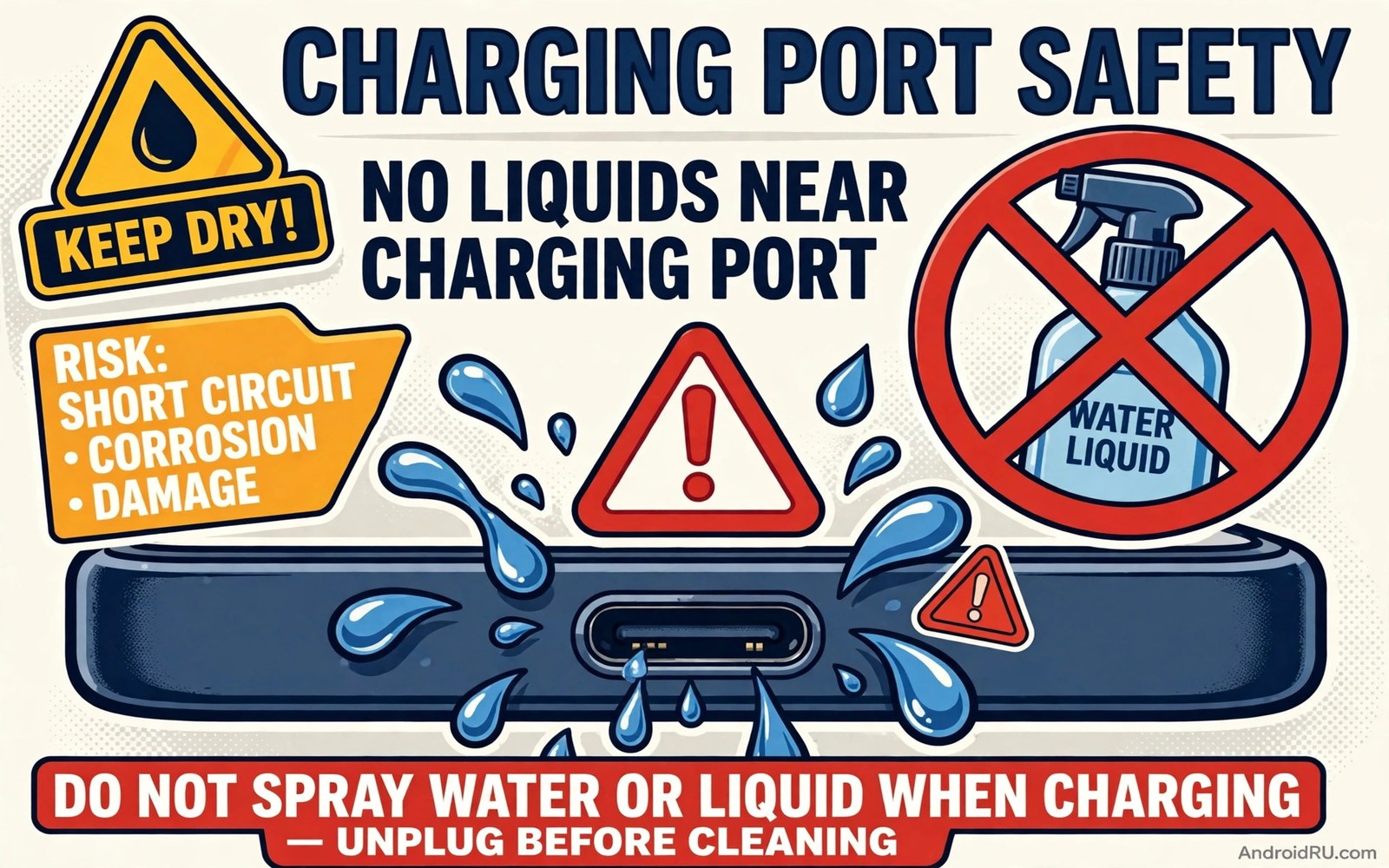
A charging port stops working and the first instinct is to clean it. A spray cleaner looks like a quick fix. One short spray and the lint should dissolve. That instinct can destroy the port. Liquid inside a charging port causes corrosion and short circuits. It can damage pins that carry power and data. It can also void warranty and create a safety risk. This warning is urgent because the damage often appears days after the spray.
Charging ports are small and delicate. Metal pins sit close together inside a tight space. A liquid bridges those pins electrically. It also leaves residue as it dries. That residue attracts more dust and moisture. Corrosion then eats the metal slowly. The port may work for a day after cleaning. It may fail a week later when corrosion spreads. By then the user forgets the spray and blames the cable instead.
This article explains why liquid cleaners are dangerous for ports. You will learn what liquids do inside the port step by step. You will learn safe dry cleaning methods that actually work. You will also learn what to do if liquid already entered the port. The safe methods cost almost nothing. They use dry tools and gentle technique. They protect a port that liquid would ruin.
What Liquid Does Inside A Charging Port
Water and alcohol and spray cleaners all conduct electricity to some degree. Inside a port that conductivity creates paths between pins that should stay separate. A short path can confuse the charging controller. It can also heat a small area rapidly. Heat plus liquid accelerates corrosion. Metal pins oxidize faster in a wet environment. Oxidation raises resistance. Higher resistance creates more heat during charging. That cycle damages the port progressively.
Residue makes the problem worse. Many cleaners leave surfactants or fragrances behind. Those chemicals do not evaporate fully. They coat pins with a thin film. The film traps moisture and dust. It also interferes with clean contact between cable and pins. Charging becomes intermittent as the film builds. The user pushes the cable harder to get a connection. Harder pushing bends pins and worsens the damage. A simple spray can therefore start a chain of failures.
Some liquids also damage seals and adhesives near the port. Water resistance relies on tiny seals around openings. Harsh cleaners can degrade those seals. A port that once resisted splashes may lose that protection. Future rain or sweat then enters more easily. The phone becomes more vulnerable to water damage overall. A cleaner meant to help can thus reduce the phone water resistance permanently.
Why Sprays And Compressed Air Cans Mislead Users
Compressed air cans feel safe because they contain no visible liquid. Many cans still expel cold liquid when tilted or shaken. That liquid lands directly in the port. The cold blast can also condense moisture from air inside the port. Users who spray a can upside down often flood the port without realising it. A can held upright and used in short bursts is safer. Even then a dry tool remains safer than any blast.
Alcohol wipes on the outside of a phone are fine. Alcohol inside the port is not fine. A wipe that touches only the outer shell causes no harm. A wipe pushed into the port carries liquid to the pins. Cotton swabs shed fibres inside the port too. Those fibres trap dust and moisture later. The distinction is location not liquid type. Outside cleaning is safe. Inside wet cleaning is not safe. Keep all liquids and wet wipes outside the port opening.
Ultrasonic cleaners and soaking methods are even worse. Soaking a phone or a port in any liquid risks the whole device. No home soaking method is safe for a charging port. Professional repair shops use controlled methods with proper drying and testing. Home users lack that equipment. Do not soak or rinse a port for any reason. Dry methods work better and carry no liquid risk at all.
Safe Dry Cleaning That Actually Works
Start with the phone powered off. Power off removes any chance of a short during cleaning. Hold the phone with the port facing down. Gravity then lets loosened lint fall out instead of deeper in. Use a wooden toothpick or a plastic dental pick. Wood and plastic cannot short pins and cannot scratch metal badly. Gently scrape lint from the back wall of the port. Work slowly and stop if you feel strong resistance.
Use a soft dry brush for fine dust after the pick. A clean dry toothbrush or a small electronics brush works well. Brush outward toward the opening. Do not push dust deeper. Inspect the port with a flashlight after brushing. Clean pins look bright and evenly spaced. Lint appears as a grey mat at the back of the port. Repeat gentle picking until the mat is gone. Patience beats force here. A few minutes of gentle work clears most ports fully.
Test charging after dry cleaning. Plug in a known good cable gently. The cable should seat fully with a firm click. Charging should start at once without wiggling. If charging still needs wiggling then lint remains or pins are bent. Do not force the cable harder. Forcing bends pins further. Seek a repair shop for bent pins. A professional can straighten or replace pins safely. Home force only makes the repair harder.
What To Do If Liquid Already Entered The Port
Power off the phone at once if liquid entered the port. Do not plug in a charger to test it. Charging a wet port risks a short and further corrosion. Hold the phone with the port facing down. Let gravity drain any free liquid. Do not shake the phone violently. Gentle tilting is enough. Do not use a hair dryer on high heat. High heat can damage seals and battery. Room temperature air drying is safest.
Leave the phone off for at least a full day in a dry ventilated place. Do not charge it during that day even if it looks dry. Moisture can hide under pins and in crevices. A day of drying gives hidden moisture time to evaporate. Silica gel packets nearby can help absorb moisture from the air. Rice is not recommended because rice dust can enter the port and cause new problems. Clean dry air beats rice every time.
After a full day inspect the port with a flashlight. Look for green or white corrosion on pins. Look for bent pins or residue. If corrosion is visible then seek professional cleaning. A shop can clean corrosion with proper tools and test the port safely. If the port looks clean then test charging with a known good cable. Liquid damage that reaches the cells can later show the early signs of a damaged battery. Watch for heat or intermittent charging during that first test. Stop at once if heat or smell appears. Heat after liquid exposure signals a fault that needs repair.
Preventing Port Problems Without Liquid
Use a port plug when the phone sits in a dusty pocket or bag. A small silicone plug blocks lint before it enters. Remove the plug only to charge. That habit prevents most lint buildup entirely. A plug costs little and saves cleaning time. It also protects the port from pocket moisture and dust during work or travel.
Keep the phone out of dusty environments when you can. A construction site or a sandy beach fills ports quickly. A pocket with loose lint also fills ports over weeks. Empty pockets of lint regularly. Store the phone in a clean pocket or pouch. Those habits reduce cleaning frequency to rare occasions. Less cleaning means less chance of damage from any method.
Check the port monthly with a flashlight. Early lint is easy to remove dry. Late compacted lint needs more force and risks pins. A monthly glance catches buildup early. Gentle dry picking then clears it in a minute. Regular checks also reveal corrosion early when repair is still simple. For heat signs that can follow port damage see the hidden reason phones get hot while charging because a damaged port can create local heat during charging.
When A Port Needs Professional Repair
Seek repair when dry cleaning does not restore a firm cable fit. A cable that still wiggles after cleaning signals bent pins or a worn port. Seek repair when charging stays intermittent after cleaning. Intermittent charging can come from internal damage that dry cleaning cannot fix. Seek repair at once for any swelling or smell near the port. Those signs point at battery or board damage beyond the port itself.
Choose a reputable repair shop with experience on your model. Ask whether the shop replaces the port assembly or only cleans it. A full assembly replacement gives a more reliable result for bent pins. A cleaning suffices for corrosion caught early. Get a warranty on the repair when possible. A good shop stands behind port work because the result is easy to test with a cable fit check.
Dry port cleaning routine
1. Power phone off fully
2. Hold port facing down
3. Gently pick lint with wooden toothpick
4. Brush outward with dry soft brush
5. Inspect with flashlight for lint
6. Test with known good cable gently
7. Seek repair if cable still wiggles
The routine above was written for this article as a plain summary of the safe dry cleaning steps. It uses no liquid and no metal tool. Follow it in order and stop if you feel strong resistance. Force is the enemy of a delicate port. Gentle patience clears lint without bending pins.
Port damage can also affect charging speed and heat over time. For a broader charging safety picture see charging myths every Android owner should stop believing and keep its charger quality advice beside this port advice. A good cable plus a clean dry port gives reliable charging every day.
Common mistakes
Many users spray cleaner directly into the port for a quick fix. Liquid bridges pins and causes corrosion days later. Dry picking clears lint safely without that risk. Never spray any liquid into a port for any reason.
Another mistake is using a metal pin or needle to scrape lint. Metal can short pins and scratch contacts. Wooden or plastic picks cannot short pins. They also scratch far less. Choose a soft tool every time.
Some users charge a wet port to test it quickly. Charging a wet port risks a short and more corrosion. Power off and dry for a full day first. A day of patience beats a ruined port.
A final mistake is forcing a cable into a dirty port harder and harder. Force bends pins and worsens the fit. Clean gently first and seek repair if the fit stays loose. A firm gentle click is the correct fit sign.
FAQ
Can I use a tiny amount of alcohol in the port?
No amount of liquid inside the port is safe for home cleaning. Alcohol still conducts and leaves residue as it dries. Dry picking removes lint without any liquid risk. Keep alcohol wipes for the outer shell only. Never push a wet wipe into the port.
Is compressed air safe for port cleaning?
Compressed air cans can expel liquid when tilted. That liquid lands in the port. Short upright bursts are safer but still risk moisture condensation. Dry picking and brushing remain safer. Skip cans entirely when a dry pick is available.
How often should I clean my charging port?
Inspect the port monthly and clean only when lint is visible. Most users need dry cleaning only a few times per year. A port plug in dusty pockets reduces cleaning further. Clean gently when needed and never with liquid.
Conclusion
Liquid cleaners promise a quick fix for a dirty charging port. They deliver corrosion and short risk instead. Pins sit close together and residue traps moisture long after the spray dries. Dry cleaning with a wooden pick and a soft brush clears lint safely. Power off and dry for a day if liquid already entered. Seek repair for bent pins or visible corrosion. A clean dry port charges reliably for years.
Your concrete next step is to inspect your port today with a flashlight. If you see lint then power off and clean it dry with a wooden toothpick. Throw away any plan to spray cleaner into the port. Keep liquids far from that opening from now on.

