

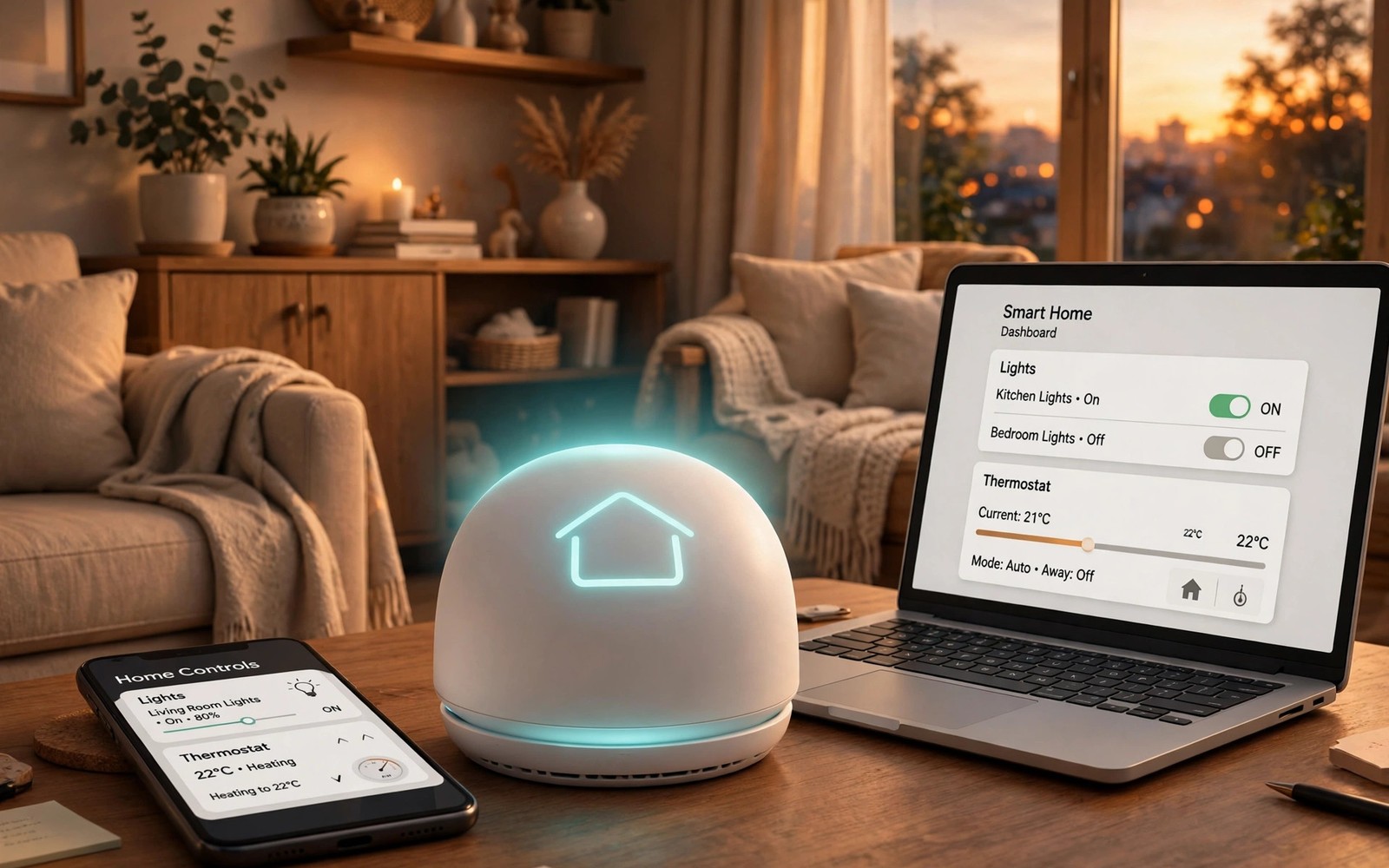
Smart home control should not live on one device only. You may start a routine on your phone. Later you want the same control on your desktop. Synced triggers make the whole home feel coherent.
A hub or cloud account ties devices together. Routines run from any signed in device. Scenes group many actions into one tap. This guide builds a setup that stays simple. Readers who want a wider view can also explore password managers everywhere for a related setup.
Hubs Versus Cloud Only Control
A local hub runs routines without internet. It responds fast even during outages. Cloud control works from anywhere with signal. Many homes mix both for balance.
Hubs support more device types through radios. Cloud apps may limit which brands connect. Check device support before buying new gear. A hub first plan avoids orphan devices.
Building Routines That Help
Start with one routine you use daily. A morning routine can open blinds and start news. An evening routine can dim lights and lock doors. Test it for a week before adding more.
Keep routine triggers simple and clear. Time and location triggers work reliably. Complex chains fail in confusing ways. Simple routines survive device changes better.
Scenes for Rooms and Moments
A scene sets many devices at once. Movie night dims lights and closes blinds. Work mode brightens the desk area only. Scenes save many taps every day.
Name scenes for the moment and not the tech. Guests understand movie night instantly. They may not understand zone preset three. Clear names make shared homes easier.
mosquitto_pub -h hub -t home/lights -m on
# example local smart home message
# replace hub with your local address
# test one device before automating
The snippet above follows standard operating system documentation and widely shared setup guides. It shows a typical pattern rather than a vendor specific promise. Results can vary by device model and system version. Always test a small change before you rely on it daily.
Desktop Control for Deeper Setup
Desktop screens suit complex routine editing. You can see full logic at a glance. Phone apps suit quick toggles on the move. Use each screen for its strength. A related workflow is covered in phone storage as drive for readers who want more depth.
Dashboards on a PC can show the whole home. Pin favorite devices for one click access. Hide rarely used devices from the main view. A calm dashboard invites daily use.
Voice and Phone as Triggers
Voice commands trigger routines hands free. Phone widgets trigger them with one tap. Location can trigger arrival routines automatically. Combine triggers only when each works alone first.
Test voice triggers with background noise present. Kitchens and TVs confuse voice pickup. A phone widget backup helps in noisy rooms. Redundancy keeps routines usable.
Fixing Sync and Device Failures
If a routine fails on one device then check account sign in. Different accounts split device lists silently. Sign in with the same account everywhere. Then reload the device list.
If a device goes offline then check its power and network. Smart plugs can lose Wi-Fi after router restarts. Move the device closer to the router. A mesh node near far rooms helps a lot.
Growing a Home System Slowly
Add one room at a time to your system. Learn its quirks before expanding. Remove devices that cause daily friction. A small reliable system beats a large flaky one.
Choosing a Smart Home Platform
Platform choice shapes device compatibility for years. Major platforms support hundreds of brands. Smaller platforms may offer deeper customization. Check your existing devices against platform lists. A platform without your devices frustrates quickly. Compatibility research prevents expensive mistakes.
Matter standard promises cross platform compatibility. New devices increasingly support Matter. Older devices may never gain Matter support. Hubs can bridge some older devices. Research Matter support for planned purchases. Future proofing starts with standards awareness.
Automating Lights for Daily Life
Light automation starts with schedules and scenes. Morning lights brighten gradually before alarms. Evening lights dim as bedtime approaches. Gradual changes feel natural to the body. Abrupt changes feel harsh and robotic. Tune transition times to personal comfort.
Motion sensors automate lights in hallways well. Lights turn on when someone enters. They turn off after inactivity timeouts. Set timeouts long enough to avoid darkness. Short timeouts annoy during still activities. Reading in a chair needs longer timeouts.
Climate Automation Across Devices
Thermostats learn schedules from phone and desktop. Set temperature scenes for work and sleep. Geofencing adjusts temperature on arrival. It also saves energy during absence. Test geofencing accuracy before relying on it. False departures can freeze pipes in winter.
Room sensors balance temperatures across the house. A single thermostat misreads distant rooms. Sensors report actual room conditions accurately. The system averages readings for comfort. Place sensors away from vents and windows. Bad placement skews readings badly.
Security Automations That Protect Homes
Door locks can auto lock after a delay. Set delays long enough for grocery trips. Short delays lock out family members often. Notifications confirm each lock event remotely. Check lock history weekly for anomalies. Strange entries deserve investigation promptly.
Cameras can trigger lights when motion appears. Lights deter intruders more than silent recording. Combine lights with notifications to phones. Desktop alerts also notify during work hours. Layered responses beat single device alerts. Security works best as a system.
Energy Saving Automations
Smart plugs track energy use per device. Identify vampire loads draining power nightly. Automate plugs to cut power overnight. Entertainment centers waste power in standby. Scheduled cutoffs save money monthly. Savings compound across many devices yearly.
Solar homes can automate heavy loads for sunny hours. Dishwashers and laundry run at peak solar. This timing maximizes self consumption. Grid export pays less than self use usually. Automation captures value without daily attention. Set schedules once and benefit daily.
Troubleshooting Unreliable Automations
Unreliable automations usually stem from network issues. Weak Wi-Fi causes missed triggers often. Add access points near far devices. Mesh networks improve reliability greatly. Test triggers after network changes always. Network health underpins automation health.
Conflicting routines cause confusing device behavior. Two routines may fight over one light. Review routine lists for overlaps monthly. Disable duplicates and merge similar routines. A single clear routine beats two competing ones. Simplicity is reliability in automation.
Voice Assistants and Smart Homes
Voice assistants control smart homes hands free daily. Speak commands to adjust lights and climate. Voice control suits cooking and cleaning times. Hands busy tasks benefit most from voice. Voice recognition struggles with accents sometimes. Train assistants with voice profiles for accuracy. Profiles improve recognition noticeably over time.
Voice commands need clear device naming conventions. Name devices by room and function plainly. Kitchen ceiling light beats device model names. Clear names reduce misinterpreted commands. Guests also use clear names easily. Naming discipline improves household voice success. Rename confusing devices promptly always.
Smart Home Dashboards on Tablets
Wall tablets display home dashboards beautifully. Mount tablets in kitchens and hallways. Dashboards show lights climate and security. Family members control homes from dashboards. Guests use dashboards without app installs. Dashboard simplicity encourages family adoption. Complex dashboards confuse casual users quickly.
Dashboard tablets need always on power supplies. Battery tablets die at inconvenient moments. Wired mounts keep dashboards alive continuously. Screen burn in affects always on displays. Use screen savers or dimming schedules. Dimming extends display life significantly. Plan power and burn in together.
Automating Morning Routines
Morning routines start with gradual light increases. Lights simulate sunrise before alarm times. Coffee machines start as alarms sound. News briefings play during breakfast preparation. Morning automation reduces decision fatigue daily. Fewer morning decisions preserve willpower. Automated mornings feel calmer and smoother.
Weekend morning routines should differ from weekdays. Later wake times suit weekend rest. Automation schedules should reflect weekly patterns. Separate weekday and weekend routines clearly. Holiday schedules need manual overrides sometimes. Flexible schedules adapt to real life. Rigid automation frustrates during holidays.
Automating Evening Wind Down
Evening routines dim lights progressively toward bedtime. Screens shift to warmer tones automatically. Locks engage at set evening times. Thermostats lower for comfortable sleeping. Wind down automation signals body sleepiness. Consistent cues improve sleep quality measurably. Evening rituals benefit from automation support.
Children benefit from predictable evening routines too. Automated cues help bedtime consistency. Dimming lights signal winding down time. Consistent cues reduce bedtime resistance gradually. Parents appreciate calmer evenings greatly. Automation supports family rhythms gently. Technology should serve family life calmly.
Smart Home Privacy Considerations
Smart devices collect usage data continuously. Cameras and microphones raise privacy concerns. Review device privacy settings thoroughly. Disable data sharing where possible always. Local processing preserves privacy better. Choose local devices when privacy matters. Privacy conscious choices cost little usually.
Guest privacy deserves attention in smart homes. Inform guests about cameras and microphones. Disable indoor cameras during gatherings. Guests deserve privacy in your home. Transparency builds trust with visitors. Privacy respect extends beyond household members. Considerate hosts protect guest privacy proactively.
Smart Home Routines for Pets
Pet owners automate feeders and cameras helpfully. Scheduled feeders dispense meals punctually daily. Cameras let owners check pets remotely. Temperature routines keep pets comfortable safely. Pet comfort matters during owner absences. Automation supports responsible pet ownership daily. Technology complements and never replaces pet care.
Pet cameras with talk features soothe anxious pets. Owners speak calming words remotely occasionally. Too much remote talk confuses pets sometimes. Use talk features sparingly for comfort. Monitor pet reactions to remote voices. Adjust usage by pet comfort levels. Pet wellbeing guides automation choices always.
Smart Home Energy Monitoring
Energy monitors reveal household consumption patterns. Identify high consumption appliances through monitoring. Shift usage to off peak hours strategically. Off peak rates reduce electricity bills. Automation shifts loads without daily attention. Smart plugs schedule high loads automatically. Savings accumulate without lifestyle sacrifices.
Solar panel monitoring integrates with home systems. Production data guides appliance scheduling decisions. Run heavy appliances during production peaks. Self consumption maximizes solar investment returns. Exporting excess earns less than self use. Data driven scheduling optimizes solar benefits. Monitoring transforms solar from passive to active.
Start with one small change today and build from there. A steady setup beats a rushed overhaul every time. You can also read notification sync to round out your plan. Once the basics feel natural you can add more advanced options at your own pace.

