

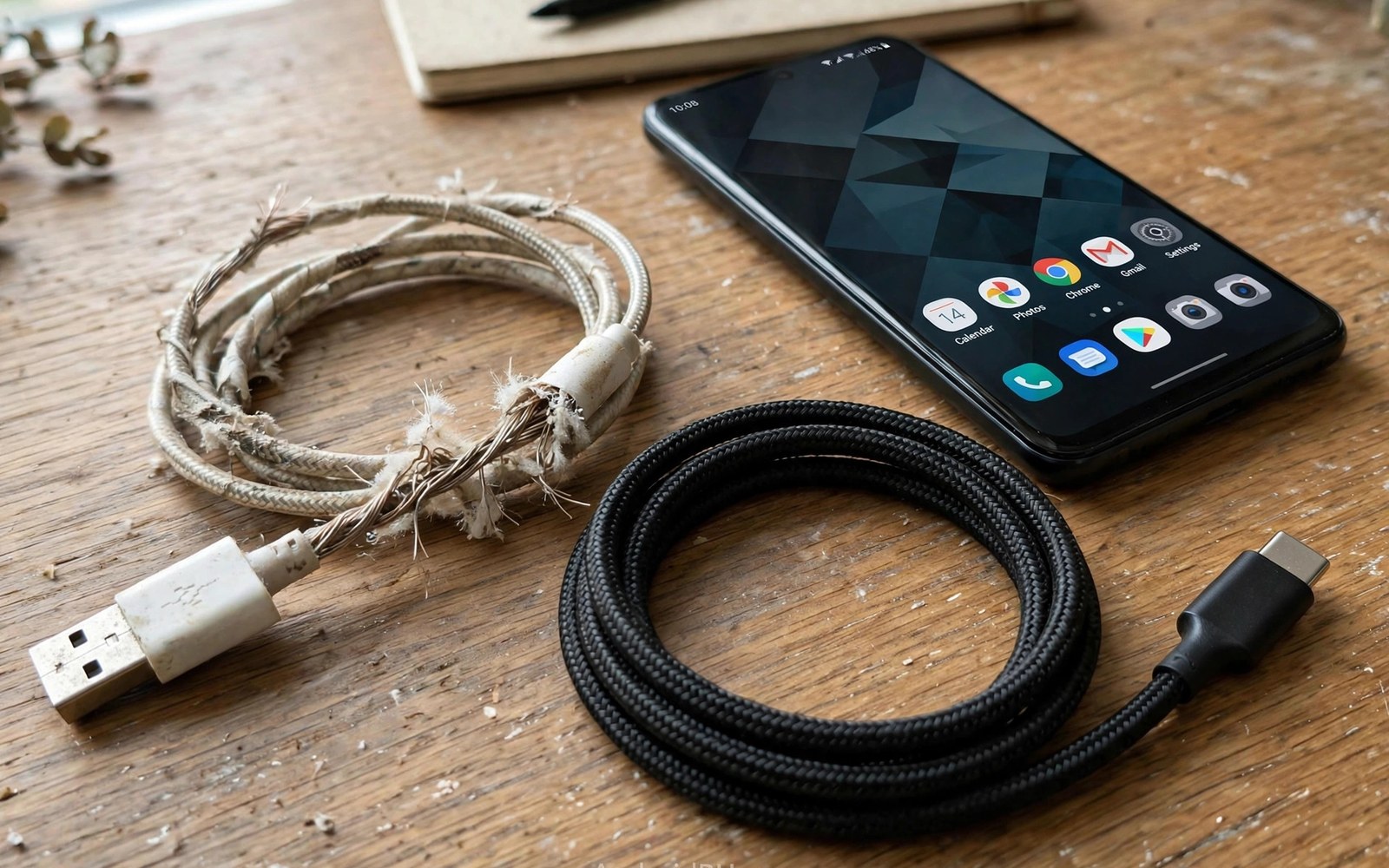
A slow charge is often blamed on the charger or the phone. The cable between them is a frequent hidden culprit. A cable carries both power and the signals that negotiate fast charging. Damage or thin wiring can break that negotiation. The phone then falls back to a slow safe rate. Replacing a suspect cable is the cheapest fix for many slow charging complaints.
Cables fail in quiet ways. Internal wires can break while the outer sheath still looks fine. A loose connector can cause flicker that resets the charging handshake. Thin wires resist current and turn power into heat along the cable. That heat and resistance cap the power that reaches the phone. The phone may show a slow charging message even with a strong charger attached.
Not all cables are built for fast charging. Some cables are made only for data sync at low power. Others use thin conductors that cannot carry high current safely. A cable that worked for an old phone may fail a new phone with higher demands. This guide shows how to spot weak cables and how to choose replacements. A good cable restores speed without a new charger.
How A Cable Limits Charging Power
Power flows through copper wires inside the cable. Thicker wires carry more current with less resistance. Thin wires resist flow and waste energy as heat. That waste leaves less power for the phone battery. Voltage also drops along a long thin cable. The phone sees a lower voltage and it may request a slower rate.
Fast charging also needs signal wires to negotiate power. The charger and phone exchange capability data through those wires. A damaged signal wire can break the handshake entirely. The charger then supplies only a basic low rate for safety. A cable that charges slowly may still sync data fine. Power and data paths can fail independently inside one cable.
- Swap in a known good cable to test speed
- Check the cable for heat during charging
- Try a shorter cable for a fair comparison
Signs Of A Failing Cable
Fraying near the connector is the most visible warning. Bent or loose connectors cause intermittent charging that comes and goes. A cable that only works at one angle has internal damage. Heat along the cable during charging signals high resistance. A burning smell means the cable should be retired at once. Do not keep using a cable that smells hot or looks melted.
Slow charging warnings with a known good charger point to the cable. Flickering charge icons also suggest a loose or damaged connection. A phone that charges only when the cable is held still has a failing connector. Test with a second cable before blaming the phone port. A quick swap test saves a needless repair visit.
Cable Ratings And Labels
Cable ratings state the power and data levels a cable supports. Look for a clear current rating on the packaging or listing. A cable rated for high current suits modern fast charging phones. A cable without any rating may be a basic low power model. Certification marks add confidence but they are not a guarantee alone. Reputable sellers list ratings in plain numbers.
Length affects the rating in practice. A long cable with thin wires loses more power than a short one. A short quality cable is the safest choice for fast charging. A long cable suits a bedside where speed matters less. Match length to the use case rather than buying the longest cable available. A desk cable of modest length usually gives the best speed.
USB-C Versus Older Cable Types
USB-C cables dominate modern Android charging. They support reversible plugs and higher power levels. Older cable types cap power at lower levels by design. Adapters between types can also limit power unexpectedly. A chain of adapters adds resistance and handshake problems. Use a direct cable of the right type whenever possible.
USB-C cables themselves vary widely in quality. Some support only basic charging despite the modern plug shape. Others support high power and fast data together. The plug shape alone does not prove capability. Read the rating and test the cable with a timed charge. A direct rated USB-C cable avoids most adapter pitfalls.
Testing Cables At Home
A swap test is the simplest cable diagnosis. Charge the phone for thirty minutes with the suspect cable. Note the battery gain and any slow warnings. Repeat the test with a known good cable under similar conditions. A clear gain with the good cable confirms the suspect cable. Keep conditions similar by keeping the phone idle and cool.
A power meter can give numbers for a deeper test. It sits between charger and cable and shows voltage and current. Compare readings across cables at the same battery level. A weak cable shows lower current or unstable readings. That data helps when returning a faulty cable to a seller. Numbers beat guesswork in a warranty claim.
Choosing A Replacement Cable
Choose a cable rated above your phone charging needs. A higher rating leaves headroom for future phones. Braided sheaths resist fraying better than smooth plastic. Reinforced connector joints survive bending far longer. A cable with a solid connector fit avoids port strain. Avoid ultra cheap cables with no rating and no seller support.
Buy two cables when you find a good model. Keep one at a desk and one in a travel bag. A spare prevents a failing cable from ruining a trip. Replace cables at the first sign of fraying rather than waiting. A new cable costs far less than a damaged phone port. Good cables are a small investment in daily charging speed.
Cable Construction And Internal Wiring
Cable construction starts with copper conductor thickness. Thicker copper carries current with less resistance and less heat. Thin copper saves cost but it caps charging power. Conductor thickness is rarely printed on cheap cables. Weight can hint at thickness because copper is heavy. A suspiciously light cable often hides thin conductors inside.
Shielding and insulation also affect cable durability. Good shielding protects signal wires from interference. Good insulation resists cracking under bending stress. Braided outer sheaths add abrasion resistance for travel use. Smooth plastic sheaths feel sleek but they fray sooner. Construction quality shows after months of daily bending.
Connector construction determines longevity under plugging cycles. Reinforced joints resist bending at the plug neck. That neck is where most cables fail first. A joint with a long strain relief spreads bending stress. A short stiff joint concentrates stress and cracks early. Inspect joint design before buying a cable for daily use.
Internal soldering quality is invisible but crucial. Poor soldering creates resistance at wire joints. That resistance causes heat and unstable power delivery. Reputable makers test soldering under load before shipping. Bargain cables may skip load testing entirely. Brand reputation serves as a proxy for invisible build quality.
Cable Lifespan And Replacement Timing
Cables age faster in cars and bags than on desks. Heat and bending and tangling accelerate internal wear. A car cable may fail within a year of daily use. A desk cable may last several years with gentle handling. Match replacement expectations to the use environment. Harsh environments deserve more frequent cable checks.
Visual inspection should happen monthly for heavily used cables. Look for fraying and discoloration near connectors. Feel for stiff sections that signal internal wire damage. Smell for burnt plastic after a charging session. Any of those signs means retirement is due. Early retirement prevents port damage from a failing cable.
Rotation extends cable life across a set. Use two cables alternately for a heavily used phone. Alternation halves bending cycles per cable. It also provides a ready spare when one cable fails. A spare cable in a bag prevents a failed cable from ruining a day. Rotation is cheap insurance for charging reliability.
Recycling old cables responsibly matters for the environment. Copper and plastic in cables can be recovered through e-waste channels. Do not throw damaged cables into general waste when recycling exists. Many electronics retailers accept old cables for recycling. Responsible disposal closes the loop on consumable cables.
Swap in a known good cable first
Charge thirty minutes and note the gain
Feel the cable for unusual heat
Retire any frayed or loose cable
Buy a rated cable with a spare
Readers who want more context on portable power can read Analyzing Battery Power Loss When Charging Wirelessly for a related view on the same topic.
Readers who want more context on portable power can read Pass-Through Charging in Power Banks: Charging Phone and Bank Together for a related view on the same topic.
Readers who want more context on portable power can read Solar Power Banks for Camping: How Effective Are Integrated Panels? for a related view on the same topic.
The steps above follow the approach described in the official developer documentation and standard industry guidance for safe charging practice.
Bad cables slow charging through resistance and broken handshakes. The symptoms look like charger or phone faults. A simple swap test reveals the truth in minutes. Rated short cables with solid connectors restore full speed. Treat cables as consumables and replace them at the first sign of wear.
Start with a swap test whenever charging feels slow. Check ratings before buying a replacement. Keep a spare good cable in your bag. Those habits prevent most cable-related slowdowns. Fast charging depends on every link in the chain. The cable is the link most often ignored.
Cable construction and lifespan explain many slow charging mysteries. Thick copper and reinforced joints sustain fast power longer. Harsh environments age cables faster than gentle desk use. Monthly inspection catches failures before they damage ports. Treat cables as consumables with a replacement plan.
Buy cables with clear ratings and reinforced joints. Rotate heavily used cables and keep a spare handy. Replace at the first sign of fraying or heat. Those habits keep charging fast without new chargers. A good cable is the cheapest fast charging upgrade available. It deserves more attention than most buyers give it.
Cable testers offer another diagnostic tool for enthusiasts. A simple tester checks continuity across cable wires. It reveals broken data or power lines quickly. Testers cost little and they suit users with many cables. A tester can sort a drawer of old cables fast. Keep good cables and recycle failed ones after testing.
Cable colour coding can help households organise chargers. Assign one colour to fast cables and another to basic cables. That visual system prevents grabbing a slow cable by mistake. Family members learn the system quickly. Colour coding costs nothing beyond buying varied cables. Organisation prevents many slow charging frustrations at home.
Workplace cable sharing benefits from labelled fast cables too. A shared office cable drawer often mixes fast and slow cables. Labels on fast cables guide colleagues to the right choice. That guidance saves time for everyone in the office. A small label investment improves shared charging reliability. Shared spaces reward clear cable identification.

