

Premium phones cost a lot. They should last for years. Build quality decides if they do. Frames and glass and seals all matter. So do buttons and ports. This article compares iPhone build with premium Android build. It looks at real world wear, not just launch claims.
It covers materials and water resistance. It covers drop tests and scratch tests. It covers battery aging and repair. It also covers cases and daily habits. By the end you will know which build suits your life.
Frames: Titanium, Aluminum and Steel
Frames carry the phone through drops. Titanium is light and strong. It resists dents well. Aluminum is light and cheaper. It dents more easily in falls. Steel is heavy and tough. It adds weight but shrugs off hits.
Premium phones mix these metals by model. A titanium frame feels great in hand. An aluminum frame keeps price lower. Weight matters for daily comfort. A heavy phone tires the hand on long calls. Balance strength with comfort for your use.
Glass Front and Back
Glass looks premium and enables wireless charging. It also cracks on hard drops. New glass formulas resist cracks better. They still break on concrete corners. A case is the best glass insurance. A screen guard adds a second layer.
Back glass cracks less often than front glass. It still breaks in bad falls. Repair costs for back glass run high. Some makers glue backs firmly. That firm glue slows repair. Check repair prices before you buy a glass heavy phone.
Water and Dust Seals
Water ratings promise protection at a depth and time. Real life differs from lab tests. Seals age with heat and drops. A two year old seal may leak. Treat ratings as splash safety, not dive safety. Avoid pools and soaps with any phone.
Dust seals matter for workers and travelers. Sand can jam ports and speakers. Rinse a dusty phone with care. Dry it fully before charging. A port cover helps in harsh jobs. For resale effects of wear, see the resale value trends.
Drop Tests and Real Falls
Lab drop tests drop phones on flat faces. Real falls hit corners and edges. Corner hits crack glass more often. Flat falls spread force better. Case lips guard corners best. A raised lip around the screen saves many phones.
Height matters less than surface. A waist fall onto tile can crack glass. A chest fall onto carpet may leave no mark. Grip matters most of all. Textured sides and cases improve grip. A phone that never falls needs no repair.
Battery Aging Over Years
Batteries age with cycles and heat. Capacity drops slowly each year. Heavy gaming and fast charging add heat. Heat speeds aging. A phone at eighty percent health still works. But it needs charging more often.
care_routine = [
  "use a case",
  "avoid heat",
  "charge overnight smartly",
  "check battery health"
]
for step in care_routine:
    print("Do: " + step)
The snippet above is a simplified illustration of a phone care routine. It shows the idea in plain form. Follow it to stretch the life of any premium phone.
Repair Access and Parts
Repair access shapes long life. Popular models get parts fast. Shops stock screens and batteries. Niche models wait longer for parts. Official repair may cost more. Independent shops may cost less.
Self repair options grow each year. Some makers sell parts and guides. Home repair suits skilled users. It voids some warranties in places. Weigh cost against risk. A pro repair often beats a risky home fix.
Hinges and Folding Phones
Hinges are the heart of folding phones. They fold thousands of times in a life. Dust can jam a hinge over time. Sand is the worst enemy of hinges. Keep folding phones away from beaches. Brush the hinge gently after dusty days. Never force a stiff hinge open. Forcing bends parts that cannot unbend. A smooth hinge feels like a good book spine. A gritty hinge warns of trouble ahead. Warranty often covers hinge faults early. Report grit early, not after failure. Early reports earn faster repairs. A folding phone rewards gentle daily habits.
Inner screens need care beyond hinges. They scratch more easily than outer glass. Nails and pens can mark them. Use only soft touch on inner screens. Close the phone before pocketing it. A pocket with keys scratches inner screens fast. Screen guards for inner screens help some models. Check maker guidance before adding one. A wrong guard can harm the hinge. Folding phones trade toughness for wonder. Owners who accept the trade love them. Owners who want tank toughness should skip them.
Ports, Buttons and Speakers
Ports and buttons wear with daily use. Charging ports collect lint and dust. Lint blocks full cable seating. A loose cable charges slowly or not at all. Clean ports gently with a wooden pick. Never use metal tools inside a port. Metal shorts pins and kills charging. Buttons wear from thousands of presses. Volume buttons loosen first in many phones. Power buttons follow after years. Use on screen controls to spare buttons. Double tap to wake saves power button presses. Small habits extend button life for years.
Speakers suffer from dust and water too. Muffled sound often means blocked grilles. Brush grilles softly with a dry brush. Never poke grilles with pins. Pins pierce speaker meshes. Water in speakers muffles sound for hours. Play a tone to eject water on supported phones. Let the phone dry fully after. Speaker quality fades slowly with age. Compare new sound against a known song. A fading speaker deserves a repair quote. Cheap repairs beat living with muffled calls.
Screen Guards and Case Science
Cases protect phones through physics. A raised lip guards the screen in falls. Thick corners absorb corner hits. Soft inner linings spread force wide. Hard shells resist scratches but pass shock. The best cases mix both layers. A soft inside plus a hard outside wins. Weight grows with protection. A heavy case tires hands on long calls. A light case protects less in drops. Match case weight to your drop risk. Builders need heavy cases. Desk workers need light ones. A case that stays on beats a perfect case in a drawer.
Screen guards add a sacrificial layer. Tempered glass guards crack instead of screens. Plastic guards resist scratches but dent. Glass guards feel like the real screen. They cost more but feel better. Replace a cracked guard at once. A cracked guard hides screen cracks below. Check touch sensitivity after fitting a guard. Cheap guards dull touch response. Good guards feel invisible. Guards and cases together save many phones. They cost little against screen repair bills. Buy both on day one, not after the first drop.
Charging Ports and Cable Wear
Charging ports wear through daily plugs. A cable plugged twice daily wears fast. Lint in ports worsens wear yearly. A loose port charges intermittently. Intermittent charging frustrates nights badly. Clean ports gently each quarter. A wooden pick removes lint safely. Never use metal inside ports. Metal shorts pins and kills charging. Wireless charging spares ports entirely. A wireless pad charges without plugs. Pads suit desk and nightstand use. They charge slower than cables often. Slower charging suits overnight use well. Daytime top ups still need cables. Balance wireless nights with cable days. Ports last years longer with wireless nights. Cable quality also shapes port wear. Tight cables strain ports more. Loose cables fail to charge reliably. Good cables fit snugly without force.
Cable wear signals port trouble early. Frayed cables should retire at once. A frayed cable can short a phone. It can also shock fingers mildly. Inspect cables monthly for fraying. Replace frayed cables without delay. Braided cables resist fraying better. They cost more but last longer. Cable length affects wear too. Short cables strain less on desks. Long cables tangle and pull ports. Pick length for the use spot. Desk cables suit short lengths. Couch cables need longer lengths. Match length to spot for port health. Ports plus cables form one system. Care for both together.
Software Aging and Sluggishness
Phones slow as software grows heavier. New apps demand more memory yearly. Old phones carry less memory. The gap shows as lag in time. Animations stutter first on old phones. App launches stretch longer each year. Storage full worsens lag sharply. Free space lets systems breathe. Keep ten percent free always. Cache clearing helps lag briefly. It never cures aging fully. Factory resets restore speed temporarily. A reset phone feels new for months. Then apps and data slow it again. Resets suit major lag only. Monthly resets waste setup time. Accept gentle aging on old phones. A slow phone still calls and texts well. Demote slow phones to light duties. Light duties hide aging gracefully.
Lite apps extend old phone life well. Lite versions use less memory. They offer core features only. Social lite apps cover feeds and chats. They skip heavy stories and effects. Maps lite covers navigation basics. A lite app suite revives old phones. Test lite apps for a week. If core needs meet then keep them. If needs miss then upgrade deliberately. Lite apps are bridges, not permanent homes. Bridges buy time for planned upgrades. Planned upgrades beat forced upgrades always. Software aging is natural and predictable. Plan around it with lite apps and resets. Graceful aging beats angry aging.
Insurance vs Self Repair
Insurance spreads repair costs over time. Monthly fees buy peace of mind. A broken screen then costs a small excess. Without insurance it costs full price. Compare yearly fees against repair prices. Fees plus excess may exceed one repair. Heavy droppers benefit from insurance most. Careful users rarely benefit at all. Track your drop history honestly. Zero drops in three years signals low risk. Monthly drops signal high risk. Price insurance by personal risk, not by fear. Fear sells policies well. Risk math sells them wisely. Read exclusions before buying cover. Water damage often falls outside cover. Theft cover needs police reports fast. Exclusions surprise buyers at claim time. Read them before paying, not after breaking.
Self repair suits skilled and patient owners. Parts plus guides cost less than shops. A screen repair at home saves labor fees. It risks further damage without skill. Practice on a dead phone first. Dead phones teach without stakes. Good tools matter as much as skill. Cheap tools strip screws and crack parts. Invest in a proper repair kit once. Kits serve many repairs across years. Self repair also teaches device respect. A repaired phone feels personal and valued. It also delays waste helpfully. Choose insurance for risk pooling. Choose self repair for skill growth. Either beats ignoring damage entirely.
Which Build Lasts Longer in Your Hands
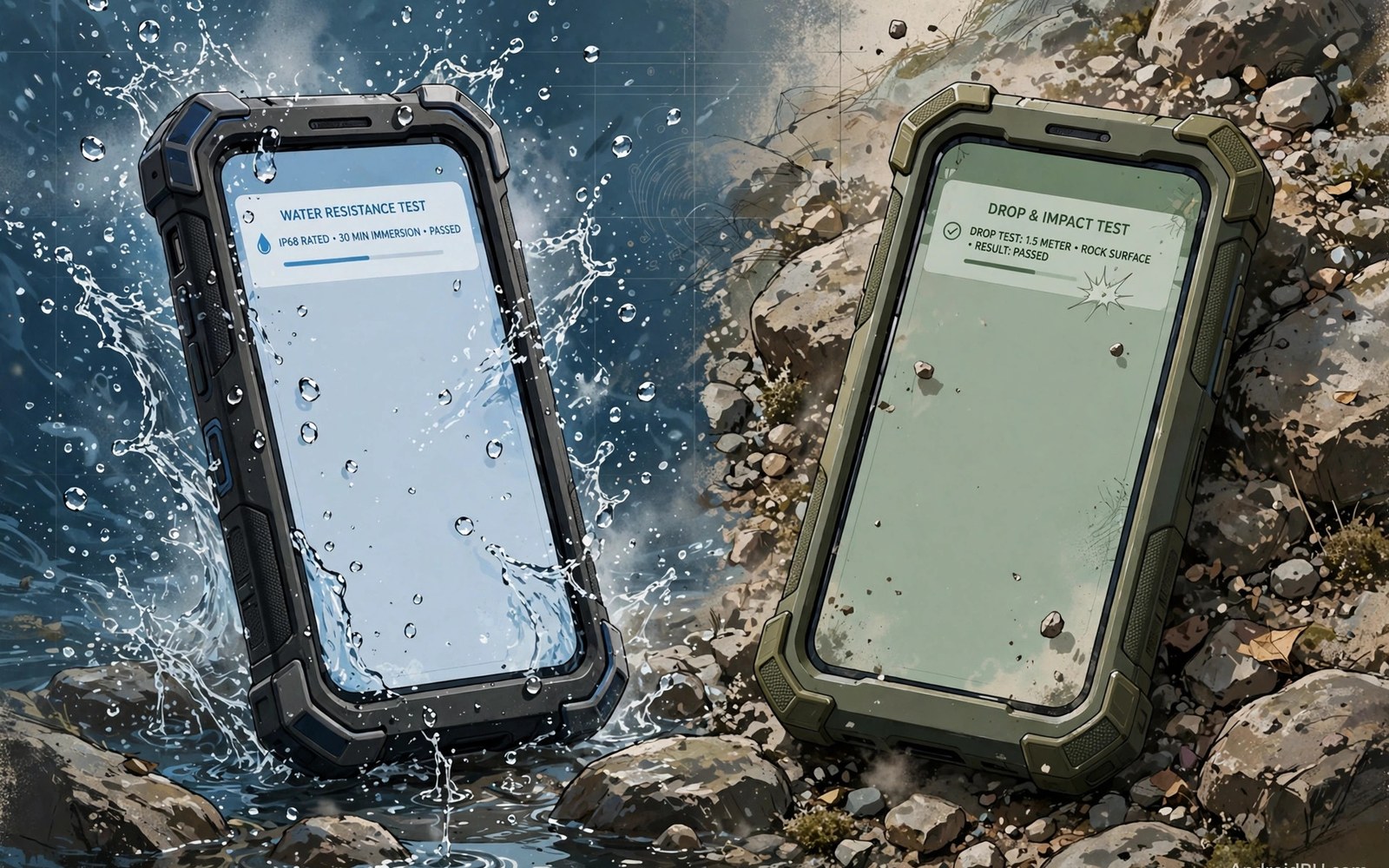
Careful users keep any premium phone for years. A case and a guard do most of the work. Rough users need tougher frames and seals. Rugged Android models add extra armor. They trade looks for survival.
iPhone build quality is consistently high. Premium Android build quality matches it at the top. Mid tier Android build varies more. Buy the top tier if long life matters most. For the wider range of tough models, compare the hardware choices first. For privacy over a long life, see the privacy controls that age with the phone. A well kept phone rewards you twice.

