

Privacy is a promise and a set of tools. Google and Apple make different promises. Apple promises limits built into the system. Google promises controls you can tune. Both protect data in real ways. Neither protects you without your help.
This article compares both approaches. It covers permissions and tracking. It covers location and photos. It covers data deletion and ads. It also covers a weekly privacy routine. By the end you can lock down either phone with confidence.
Two Philosophies in Plain Terms
Apple limits what apps can learn by default. Apps must ask to track you across apps. Many requests get denied by users. Data stays on device for many tasks. Photos and speech process locally when possible. The system does much of the work for you.
Google gives you a dashboard of controls. You can pause location history. You can pause web activity. You can delete data by date range. You can review which apps used each permission. The tools are deep. But you must open them to benefit.
Permissions: The First Line of Defense
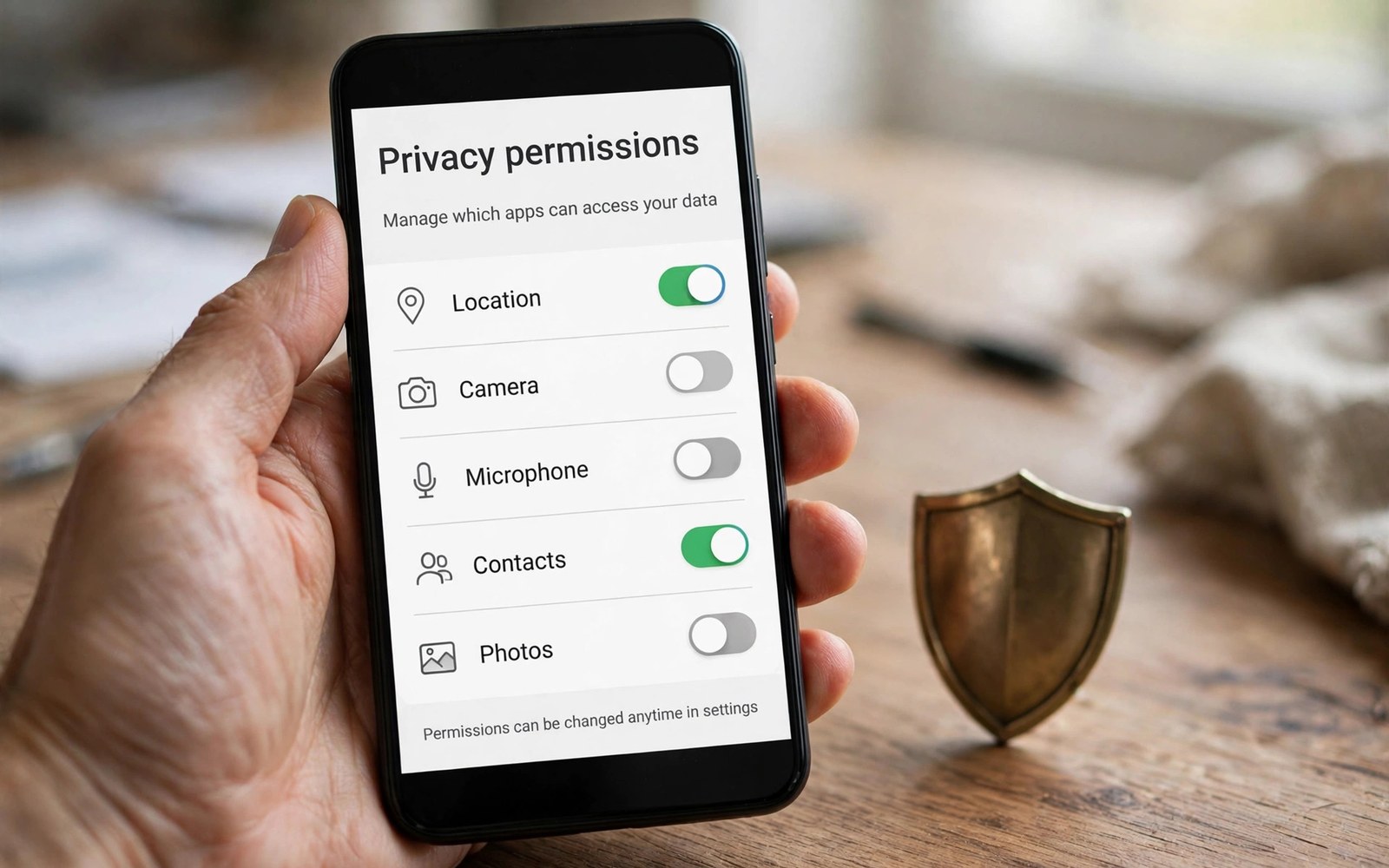
Permissions gate each sensitive tool. Camera and mic top the list. Location and contacts follow close. Grant only what an app truly needs. A chat app needs mic for calls. It does not need contacts for calls. Deny the rest without guilt.
One time grants add safety on Android. Grant location just once for a single task. The grant dies after use. iOS offers similar one time choices. Use them for apps you rarely trust. Review grants each month and prune boldly.
Tracking Across Apps and the Web
Tracking follows you across apps and sites. Advertisers build profiles from that trail. Apple asks apps to request tracking consent. Most users decline. That single prompt cut tracking sharply. It is a simple and strong tool.
Android offers ad controls in settings. You can delete the ad ID. You can opt out of personalization. Browsers add tracker blocking too. The controls work well. But they sit deeper in menus. Open them once and set them right. For store data handling, see the store security checks.
Location: Precise vs Approximate
Location is the most sensitive signal of all. Both systems now offer approximate location. A weather app needs only your city. A maps app needs precise streets. Grant approximate when precise is not needed. Check location use in settings each week.
Background location deserves extra care. An app that tracks you all day should justify it. A delivery app needs it during a trip. A game rarely needs it at all. Revoke background access for the rest. Your battery will also last longer.
Photos, Mic and Camera Indicators
Indicators warn you when mic or camera runs. A dot appears on screen during use. Swipe to see which app triggered it. If an unknown app triggers it then investigate at once. Remove apps you do not recognize. Indicators turn silent spying into visible action.
Photo access now splits into full or limited. Grant limited access to most apps. Pick only the photos an app needs. Full library access suits editors you trust. Limited access suits social apps well. This split is a quiet privacy win.
A Weekly Privacy Routine
Review permissions every Sunday. Check location and mic first. Check camera and contacts next. Delete data you no longer need. Turn on auto delete for history. The routine takes ten minutes.
privacy_routine = [
  "review permissions",
  "check location",
  "delete history",
  "update apps"
]
for step in privacy_routine:
    print("Do: " + step)
The snippet above is a simplified illustration of a weekly privacy routine. It shows the idea in plain form. Keep the routine short so you actually repeat it.
Deleting Your Data When You Leave
Leaving a service should delete your data. Both makers offer data download tools. Export your data first. Then request deletion. Check that backups clear too. Deletion can take weeks to complete.
Old phones need a full wipe before sale. Remove accounts first. Then factory reset. Then remove the device from your account page. A wiped phone protects the next owner and you. For build life that affects resale, see the build durability tests.
Ad Personalization Controls
Ad personalization shapes the ads you see. Systems build interests from app use. They build interests from searches too. Personalized ads feel relevant. They also reveal habits to advertisers. Turn personalization off to see generic ads. Generic ads feel random but reveal less. The choice is yours in settings. Find ad settings on each system. Delete the ad ID to reset the profile. A reset profile starts blank. It rebuilds slowly with use. Reset it each quarter for freshness. A fresh profile limits long term tracking. It does not remove ads entirely. It only makes them less personal.
App level ad settings add another layer. Some apps sell data to ad partners. Check privacy labels before install. A free app that sells data costs privacy. A paid app may sell less. Read the label like a food label. Data sold is an ingredient. Choose apps with short data diets. Delete apps that sell broadly. Your attention funds free apps. Pay with money instead of data when you can. A paid app often respects you more.
Kids Privacy and Family Accounts
Kids deserve stronger privacy than adults. Their data shapes future profiles. Family accounts limit what apps collect. Parents approve downloads for kids. Age filters block mature content. Location sharing needs parent approval. Teach kids to ask before sharing photos. A photo shared today lives for years. Classmates can copy and reshare it. Talk about photo permanence early. Use family sharing with clear rules. A rule sheet on the fridge helps. Kids follow rules they helped write. Review the rules each school year. Growing kids earn growing freedom. Freedom with guidance beats secret use.
Schools add another privacy layer. School apps may collect learning data. Ask schools what they collect and why. Ask how long they keep it. Ask who else sees it. A good school answers plainly. A vague answer deserves follow up. Limit school apps to school devices when you can. A school device separates school data from home data. Separation protects both worlds. Kids privacy is a family project. Parents and schools share the duty.
Public Wi-Fi and VPN Basics
Public Wi-Fi invites snooping. Cafes and airports broadcast openly. Attackers can watch unencrypted traffic. Modern apps encrypt most traffic now. But some traffic still leaks. Avoid banking on public Wi-Fi. Avoid sensitive mail there too. Use mobile data for sensitive tasks. Mobile data is harder to snoop. A VPN adds a tunnel for all traffic. It hides traffic from local snoopers. It does not hide traffic from the VPN provider. Pick a provider with a clear no log policy. Paid providers usually log less than free ones. Free VPN apps may sell your data. That trade defeats the purpose.
VPN use needs honest expectations. A VPN hides your location from sites. It does not make you anonymous. Accounts still identify you when logged in. A VPN plus logged in mail still reveals you. Use a VPN for net safety, not for secrecy. Turn it on for public nets. Turn it off for banking apps that block it. Some banks block VPN logins for safety. Respect that block and use mobile data. Public Wi-Fi safety is a habit stack. Data plus VPN plus caution wins.
Biometric Locks and Face Data
Biometrics unlock phones with face or finger. They feel fast and futuristic daily. Face data lives on device in good systems. On device storage limits breach impact. A server breach cannot leak on device faces. Check where biometric data lives before trusting it. Maker pages state storage plainly. On device beats cloud for biometrics. Finger data deserves the same check. A finger cannot change like a password. Leaked finger data lasts a lifetime. Guard biometric enrollment like a password. Enroll only on your own device. Never enroll on a shared or public device. A shared enrollment grants permanent access. Remove biometrics before selling a phone. Wipes should clear them, but verify. Verification takes a minute and protects years.
Biometrics also face legal differences. Police may compel a finger unlock in places. Passwords enjoy stronger legal shields there. Know local rules before relying on biometrics alone. Use a password for sensitive trips when unsure. A password plus biometric suits most users. Biometric for daily ease and password for travel. Lockdown modes disable biometrics fast. Learn your phone lockdown gesture now. A lockdown gesture helps in tense moments. Practice it once so it works under stress. Biometrics serve ease daily. Passwords serve safety in rare moments. Both together serve life well.
App Tracking in Free Apps
Free apps pay bills with data or ads. Data hungry free apps track broadly. They share data with many partners. Privacy labels reveal partner counts. An app with fifty partners tracks widely. An app with two partners tracks narrowly. Prefer narrow apps for daily use. Delete wide trackers when alternatives exist. Alternatives often cost a little money. Money buys privacy in those cases. A paid app with no trackers beats a free tracker. Calculate the trade honestly per app. A flashlight app should never track location. A maps app must track location to work. Need justifies some tracking. Need never justifies all tracking. Judge each app by need, not by price. Free is never truly free online.
Tracker blocking tools add a second wall. Browsers block trackers by default now. System settings add app tracker controls. Turn them on for all apps. Check blocked tracker counts monthly. High counts reveal greedy apps. A greedy app deserves deletion or replacement. Replacement apps with narrow tracking exist for most needs. Search for privacy focused alternatives plainly. Reviews often praise narrow trackers. Praise for privacy signals a good pick. Tracker hygiene is ongoing work. New apps bring new trackers monthly. Monthly reviews keep walls strong. Privacy rewards steady gardeners, not one time builders.
Data Brokers and Removal
Data brokers sell personal details widely. They gather from public records and apps. They sell addresses and numbers and relatives. Removal requests can delete broker listings. Each broker needs a separate request. Dozens of brokers mean dozens of requests. Removal services automate requests for a fee. Services save time but cost yearly. Manual removal costs time but teaches sources. Start with the largest brokers first. Large brokers sell to many buyers. Removal there cuts exposure most. Verify removal after a month. Brokers sometimes relist data quietly. Recheck listings quarterly for relists. Relists need fresh requests promptly. Broker removal is gardening, not construction. Gardens regrow without steady weeding.
Prevention beats removal over time. Share less personal data publicly. Avoid quizzes that harvest birthdays. Avoid public posts with addresses. A birthday plus a town enables identity theft. Keep birthdays off public profiles. Keep addresses off social posts. Use private groups for family news. Public posts live forever in broker copies. Copies outlive deletions on original sites. Think before posting personal details. A moment of thought saves months of removal. Brokers thrive on careless sharing. Starve them with careful habits. Careful sharing plus removal beats removal alone.
Privacy Is a Habit, Not a Switch
No single setting makes you private. Habits stack into real safety. Deny boldly and review often. Share less location and fewer photos. Use strong passwords and two factor checks. Privacy grows with small acts.
Apple gives you strong defaults. Google gives you deep controls. Both reward a careful user. Pick the style that matches your patience. Then run the weekly routine. For open system privacy depth, see the open system architecture. Your data deserves that care.

