

Update day feels different on each system. iPhone users see the update at once. Android users may wait days or weeks. The gap frustrates many buyers. It has real technical causes. This article explains both update machines.
It covers instant pushes and phased waves. It covers makers and carriers. It covers security patches and major releases. It also covers how to check your own status. By the end the wait will make sense. You will also learn how to shorten it.
The Instant Push Model
One maker builds both phone and system. It tests one set of models. It pushes the update to all at once. Users tap install on day one. Security fixes reach millions fast. The model is simple and strong.
Scale helps the instant model. Fewer models mean fewer tests. Fewer carriers mean fewer gates. The maker controls the whole chain. That control is the secret. It trades variety for speed.
The Phased Rollout Model
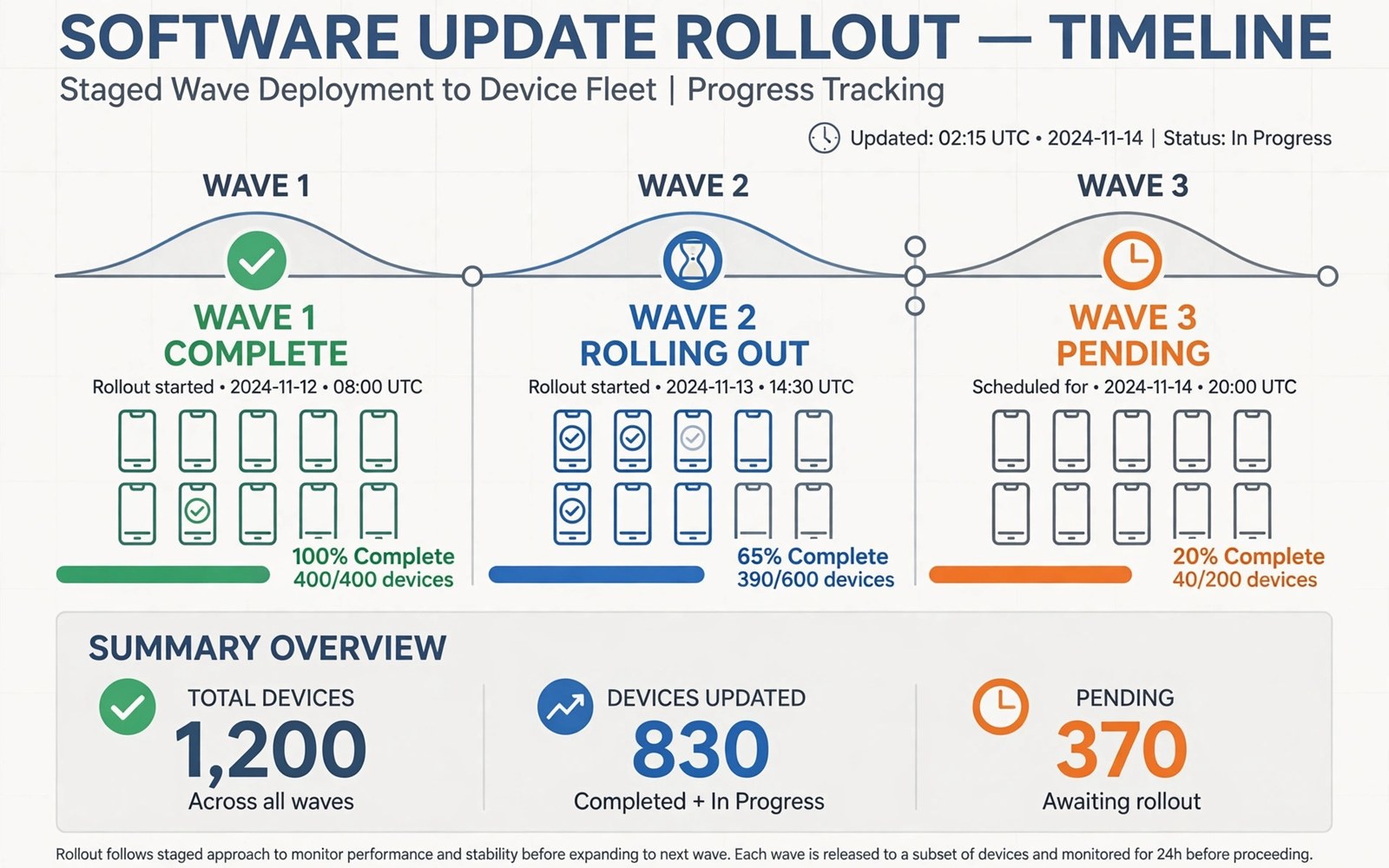
Android updates travel in waves. A maker tests its own phones first. It pushes to a small group. It watches for crash reports. If the wave looks clean then it widens. If faults appear then it pauses. This caution protects millions.
Phases also split by region and carrier. One region may get the update early. Another may wait for carrier tests. Model age matters too. New flagships lead the queue. Older budget phones trail behind. The ecosystem breakdown explains why Android variety shapes updates.
Security Patches vs Major Releases
Security patches are small and frequent. They fix known holes fast. Google ships monthly patches for its own phones. Other makers adapt them in weeks. Carrier models may lag further. Patch dates vary by maker and model.
Major releases bring new features. They need deeper testing per model. Camera and modem drivers differ by phone. A bug on one model may not hit another. Makers test each model in turn. That is why major releases spread over months.
Why Your Phone Waits
Your phone may sit in a later wave. Your carrier may still test the build. Your model may need a driver fix. Your region may follow a staged plan. None of this means your phone is broken. It means the wave has not reached you yet.
Check the update screen by hand. Open settings and tap check for updates. A manual check can pull a ready wave early. Do not install leaked builds from forums. Leaked builds can brick a phone or void support. Wait for the official wave.
Project Treble and Faster Paths
Android now splits system and vendor parts. This split speeds up updates for makers. Vendor drivers stay stable across releases. System parts update with less rework. The result is faster major releases than before.
Pixel style phones update fastest of all. They skip carrier gates in most cases. Other makers now promise longer support too. Four or five years is common for flagships. Budget phones still lag. Check the promise before you buy. For sideloading as an update path, see the sideloading rules and their risks.
A User Update Routine
Turn on auto download over Wi-Fi. Install security patches promptly. Back up before a major release. Free up space for the install file. Charge above half before you start.
update_routine = [
  "back up",
  "charge phone",
  "download on Wi-Fi",
  "install and reboot"
]
for step in update_routine:
    print("Do: " + step)
The snippet above is a simplified illustration of a safe update routine. It shows the idea in plain form. Follow it for major releases in particular.
Beta Programs: Worth the Risk
Beta programs offer new features early. You test a system before public release. You shape the release with feedback. The cost is bugs in daily use. Battery may drain faster. Apps may crash more often. Calls may drop in rare cases. Join a beta only on a spare phone. Keep the main phone on stable releases. Report bugs with clear steps. A beta without feedback helps no one. Leave the beta before key travel. Travel needs stable maps and calls. A beta that fails abroad hurts badly. Betas reward curious users with spare devices. They punish main phone users with chaos.
Leaving a beta takes care too. Exit the program in settings first. Wait for the stable build to arrive. A wipe may be needed in some cases. Back up before you exit. A wipe without backup loses data. Note beta lessons before you leave. What worked well deserves praise. What broke deserves a clear report. Beta programs improve systems for millions. Your careful testing helps strangers you never meet.
Old Phones and End of Support
End of support arrives quietly for old phones. Security patches stop first. Major features stop later. Apps slowly drop old systems. Banking apps leave first for safety. A phone without patches still works. It grows riskier each month. Avoid banking on unsupported phones. Avoid sensitive mail there too. Use the old phone for media and alarms. A retired phone still plays music well. It still serves as a spare camera. It still works as a kids media device with limits. Retirement beats landfill for old phones.
Plan replacement before support ends. Note the end date at purchase time. Save a small sum monthly for the next phone. A planned upgrade beats a forced one. Forced upgrades happen after a failure. Planned upgrades happen on your terms. Trade in the old phone while it holds value. Value falls fast after support ends. A timely trade funds the next phone well. Support dates deserve a place in buying notes.
Forcing a Check the Right Way
Forcing an update check is safe and simple. Open settings and tap check for updates. A manual check pulls a ready wave early. It cannot pull a wave that does not exist. Repeat checks daily at most. Hourly checks waste battery and patience. Never install leaked builds from forums. Leaked builds may carry malware. They may brick the phone. They may void warranty support. Wait for the official wave instead. Patience protects the phone better than leaks. A week of waiting beats a bricked phone.
Carrier delays frustrate users most. Call the carrier only after a long wait. Ask for the rollout status plainly. Note the answer and date. A clear answer beats forum rumors. Some carriers allow unlocked models to skip gates. An unlocked phone updates faster in many cases. Consider unlocked models at next purchase. Freedom from carrier gates is a quiet perk. It also eases travel with local SIM cards. Update freedom rewards the unlocked buyer.
Security Patch Levels Explained
Patch levels show how current a phone is. Settings list a patch date plainly. A recent date means fresh fixes. An old date means known holes remain. Attackers study patch notes for holes. Unpatched phones invite those attacks. Check your patch date monthly. Compare it against the current month. A lag of one month is common. A lag of six months is a warning. A lag of a year is a danger. Banking on a year old patch risks money. Sensitive mail on it risks privacy. Plan replacement when lag grows permanent. Some makers stop patches without fanfare. Silence about patches signals end of support. Note the silence and act on it.
Patch delivery varies by phone tier deeply. Flagships receive patches monthly for years. Mid range phones receive quarterly patches. Budget phones may receive patches rarely. Check patch promises before purchase. A promise in writing beats a sales claim. Sales claims fade after purchase. Written promises guide support cases. Patch levels also affect app support. Banking apps may refuse old patch levels. They refuse to protect user money. A refused banking app signals urgent upgrade need. Heed that signal promptly. Patch levels are health scores for phones. Read them like blood pressure numbers. Healthy numbers need no action. Sick numbers need prompt care.
Feature Drops and Mid Cycle News
Feature drops add new tools between major releases. A drop may add camera modes. It may add AI tools or widgets. Drops keep phones feeling fresh yearly. They arrive first on flagship models. Older models may skip some drops. Skipped drops frustrate loyal owners. Check drop notes for your model before hoping. Notes list supported models plainly. A drop that skips your model is not a bug. It is a planned limit. Hardware may lack power for new features. AI tools need modern chips often. Old chips cannot run them well. Accept limits gracefully or upgrade deliberately. Anger at planned limits wastes energy. Deliberate upgrades channel it better.
Mid cycle news also includes security news. A major flaw may force an urgent patch. Urgent patches arrive outside waves sometimes. Install urgent patches the day they land. A day of delay invites attacks. Attackers weaponize flaws fast after disclosure. News about flaws should prompt action, not panic. Read the flaw scope plainly. A flaw in a feature you never use matters less. A flaw in Bluetooth or Wi-Fi matters more. Act in proportion to scope. Urgent patches plus calm reading beat panic. Panic causes rushed wipes and lost data. Calm action updates and moves on.
When to Replace an Old Phone
Replacement timing balances cost and risk. Replace when patches stop permanently. Replace when key apps refuse to run. Replace when battery fails twice daily. Replace when repair costs exceed half the phone value. Any one signal alone may suffice. Two signals together demand action. A phone with all signals is a liability. It risks money and data daily. Plan replacement before signals pile up. A planned buy beats a forced buy. Forced buys happen after failures. Planned buys happen during sales. Sales save real money on flagships. Holiday sales cut prices deeply. Trade values also peak before new launches. Time a planned buy around both. Patience plus planning beats urgency plus panic.
Retirement uses extend old phone value. A retired phone can serve as a media remote. It can serve as a kids tablet with limits. It can serve as a security camera with apps. It can serve as a music player for workouts. Wipe sensitive accounts before retirement uses. A media phone needs no banking apps. A camera phone needs no mail access. Narrow access limits retirement risks. A retired phone with narrow access is safe. A retired phone with full access is a risk. Narrow it before handing it down. Retirement done right delays waste and saves money. It also teaches kids about reuse.
Which Model Serves Users Better
Instant pushes win on speed and safety. Every supported phone gets fixes at once. Users never wonder about waves. The trade is fewer models and higher prices. For many, that trade is fine.
Phased waves win on caution and choice. A bad build hits few users first. A pause saves millions from a fault. The trade is waiting and uneven dates. Buy a phone with a strong update promise. For app level updates, see the store security checks. Then the wait shrinks to a minor annoyance.

