

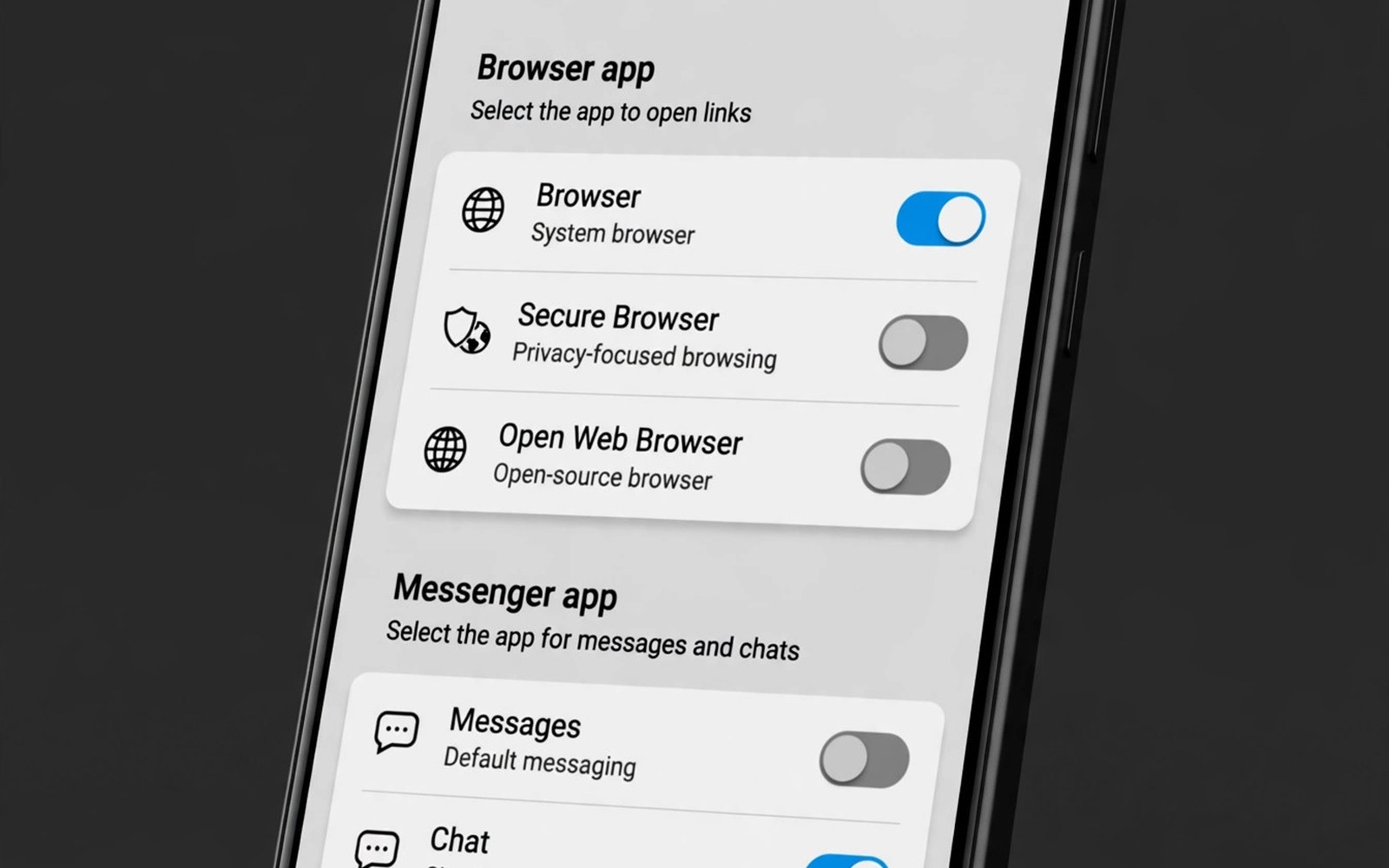
Default apps decide where links open. Tap a link and a browser opens. Tap an address and a maps app opens. Tap a number and a dialer opens. On Android you pick those apps. On iOS the system picks more of them for you. That difference shapes daily comfort.
This article explains default choice on both sides. It covers browser and mail and maps. It covers messenger and assistant and payments. It also covers how to change defaults safely. By the end your taps will open the apps you love.
What a Default App Really Does
A default app handles one job for the whole system. The browser handles web links. The mail app handles mail links. The maps app handles addresses. Once set, the system stops asking each time. Taps feel instant and predictable.
Defaults also shape assistant handoffs. Ask for directions and the maps default opens. Share a link and the browser default opens. A wrong default adds friction to every tap. A right default makes the phone feel yours.
Android: Pick Almost Anything
Android lets you set defaults for many jobs. Pick a browser from any installed browser. Pick a messenger for SMS and chat. Pick a maps app for navigation. Pick a launcher for the home screen. Pick a payment app for taps at shops.
Change a default in settings with a few taps. Open apps and then default apps. Pick the job and pick the app. Clear a default to make the system ask again. The control is deep and clear. It is one of Android’s best freedoms.
iOS: Opening Up, Slowly
iOS now lets you pick a default browser and mail app. You can pick a default maps app in some regions. You can pick a default messenger for some tasks. But many jobs still bind to system apps. Calls and messages stay tied to core apps.
The gap is closing year by year. Each release adds one more default choice. Still, Android leads on breadth today. If default freedom matters to you then weigh it well. For the wider system, see the ecosystem breakdown.
Browser Defaults in Practice
Your browser holds your bookmarks and passwords. It holds your tabs and reading list. Opening links in the wrong browser breaks that flow. Set your main browser as default on day one. Test it with a link from mail and from chat.
Some apps still open an in app browser. That view is not your full browser. Look for an open in browser option. Use it for logins and payments. Your passwords and autofill live in the real browser. The notification controls also differ by browser choice.
Maps, Mail and Messenger Defaults
Maps defaults matter for drivers. A tap on an address should open your trusted maps app. It should show traffic and saved places. Test it from a contact card and from a chat. If the wrong app opens then fix the default at once.
Mail and messenger defaults matter for workers. A mail link should open your work mail app. A chat link should open your main chat app. Set each one and test it. Small fixes here save taps for years. For multitasking with maps open, try the split-screen multitasking layout.
Assistant and Payment Defaults
Assistants respond to voice and long press. Android lets you pick an assistant app. You can use a third party assistant as default. iOS keeps its own assistant as the main voice path. Third party assistants work inside their own apps.
Payment defaults matter at the shop till. Set your main wallet as the tap default. Test it with a small purchase first. Check that loyalty cards still work. A failed tap at a busy till is stressful. Test at home before you rely on it.
A Quick Setup Routine
Set browser first and test a link. Set mail next and test a mail link. Set maps next and test an address. Set messenger next and test a number. Write down each pick in case a reset clears them.
default_apps = [
  "browser",
  "mail",
  "maps",
  "messenger"
]
for job in default_apps:
    print("Set default: " + job)
The snippet above is a simplified illustration of a default app setup order. It shows the idea in plain form. Change the order to match the apps you rely on most.
When Defaults Reset or Break
Updates can reset a default now and then. A new app install can claim a job. If links open in the wrong app then check settings. Re pick your preferred app. Clear the rival default if needed. The fix takes under a minute.
Some links ignore defaults by design. App links open inside their own app first. You can turn that behavior off per app. Open the app info screen. Turn off supported links for that app. Links will then follow your browser default again.
Payment and Wallet Defaults
Wallet defaults decide tap success at shops. Set your main card as the default. Test it at a quiet shop first. A failed tap in a queue feels awful. Check that transit cards still work. Some transit systems need a separate express card. Set the express card where the system allows it. Loyalty cards can live in the wallet too. Scan them before payment when needed. A wallet that holds all cards speeds checkout. Review cards each season. Remove expired cards at once. An expired default causes declined taps. Keep one backup card ready for travel. Travel tests wallets harder than home shops.
Security rules guard wallet defaults well. A tap needs an unlocked phone in most cases. Biometrics approve the tap fast. Lost phones can lock wallets remotely. Learn the remote lock steps before you need them. Practice them on a spare device if you can. A calm response to loss saves money. Report loss to banks as well. Banks can freeze cards in minutes. Wallet defaults blend ease and safety. Set them with care and test them early.
Link Handling Inside Apps
Apps fight over links in subtle ways. A video link may open inside a social app. A shop link may open inside a chat app. In app views lack your logins and extensions. They also lack your password manager. Open key links in the full browser instead. Look for the open in browser menu. Use it for payments and logins always. Your saved passwords live in the real browser. Your extensions protect you there too. In app views suit quick peeks only. Close them for serious tasks.
Supported links add another layer. An app can claim links for its own domain. Taps on those links open the app, not the browser. Turn off claims for apps you distrust. Open the app info screen for the toggle. Turn off the domain claim there. Links will follow your browser default again. Test after each change with a real link. A mail link is a good test case. Link control feels fussy at first. It saves taps and logins for years.
Resetting Defaults After Updates
Major updates can reset defaults quietly. A new system version may pick system apps again. A new app install may claim a job. Check defaults after each major update. Open the default apps screen and scan the list. Fix any job that changed. The check takes two minutes. It prevents weeks of wrong app opens. Note your defaults on paper for reference. A paper list speeds the check a lot. Families should check kids devices too. A reset default can open a wrong browser for a child. Fix it before the child notices.
Backups sometimes restore old defaults. A new phone may import defaults from an old phone. Those defaults may point to missing apps. The system then asks you to pick again. Pick with care during setup. Do not rush the setup screens. Rushed picks cause months of friction. Slow setup pays for itself fast. Defaults are small choices with daily reach. Guard them like passwords.
Dialer and SMS Defaults
Dialer defaults shape every call you make. A good dialer shows spam warnings. It shows business names for unknown numbers. It blocks known spam silently. Android lets you pick a dialer app. Pick one with strong spam data. Test it with a known spam number. A dialer that warns well saves daily annoyance. SMS defaults matter just as much. A good SMS app handles RCS chats. It handles spam filtering too. It organizes messages by category. Promos sit apart from personal chats. That split keeps the inbox calm. Set both defaults on day one. Test a call and a text after setting. A wrong default here annoys you daily. A right default fades into background calm.
Call recording rules vary by region deeply. Some regions require all party consent. Others require one party consent only. Never record calls where law forbids it. Check local rules before enabling recording. A dialer may offer recording in some regions. The offer does not make it legal everywhere. Respect the law over the feature. Announce recording when rules require it. Honest recording protects everyone on the call. Spam blocking also needs care. A blocked legit call can cost a job or a deal. Review blocked calls weekly. Rescue legit numbers from block lists fast. Defaults plus review beat defaults alone.
Photo Editor and Gallery Defaults
Gallery defaults decide where photos open. A good gallery shows albums clearly. It offers quick edits without extra apps. Crop and light fixes cover most needs. Filters suit social sharing fast. Android lets you pick a gallery app. Pick one with strong search. Search by place and face saves hunting. A gallery that finds beach trips fast wins. Editor defaults matter for creators. A strong editor handles layers and curves. A simple editor handles crops and filters. Pick the editor that matches your skill. Beginners need simple tools. Creators need deep tools. Set both defaults and test with a real photo. A test edit reveals strengths and gaps fast.
Sharing from the gallery needs default care too. A share tap should offer your key apps first. Pin chat and mail apps to the share sheet. Remove apps you never share to. A tidy share sheet speeds every share. Check share defaults after new installs. New apps can crowd the sheet. Prune the sheet monthly for speed. Photo defaults feel small until they fail. A photo that opens in the wrong app wastes taps. Taps add up across thousands of photos. Set gallery defaults with the same care as browser defaults. Daily tools deserve daily attention.
Voice Recorder Defaults
Voice recorders serve students and journalists well. A good recorder captures clear audio. It offers bookmarks for key moments. It transcribes speech on some phones. Android lets you pick a recorder app. Pick one with cloud backup for recordings. A lost recording can cost an interview. Test mic quality in a noisy room. A recorder that fails in noise fails in life. Set the recorder as default for voice tasks. Assistant voice notes should land in it. Test the handoff with a real note. A note that lands in the wrong app vanishes. Consent rules apply to recordings too. Never record private talks without consent where law requires it. Announce recording in interviews always. Honest recording builds trust with sources.
Storage for recordings grows fast. An hour of audio takes real space. Move recordings to cloud or drive monthly. Name recordings by date and topic at once. A name like 2026-08-interview-lee finds itself. A name like recording-1 hides forever. Transcribe key recordings for search. Text search beats audio scrubbing for quotes. A transcript plus audio beats either alone. Delete recordings you no longer need. Old audio clutters storage and privacy alike. A tidy recorder library serves work for years. It also protects sources from old leaks.
Freedom You Feel Every Day
Defaults are a quiet freedom. You feel them in every tap. The right browser opens each time. The right maps app guides each trip. The right messenger catches each chat. That fit builds trust in the phone.
Android gives you that fit in full. iOS gives you a growing subset. Both improve each year. Set your defaults with care on day one. Your future self will tap with a smile. For device choice that shapes defaults, see the hardware choices on the market.

