

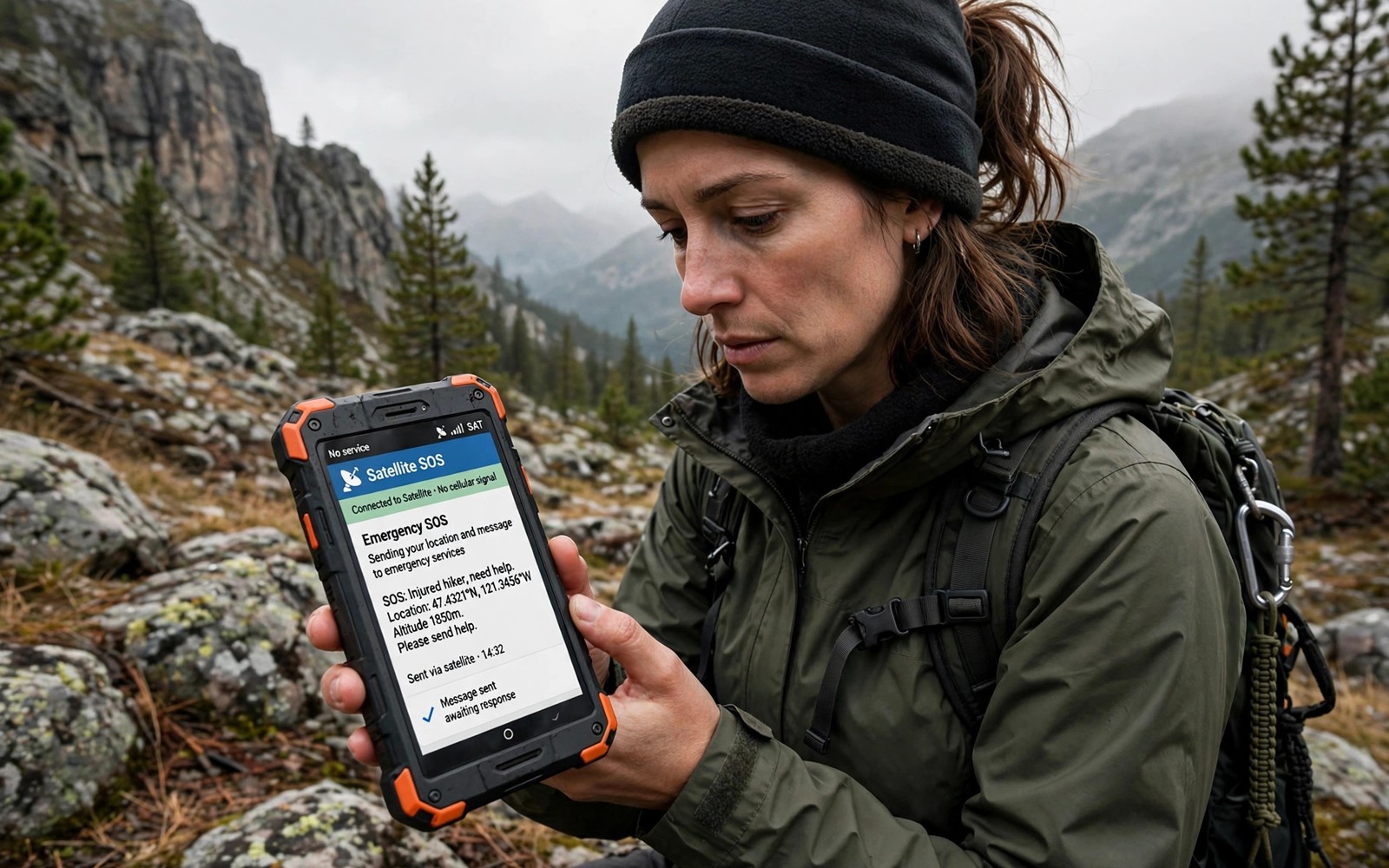
Satellite SOS Messaging Capabilities on Modern Outdoor Smartphones
A hiker in a deep valley, a field worker on a remote ridge, or a sailor miles from shore can all face the same problem: no bars, no Wi-Fi, and no way to call for help. Satellite SOS messaging closes that gap by sending a short text to orbit, where a satellite passes it to a ground station and on to rescuers. It is not a normal texting service, and it will not carry photos or long chats, but for a genuine emergency it can be the difference between a rescue and a long wait.
This guide names the real systems on sale now: Apple’s Emergency SOS via satellite, Google’s Pixel Satellite SOS, Motorola’s Defy Satellite Link, Garmin inReach and SPOT. It compares them on phones, coverage, cost and two-way messaging, and it explains how to set one up before a trip, how to point a phone at the sky, and when a dedicated beacon still beats a phone. The guide to cell signal in remote wilderness areas explains why valleys lose coverage in the first place; satellite messaging is the layer that sits on top of that gap.
How Satellite SOS Messaging Actually Works
An SOS feature that uses satellites relies on a special antenna and modem to reach a network hundreds of kilometres overhead. You open the SOS feature, answer short prompts about the emergency, and the phone adds your GPS location to the message. The screen then guides you to point the phone at open sky while the message goes up.
From your phone to orbit to a rescue team
The message travels from the phone to a satellite, down to a ground station, and then to a response centre or directly to local rescue services. A response centre can translate your answers, coordinate across regions, and keep a log of the exchange. Direct routing can be faster in well-covered areas, but a centre is often better when you are abroad and do not speak the local language. Either way, know your system’s routing before you travel, because it shapes how you phrase your answers.
Why messages take minutes, not seconds
Delivery often takes a few minutes, and under poor sky view it can take longer. The satellite has to be above the horizon, the phone has to hold its aim, and each reply goes through the same slow path. Do not assume failure after one minute. Keep the phone still, wait for the confirmation tick, and send a second message only when the app advises it, because duplicate alerts can confuse the team reading them.
Apple Emergency SOS via Satellite on iPhone
Apple’s system, Emergency SOS via satellite, arrived with the iPhone 14 range in 2022 and now ships on later iPhones too. It is built into the phone, needs no extra hardware, and in supported regions it is free for two years after you activate a new iPhone, with the free period extended at least once since launch. Check the current terms for your model and region before you rely on it, because the free period and the covered regions have both changed since launch.
Which iPhones have it and where it works
You need an iPhone 14 or later with a current version of iOS. Coverage includes the United States, Canada, much of Europe, Australia, New Zealand and Japan, among others, and the list keeps growing. It does not work everywhere: some countries have no coverage at all, and a phone bought in one region may lack the feature in another. Open Settings, then Emergency SOS, before a trip abroad and confirm the feature is listed as available for your destination.
What an iPhone SOS message contains
The iPhone asks a short questionnaire: what happened, who needs help, whether anyone is injured. It sends your answers with your location and your Medical ID details to a relay centre, which passes them to local emergency services. The centre can reply with follow-up questions, so the exchange is two-way. Your emergency contacts also receive a message saying you used the feature, which reassures family without you spending a second satellite message on it.
Setting it up before you leave coverage
Add emergency contacts and fill in Medical ID in the Health app while you still have signal. Then open Settings, Emergency SOS, and run the built-in demo. The demo teaches the pointing steps without sending a real alert, and it is worth doing with gloves on, because that is how you will be holding the phone if things go wrong. Teach the steps to everyone in your group, even if only one phone has the feature.
Google Pixel Satellite SOS and Android Satellite Messaging
Google’s Pixel Satellite SOS launched on the Pixel 9 range in 2024, using satellite connectivity for emergency messaging in the United States, with more regions added since. Like Apple’s version it is built into the phone, uses a questionnaire, and routes messages through a response centre that contacts local emergency services. Pixel owners also get satellite messaging for non-emergency texts to emergency contacts in some regions, which is a step beyond SOS-only systems.
Pixel models, carriers and the SOS questionnaire
You need a Pixel 9 or later with an active carrier plan in a supported region; the feature is tied to the phone model and the carrier, not just the software. The questionnaire mirrors Apple’s approach: nature of the emergency, number of people, injuries, and location. Answers go to a Garmin Response centre in the United States, which is the same team that answers Garmin’s own devices. That shared centre is one reason Pixel replies feel polished: the staff handle satellite emergencies every day.
How Pixel Satellite SOS differs from carrier satellite texting
Carrier satellite texting, such as the satellite service built on Starlink, lets you send ordinary texts where there is no cell coverage, and it works on many Android phones and iPhones. Pixel Satellite SOS is different: it is an emergency-only path with a guided questionnaire and a response centre, built for the moment when you need rescue rather than a chat. The two can sit side by side on the same trip, and for a remote hike the emergency path is the one that matters.
Motorola Defy Satellite Link, Bullitt and Garmin inReach
Not every outdoor phone has satellite SOS built in. The Motorola Defy Satellite Link, built with Bullitt, is a small puck that pairs with any Android phone or iPhone over Bluetooth and adds two-way satellite messaging and SOS. It uses the Skylo network in supported regions, needs a subscription plan, and is the cheapest way to add satellite messaging to a phone you already own.
Motorola Defy Satellite Link: a puck for any phone
The puck is rugged, waterproof, and clips to a pack strap, with a dedicated SOS button and a battery that lasts days. You pair it once, test it in the companion app, and from then on your phone sends satellite texts through the puck. The trade-off is a second device to charge and carry, and a monthly plan that starts at a few dollars for basic SOS and check-in messages. For a worker or hiker whose phone lacks built-in SOS, it is the most practical upgrade.
Garmin inReach and SPOT: dedicated messengers
Garmin inReach devices, such as the inReach Mini 2 and the inReach Messenger, are the benchmark for remote messaging. They send two-way texts, tracking points and SOS alerts through the Iridium network, which covers the globe including the poles, and every SOS goes to the Garmin Response centre with staff on duty around the clock. SPOT devices use the Globalstar network for one-way or limited two-way messages and SOS at a lower price. The trade-off is carrying a second device and paying a monthly plan, but for expeditions and solo workers the stronger antenna, the multi-day battery and the global coverage are hard to beat.
Satellite Emergency Systems Compared: Service, Phones, Coverage and Cost
The table below puts the main options side by side. Prices change by region and by plan, so treat the cost column as a starting range and check the current plan before a trip.
| Service | Phones and hardware | Coverage | Two-way messaging | Typical cost |
|---|---|---|---|---|
| Apple Emergency SOS via satellite | iPhone 14 and later | US, Canada, Europe, Australia, Japan and more | Yes, with a response centre | Free for 2 years after activation, then terms apply |
| Google Pixel Satellite SOS | Pixel 9 and later | US first, more regions added | Yes, with a response centre | Free for 2 years after activation, then terms apply |
| Motorola Defy Satellite Link | Any Android phone or iPhone, plus the puck | Skylo network, selected regions | Yes, two-way texts and SOS | Subscription from a few dollars a month |
| Garmin inReach | Dedicated inReach device | Global via Iridium | Yes, two-way texts and tracking | Device plus monthly plan, roughly 15 to 50 dollars a month |
| SPOT | Dedicated SPOT device | Globalstar network, most regions | Limited, check model | Device plus monthly plan, roughly 12 to 30 dollars a month |
| Samsung satellite SOS | Galaxy phones, satellite SOS in preparation | To be confirmed | To be confirmed | To be confirmed |
Two-way messaging vs SOS-only alerts
Two-way messaging changes a rescue. Rescuers can ask about injuries, group size, weather and terrain, and you can tell them you moved to a safer spot. SOS-only alerts send your location and a cry for help, and then you wait in silence. When you compare systems, two-way messaging is worth more than a slightly lower price, because it lets the rescue team plan instead of guess.
Sky View, Pointing and Message Delays in the Field
Every satellite system on this page shares one hard limit: it needs a clear view of the sky. Dense forest canopy, deep canyons, caves and buildings all block the link, and no software update changes that. The phone screen shows a guide for aiming; follow it slowly, hold still, and let the message finish before you move.
Finding open sky in forest and canyon country
Step into a clearing, a ridge top, or the middle of a trail rather than under a rock overhang. In a canyon, the satellites you can see are the ones above the gap, so the wait can be longer and the phone may ask you to turn. At night, the same rules apply: open sky matters more than daylight. If the first attempt fails, move a few metres to a more open spot and try again rather than tapping send repeatedly from the same blocked position.
Keeping the phone alive long enough to send
Satellite transmission drains the battery faster than normal use, and cold weather shrinks battery capacity at the same time. Keep the phone warm inside a jacket between uses, carry a power bank rated for cold conditions, and close other apps before you start the SOS flow. For multi-day trips, our guide to solar charging for off grid trips covers panels and power banks that keep a phone alive far from any socket. A warm phone with a charged bank can send an SOS after hours outdoors; a cold, dead phone cannot send anything, whatever the coverage map says.
Costs, Free Periods and Regional Availability
Costs split into two groups: phone makers who bundle SOS free for a period, and dedicated devices that charge a monthly plan from day one. Apple and Google both include SOS free for two years after you activate a qualifying phone, and both have extended that period at least once. After the free period, the terms are set by the maker, so check the current plan for your model before you count on it.
Free periods, subscriptions and check-in messages
Dedicated devices charge a monthly plan, and the cheapest plans usually cover SOS and a small number of check-in messages. Check-in messages are the non-emergency texts that tell family you are fine; they use the same satellite path and they cost the same airtime, so agree check-in times with family before departure and keep them short. A regular check-in pattern also creates a search starting point: if the check-ins stop, your family knows roughly where to send help.
Regional gaps catch travellers out. A service that works at home may not work abroad, and a phone bought in one region may lack the feature in another. Check the maker’s coverage page for your destination, confirm whether your plan needs an active subscription, and test the demo mode before you leave. A surprise gap in coverage during a trip is a serious risk, and it is one you can remove in ten minutes at home.
Pros, Cons and Who Emergency Satellite Messaging Is Really For
This kind of emergency messaging is a safety net, not a phone plan. Its strength is reaching rescuers from places where nothing else works, with your location attached and a human team reading the other end. Its weakness is speed, cost, and the need for open sky, and none of those change with a newer phone.
- Pro: it reaches rescuers from valleys, ridges and open water where no cell tower can reach, with your GPS location attached to every message.
- Pro: two-way replies let rescuers ask about injuries and terrain, so the rescue plan fits your real situation instead of a guess.
- Pro: it is built into phones millions of people already carry, so there is no second device to buy for iPhone and Pixel owners.
- Con: messages take minutes and need open sky, so dense forest, canyons and caves can block or delay an alert.
- Con: free periods end, and dedicated devices need a monthly plan that adds up over a year of use.
- Con: it cannot carry photos, videos or long explanations, so rescuers get facts only, not a full picture of the scene.
Who gains the most
Solo hikers, trail runners, backcountry skiers, offshore sailors and field workers gain the most, because they travel alone where a phone signal cannot follow. Industrial crews working on remote sites gain too: for teams that already carry rugged hardware, the context in our guide to chemical resistant devices for industrial plants shows how satellite messaging fits alongside other specialist gear rather than replacing it. Group leaders gain as well, because one phone with SOS can serve a whole group when everyone knows the steps.
Where a dedicated beacon still wins
A dedicated beacon still wins for extreme expeditions. Its antenna is stronger, its battery lasts days rather than hours, and networks such as Iridium cover the poles where phone-based systems may not reach. A personal locator beacon also works with one press and no questionnaire, which matters when you are injured and cannot type. Carry both when the trip is remote and high risk: the phone for two-way detail, the beacon for a guaranteed alert.
Frequently Asked Questions About Emergency Satellite Messaging on Outdoor Phones
Can emergency satellite messaging replace a personal locator beacon?
For most hikers it can serve as a strong safety layer. For extreme expeditions a dedicated beacon still wins on antenna strength and battery life. Carry both when the trip is remote and high risk.
How long does a satellite SOS message take to send?
Delivery often takes a few minutes, and it can take longer under poor sky view. Stay still with open sky and wait for confirmation. Do not resend repeatedly unless the app advises it.
Does emergency satellite messaging cost extra money?
It depends on the phone and the region. Apple and Google include SOS free for two years after activation on qualifying phones, while dedicated devices need a monthly plan. Check your exact model terms before departure to avoid a gap.
Does it work indoors or under thick tree cover?
No. Satellite signals need open sky, and dense canopy, caves and buildings block the link. Move to a clearing or a ridge top and hold the phone still until the message confirms.
Your Next Step Before the Next Trip
Open your SOS settings today and complete the setup and demo mode. Add emergency contacts and medical notes, test the pointing steps with gloves on, and tell one trusted person your route and return time. Then save the demo steps in a note on your phone and review them before every remote trip. A fresh review keeps the steps in memory, and memory plus practice makes a real alert far smoother.

