

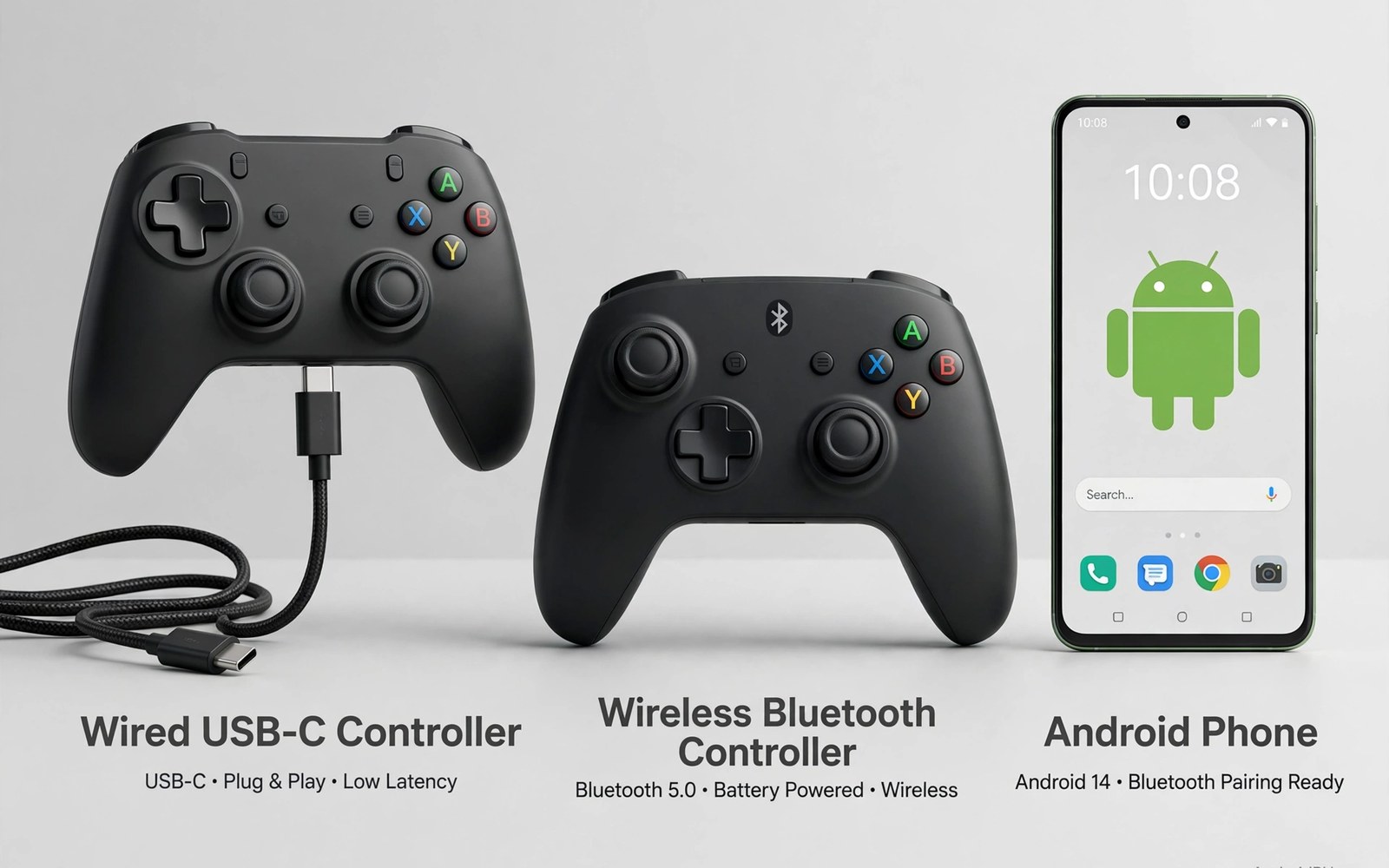
USB-C direct controllers vs wireless Bluetooth is a choice between speed and freedom. A wired link sends inputs straight to the phone with minimal delay. A wireless link frees movement but adds packet delay. Both links serve real players well in different situations.
Competitive players feel small delays most in fast shooters and fighting games. Casual players may never notice the same delays in story games. Room setup also matters since couch distance favours wireless. Desk play favours wired links with short cables. Match the link to your games and your room.
This article compares latency and stability and power and comfort for both links. You will learn how to test each link in your own games. You will also learn hybrid habits that use each link where it shines. No single link wins for every player and every game.
Latency differences in real games
Wired USB-C links usually deliver lower and steadier latency than Bluetooth links. Inputs travel directly without wireless packet scheduling. That steadiness helps aim timing in fast games. Bluetooth latency varies with distance and interference. A clean Bluetooth link feels close to wired for casual games but rarely matches it in ranked play.
Frame rate and display delay can hide link differences in casual tests. Test links in a local game with stable frames. Focus on response feel during fast turns and shots. Repeat tests at different distances for Bluetooth. That method reveals link delay without network noise confusing results.
Stability and interference
Wired links ignore wireless interference entirely. Crowded rooms with many Bluetooth devices cannot disturb a cable. Bluetooth links suffer when many radios compete nearby. A busy household can raise Bluetooth delay during evenings. Wired play stays consistent regardless of neighbour radio traffic.
Cable quality affects wired stability more than players expect. Loose plugs disconnect during intense movement. Choose short firm cables with solid connectors. Route cables away from feet and chair wheels. A stable cable path keeps wired play reliable for long sessions.
Power and portability
Wired controllers draw power from the phone or pass power through. That draw shortens phone battery during long sessions. Some wired pads include charging passthrough to solve this. Bluetooth pads carry their own batteries and spare phone power. That trade shapes travel choices a lot.
Bluetooth pads travel better since no cable tethers phone to pad. Wired pads suit desk and dock setups where cables stay tidy. For portable handheld shapes read about telescopic controllers for phones and see how wired grips balance portability with low latency.
Comfort and freedom of movement
Wireless pads let players shift posture freely on a couch. That freedom reduces cable drag during relaxed play. Wired pads restrict movement to cable length. Short cables suit desk play but frustrate couch players. Choose cable length for your seat distance before buying a wired pad.
Hybrid players keep both link types ready for different sessions. Use wired links for ranked matches and wireless links for story games. Switching takes seconds when both pads stay paired or plugged nearby. That hybrid habit gives speed where it matters and freedom where it relaxes play.
Accessories that pair well with this setup
A USB-C hub with charging passthrough solves the main wired drawback for long sessions. Passthrough power keeps phones charged while wired pads play. That feature removes battery anxiety from wired gaming entirely. Choose hubs with firm ports and clear wattage ratings. A good hub turns wired play into a set and forget desktop setup for daily use.
A Bluetooth pad with a strong battery complements wired play for couch sessions. Keep both link types ready for different rooms and games. Switching links takes seconds when gear stays nearby. That hybrid kit covers desk ranked play and couch story play equally well. Flexibility beats loyalty to one link type for most players overall.
Bluetooth lag fixes deserve attention from any player considering wireless links. Distance and interference shape wireless delay more than pad price does. Learn the fixes in Bluetooth input lag fixes before judging wireless play harshly. That article covers tests and fixes in impact order. A tuned wireless link often feels close enough for casual and story games alike.
A weekly routine that keeps everything working
Test both link types monthly in the same fast game with the same settings. Consistent tests reveal whether wireless conditions changed recently. Note response feel briefly after each test. A growing wireless gap may signal new interference sources at home. Monthly tests keep link choices matched to current home radio conditions rather than old assumptions.
Inspect cables monthly for wear that causes wired dropouts. Frayed cables disconnect during intense movement without warning. Replace worn cables promptly with rated spares. Coil cables loosely to prevent strain damage. That monthly glance keeps wired reliability high across long competitive seasons and daily play alike.
Review wired OTG setups monthly if desk play grows in your routine. OTG adapters link standard pads directly for stable play. The method is clear in wired OTG controller setups for players adding wired options. Monthly review matches link habits to current rooms and games rather than keeping one link for every situation.
How this plays out in real life
A ranked player uses wired links for tournament nights and wireless for practice. That hybrid habit matches link strengths to session stakes perfectly. Tournament nights demand lowest latency without exception. Practice sessions value freedom over milliseconds. That flexible approach beats rigid loyalty to either link type for serious players.
A couch gamer chooses wireless exclusively for relaxed story sessions. Cable drag ruins couch comfort during long narrative chapters. Wireless freedom matters more than tiny latency differences here. That gamer accepts small delays as a fair trade for comfort. Story games forgive latency that competitive shooters punish harshly every time.
A desk gamer wires everything for a tidy competitive station. Short cables route neatly behind the monitor without tangles. That desk setup delivers stable low latency daily. Wireless devices stay charged as backups for travel. That desk first approach suits players with dedicated gaming spaces at home perfectly.
A traveller packs wireless pads only to avoid cable hassles on trips. Wireless gear travels lighter without cable management worries. Hotel sessions stay comfortable without desk infrastructure. That travel choice prioritises convenience over competitive latency. Casual travel games rarely demand wired precision for enjoyment at all.
A family shares one phone for games with both link types available. Children use wireless pads for living room freedom. Parents use wired pads for ranked evenings after bedtime. That shared kit covers every family member preference. Flexibility serves households better than single link dogma for diverse gaming needs.
A practical check you can run
You can compare input and USB state for both link types with a short device check. Attach or pair the pad and run the checks below on a computer linked to the phone. The output lists input devices and USB status.
adb shell dumpsys input
adb shell dumpsys usb
adb shell dumpsys bluetooth_manager
The commands above are adapted from public platform documentation for Android developer tools. They are included here as a teaching example for checking device behaviour and not as copied product code.
Common mistakes
A common mistake is judging Bluetooth only in an empty room. Real homes add interference from many devices in evenings. Test Bluetooth at your normal play time with normal household radios on. That realistic test shows true daily latency rather than ideal lab latency.
Another mistake is using a long loose cable for wired play and blaming the pad for disconnects. Cable movement causes most wired dropouts. Use short firm cables and tidy routing. Stable cables make wired play live up to its latency promise.
A third mistake is forcing one link type for all games and rooms. Ranked desk play and relaxed couch play need different links. Keep both options ready when budget allows. Matching link to session beats defending one link for every situation.
Frequently asked questions
Is wired always faster than Bluetooth for Android pads?
Wired links usually respond faster and more steadily than Bluetooth links. The gap matters most in fast competitive games. Casual games feel similar on both links for most players. Test your own games before assuming the gap matters for your play style.
Can I charge my phone while using a wired controller?
Some wired pads and hubs offer charging passthrough during play. Direct wired pads without passthrough block phone charging. Bluetooth pads leave the phone port free for charging. Check passthrough support before buying a wired pad for long sessions.
Does Bluetooth drain phone battery faster than wired?
Bluetooth uses phone radio power while wired pads may draw port power instead. Real drain depends on pad type and session length. Both links drain batteries over long play. Carry a charger for sessions over one hour regardless of link type.
Conclusion
USB-C wired links win on latency and stability while Bluetooth wins on freedom and travel ease. Competitive desk play suits wired links best. Relaxed couch play suits Bluetooth best. Hybrid players enjoy both strengths by switching per session.
Your next step is a link test this week. Play the same fast game on each link type for thirty minutes. Note response feel and comfort and battery use. Keep the link that fits each game type rather than forcing one link everywhere.
Plan your first link comparison week around identical game tests for fairness. Play a fast local game on day one with a wired link and note response. Repeat the same game on day two with Bluetooth at couch distance. Test Bluetooth again on day three with audio off for radio clarity. Test wired play on day four through a hub with charging passthrough. Compare battery use on day five across both link types during long sessions. Test comfort on day six for couch versus desk postures with each link. Decide on day seven which link suits each game and room best. A fair week replaces link debates with personal evidence for every session type.
Keep both link types ready rather than declaring one winner for all situations. Desk ranked play favours wired stability while couch story play favours wireless freedom. That dual readiness adapts to rooms and games effortlessly. Switching links takes seconds when gear stays nearby and charged. Flexibility remains the smartest long term strategy for varied gaming lifestyles everywhere.

