

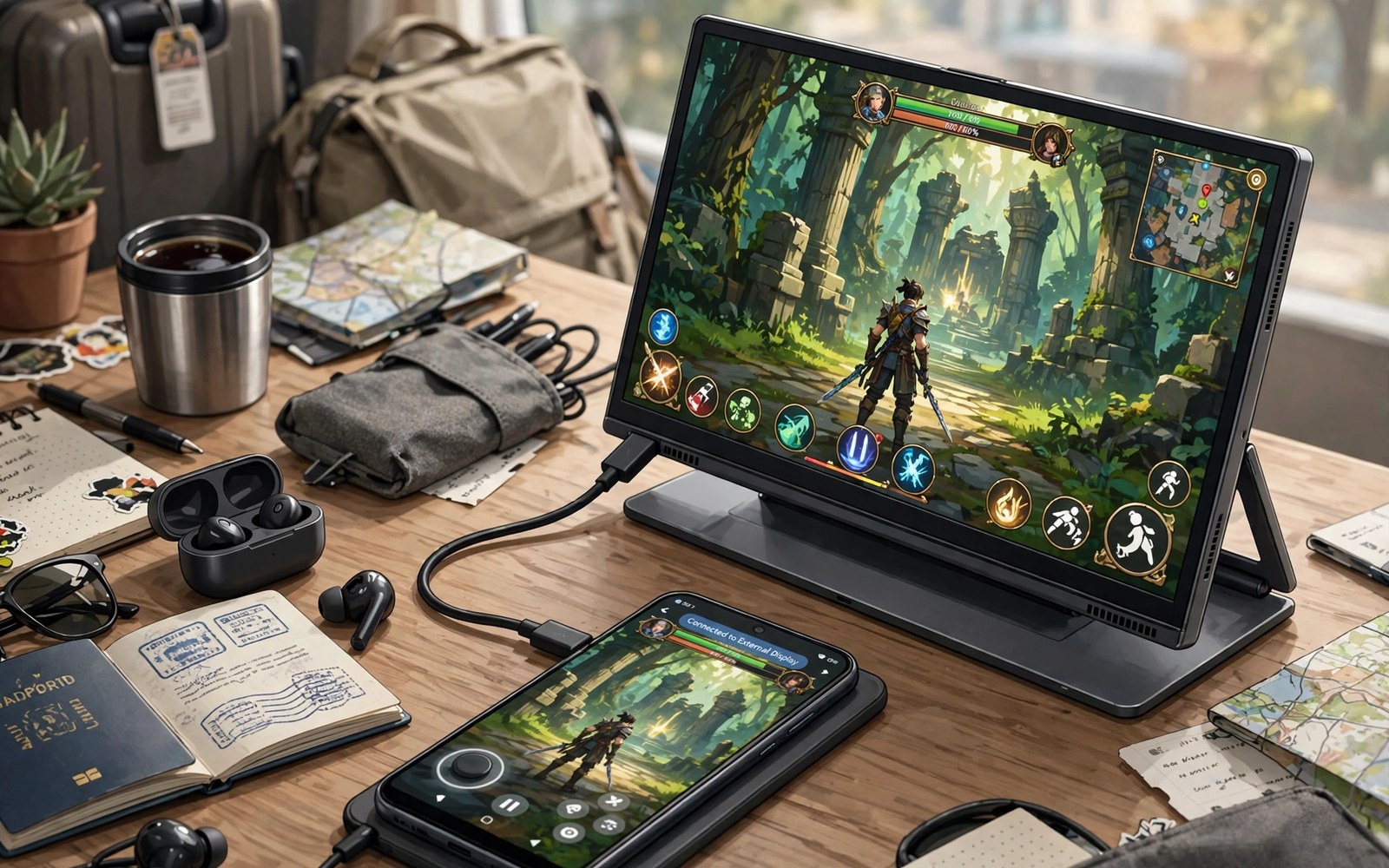
Portable gaming monitors Android USB-C display setups give phone games a bigger screen anywhere. A slim monitor connects with one USB-C cable for video and power. That single cable simplicity suits travel and dorm rooms and offices. Your phone becomes a full gaming station without a TV.
Monitor choice affects refresh rate and colour and portability at once. High refresh screens show smoother motion in fast games. Bright screens stay readable in lit rooms. Light screens travel better but may sacrifice speakers or stands. Balance these traits for your travel style rather than chasing one spec alone.
This article compares sizes and refresh rates and power needs for portable monitors. You will learn how to connect a monitor with one cable. You will also learn when a monitor needs extra power. A well chosen travel screen makes phone gaming feel like a real setup anywhere.
Sizes and portability trade offs
Thirteen inch monitors pack easily into laptop bags for travel. Fifteen inch monitors show more detail but add weight and bulk. Seventeen inch monitors feel closest to a desktop screen but strain small bags. Choose size by bag space first and game detail second. A monitor left at home helps no game at all.
Weight matters as much as screen size for daily carry. A monitor plus phone plus pad plus cables adds up fast. Weigh the full kit before committing to a large screen. A lighter kit travels more often and gets used more. Portability only counts when the kit actually leaves the house.
Refresh rate and response for games
High refresh monitors show more frames per second for smoother motion. Fast shooters and racers benefit most from high refresh rates. Story games and puzzle games feel fine at standard refresh rates. Phone output limits also matter since a phone must render those frames. Match monitor refresh to phone power for real benefit.
Response time affects ghosting behind fast moving objects. Low response screens keep motion crisp during quick turns. Check owner reports for ghosting complaints on budget monitors. Spec sheets often hide real motion quality. Real game tests reveal motion clarity better than numbers alone.
Power and single cable connection
Many portable monitors draw power from the phone over USB-C. That drain shortens phone battery during long sessions. Some monitors accept separate power from a charger or power bank. Separate power keeps the phone charged while the monitor runs. Use a power bank or charger for sessions longer than one hour.
Check whether your phone supports video output over USB-C before buying a monitor. Phones without video output cannot drive a USB-C display directly. For TV style setups with docks read about desktop mode console TV setup and compare dock play with portable screen play.
Stands speakers and daily use
Built in stands affect viewing angle on desks and beds. A sturdy stand holds angle without slipping. A weak stand collapses during intense moments. Some monitors include smart covers that fold into stands. Test stand stability on your usual surface before travel use.
Built in speakers on portable monitors often sound thin. Use earbuds or a small speaker for better game audio. Check audio output options before relying on monitor sound. A monitor with a headphone jack offers flexible audio routing. Good audio completes the travel gaming station.
Accessories that pair well with this setup
A compact travel stand improves portable monitor angles on uneven surfaces. Built in stands sometimes fail on beds or laps. A separate stand holds angle steady anywhere. Choose a stand that folds flat for bag packing. That accessory turns hotel desks and train tables into proper gaming stations with little added weight.
A short USB-C video cable plus a power cable complete the portable monitor kit. Single cable setups fail when phone power runs low. A second power cable keeps sessions long. Keep both cables in the monitor pouch always. That packing habit prevents missing cable frustration at travel destinations far from shops.
High wattage power banks solve portable monitor power needs on long days. They charge phones while monitors draw power simultaneously. The options are clear in high wattage power banks for travel power planning. That power plan extends portable screen sessions beyond phone battery limits alone.
A weekly routine that keeps everything working
Clean monitor screens weekly with a soft cloth to preserve colour clarity. Travel dust dulls screens fast in bags. A quick wipe restores sharpness before sessions. Inspect ports for lint during the same routine. Clean ports connect reliably and avoid flicker during important gaming moments on the road.
Test monitor refresh monthly in the same fast game with the same phone settings. That consistent test reveals degradation or setting resets early. Note results briefly for comparison across months. A falling refresh feel may signal cable wear rather than monitor failure. Early detection enables cheap cable fixes before monitor blame grows.
Review cooling needs monthly for long portable monitor sessions. Large screens encourage longer play which heats phones more. Cooling accessories delay throttling during marathon sessions. The options are clear in cooling fans for gamers for players facing heat limits. Monthly review matches cooling to seasonal heat and session length together.
How this plays out in real life
A student carries a portable monitor to a library for gaming breaks. The slim screen fits a backpack beside textbooks easily. Single cable connection sets up in seconds at library tables. That portable station respects quiet library rules with earbuds. Study breaks become gaming breaks without leaving campus or carrying heavy gear.
A traveller uses a portable monitor in hotel rooms for evening gaming. Hotel desks become full stations with phone plus monitor plus pad. That setup beats tiny phone screens for long sessions. A power bank extends sessions beyond phone battery limits. Travel gaming feels like home gaming with a portable screen in any hotel room.
A content creator uses a portable monitor as a second screen for recording. The larger display shows game details clearly during capture sessions. That clarity improves commentary accuracy for viewers. A stable stand keeps the monitor steady during long recordings. Creators benefit from portable screens as affordable production tools for mobile content.
A commuter avoids portable monitors for train rides due to bag weight. A large screen plus accessories exceeds comfortable carry limits. That commuter prefers telescopic grips for pocket gaming instead. Honest weight assessment prevents unused gear purchases. Portability only counts when kits actually travel daily without burden or regret.
A family shares a portable monitor for car trips with children. The monitor shows games for backseat passengers during long drives. A power bank keeps the station running between stops. That road trip setup reduces boredom complaints significantly. Portable screens turn long drives into enjoyable family gaming time for everyone involved.
A practical check you can run
You can check display output capabilities with a short device check. Connect the monitor and run the checks below on a computer linked to the phone. The output lists displays and supported modes.
adb shell dumpsys display
adb shell wm size
adb shell dumpsys usb
The commands above are adapted from public platform documentation for Android developer tools. They are included here as a teaching example for checking device behaviour and not as copied product code.
Common mistakes
A common mistake is buying a monitor before checking phone video output support. Some phones cannot output video over USB-C at all. That limit makes any USB-C monitor useless for direct play. Check specs and test with borrowed gear first. A monitor purchase should follow a confirmed capability check.
Another mistake is ignoring total kit weight for travel. A large monitor plus accessories quickly becomes a heavy bag. Weigh the full kit and carry it for a day before travel. A lighter screen you actually carry beats a larger screen left behind.
A third mistake is relying on phone power for long monitor sessions. Phone powered monitors drain batteries fast. Carry a charger or power bank for sessions over one hour. Plan power before a long gaming day away from outlets.
Frequently asked questions
Can I connect a portable monitor with one USB-C cable?
Many phones and monitors support single cable video plus power delivery. The phone must support video output over USB-C for this to work. Some setups need a separate power cable for the monitor. Check phone and monitor specs for single cable support before buying.
Does a high refresh monitor help phone games?
High refresh helps when the phone renders high frame rates in a game. Many phones cap frame rates below monitor refresh in demanding titles. Fast casual games benefit most from smoother motion. Test your favourite games to see real refresh gains.
Can I use a portable monitor without a power outlet?
Yes for short sessions using phone or power bank energy. Long sessions need a charger or a large power bank. Monitor brightness affects power draw a lot. Lower brightness extends untethered play when outlets stay far away.
Conclusion
A portable monitor turns phone gaming into a flexible station anywhere. Check video output support and weigh the full travel kit. Match refresh rate to phone power and plan power for long sessions. Those steps pick a screen you will actually carry and enjoy.
Your next step is a capability and weight check today. Confirm USB-C video output on your phone and weigh your travel bag with a candidate monitor size. Choose the largest screen that still travels comfortably with your pad and cables.
Plan your first portable monitor week around size and power reality checks. Confirm USB-C video output on day one before any monitor purchase. Weigh a candidate monitor kit on day two with pad and cables included. Test refresh feel on day three in a fast game at your usual settings. Test battery drain on day four during a one hour untethered session. Test stand stability on day five across desk and lap surfaces. Test audio options on day six with earbuds and built in speakers compared. Decide on day seven which screen size truly travels with you daily. A realistic week prevents buying a large screen that stays home while a smaller screen travels everywhere.
Keep portable monitor packing consistent so travel setup stays fast and stress free. Pack monitor and cables and stand in the same pouch every time. That consistent packing prevents forgotten cables at destinations far from shops. Check pouch contents before each trip as a quick routine. Consistent packing turns travel gaming from a hassle into a pleasure for frequent travellers.

