

Best Phone Mount Holders for Xbox and PlayStation Controllers
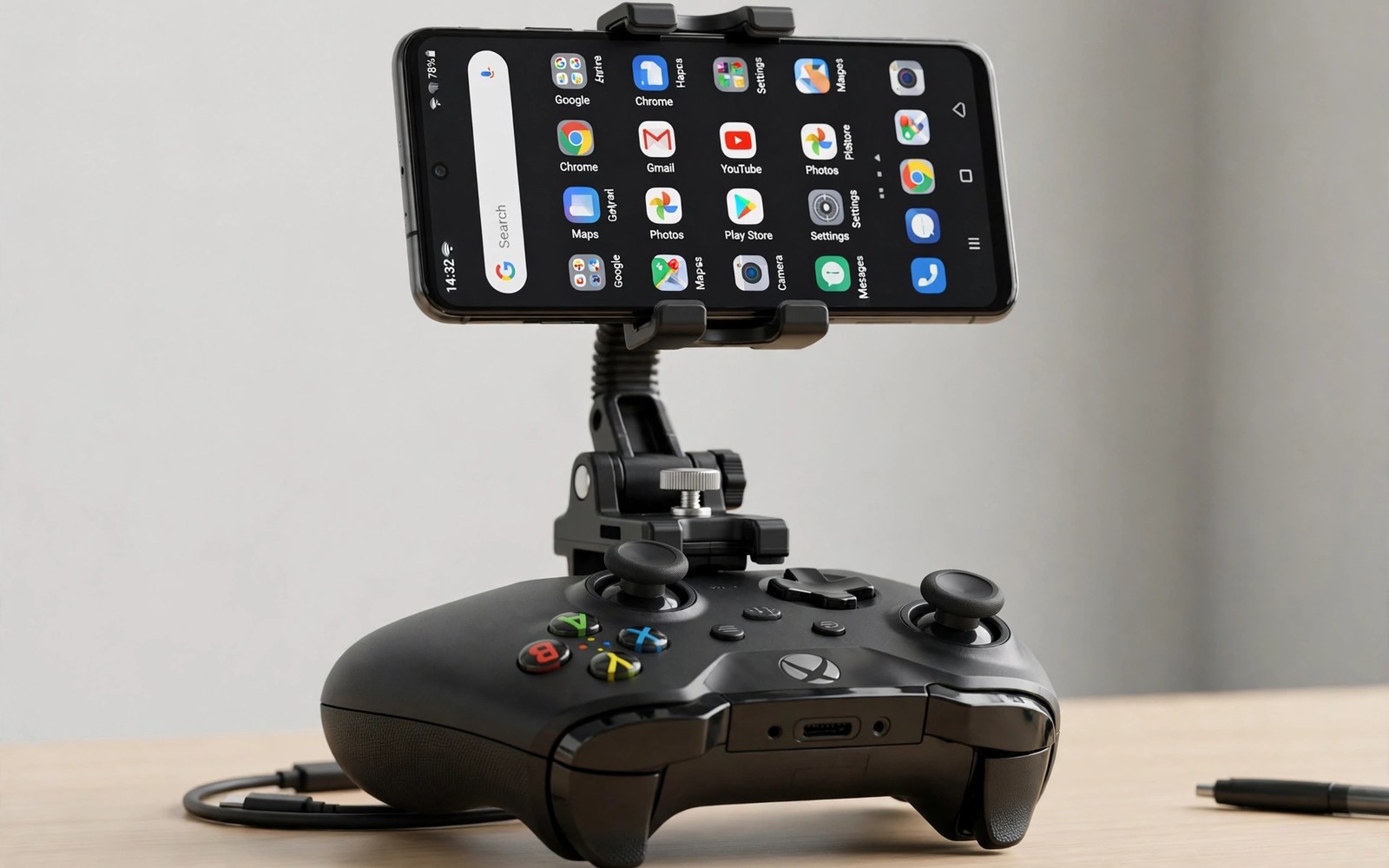
Phone mount holders for Xbox and PlayStation controllers solve a simple problem with a clip. A console pad has no screen of its own. A mount holds your phone above the pad at a readable angle. That setup turns a familiar pad into a portable gaming station.
Mount quality varies more than buyers expect from such a simple accessory. Weak clips drop phones during intense moments. Heavy phones strain small clips and tilt forward slowly. A good mount grips firmly and adjusts angle without tools. It should also fold flat for travel when play ends.
This article compares mount types, fit checks, and angle tips. You will learn which mounts suit large phones, how to test grip before trusting a mount, and which mount fits your exact controller model.
Mount Types and How They Attach
Top clip mounts grip the centre of the controller and extend an arm upward. They suit most console pads with a flat top area. Side mounts clamp the pad edges and suit pads with unusual shapes. Magnetic mounts use a plate on the phone case for fast attach and release. Each type trades grip strength for convenience in different ways.
Clip mounts usually offer the strongest hold for heavy phones. Magnetic mounts offer the fastest setup but need a compatible case plate. Check mount weight limits against your phone plus case weight. A mount rated below your phone weight will tilt during play. Choose a mount rated well above your actual phone weight.
| Mount type | Grip strength | Setup speed | Best for |
|---|---|---|---|
| Top clip | Strongest | Moderate | Heavy phones, long sessions |
| Side clamp | Strong | Moderate | Unusual pad shapes |
| Magnetic | Moderate | Fastest | Quick on-off, light phones |
| Telescopic grip | Strong | Fast | Players who want a full grip |
If you prefer a grip that holds the phone directly rather than clipping to a pad, compare telescopic controllers for phones and see whether that shape suits your hands better. A telescopic controller replaces the pad entirely, while a mount keeps the pad you already love.
Named Mounts Worth Shortlisting
The PowerA MOGA Mobile Gaming Clip 2 is the most common Xbox mount, with a solid clip, adjustable angle, and a folding arm that packs flat. The 8BitDo Mobile Gaming Clip fits Xbox controllers with a sturdy jaw and a clean, low profile. For PlayStation, third-party clips such as the OIVO PS5 controller phone mount and similar DualSense clips dominate, because Sony sells no official mount. Generic adjustable clips from accessory brands fill the gaps for DualShock 4 and older pads. Compare jaw range and weight rating before you buy any of them.
Check Compatibility by Controller Generation
A mount for one pad generation may not fit the next generation shape. The Xbox Series X controller differs slightly from the Xbox One pad. The DualSense differs from the DualShock 4 in shape and size. Check compatibility lists for your exact controller model before ordering. Universal mounts exist but often grip less firmly than dedicated models.
Fit Checks for Your Pad and Phone
Measure phone width with its case on before ordering a mount. Some mounts fit bare phones only and fail with thick cases. Check clip jaw range against your phone thickness. A mount that barely fits a case will slip sooner than a mount with spare jaw range.
Test the mount at home over a soft surface first. Shake the combined unit gently to simulate intense play. Watch for slow tilt or jaw slip over ten minutes. A mount that passes a gentle shake test usually survives real play. A mount that slips early will only get worse during long sessions.
The Soft Surface Shake Test
Hold the pad with the phone mounted over a bed or sofa. Shake gently side to side, then tilt forward and back. Watch the phone angle for a full minute. Any slow drift means the jaws are losing grip. Tighten, adjust, or return the mount. Catching slip early protects the phone from a hard floor drop later.
Weigh Your Phone With Its Case
Phones now weigh 200 to 240 grams with a case. A mount rated for 200 grams will struggle with a heavy flagship in a rugged case. Weigh your phone with its case on a kitchen scale, then shortlist mounts rated at least 50 grams above that number. That margin keeps the angle stable for hours.
Viewing Angle and Neck Comfort
Angle affects neck comfort more than most players realise during long sessions. A phone tilted too far back forces the neck upward. A phone held too low forces the neck downward for hours. Set the phone near eye level with a slight downward tilt. That position keeps neck strain low across long play.
Lighting also affects comfort with a mounted phone. Avoid glare from windows behind you during play. A matte screen guard can cut reflections on bright days. Adjust the angle once more after you sit in your usual playing spot, because the angle that looks right on a desk may feel wrong on a couch.
Travel and Storage for Mounts
Folding mounts pack flat and suit travel bags well. Fixed mounts stay sturdier but take more bag space. Remove the mount from the pad for travel to avoid clip stress. Store the mount in a pouch away from keys that scratch its jaws. A scratched jaw grips less well over time.
Check screws and joints monthly if your mount uses them. Vibration from play loosens joints slowly. Tighten gently without forcing plastic threads. Replace a mount with cracked jaws at once. A cracked mount can drop a phone without warning during play.
Accessories That Pair Well With a Mount
A small desk stand complements a controller mount for home sessions. Mounts suit handheld couch play while stands suit table play. A stand holds the phone steady when the pad rests on a table. Choose a stand with a wide base that survives table bumps during intense moments.
A short charging cable keeps mounted phones powered through long sessions. Mounted play drains batteries fast with bright screens. A cable routed behind the pad avoids tangles during play. Keep the cable length short to prevent snags. That tidy routing keeps mounted sessions comfortable and safe from accidental phone pulls.
Console pad comfort sets the baseline for any mount purchase decision. A mount cannot fix an uncomfortable pad shape. Read about console controllers for Android to compare pad shapes first. That comparison ensures the mount holds a pad you actually enjoy holding. Comfort plus a secure mount together create the best portable station.
Wired Connections for Competitive Mounted Play
Review wired connection options monthly if mount play causes wireless lag. Wired links cut delay for competitive mounted sessions. The method is clear in wired OTG setups for players adding cables to mounts. Monthly review matches connection type to current games rather than keeping laggy defaults out of habit alone.
How Mounts Play Out in Real Life
A couch gamer mounts a phone above a console pad for cloud gaming evenings. The mount holds the screen at eye level during long sessions. That posture prevents neck strain across hours of play. A sturdy clip survives excited moments during close matches. That couch station rivals handheld consoles for comfort at a fraction of the total price.
A commuter uses a compact folding mount for train gaming sessions daily. The mount folds flat into a jacket pocket when play ends. Setup takes seconds at the start of each ride. That portable mount turns commutes into gaming time without bulky gear. Folding designs suit travel far better than fixed mounts for daily public transport use.
A parent mounts a phone for children to watch gameplay while a sibling plays. The mounted screen faces outward for spectators during family sessions. Children take turns playing and watching without crowding the player. That shared viewing setup turns solo play into family entertainment.
A student uses a mount at a desk for study breaks between classes. The mount holds the phone steady while the pad rests on the desk. Short gaming breaks refresh focus without setup hassle. That desk station respects small dorm spaces perfectly. Quick setup and teardown matter more than premium features for busy student schedules.
Common Mistakes With Phone Mounts
A common mistake is trusting a mount rated below phone weight. Heavy phones tilt mounts slowly during play. The tilt starts small and grows over a session. Buy a mount rated well above your phone plus case weight. That margin keeps the angle stable for hours.
Another mistake is skipping the soft surface shake test at home. A mount that feels firm in the hand may still slip during intense play. Test over a bed or sofa first. Catching slip early protects the phone from a hard floor drop later.
A third mistake is setting the phone angle too low for long sessions. Low angles strain the neck and shoulders over time. Raise the mount near eye level with a slight tilt. Comfort over hours matters more than a compact looking setup.
Frequently Asked Questions About Controller Phone Mounts
Do phone mounts fit all Xbox and PlayStation controllers?
Most mounts target specific controller generations and shapes. A mount for an older pad may not fit a newer pad. Check compatibility lists for your exact model before ordering. Universal mounts exist but often grip less firmly than dedicated models.
Will a mount damage my controller or phone?
A well designed mount grips without scratching when jaws use rubber pads. Cheap metal jaws can mark plastic over time. Check jaw padding before first use. Remove the mount for storage to avoid long term pressure marks on the pad.
Can I use a mount with a thick phone case?
Many mounts fit thick cases if jaw range allows it. Measure case thickness and compare it with mount specs. Some mounts need case removal for a secure grip. A mount that barely fits a case will slip sooner than a mount with spare jaw range.
Is a mount better than a telescopic controller?
It depends on what you already own. A mount is better if you love your console pad and want to keep using it. A telescopic controller is better if you want one compact unit with no clip to lose. Mounts cost less; telescopic controllers feel more integrated. Try a cheap mount first if you are unsure.
The Bottom Line: Fit, Grip, Angle, in That Order
A good phone mount turns a console pad into a comfortable portable station. Choose a mount rated above your phone weight with padded jaws. Test grip over a soft surface and set angle near eye level. Those steps protect your phone and your neck during long sessions.
Your next step is a fit check today. Weigh your phone with its case and measure its thickness. Shortlist mounts that exceed both numbers with room to spare. Test the winner over a soft surface before your first long session. Then keep mount checks part of your regular gaming routine: inspect jaws monthly, tighten joints gently, and replace worn mounts promptly. That routine protects phones worth far more than any mount replacement cost.

