

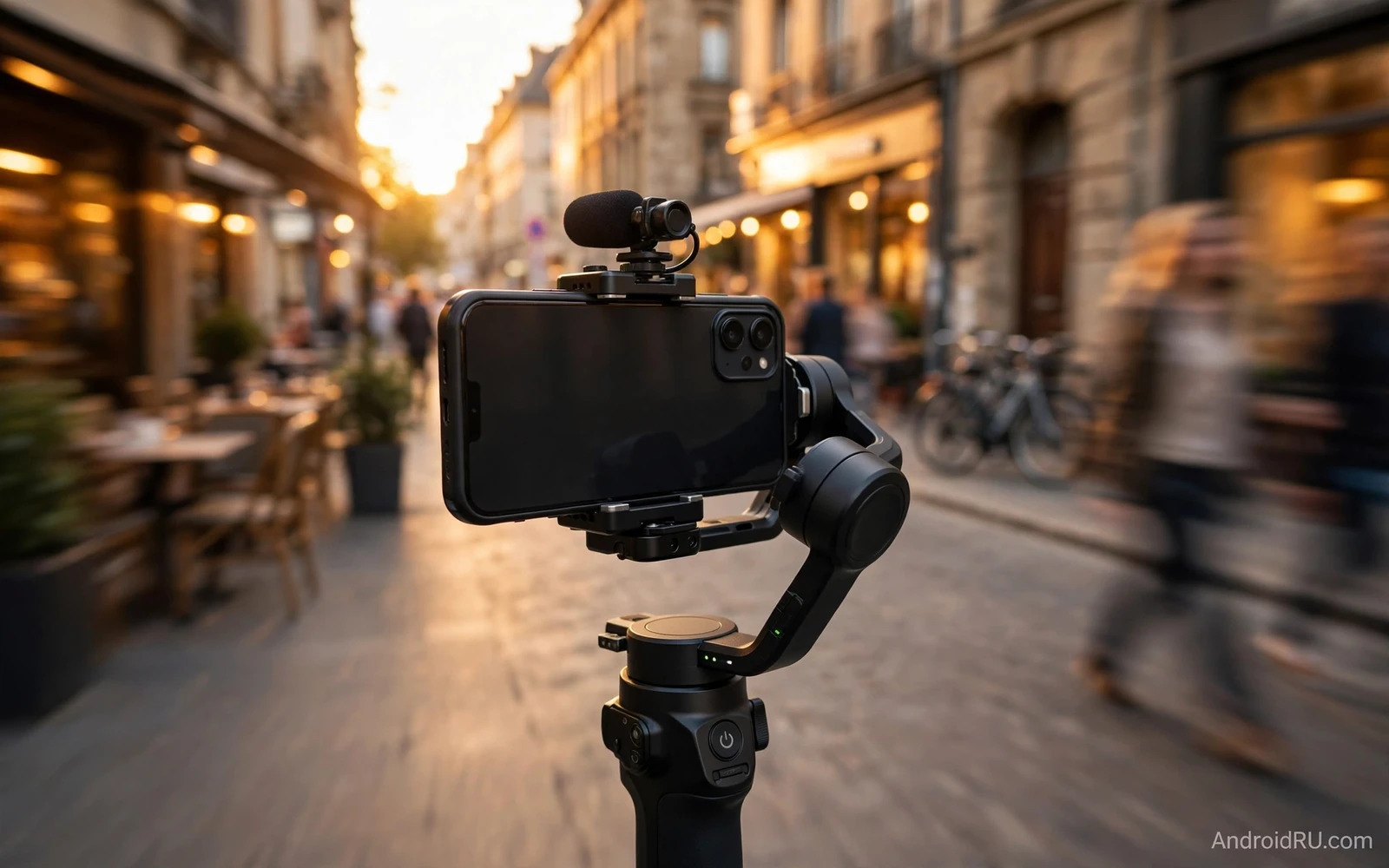
What Makes A Phone Cinematic
Cinematic footage is not only about sharpness. It is about stable motion and pleasing colour and clean sound and controlled light. A phone that shakes on every step will ruin a beautiful scene. A phone that blows out the sky will lose the mood of a sunset. A phone that records thin audio will weaken a strong visual story. Creators should judge a video phone as a small film system rather than a still camera that happens to record motion. The sensor and the lens and the stabilisation and the microphone and the software must work together on every clip.
Good video phones give creators manual control without forcing a film degree. Exposure lock stops brightness from jumping when a subject moves. Focus lock stops hunting when a face turns. Frame rate choice lets a creator shoot smooth slow motion or a film like cadence. Log or flat colour profiles preserve highlight detail for grading later. A phone that hides these controls behind deep menus will slow a shoot. A phone that puts them near the shutter will earn its place in a creator bag.
Stabilisation is the first trait to test in a shop or in a review clip. Walk with the phone and watch the horizon. Pan slowly and watch for jerks. Run a short distance and watch for wobble at the edges. Optical stabilisation moves lens elements to counter hand shake. Electronic stabilisation crops the frame and smooths motion in software. The best phones combine both methods without a jelly effect on vertical lines. A creator who shoots handheld all day needs that combination more than any other single feature.
Sensor And Lens Choices For Video
A larger sensor gathers more light and gives cleaner footage in dim rooms and at dusk. It also gives a softer background when the subject is close to the lens. A smaller sensor with many pixels can look sharp in daylight yet it can turn noisy when light falls. Creators who shoot indoors and at night should favour sensor size and light gathering over a headline pixel count. Creators who shoot bright outdoor scenes can favour resolution and detail because light is plentiful.
Lens range shapes storytelling. A wide lens captures a room and a street and a landscape in one frame. A main lens gives a natural view for people and daily scenes. A telephoto lens compresses distance and isolates a subject from a busy background. A video phone with a useful telephoto lens opens shots that a single lens phone cannot reach. A creator should test the telephoto at video frame rates because some phones limit telephoto video to lower quality or to bright light only.
Autofocus behaviour matters as much as lens range. A good video autofocus follows a face smoothly without pulsing. It holds focus when a subject passes behind an object briefly. It shifts focus gently when the creator taps a new subject. A nervous autofocus will pull attention away from the story. Creators should test focus on a moving person and on a still object in low light before trusting a phone for paid work or for a short film.
Colour And Light Control
Colour science decides whether skin looks natural or waxy or orange. Some phones push saturation for social feeds. That look pops on a small screen yet it can be hard to grade later. A flat or log profile records a flatter image that keeps more detail in bright and dark areas. The flat clip looks dull straight from the phone. It becomes rich after careful grading in an editor. Creators who edit every clip should favour a phone with a usable flat profile. Creators who post straight from the phone should favour pleasing colour straight from the sensor.
Dynamic range is the gap between the brightest highlight and the darkest shadow that still holds detail. A phone with strong dynamic range keeps clouds visible while a face stays bright. A phone with weak dynamic range forces a choice between a bright sky and a dark face. High dynamic range video modes help yet they can add motion artefacts on fast movement. Creators should test high dynamic range video on a walking subject against a bright window. That test reveals artefacts faster than any still scene test.
Low light video separates serious video phones from daylight only phones. Noise reduction can smear detail into a waxy texture. Good low light phones keep texture in hair and fabric while controlling grain. They also keep colour stable when street lights mix warm and cool tones. A creator who shoots concerts and night streets and dim cafes needs that control. A creator who shoots only in daylight can save money on a phone with weaker low light video.
Audio Is Half The Film
Viewers forgive a soft image faster than they forgive bad audio. Wind noise and echo and handling noise break immersion at once. Phones with multiple microphones can steer pickup toward the subject and reduce wind. A phone with a clean microphone array records voices that stay clear in a busy street. A creator should still plan for external audio on important shoots. A small wireless microphone or a shotgun microphone lifts interview audio far above any built in array.
Audio features to check include wind reduction and stereo separation and manual level control. Wind reduction should cut rumble without making voices sound hollow. Stereo separation should place sound in a believable space. Manual levels should prevent sudden loud sounds from clipping. A creator should test audio by speaking at normal volume in a noisy room and then in a quiet room. The gap between those two tests shows how much work post production will need.
Monitoring audio during a shoot prevents silent failures. A phone that allows live audio monitoring through a USB adapter helps a creator catch a loose microphone early. A phone that hides levels helps no one. Creators should use headphones on any shoot where audio cannot be redone. That habit saves more films than any lens upgrade ever will.
Stabilisation Rigs And Accessories
A phone gimbal turns good stabilisation into great stabilisation for walking shots. It also adds weight and setup time. A creator who shoots run and gun footage may prefer strong built in stabilisation and a small grip. A creator who shoots planned scenes may accept a gimbal for butter smooth moves. A tripod remains essential for interviews and timelapses and locked off scenes. No software stabilisation replaces a stable base for a long static shot.
Mobile tripods and gimbals covered in tripods and gimbals that keep mobile video smooth show how a modest accessory can lift phone footage closer to camera footage because a stable base removes the micro shakes that software alone cannot fully erase. A creator should match the rig to the shoot rather than carrying every accessory on every day. A light rig that is actually used beats a heavy rig left in a bag.
Lighting accessories matter for cinematic phone video because phone sensors are small. A small LED panel lifts a face out of shadow without harsh contrast. A diffuser softens that light for skin. A creator who shoots people should budget for light before buying another lens. Good light reduces noise and improves colour and skin tone at once. It is the cheapest upgrade with the largest visible return for most creators.
Editing And Workflow On Android
A video phone should export footage that editors can use without a fight. High bitrate recording preserves detail through edits and colour grades. A low bitrate clip may look fine on the phone yet it can break apart after grading. Creators should check the bitrate options and the codec options before a big shoot. They should also check storage speed because high bitrate video fills storage fast and demands fast write speeds for long takes.
Editing on the phone suits short social clips and fast turnaround work. Editing on a larger screen suits longer films and careful colour work. A good workflow moves clips quickly to a computer or a tablet without quality loss. Cloud upload can help yet it can be slow for large video files. A cable transfer or a fast local wireless transfer often beats cloud upload for a full day of footage. Creators should test transfer speed before a deadline shoot.
Free editors on Android in free Android video editors that export without watermarks give creators a starting point for cuts and titles and basic grades on the phone itself. A creator can assemble a rough cut on location and refine it later on a larger screen. That rough cut helps a team judge a scene before the light changes. It also helps a solo creator post a same day version while the full edit continues.
Choosing By Shooting Style
A travel creator needs a phone that handles bright sun and dim markets and sudden rain. Weather sealing and strong stabilisation and good battery life matter most for travel. A phone that overheats after ten minutes of video will fail on a travel day. A creator should test continuous recording time in warm conditions before a trip. A second battery habit through power banks and careful settings also helps on long days.
A documentary creator needs reliable audio and long takes and honest colour. A phone with manual audio levels and a flat profile and strong battery life fits documentary work. A creator should favour reliability over novelty features for documentary shoots. A feature that fails once during an interview can lose a moment that cannot be staged again. Simple dependable tools win documentary days.
A short film creator needs manual focus and exposure and frame rate control and clean slow motion. A phone that offers a pro video mode with focus peaking and waveform or histogram tools helps a film crew judge exposure on set. A creator should test slow motion quality because some phones drop resolution or add artefacts at high frame rates. A short film deserves a phone that holds quality across every frame rate it offers.
Camera focused phones in mid range phones built for camera enthusiasts can surprise video creators because a strong still camera system often shares its sensor and lens and stabilisation with video modes. A mid range phone may lack a flat profile yet it may still deliver clean stable daylight video at a friendly price. Creators on a budget should test video modes directly rather than assuming a still camera ranking predicts video quality.
What To Test Before You Buy
Test a phone with a real walk rather than a spec sheet. Walk down a street and pan across shop fronts. Film a face in shade against a bright sky. Film a person walking toward the camera. Record a voice in wind and in a quiet room. Play the clips on a large screen rather than only on the phone. Flaws that hide on a small screen appear at once on a television or a monitor. That large screen test is the most honest buying test available.
Check heat and battery during a long take. Record for fifteen minutes in normal room light and feel the phone and watch the battery drop. A phone that throttles video quality when hot will show softer footage at the end of a long take. A phone that stays cool will hold quality from start to finish. Creators who shoot events and weddings need that sustained performance more than a short burst of peak quality.
Flagship comparisons in a flagship camera shootout between Pixel and Samsung Ultra phones help video buyers too because the same sensor and processing pipeline shapes both stills and motion even though video adds stabilisation and audio and heat into the judgement. A still shootout shows colour and detail tendencies. A video test then shows whether those tendencies survive motion and sound and heat. Buyers should use both kinds of evidence together.
Verdict For Creators
The best video phone is the phone that stays stable and clean and reliable across your real shoots. It keeps the horizon level on a walk. It keeps skin natural in mixed light. It keeps voices clear in wind. It keeps recording without overheating on a long take. It gives manual control when you want it and good automatic results when you do not. No single phone wins every category for every creator. The right phone matches your shooting style and your editing workflow and your budget.
Spend on stabilisation and audio and light before chasing a higher pixel count. Those three traits shape audience reaction more than resolution alone. Test phones on a large screen with real movement and real voices. Choose the phone whose footage you enjoy watching after the novelty fades. That phone will serve your films long after launch hype passes.

