

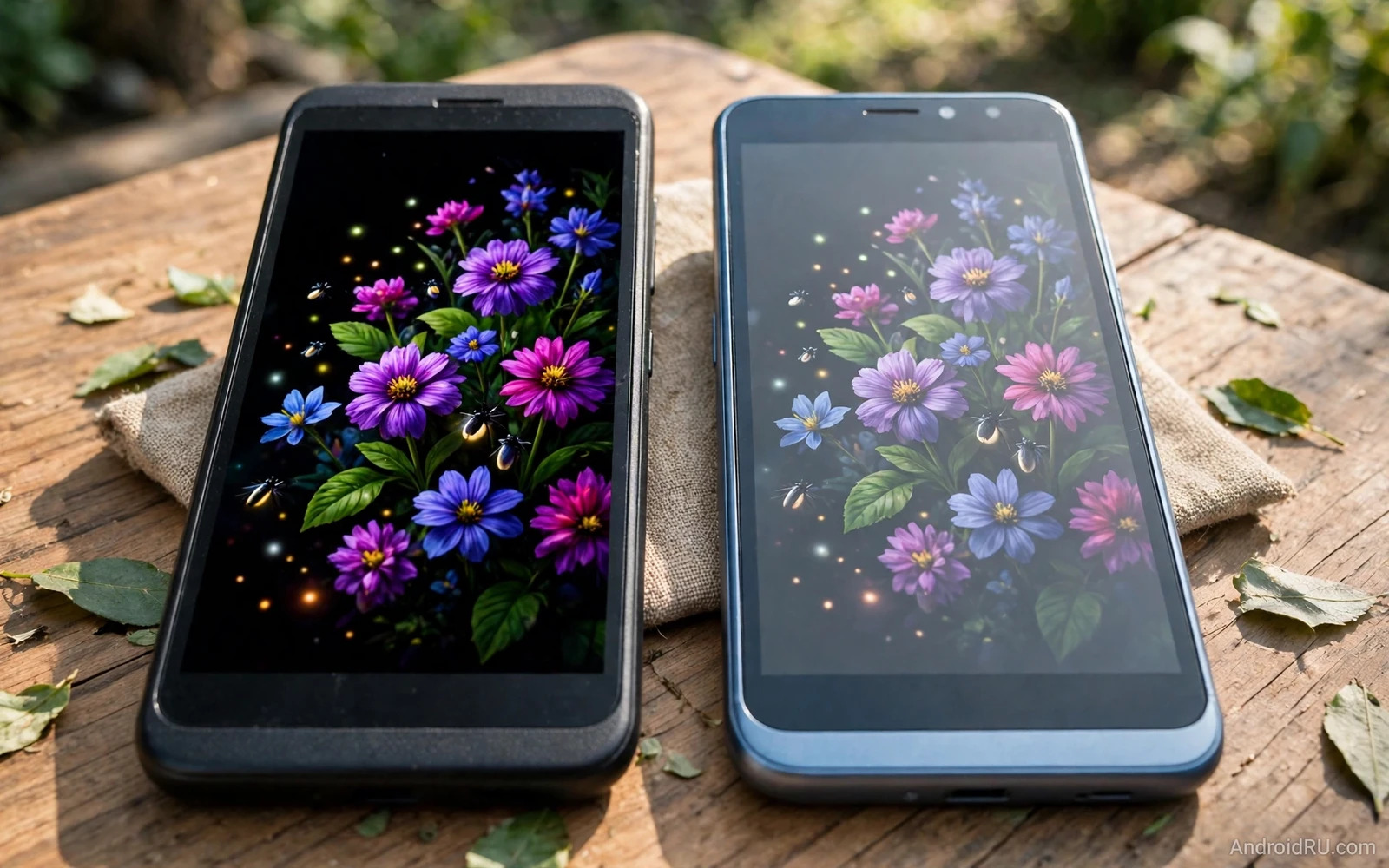
The screen is the part of a budget phone that you touch and watch all day. The Amoled vs IPS LCD displays on budget Android phones debate comes down to contrast and colour and brightness and battery behaviour. Amoled screens light each pixel alone and can show deep blacks. IPS LCD screens light the whole panel and can show steady colours at a low price. Neither type wins every test. The right choice depends on how you read and watch and play outdoors. This guide explains the trade in plain terms.
Start with your eyes and your habits before you compare spec sheets. A reader who reads at night will notice deep blacks and low glow. A watcher who streams shows outdoors will notice peak brightness and glare. A gamer who plays fast games will notice motion smoothness and touch response. A worker who reads documents all day will notice text sharpness and eye comfort. Your daily screen time shapes which strength matters most. A screen that suits your eyes will feel good for years.
Budget phones force real trade choices. A budget Amoled phone may pair a vivid screen with a weaker processor. A budget IPS phone may pair a steady screen with a stronger battery or a better camera. The screen never exists alone inside a phone. Judge the whole phone and not just the panel name. A balanced budget phone with a good IPS screen can beat an unbalanced phone with a flashy Amoled screen.
How Each Screen Works
Amoled screens create light at each pixel. Black pixels can switch off fully and that creates deep contrast. Bright pixels can shine strongly against dark backgrounds. This design also allows thin phones and flexible shapes. It allows always on information with low power draw. It allows rich colours that pop in photos and videos. The result is a screen that looks dramatic in dark rooms and in media apps.
IPS LCD screens use a backlight behind liquid crystals. The backlight stays on across the panel even for dark scenes. Blacks therefore look grey rather than pure black in dark rooms. Colours tend to look natural and steady across viewing angles. White backgrounds look clean and even for reading and documents. The design is mature and cheap to make well. The result is a screen that looks honest and calm in bright rooms and in work apps.
Viewing angles differ in subtle ways between the two types. Amoled screens often keep colour strong when tilted. IPS screens also keep colour fairly steady when tilted but blacks may shift. Neither type should wash out badly at normal angles. A screen that shifts colour sharply when tilted may signal a low quality panel rather than a type weakness. Judge tilt behaviour in a shop with a real photo and a real document open.
Brightness Outdoors
Outdoor brightness decides whether a budget phone stays usable in sunlight. A screen that reaches high brightness will stay readable on a bright street. A screen that stays dim will force you to shade the phone with your hand. Amoled screens often reach higher peaks on small bright areas. IPS screens often hold steady brightness across the full screen. Full screen brightness matters for maps and web pages. Peak brightness matters for photos and video highlights.
Glare and reflections also shape outdoor use. A glossy screen reflects the sky and nearby objects. A matte protector can cut glare but may soften sharpness. A bright screen can overpower moderate glare. A dim screen cannot. If you work outdoors then treat outdoor readability as a deal breaker. If you mostly use a phone indoors then indoor comfort may matter more than peak brightness.
Night use favours Amoled in most cases. Deep blacks reduce glow in a dark bedroom. Always on clock information can show without lighting the whole screen. IPS screens can still work well at night with a good dark mode and low brightness control. Readers who read at night may also enjoy Best Android Tablets for Students: Specs, Price, and Notes because tablet screens raise similar questions about reading comfort and note taking. Night comfort is a real daily gain and not just a spec point.
Colour And Eye Comfort
Colour tuning matters more than colour names on a box. Some Amoled screens ship with vivid tuning that oversaturates photos. Some IPS screens ship with dull tuning that flattens photos. Most Android phones let you switch between vivid and natural modes. Natural mode suits photo editing and honest colour work. Vivid mode suits casual video and social feeds. A phone that offers both modes gives you control over your own taste.
Eye comfort covers flicker and blue light and brightness steps. Some Amoled screens dim with rapid flicker at low brightness. Sensitive users may notice strain or headaches from that flicker. IPS screens tend to dim more smoothly at low brightness. Blue light filters and dark modes help both types at night. If your eyes tire easily then test low brightness use for a while before you commit. Comfort over hours beats drama over minutes.
Text sharpness depends on resolution and pixel layout as well as panel type. A high resolution IPS screen can look sharper than a low resolution Amoled screen. Amoled pixel layouts can soften fine text at low resolutions. IPS layouts tend to render text cleanly at the same resolution. If you read small text daily then check text sharpness with a real article open. Sharp text reduces eye strain across long reading sessions.
Battery And Burn In
Battery behaviour differs by content type. Amoled screens save power on dark content because black pixels rest. Amoled screens use more power on bright white content because many pixels shine. IPS screens use steady power regardless of content because the backlight stays on. Dark mode therefore helps Amoled battery more than IPS battery. Light mode users may see little battery difference between the types. Your theme choice shapes the battery story.
Burn in is a long term risk for Amoled screens. Static icons and status bars can leave faint ghosts after years of heavy use. Modern phones shift pixels slightly and dim static elements to reduce this risk. Most users will upgrade before burn in becomes serious. Heavy users who keep one phone for many years should still weigh this risk. IPS screens do not suffer burn in in the same way. That durability edge suits very long ownership.
Screen durability also covers scratches and cracks rather than panel type alone. Glass quality and case use and drop history matter more than Amoled versus IPS. A good case and a good protector protect either screen well. A careless drop can crack either screen badly. Treat protection as part of the screen decision. A protected screen of either type will outlast an unprotected screen.
Mistakes To Avoid
One mistake is buying Amoled for the name and ignoring resolution. A low resolution Amoled screen can look soft next to a sharp IPS screen. Another mistake is buying IPS for the price and ignoring brightness. A dim IPS screen can frustrate outdoor use daily. A third mistake is judging a screen only in a bright shop. Shops use vivid demo content that flatters Amoled screens. Test a real web page and a real photo and a real book page instead.
Another mistake is ignoring your theme habits. Dark mode lovers gain more from Amoled. Light mode lovers gain less from Amoled. Another mistake is ignoring eye sensitivity to flicker. Sensitive users should test low brightness use before buying. Another mistake is ignoring the rest of the phone. A great screen cannot rescue weak battery or weak software support.
A final mistake is assuming that all Amoled screens are equal. Budget Amoled panels vary widely in brightness and tuning and uniformity. Budget IPS panels also vary widely. Panel quality inside a price tier matters as much as panel type. Read user notes about uniformity and tint and brightness for the exact model. Exact model evidence beats general panel claims.
How To Choose
Choose Amoled if you watch video at night and love deep contrast and use dark mode daily. Choose Amoled if always on information appeals to you and if you upgrade every few years. Choose IPS if you read documents in bright light and value steady colours and plan very long ownership. Choose IPS if your eyes dislike flicker at low brightness. Let your habits decide and not a slogan about one type.
Test the exact model with your own content when possible. Open a dark video and a bright web page and a small text article. Tilt the phone and dim the screen and step into sunlight if you can. A few minutes of real testing reveals more than hours of spec reading. Keep notes on brightness and text sharpness and eye comfort. Your notes will make the final choice clear.
If you still feel torn then compare the whole phone package again. Battery and camera and updates may break the tie better than the screen alone. A phone that lasts long on battery will also help you enjoy its screen longer each day. That is why Top Phones with Longest Battery Runtime Tested Side-by-Side pairs well with this screen guide. A strong battery plus a screen you love makes a budget phone feel far more expensive than it is.
Reading And Video Habits
Reading habits reveal screen strengths that spec sheets hide. Long article reading rewards sharp text and even brightness and calm colours. Short social scrolling rewards vivid colours and smooth motion. Video watching rewards contrast and peak brightness and wide colour. No single screen wins all three habits equally. Rank your own habits and let the top habit lead the screen choice.
Outdoor workers and students read in very different light. A construction worker reads messages in harsh sunlight. A student reads PDFs in a bright library. A night reader reads in a dark bedroom. Each setting stresses a different screen quality. Test a screen in lighting close to your own setting when possible. A shop test under bright lights flatters some screens and hides others.
Wearable screens raise the same questions in miniature. A watch screen must stay readable in sunlight and gentle at night. A watch screen must show health data at a glance without draining a tiny battery. That is why Best Smartwatches Under $200 Compatible with Android pairs naturally with this display guide. It shows how watch makers balance brightness and battery in a far smaller package. Small screen lessons often clarify large screen choices.

