

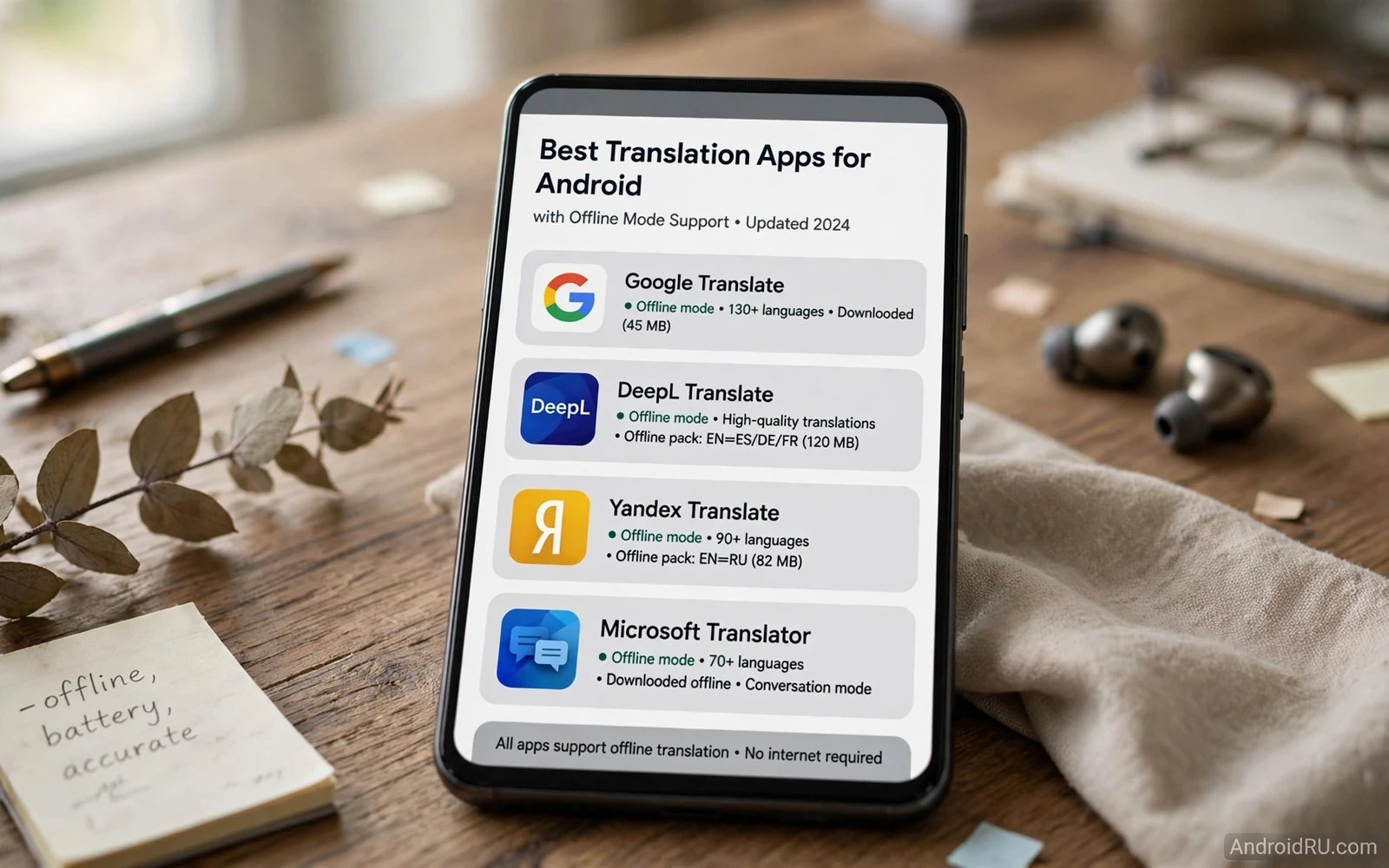
Translation on a phone opens a new city. It turns a foreign menu into a meal choice. It turns a street sign into a direction. It turns a stranger phrase into a conversation. Offline mode makes that power reliable. Offline translation works without mobile data. It works on a flight. It works in a rural area. It works when roaming costs worry you.
Offline mode needs preparation. You download a language pack before you travel. The pack lives on the phone. Translation then runs on the device. A downloaded pack may cover text translation fully. It may cover voice and camera translation in a more limited way. Check coverage per language before you depart. A pack that covers text only will surprise you at a spoken conversation.
Language coverage varies widely. Major languages usually enjoy full offline support. Less common languages may offer text only. A language pair that you need may exist in one direction better than the other. Test both directions before travel. Test with phrases that you will actually use. A test with real phrases reveals gaps early.
Translation Modes That Matter
Text translation is the core mode. You type or paste a phrase. You get a translation instantly. Text mode works well offline for downloaded languages. It suits messages and emails and documents. It suits careful writing where accuracy matters more than speed.
Voice translation suits live conversation. You speak. The phone translates aloud. The other person speaks. The phone translates back. Voice mode needs a quiet setting for best results. Background noise can confuse recognition. Speak in short clear phrases. Pause between phrases. That rhythm helps both recognition and translation.
Camera translation suits signs and menus and labels. You point the camera at text. The app overlays a translation on the image. Camera mode helps when typing foreign script feels slow. It helps with handwritten style fonts less well. It helps with printed signs best. Test camera mode on a real menu photo before travel.
Conversation mode suits a back and forth chat. It can detect who speaks. It can split the screen for two people. It can keep a transcript for review. Conversation mode feels magical when it works. It still needs clear speech and patience. Use it for friendly exchanges rather than for legal or medical precision.
Preparing Language Packs Before Travel
Download packs on Wi-Fi before you leave. Packs can be large. A Wi-Fi download saves mobile data. A Wi-Fi download also saves time at the airport. Download both directions of a pair where the app offers them separately. A one direction pack will fail when the conversation turns around.
Check storage after downloads. Several packs can fill a phone fast. Keep only the packs that you need for the next trip. Remove packs for past trips. A tidy pack list keeps translation fast. It also leaves room for photos and maps.
Update packs before a major trip. Language models improve over time. An updated pack may handle phrases better. An update on Wi-Fi the night before departure is a good habit. Do not update packs on a slow hotel network right before you need them. Update early and test after.
Test offline mode by turning on airplane mode. Try text translation. Try voice translation. Try camera translation on a saved photo. A test in airplane mode proves offline readiness. A test on Wi-Fi only proves online performance. Airplane mode is the honest test.
Accuracy And Limits
Translation accuracy varies by phrase type. Simple phrases translate well. Idioms translate poorly. Technical terms can shift meaning. Names can confuse a model. Slang can mislead a model. Treat translation as a strong aid rather than a perfect oracle. Confirm critical details with a second phrasing.
Context helps accuracy. A full sentence translates better than a single word. A single word can have many meanings. A sentence narrows meaning. Add context when a translation looks odd. Rephrase with simpler words. Simpler input often yields a clearer output.
Formal and informal tone can shift across languages. A polite phrase in one language may sound blunt in another. A casual phrase may sound rude when translated literally. Learn a few polite local phrases by heart. Use the app for the rest. A human greeting plus app help beats app help alone.
Privacy matters for sensitive conversations. Offline translation keeps phrases on the device. Online translation sends phrases to a server for processing. Prefer offline mode for private topics. Check the app privacy settings for history storage. Clear translation history after a sensitive trip if the app stores it.
Translation In Daily Communication
Email across languages is a daily use case. A message in another language can be translated before reply. A reply can be drafted in your language and translated outward. Check the translated reply before sending. A quick check catches tone errors. Email translation rewards care over speed.
Messaging across languages works similarly. Short messages translate well. Long threads can drift in meaning. Translate key messages fully. Skim the rest. Ask for clarification when a translated message feels odd. Clarification is faster than acting on a wrong guess.
Email and messaging tools themselves shape how translation fits into a day. A mail client that handles multiple accounts can centralize foreign mail in one place. You can explore that centralization through email clients for Android to manage multiple accounts and then add translation as a layer on top of that inbox.
Messaging privacy and translation also intersect. A translated chat may contain personal details. Offline mode protects those details better. Secure messaging habits protect them further. You can review secure messaging choices through high security encrypted messaging apps for Android and keep translation packs offline for private chats.
Travel And Cooking Uses
Travel translation covers transport and lodging and food. Learn transport phrases first. Learn lodging phrases next. Learn food phrases next. Those three groups cover most travel needs. A phrase list saved in the app can speed repeated use. Save phrases that you use daily on a trip.
Cooking abroad is a joyful translation use. A market label can reveal an ingredient. A recipe in another language can reveal a new dish. Translate ingredient names with care. Translate quantities with care. A small error in quantity can change a dish. Cross check quantities with a second translation when unsure.
Recipe exploration pairs naturally with translation. A dish from another food culture may start as a foreign recipe. Translation opens that recipe. Meal planning then turns it into a week plan. You can explore that planning side through recipe and meal planning apps for Android cookers after translation opens the door.
Choosing A Translation App
Start with the languages that you need. Check offline support for each one. Check text and voice and camera coverage per language. An app that covers your languages offline beats a app with more languages online only. Your trip languages matter more than a global count.
Next test camera mode on real world text. Point it at a sign photo. Point it at a menu photo. Point it at a label photo. Notice speed and accuracy. A camera mode that works only on perfect light will disappoint outdoors. A camera mode that handles glare and angle will serve travel well.
Next test voice mode in a noisy room. Speak at normal volume. Speak at normal speed. Notice recognition errors. A voice mode that needs shouting will feel awkward in public. A voice mode that handles normal speech will feel natural.
Finally check history and favorites. A favorites list saves repeated phrases. A history list lets you reuse a translation fast. A clear history button protects privacy after a trip. Those small tools matter across a long journey.
Offline translation turns a phone into a reliable travel companion. Download packs early. Test in airplane mode. Use text for precision and voice for conversation and camera for signs. Keep sensitive phrases offline. With that preparation language stops being a barrier and starts being an invitation.
Travel Phrases Worth Saving
Save a core phrase set before any trip. Include greetings and thanks and apologies. Include directions and transport phrases. Include food allergy phrases where relevant. Include emergency phrases. A saved set works fast when conversation pressure rises.
Practice pronunciation with voice playback where the app offers it. Listen to the phrase. Repeat it aloud. Compare your version with playback. A practiced phrase sounds more confident than a phone held out silently. Confidence helps strangers understand you faster.
Learn numbers in the local language early. Numbers help with prices and times and addresses. Numbers appear in markets and stations and restaurants. A number skill plus app help covers many daily transactions. Numbers are a high value small study investment.
Keep a paper backup for critical phrases. A phone can run out of battery. A phone can break. A paper card with hotel address and allergy notes can rescue a difficult moment. Paper backup complements app translation rather than competing with it.
Respect local language effort. A greeting in the local language opens doors. An apology for limited skill earns patience. A translation app plus genuine effort creates goodwill. Technology helps most when it supports human courtesy rather than replacing it.
After a trip review saved phrases and history. Note phrases that worked well. Note phrases that confused listeners. Delete history that contains private details. A post trip review improves the next journey and protects privacy at the same time.
Translation Etiquette Abroad
Translation etiquette starts with a greeting in the local language. A greeting shows respect. It also signals that you will use a tool for the rest. Most people respond warmly to effort plus tool help. Effort alone without a tool can stall. Tool alone without effort can feel cold.
Show the screen rather than shouting a translation. A shown translation lets the other person read at their pace. A shouted translation can feel aggressive. A calm shown screen invites collaboration. Collaboration leads to better understanding than a one way broadcast.
Confirm understanding with a simple check. Ask whether the translation made sense. Watch for confusion signals. Rephrase when confusion appears. A check takes seconds. It prevents a wrong turn or a wrong order. Confirmation is polite and practical.
Thank people in their language after help. A thanks phrase learned by heart carries warmth. A thanks through the app still works when memory fails. Gratitude closes a translated exchange well. It also encourages the next stranger to help you.

