

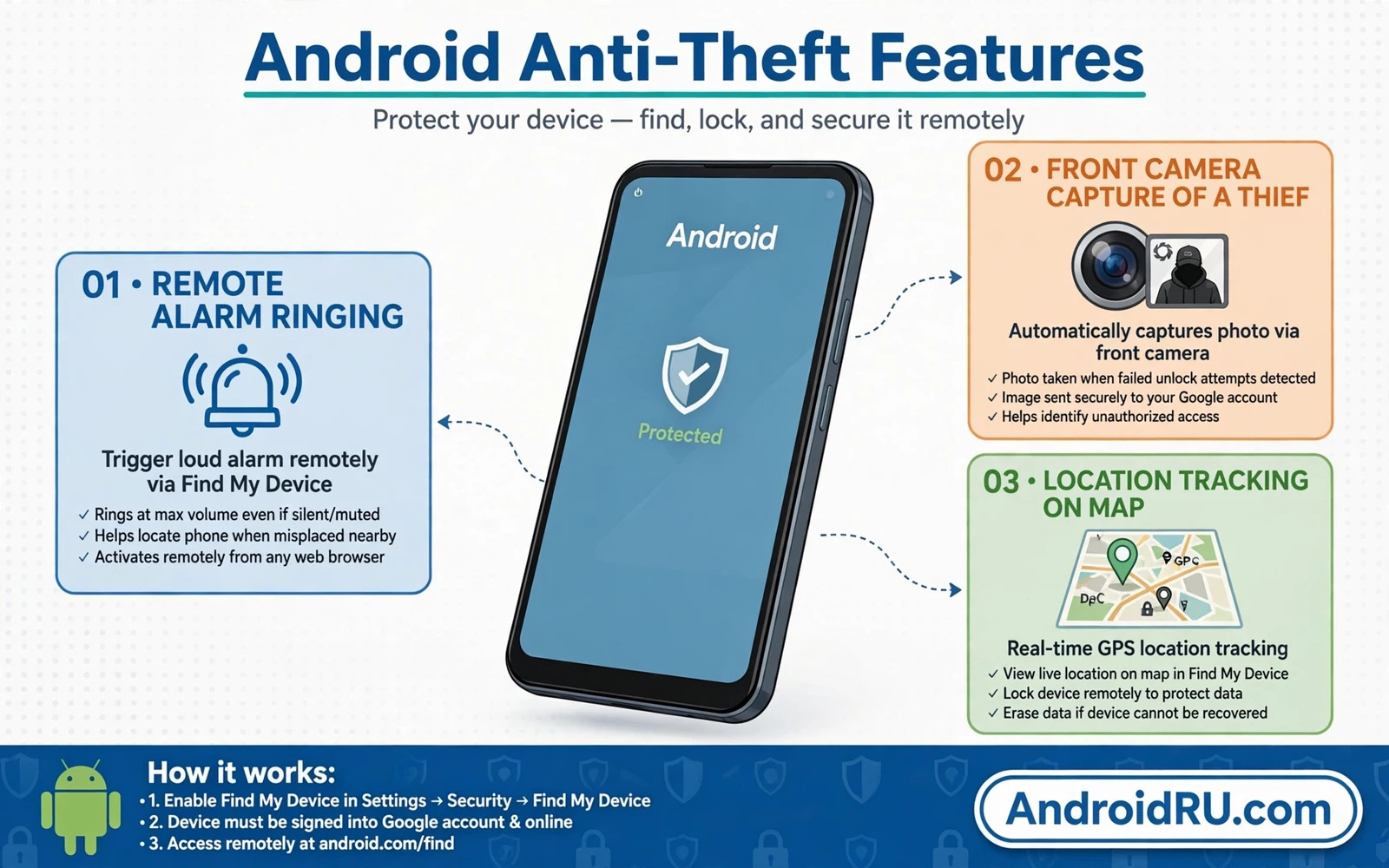
An anti-theft app turns a stolen phone from a silent loss into a device that reports its location and photographs its holder and sounds an alarm that cannot be silenced easily. Those features matter because the first hours after a theft decide whether recovery is possible. A phone that merely locks itself gives you no information about where it went. A phone that captures and reports gives you evidence that you can share with police and with your carrier. That evidence often matters more than the alarm itself.
Anti-theft features divide into location tracking and intruder capture and remote alarm and remote lock and remote wipe. Location tracking shows where the phone travels. Intruder capture photographs anyone who enters wrong credentials repeatedly. Remote alarm forces a loud sound even when the phone sits on silent. Remote lock blocks access to your data. Remote wipe destroys data when recovery looks impossible. A strong anti-theft app combines several of those features rather than offering only one impressive trick.
This guide compares the features that actually help recovery and the setup steps that must happen before a theft and the limits that no app can overcome. Setup before theft is the decisive factor because an anti-theft app installed after a theft cannot protect a phone that is already gone. Install and test your chosen app now while the phone sits safely in your hand.
Location Tracking That Survives Real Theft
Location tracking works through GPS and Wi-Fi and mobile network signals and it reports the phone position to a web dashboard or to another device that you control. Test tracking by leaving the phone in another room and checking whether the dashboard shows the correct position within a reasonable distance. Test tracking again with mobile data only and with Wi-Fi only because a thief may disable one connection type. A tracker that fails without Wi-Fi will go blind the moment the thief leaves your home network.
Location history adds value beyond a single live point because it shows the path that the phone travelled. A path can reveal a thief home area or a shop where the phone was sold. Check how long your chosen app stores history and whether history survives a SIM change. Some trackers keep reporting after a SIM change because they bind to the device rather than to the number. That resilience matters because changing the SIM is one of the first actions that a knowledgeable thief takes.
Intruder Capture And Alarm Features
Intruder capture photographs the front camera view after a set number of failed unlock attempts and sends that photo plus location to your dashboard or email. That photo can identify a holder and can timestamp the attempt. Test intruder capture deliberately by entering wrong credentials on your own phone and confirming that a photo arrives. A capture feature that you never tested may fail silently when you need it most because camera permission or background permission was revoked by a system update.
Remote alarm forces maximum volume sound even when the phone is set to silent or vibrate. That alarm helps you find a phone lost inside a house and it draws attention to a thief in a public place. Test the alarm from your dashboard while the phone sits on silent. Check whether the alarm can be stopped from the phone itself without your dashboard password. An alarm that the holder can silence with one tap loses most of its value. The best alarms require dashboard action or a strong credential to stop.
Remote Lock Wipe And SIM Change Alerts
Remote lock lets you lock a lost phone from a dashboard and display a return message with a contact number. Use a contact number that does not belong to the lost phone itself because a finder cannot call the lost number to return it. Remote wipe erases personal data when recovery looks hopeless. Wipe is irreversible so reserve it for cases where sensitive data outweighs device value. Wipe the phone only after location attempts have failed and after you have backed up recent data elsewhere.
SIM change alerts notify a trusted number or email when the SIM in the phone changes. That alert often arrives before location tracking goes dark because the phone still connects briefly on the new SIM. Set the alert destination to an email account that you can open from another device. Test SIM alerts only if you have a spare SIM because swapping SIMs repeatedly can trigger carrier locks. Read the app documentation for SIM alert setup on your exact phone model because dual SIM behaviour varies.
Permissions And Battery Tradeoffs
Anti-theft apps need broad permissions to work and those permissions deserve scrutiny. Device administrator access or accessibility access lets the app lock the phone and resist uninstallation. Location access always allows tracking even when the app is closed. Camera access allows intruder capture. Those permissions are legitimate for a genuine anti-theft tool but they are also powerful enough to abuse. Choose an app from a reputable developer with a clear privacy policy and a long update history. Avoid unknown anti-theft apps that request the same powers without a reputation to protect.
Battery impact should be modest for a well built anti-theft app because tracking should activate on demand rather than polling constantly. Check battery usage after a week of normal use and investigate any app that drains power heavily in the background. An anti-theft app that drains the battery quickly may leave the phone dead before you can track it. Balance tracking frequency against battery life and prefer apps that report location only when you request it from the dashboard.
What No Anti-Theft App Can Do
No app can track a phone that is powered off or that has no network connection or that has been factory reset through recovery mode by a skilled thief. No app can survive a full firmware reflash that replaces the entire system. No app can guarantee police recovery because police priorities and evidence rules vary. Anti-theft apps improve your odds substantially but they do not replace insurance or backups or prompt reporting. Report a theft to police and to your carrier quickly and share location evidence through official channels rather than confronting a thief yourself.
Physical safety outranks device recovery in every case. Location data may point to a dangerous area or to a person who may react aggressively. Share location evidence with police and let officers handle recovery. Never use an alarm or a tracking update to chase a moving phone through traffic or into an unknown building. A phone is replaceable and your safety is not. The best anti-theft outcome is a safe recovery through official help or a clean wipe that protects your data when recovery is impossible.
Anti-theft setup belongs in a wider loss plan so start with locating and remotely wiping a lost Android phone and harden wireless exposure with managing Bluetooth security and visibility settings while auditing apps that access the camera and microphone keeps sensor permissions honest on the apps that stay installed.
- Install and test anti-theft protection before any theft happens
- Test location tracking with mobile data only and with Wi-Fi only
- Test intruder capture with deliberate wrong unlock attempts on your own phone
- Set SIM change alerts to an email you can open from another device
- Never confront a thief yourself and share location evidence with police instead
Testing Anti-Theft Features Before You Need Them
Testing anti-theft features before you need them is the difference between a protection plan and a protection hope. Schedule a test day each quarter and walk through every feature deliberately. Trigger a test intruder capture with wrong credentials on your own phone and confirm that a photo arrives at your dashboard or email. Trigger a test alarm while the phone sits on silent and confirm that the sound forces through. Check a test location report from another room and confirm that the position is accurate enough to guide recovery.
Test anti-theft behaviour under realistic theft conditions rather than under ideal conditions. Test location reporting with mobile data only because a thief may disable Wi-Fi immediately. Test dashboard access from a computer that you do not normally use because you may need to reach the dashboard from a borrowed device after a theft. Test the return message that appears on the lock screen and confirm that it shows a contact method that does not depend on the lost phone itself. Realistic tests reveal gaps that ideal tests hide.
Document test results and fix failures immediately rather than noting them for later. A capture feature that failed during a test will fail during a real theft as well. Check permissions after each system update because updates can revoke background or camera permissions that anti-theft features depend on. A quarterly test plus a post update permission check keeps anti-theft protection ready across the whole life of the phone rather than only during the week after installation.
Anti-Theft Protection For Tablets And Secondary Phones
Tablets and secondary phones deserve anti-theft protection too even though they rarely leave the house. A tablet stolen during a break in or lost during travel carries photos and email and account tokens just like a main phone. Install the same anti-theft app on secondary devices and test location and alarm features on each one. A secondary device without protection becomes the weakest link in your account security because it may hold a signed in email account that resets other services.
Manage anti-theft dashboards for multiple devices from one trusted account so that a loss on any device triggers the same response routine. Label each device clearly in the dashboard by model and by owner and by usual location. A dashboard with three devices named phone can confuse a stressful recovery moment. Clear labels let you lock or locate the correct device within seconds. Review the device list quarterly and remove sold or retired devices so that the dashboard reflects reality.
The best anti-theft app is the one that you set up fully and tested thoroughly before you ever need it. Location tracking and intruder capture and remote alarm and remote wipe together give you information and control during the stressful hours after a loss. Choose a reputable app and grant only the permissions that its features genuinely need and test every feature now. That preparation turns a theft from a helpless loss into a managed incident with real recovery options.

