

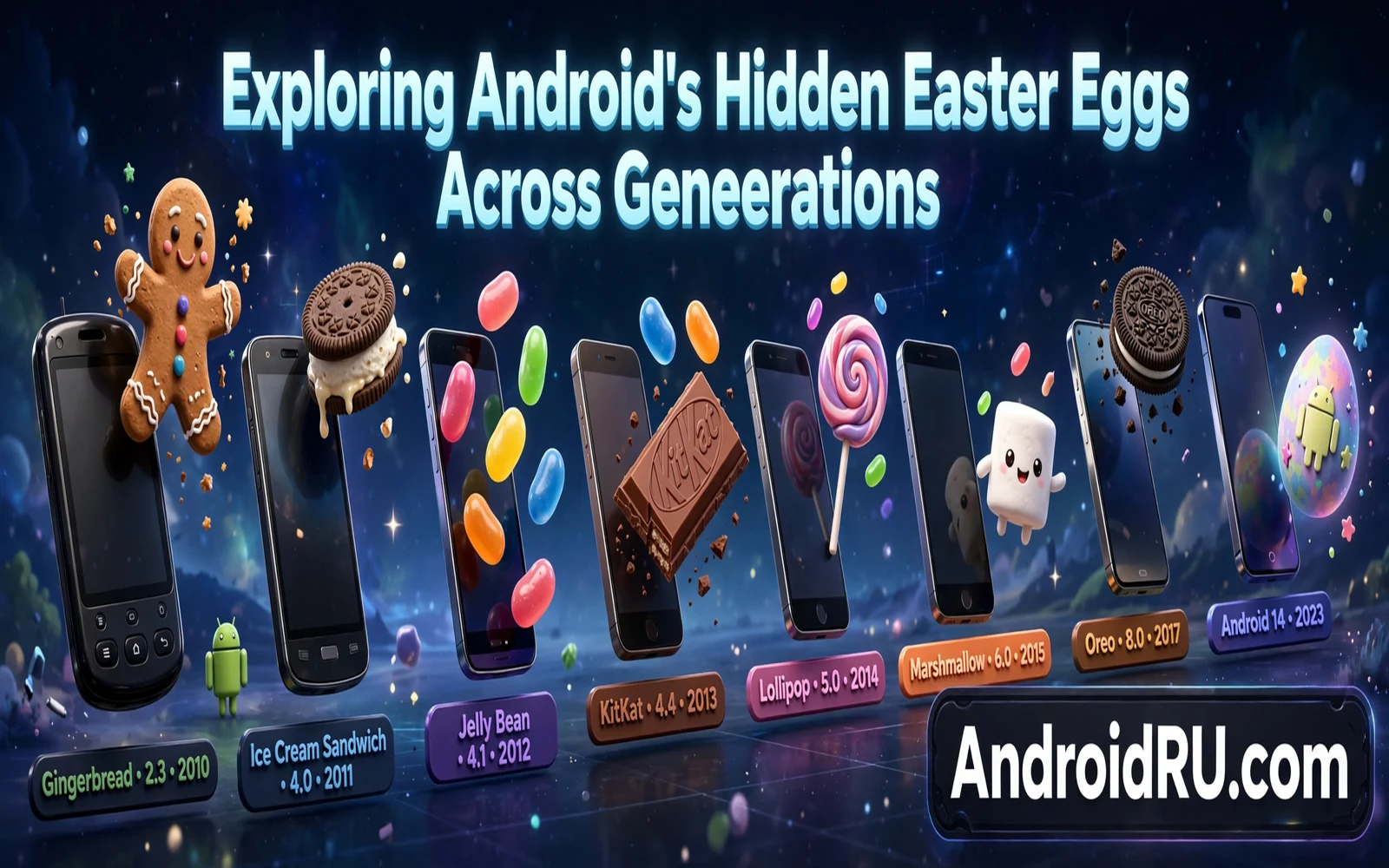
Android Easter eggs are hidden jokes and mini games tucked inside system settings. Each major Android version historically carried its own playful secret. Owners unlock an Easter egg by tapping the Android version entry repeatedly in settings. This guide explores Android hidden Easter eggs across generations. It traces the sweet themed era and the interactive era and the modern era. Readers will learn how to find Easter eggs safely without changing risky settings.
Easter eggs matter beyond fun because they reveal Android culture and design history. Early Easter eggs celebrated dessert names that once defined each Android version. Later Easter eggs turned into playable mini games and interactive scenes. Modern Easter eggs often hide space themes and widget surprises. Each egg reflects the design mood of its era. Collecting that history gives owners a playful map of Android evolution.
Android version history provides the timeline that makes Easter egg generations easy to follow. Readers who want that timeline can explore the history of Android OS from Cupcake to Android 15 before hunting for eggs. Version names and version numbers anchor each egg to its era. A dessert name points to an early egg while a space theme points to a modern egg. Timeline knowledge turns random tapping into a guided tour.
How To Find An Easter Egg Safely
Owners can find the current Easter egg by opening settings and then opening about phone. The Android version entry sits in that area on most phones. Tapping the version entry repeatedly usually triggers the egg after several taps. Some eggs need an extra long press or an extra gesture after the first reveal. Owners should tap only the version entry and avoid changing other about phone settings. Developer options and build number taps belong to a different feature and they change system behavior.
- Open settings and then open about phone
- Find the Android version entry
- Tap the version entry repeatedly
- Follow on screen gestures for the reveal
- Exit the egg without changing other settings
Maker skins sometimes move the version entry or restyle the Easter egg slightly. Stock Pixel phones show the classic path most clearly. Samsung and Xiaomi phones may place version info under software information instead. Owners who cannot find the entry should search settings for Android version. A settings search usually surfaces the right screen quickly. Owners should never install third party Easter egg apps to chase an egg because those apps may carry ads or tracking.
The Dessert Era
Early Android versions carried dessert names that shaped their Easter eggs. Cupcake and Donut and Eclair and Froyo built a sweet naming tradition. Gingerbread and Honeycomb and Ice Cream Sandwich continued that tradition with themed art. Jelly Bean introduced an interactive bean scene that owners could flick around the screen. KitKat partnered with a chocolate brand for a themed reveal. Lollipop introduced a Flappy style game that challenged owners to steer through obstacles. Those eggs felt like inside jokes for early Android fans.
Marshmallow and Nougat and Oreo kept the dessert theme while adding interactive twists. Marshmallow offered a Flappy style game with marshmallow art. Nougat hid a cat collecting game that rewarded patience with virtual cats. Oreo showed an octopus that owners could drag around the screen. Pie continued dessert naming with a playful pie themed reveal. Each egg grew slightly more interactive than the last. The dessert era ended when Google moved to number based version names.
The Number Era And Interactive Games
Android 10 dropped dessert names for public versioning yet kept a playful egg tradition. Android 10 hid a nonogram puzzle that revealed a hidden message through logic play. Android 11 hid a cat control game that echoed the Nougat cat idea with smart home style controls. Android 12 hid a Material You themed clock widget surprise with colorful dots. Android 13 hid a clock themed scene with emoji and bubbles. Android 14 hid a space themed game with a small rocket journey. Each number era egg rewarded curiosity with a distinct mini experience.
New feature highlights often sit beside Easter eggs in update coverage because both reward exploration. Readers who enjoy discovery can browse Android 15 features for your phone for major changes that arrived alongside modern eggs. Feature guides explain practical tools while Easter eggs explain playful culture. Together they show two sides of Android updates. Practical tools serve daily work while playful secrets serve community fun. Both sides deserve a place in Android history.
Why Easter Eggs Change With Design Trends
Easter egg design follows wider Android design trends in each era. Early eggs used simple art because phones and screens stayed modest. Later eggs used physics and animation because hardware grew stronger. Material You era eggs used dynamic color because system design embraced personalization. Space themed eggs used playful exploration because Android marketing embraced curiosity. Design trends therefore explain why eggs feel different across generations. An egg is a tiny time capsule of its era design language.
Version comparison guides help owners place each egg beside system changes of its era. The comparison in Android 15 versus Android 14 and whether the upgrade is worth it shows how practical changes stack up across recent versions. Easter eggs sit outside that practical comparison yet they mark the same timeline. Owners who read both views gain a fuller sense of each version. Practical gains matter for upgrade decisions while eggs matter for community memory.
Easter Eggs On Modern Phones
Modern phones keep Easter eggs accessible yet less prominent than in early Android marketing. Owners must know the tapping trick or read a guide to find them. That hidden quality preserves the surprise for curious owners. Maker skins sometimes alter the egg visuals slightly while keeping the core interaction. Custom ROMs may carry their own egg variations based on open source code. Owners should enjoy eggs as harmless fun rather than as system features. Eggs never change security settings or performance settings on their own.
Easter eggs across generations tell a story of Android growing from a niche project into a global platform. Dessert names gave early Android a friendly identity. Interactive games gave mid era Android a playful confidence. Modern space and widget surprises give current Android a polished curiosity. Owners who tap through that history connect with developer humor directly. That connection reminds owners that serious software can still carry a sense of play. A few taps in about phone open a small museum of Android joy.
Easter Eggs As Community Culture
Easter eggs built a community culture around Android releases because fans shared discovery videos each year. A new Android version launch often sparked a race to find the hidden egg first. Fans posted tapping methods and gameplay clips within hours of release. That shared hunt turned a technical release into a social event. Community culture around eggs helped Android feel playful rather than corporate. Fans still reminisce about favorite eggs years later.
Developers inside Google used Easter eggs to sign their work with humor and personality. An egg let a team celebrate a release without a formal announcement. That celebration reached only curious owners who tapped deeply enough to find it. The hidden nature made discovery feel personal rather than marketed. Owners who found an egg felt like insiders in a large platform story. That insider feeling strengthened loyalty in early Android years.
Custom ROM communities extended Easter egg culture with their own variations and tributes. A community build might carry a themed egg that honors its developers. Those variations show how open source culture embraces play alongside engineering. Owners who try community builds may discover eggs that official builds lack. That discovery adds charm to experimental software. Community eggs remind owners that Android remains an open playground as well as a product.
Finding Easter Eggs On Different Makers
Samsung phones sometimes restyle Easter eggs while keeping core interactions recognizable. Owners on Samsung phones should follow the same version tapping path in software information. Visual differences may appear in colors or in character art. Core gestures usually stay similar across makers. Owners who expect exact Pixel visuals may feel confused by maker variations. Patience with visual differences leads to the same playful reveal.
Xiaomi phones may place version info under about phone with additional maker version details nearby. Owners should tap the Android version entry specifically rather than the maker UI version entry. Tapping the wrong entry may open a different screen or nothing at all. Careful reading of entry labels prevents wasted taps. Settings search for Android version helps when menus confuse. That search habit serves many settings hunts beyond Easter eggs.
Pixel phones offer the cleanest Easter egg path because stock Android presents version info directly. Owners on Pixel phones can follow guides literally without maker translation. That clarity makes Pixel phones popular for Easter egg videos and tutorials. Other makers still hide the same eggs behind slightly different menus. The egg itself remains an Android tradition across all makers. Menu differences only change the route to the same surprise.
Easter Eggs And Android Marketing
Easter eggs once served as informal marketing because fans shared discovery content widely. A clever egg generated articles and videos without paid promotion. That organic coverage introduced Android versions to audiences beyond tech news. Marketing teams learned that playful secrets could outperform formal announcements for engagement. Modern eggs receive less marketing fanfare yet fans still hunt them eagerly. Playful secrets remain a low cost way to build community excitement.
Brand personality shows through Easter eggs because humor reveals company culture. A company that hides jokes in software signals confidence and approachability. Owners respond to that personality with loyalty and affection. Competitors with purely utilitarian software may feel colder by comparison. Personality in software does not replace quality yet it strengthens emotional connection. Easter eggs carry personality efficiently in a tiny hidden package.

