

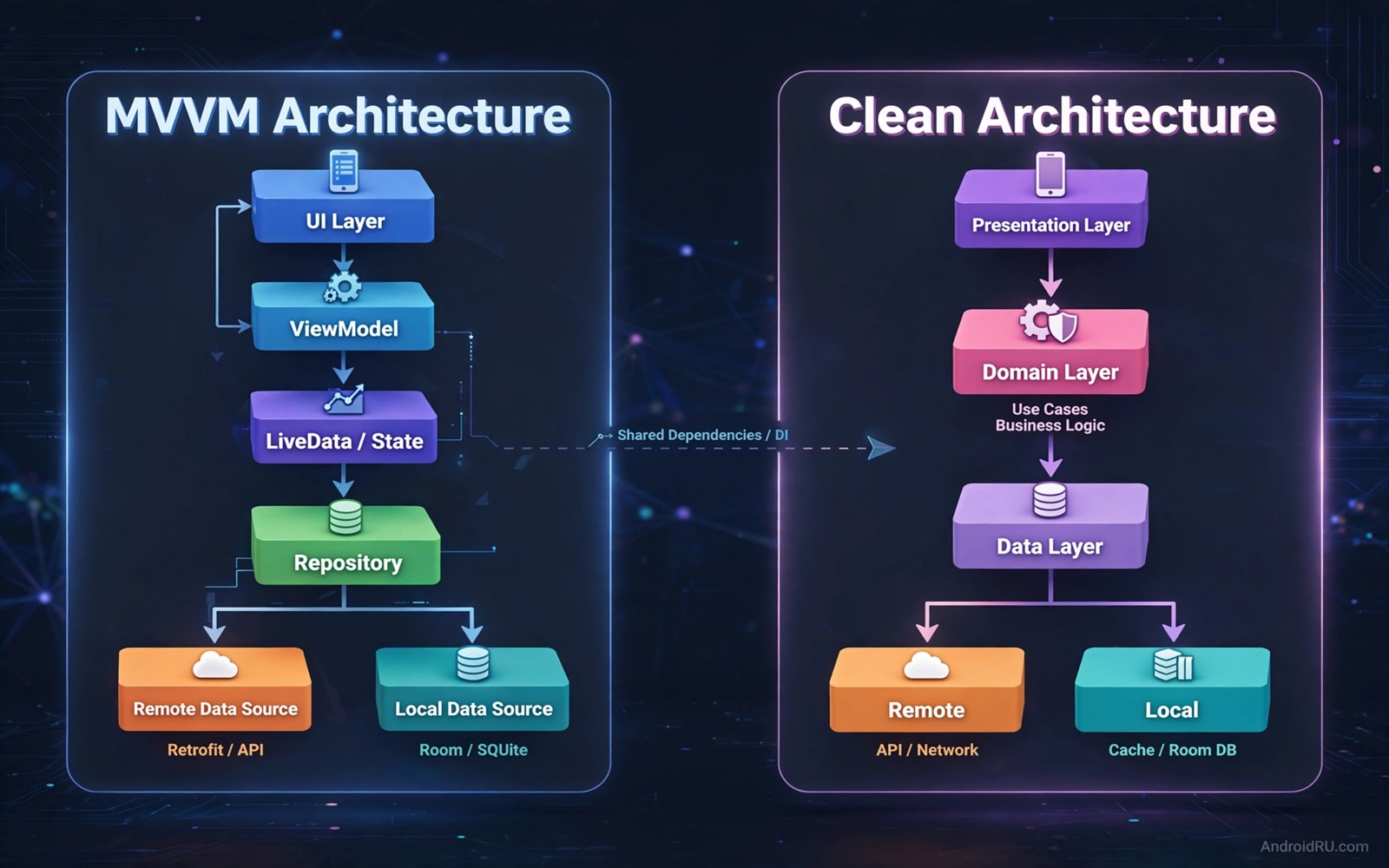
Architecture patterns give an Android app a clear structure for code. They decide where user interface code lives and where business logic lives and how state flows between them. Two patterns dominate modern Android discussion. MVVM separates the view from the view model. MVI adds a stricter one way flow of intents and states. Both patterns can produce good apps when used well.
MVVM is the older and more widely adopted pattern in Android. A view observes state from a view model. The view model exposes data through streams that the view can observe. User actions call methods on the view model. The view model updates state and the view reacts. That flow is flexible and it fits many app sizes.
MVI takes a stricter approach. The view sends intents that describe user actions. A reducer or a processor turns intents and current state into a new state. The view renders that new state without holding its own state. That strict flow makes state changes easier to trace. It also adds more boilerplate for simple screens. This guide compares both patterns so you can choose with evidence rather than fashion.
How MVVM works in a real app
In MVVM the view model holds the state for a screen. It may hold a list of items and a loading flag and an error message. The view observes those values and updates the interface when they change. The view does not contain business logic. It only renders state and forwards user actions to the view model.
MVVM works well with Android Jetpack components. State flows and live data both fit the pattern naturally. A view model survives configuration changes such as rotation. That survival means that the view can reconnect after rotation without losing loaded data. That benefit alone explains much of the pattern popularity.
MVVM flexibility can become a weakness on large screens. A view model may grow many methods and many state values over time. A developer may update state from several places and lose track of how a value changed. Discipline helps here. Keep state updates in a small number of methods and document the state that each method changes.
How MVI works in a real app
In MVI the view sends an intent for every user action. An intent may be a simple object such as LoadItems or RefreshItems. A processor receives the intent and the current state. It produces a new state that reflects the result. The view renders the new state in full. No other state lives in the view itself.
That strict flow makes debugging easier. A developer can log every intent and every state change in order. A bug can be traced to the intent that caused a bad state. Time travel debugging becomes possible when intents and states are recorded. That traceability is the main strength of MVI for complex screens.
MVI costs more code for simple screens. A screen with one button and one text field still needs intents and a state class and a reducer. That overhead feels wasteful for a tiny feature. Teams often reserve MVI for complex screens with many interactions and use a simpler pattern for simple screens. A mixed approach can work when the boundary is clear.
Comparing state handling side by side
MVVM state can be partial and scattered. A view model may expose several separate streams for loading and data and error. The view must combine those streams correctly. A mistake in combining streams can show a loading spinner and data at the same time. That combination bug is common in MVVM code that grows without a single state class.
MVI state is usually a single immutable object for a screen. The view renders that object as a whole. A loading state and a data state and an error state are mutually exclusive by construction. That exclusivity prevents many combination bugs. It also makes the view code simpler because it only needs to render one state object.
Testing differs between the patterns as well. MVVM tests often check view model methods and observed values. MVI tests often check that an intent produces an expected state sequence. Both test styles work well. MVI tests tend to be more deterministic because state changes follow a single path. MVVM tests tend to be shorter for simple screens.
Choosing a pattern for your team and app
Choose MVVM when your team is small or when the app has many simple screens. MVVM has more examples and more hiring familiarity. New developers can learn it fast. Simple screens stay simple without extra boilerplate. That speed matters for a team that must ship features quickly.
Choose MVI when a screen has complex state and many user interactions. A chat screen or a checkout flow or a multi step form benefits from traceable state. The extra boilerplate pays off when debugging a complex flow. A team that values deterministic state over brevity will prefer MVI for those screens.
Consider a hybrid approach for a large app. Use MVVM for simple screens and MVI for complex screens. Document the boundary clearly so developers know which pattern applies to a new screen. A hybrid approach needs discipline to avoid confusion. A clear guide in the project readme helps new team members choose correctly.
- Use MVVM for many simple screens and small teams.
- Use MVI for complex screens with many interactions.
- Document a hybrid boundary clearly in the project.
- Review the choice after the first complex screen ships.
Code you can adapt
// MVVM view model with a single state flow for a screen
// A single state object avoids scattered loading and data streams
data class NotesState(
    val notes: List<String> = emptyList(),
    val isLoading: Boolean = false,
    val error: String? = null
)
class NotesViewModel : ViewModel() {
    private val _state = MutableStateFlow(NotesState())
    val state: StateFlow<NotesState> = _state
    fun loadNotes() {
        _state.value = NotesState(isLoading = true)
        // Load notes on a background thread in real code.
    }
}
The snippet above is an original example written for this guide. It shows a single state object inside a view model which borrows the clarity of MVI while keeping MVVM structure.
A single state object is a practical middle ground. It keeps MVVM familiarity while reducing combination bugs. Many teams adopt this style without fully switching to MVI. That gradual adoption lets a team test the benefit before committing to a full pattern change.
Whichever pattern you choose keep state immutable where possible. Immutable state prevents accidental changes from another part of the code. It also makes state changes easier to log and to test. Immutability is a habit that helps both MVVM and MVI codebases.
How this topic connects to nearby work
Data access patterns inside a view model are optimised in the guide to Room database indexing optimization.
Architecture decisions are easier to verify with the automated routines in the guide to automate mobile app UI tests.
A clean module structure also helps the build speed work described in the guide to optimize Gradle build speeds.
Putting it into practice
Navigation architecture interacts with view model state in ways that affect both patterns. A single activity app with a navigation graph keeps view models scoped to navigation destinations. A view model that outlives its destination can hold stale state for the next visit. Clear state when a destination leaves the back stack or design the state to be refreshed on entry. That lifecycle awareness prevents stale data bugs in both MVVM and MVI code.
State restoration after process death is a test that many teams skip. Android may kill an app process in the background and restore it later. A view model state that lives only in memory will be lost. Save essential state in a saved state handle or in persistent storage. Test process death by enabling the developer option that kills activities in the background. That test reveals state loss before users encounter it.
A final architecture check should review a new screen with a colleague who did not write the code. Ask the colleague to trace a user action from the view to the state update without help from the author. A trace that the colleague can follow easily shows that the architecture is clear. A trace that needs author explanation shows that the pattern was applied inconsistently. That peer trace test is a cheap way to judge architecture clarity before the code grows larger.
Common mistakes
A common mistake is to put business logic in the view. A view that calls a repository directly breaks the pattern and makes testing hard. Move business logic to the view model or to a use case layer. Keep the view focused on rendering and on forwarding user actions.
Another mistake is to expose mutable state directly from a view model. Mutable state lets any caller change state without a clear path. Expose immutable state streams and update state only through view model methods. That rule keeps state changes traceable in both patterns.
A third mistake is to choose a pattern because it is fashionable. A pattern that fits a large complex app may be overkill for a small app. Choose based on screen complexity and team size and maintenance needs. Revisit the choice after real experience rather than defending it from theory alone.
Frequently asked questions
Is MVI always better than MVVM for Android?
No. MVI gives stronger state traceability for complex screens. MVVM gives less boilerplate for simple screens and wider familiarity. The best choice depends on screen complexity and team experience. Many apps benefit from a thoughtful mix.
Can I use a single state object in MVVM?
Yes and many teams do exactly that. A single state object in a view model reduces combination bugs while keeping MVVM structure. That approach is a practical step toward MVI clarity without a full pattern migration.
Should a whole app use only one architecture pattern?
Consistency helps but strict uniformity can hurt simple screens. A clear documented hybrid approach works for large apps. Keep the boundary simple so developers can choose the right pattern for each new screen.
Conclusion
MVVM and MVI both aim for clear separation between interface and logic. MVVM offers flexibility and familiarity. MVI offers traceable one way state flow for complex screens. A single state object can bring MVI clarity into MVVM code. Choose based on complexity and team needs rather than on popularity alone.
Your concrete next step is to pick one complex screen in your own app today and sketch its state as a single immutable object. Compare that sketch with the current scattered state values. That sketch will show whether MVI style state helps that screen enough to justify the change.

