

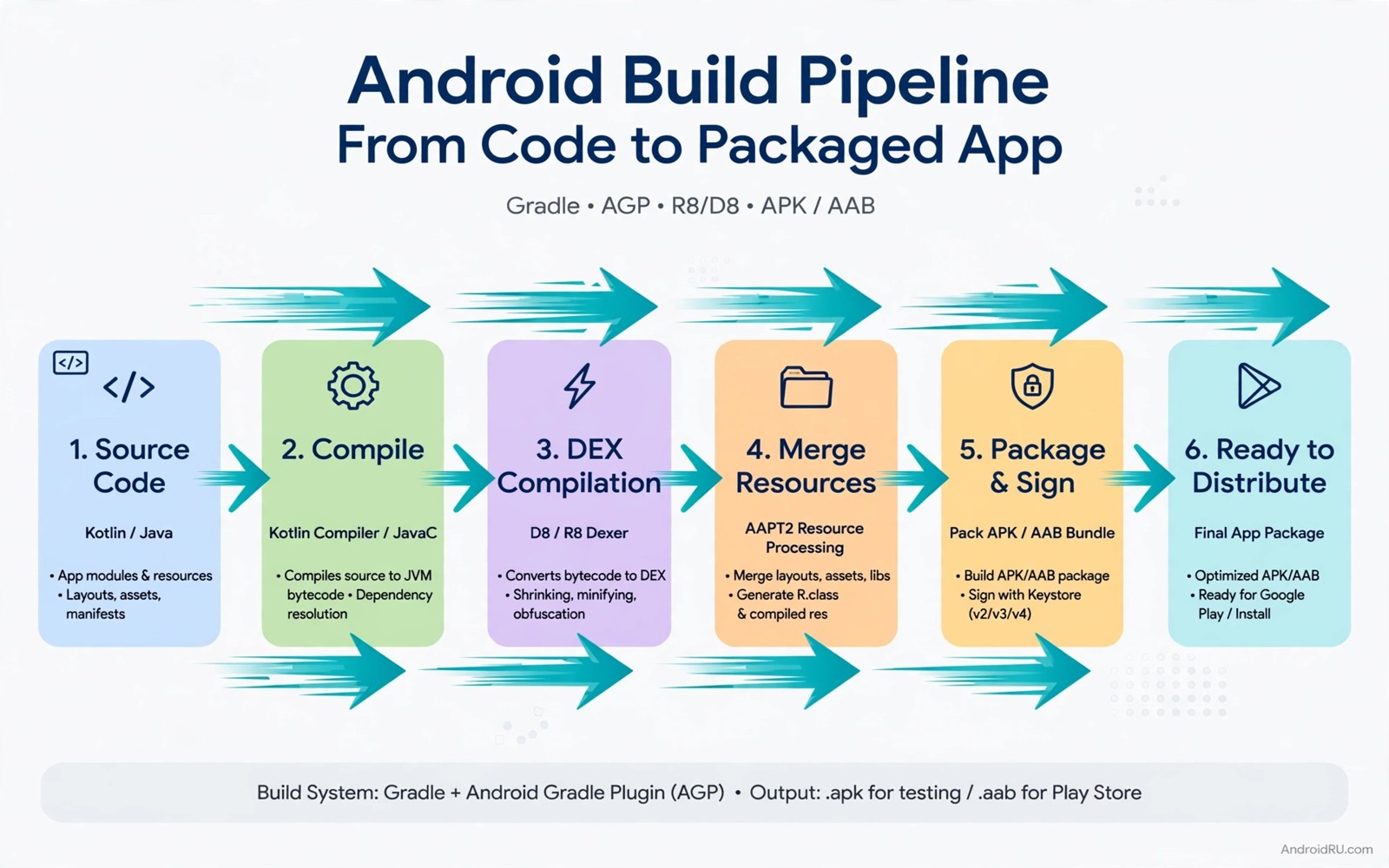
Gradle builds an Android app by compiling code and processing resources and packaging the result. A build that takes five minutes feels slow. A build that takes five minutes ten times a day wastes almost an hour. Build speed therefore matters for developer productivity and for team morale. Small configuration changes can often cut build time sharply.
Build time comes from several sources. Compilation takes time. Resource processing takes time. Dependency resolution takes time. Tests and lint checks take time. Each source can be optimised separately. A developer who measures each source can focus on the largest cost first. A developer who guesses may optimise a small cost and miss the large one.
This guide shows how to optimise Gradle build speeds for your own Android projects. It covers configuration cache and build cache and parallel execution and dependency management. It also warns against shortcuts that break builds. A fast build that produces a wrong result is worse than a slow build that works correctly.
Measuring build time before you optimise
Start by measuring a clean build and an incremental build separately. A clean build compiles everything from scratch. An incremental build recompiles only what changed. Most daily work uses incremental builds. Optimising clean build time helps continuous integration. Optimising incremental build time helps daily development. Measure both so you know which one to improve.
Use the Gradle build scan or the profile report to see where time goes. The report breaks time down by task. A task that takes a large share of time deserves attention first. A task that takes a tiny share can wait even if it looks easy to optimise. Measurement prevents wasted effort on tasks that do not matter.
Repeat measurements several times and take a typical value. Build times vary with machine load and cache state. A single fast measurement may reflect a warm cache rather than a real improvement. A consistent improvement across several runs is trustworthy. Record the machine and the Gradle version with each measurement for fair comparison.
Configuration cache and build cache
Configuration cache stores the result of the configuration phase so Gradle can skip it on later builds. That phase reads build scripts and resolves project structure. Skipping it saves time on every incremental build. Enable it carefully and test that all tasks still work. Some plugins do not support configuration cache yet and they may need an update or a workaround.
Build cache stores task outputs so Gradle can reuse them when inputs have not changed. A task that ran before with the same inputs can skip execution and reuse the cached output. That reuse helps most for tasks that are expensive and deterministic. Enable the local build cache first. Add a remote cache for a team when the local cache works reliably.
Cache correctness matters more than cache speed. A stale cache entry can produce an old result for new code. Test cache behaviour after enabling it. Change a source file and confirm that the build output changes. Change a resource and confirm that the packaged app changes. A cache that fails those tests should be disabled until the cause is understood.
Parallel execution and worker configuration
Parallel execution lets Gradle run independent tasks at the same time. That parallelism uses multiple processor cores effectively. Enable it in the Gradle properties file for the project. Test the build after enabling it because some tasks may have hidden dependencies that parallel execution exposes. A task that assumes a strict order may fail when run in parallel.
Worker configuration controls how many parallel workers Gradle uses. A value that matches the processor core count usually works well. A value far above the core count can cause contention and slower builds. A value far below the core count wastes available cores. Test a few values and measure the result for your machine rather than copying a value from another team.
Daemon configuration also affects speed. The Gradle daemon keeps a warm process between builds. A warm daemon avoids startup cost for each build. Keep the daemon enabled for development. Disable it only in environments where a long lived process causes problems. A cold daemon on every build adds noticeable overhead to short incremental builds.
Dependencies modules and task optimisation
Dependency resolution can slow builds when many versions conflict. A large dependency tree takes time to resolve. Review dependencies regularly and remove unused ones. Update libraries that cause version conflicts. A smaller cleaner dependency tree resolves faster and it reduces the risk of a runtime conflict.
Modularisation helps build speed when modules are well separated. Gradle can rebuild only the modules that changed. A monolithic module forces a rebuild of everything for a small change. Split a large app into modules by feature when the boundaries are clear. Avoid over splitting into tiny modules because module overhead can offset the benefit.
Task optimisation includes disabling tasks that are not needed for a development build. Lint checks and certain verification tasks are valuable but they may not need to run on every incremental build. Run them in continuous integration and on release builds. Keep development builds focused on compilation and packaging so the feedback loop stays fast.
- Remove unused dependencies regularly.
- Split a large app into modules by feature.
- Run heavy verification in continuous integration.
- Keep development builds focused on compilation.
Code you can adapt
# Gradle properties for faster Android builds
# Test each setting in your own project before committing it
org.gradle.parallel=true
org.gradle.caching=true
org.gradle.configuration-cache=true
org.gradle.daemon=true
android.useAndroidX=true
The snippet above is an original example written for this guide. It shows common Gradle properties for parallel execution and caching that developers test in their own projects.
Each property in the example has a trade off. Parallel execution needs tasks without hidden order dependencies. Configuration cache needs plugin support. Caching needs deterministic tasks. Test the full build after enabling a property and run the app to confirm that the output still works. A property that breaks a task should be removed even if it looks faster.
Commit Gradle properties only after a measured improvement. Record the before and after build times in the commit message or in the project notes. That record helps future developers understand why a property exists. It also makes it easier to remove a property that stops helping after a Gradle upgrade.
How this topic connects to nearby work
Module boundaries that speed builds follow the architecture choices compared in the guide to MVVM vs MVI architecture patterns.
Build speed and test speed together set the feedback loop described in the guide to automate mobile app UI tests.
Slow queries in a build test suite point to the database optimisation in the guide to Room database indexing optimization.
Putting it into practice
Incremental annotation processing affects build speed for projects that use code generation. An annotation processor that is not incremental forces a full rebuild of generated code on every change. Check processor documentation for incremental support and update processors that lack it. A single non incremental processor can dominate incremental build time even when other tasks use caching well.
KSP versus kapt is a related choice for Kotlin projects. KSP processes annotations faster than kapt for many Kotlin codebases because it understands Kotlin syntax directly. Migrating from kapt to KSP needs testing because generated code may differ in details. Migrate one processor at a time and compare generated output before and after. A measured migration gives a speed benefit without a surprise in generated code.
A final Gradle check should test the build on a clean checkout rather than only on a developer machine with a warm cache. A clean checkout reveals a missing dependency or a task that assumed a cached output. Clone the project to a fresh folder and run the build there. Compare the clean build time with the warm build time. A large gap between the two times points to cache dependence that continuous integration will also face.
Common mistakes
A common mistake is to enable every speed property at once. Several changes at once make it hard to tell which one helped and which one broke a task. Enable one property at a time and test the build after each change. A slow cycle gives a clear result while a fast cycle gives confusion.
Another mistake is to disable all checks for speed. Lint and tests catch bugs that a fast build would ship. Keep checks in continuous integration even when you skip them for local development. A fast local build and a thorough integration build together give speed and safety.
A third mistake is to optimise only on a powerful machine. A build that is fast on a high end machine may still be slow on a typical developer laptop. Measure on the machines that the team actually uses. A speed improvement that only helps one machine is not a team improvement.
Frequently asked questions
Can Gradle build speed really improve by 50 percent?
It depends on the starting point and the bottlenecks. A project with no caching and no parallelism can improve sharply. A project that already uses caching well will improve less. Measure your own baseline before promising a specific percentage for your project.
Is configuration cache safe for all Android projects?
Most modern projects support it but some plugins do not yet. Test the full build and the app after enabling it. Check plugin documentation for configuration cache support. Disable it for a task or plugin that breaks until an update fixes support.
Should I use a remote build cache for a small team?
Start with a local cache for each developer. Add a remote cache when the team shares many identical builds and the local cache works well. A remote cache adds setup and maintenance cost that a small team may not need at first.
Conclusion
Gradle build speed improves through measurement and caching and parallelism and clean dependencies. Each optimisation needs a test to confirm that the build still produces a correct app. A fast build that breaks tasks is not an improvement. A measured improvement that survives several runs and a real device test is a real win for the whole team.
Your concrete next step is to measure a clean build and an incremental build for your own project today and record the slowest three tasks. Enable one optimisation for the slowest task and measure again. That single cycle will show whether a larger optimisation effort is worth the time.

